The best DocuSign alternatives depend on why you’re leaving: BoldSign to move your DocuSign templates, Dropbox Sign for a small team over the envelope cap, Zoho Sign for bulk send below Business Pro’s price, and PandaDoc for sales proposals. DocuSign Standard and Business Pro stop at 100 envelopes per user per year on annual plans, so a busy sender pays overage long before renewal.
Quick verdict
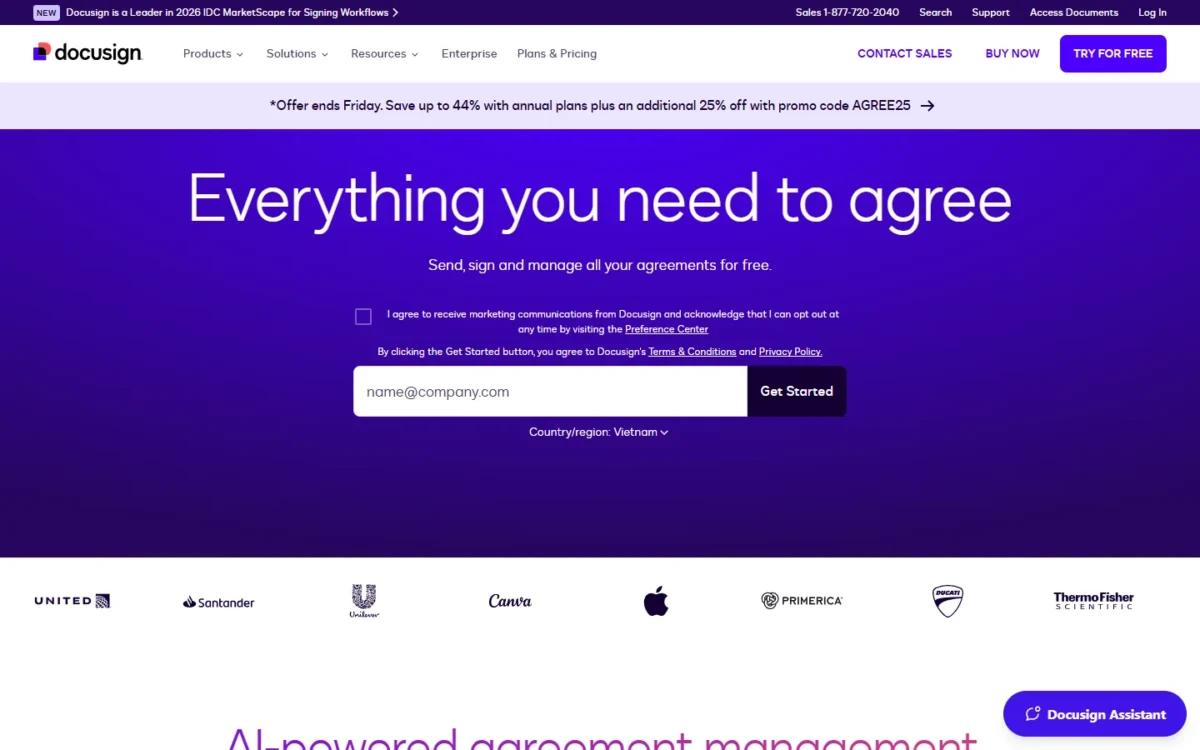
At list prices checked in November 2026, a fully used DocuSign Standard seat costs $3.00 per envelope ($300 billed annually / 100 envelopes). BoldSign Business lists unlimited envelopes at $15 per user per month, billed yearly, and imports DocuSign’s JSON templates.
Dropbox Sign Standard lists unlimited signature requests at $25 per user per month, billed yearly. Zoho Sign Enterprise includes bulk send at $22 per user per month, billed annually. SignWell Business covers three senders for $30 a month, billed yearly.
Stay with DocuSign if 6 to 50 senders depend on its partner integrations. Leaving means rebuilding integrations and exporting envelope history through Retrieve, Connect, Power Automate or Box.

BoldSign
Best for: moving your DocuSign templates
It imports the JSON template files DocuSign exports.
Limit: some DocuSign fields import as Text Box fields

Dropbox Sign
Best for: unlimited signature requests on a small team
Its Standard plan lists unlimited signature requests, where DocuSign counts envelopes.
Limit: more than 5 users means a sales quote; DocuSign takes 50

Zoho Sign
Best for: bulk send below Business Pro’s price
Its Enterprise plan includes the bulk send and payment collection DocuSign keeps for Business Pro.
Limit: the Standard plan stops at 25 envelopes per user per month

PandaDoc
Best for: sales proposals and quotes
Choose it over DocuSign when the proposal is built in the tool that collects the signature.
Limit: a higher seat price than DocuSign Business Pro
In This Article (16 sections)
DocuSign Alternatives Compared
Ten other services are like DocuSign: each sends a document for electronic signature and tracks it. DocuSign’s pricing page lists a real-time audit trail on every eSignature plan, so the audit trail rarely decides a switch; envelope limits, price per sender and what moves over from DocuSign do.
| Software | Best for | Starting price | Main advantage | What you give up | Switching note |
|---|---|---|---|---|---|
| DocuSign | Teams of up to 50 on its integrations | Standard: $25 per user per month, billed annually up front | 1,000+ partner integrations from Personal up | Benchmark | Benchmark |
| BoldSign | Moving your DocuSign templates | Free plan; Growth $5 per user per month, billed yearly | Unlimited envelopes on Business | Salesforce is a paid add-on | Imports DocuSign JSON templates |
| Dropbox Sign | Unlimited signature requests on a small team | Essentials: $15 per month, $180 billed yearly | Unlimited signature requests | Over 5 users needs a quote | No DocuSign import listed |
| Zoho Sign | Bulk send below Business Pro’s price | Free plan; Standard $10 per user per month, billed annually | Bulk send on Enterprise | Standard: 25 envelopes per user per month | No DocuSign import listed |
| SignWell | Teams of one to three senders | Free plan; Light $10 per month, billed yearly | 3 senders on one Business plan | Large Team Plans need Enterprise | “Easy DocuSign import” |
| PandaDoc | Sales proposals and quotes | Free plan; Starter $19 per seat per month, billed annually | Quotes and approvals on Business | Higher seat price than Business Pro | No DocuSign import listed |
| SignNow | Many occasional senders | Business: $8 per month, billed annually | “Unlimited users” per plan | “100 invites per year” | Lists “Migrate documents from other platforms” |
| Adobe Acrobat Pro | PDF-heavy teams | Current prices on Adobe’s pricing page | PDF editing plus e-signatures | Below Acrobat Sign Solutions’ compliance level | Rebuild templates and web forms |
| Jotform Sign | Forms that need a signature | Free Starter plan; Bronze $34 per month, billed annually | Signatures inside a form builder | 1-user plans below Enterprise | Rebuild forms |
| DocuSeal | Self-hosting and API embedding | Free Basic plan; Pro $20 per user per month | Free open-source edition | You run the server | Lists “Import from DocuSign” |
| OpenSign | Free unlimited signing | Free plan; Teams $19.99 per user per month on yearly billing | Unlimited e-signatures at $0 | SSO only on Enterprise | Dropbox import only |
Sources: DocuSign pricing, BoldSign, Dropbox Sign, Zoho Sign, SignWell, PandaDoc, SignNow, Adobe Acrobat, Jotform, DocuSeal, OpenSign, checked Nov 2026.
How I Evaluated the Alternatives
I started with the picks below and the tools under Also Considered. A pick had to do DocuSign’s send, sign and track job and have an official pricing page or a free plan.
I ranked on envelope volume against DocuSign’s cap, cost per sender on the comparable plan, the plan that holds bulk send, template migration, document creation, and self-hosting or API access.
The facts come from official pages (vendor pricing, plan and help pages), read in November 2026; the cost math and verdicts are my editorial analysis.
Why Teams Look Beyond DocuSign
Four DocuSign limits send teams looking, and each points to different picks.
- The envelope limits: DocuSign’s annual Standard and Business Pro plans include up to 100 envelopes per user per year (10 per user per month on monthly plans), and extra envelopes are billed at a per-envelope rate the pricing page doesn’t state. Senders above about 8 agreements a month hit it. Picks: Dropbox Sign, BoldSign, Zoho Sign, SignWell.
- The Business Pro gate: DocuSign starts web forms, bulk sending and payment collection at Business Pro. HR and ops teams that send one document to a long list hit it. Picks: Zoho Sign, SignNow, DocuSeal.
- The per-user price: DocuSign Standard costs $300 per user a year, billed annually up front, which weighs on one to three senders. Picks: SignWell, BoldSign, OpenSign.
- The scope: DocuSign’s eSignature plans cover sending, signing and tracking agreements. Sales teams that build proposals and teams that self-host need more. Picks: PandaDoc, DocuSeal.
At full use, a DocuSign Business Pro seat pays $4.80 per envelope ($480 billed annually / 100). My guide to DocuSign’s plans and envelope limits has the plan-by-plan detail.
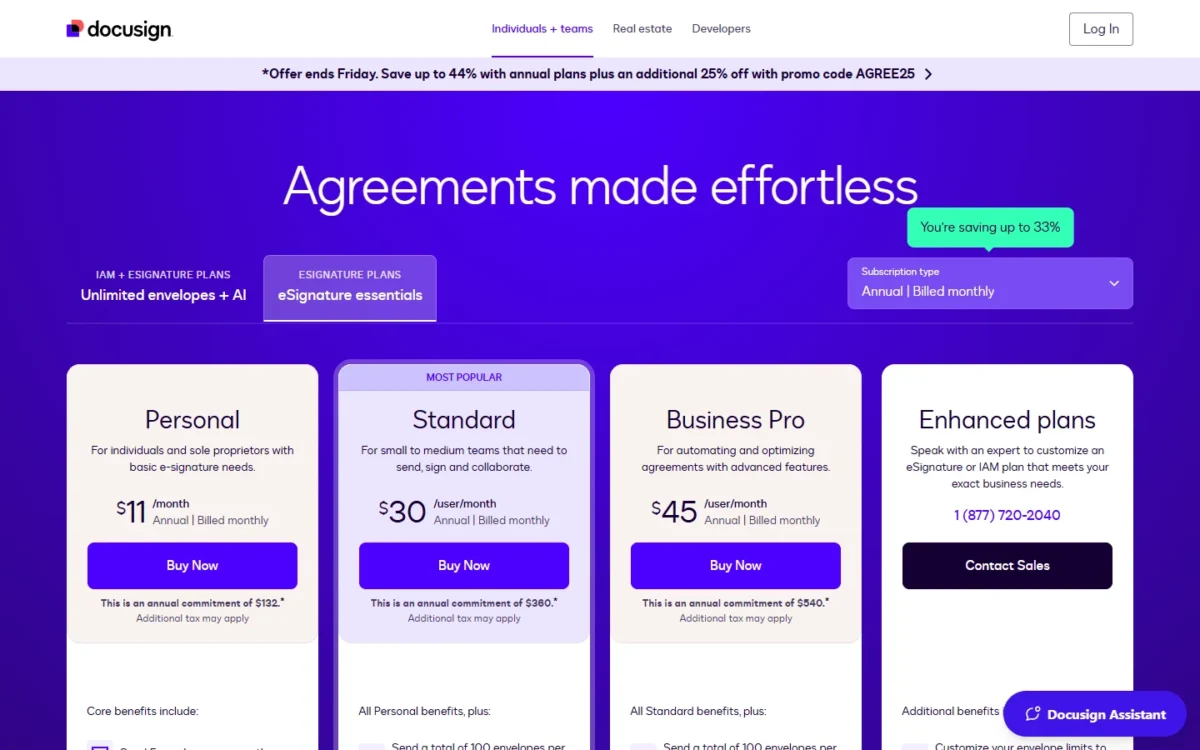
DocuSign’s pricing page opens on its “Annual | Billed monthly” view, where DocuSign Standard is $30 per user per month. This article uses the “Annual | Billed upfront” view, where DocuSign Standard is $25 per user per month.
My take
The cap is the reason I’d act on: a sender who needs 20 envelopes a month uses the year’s allowance in five months (100 / 20). DocuSign Business Pro’s higher seat price pays off only when most seats use bulk send or web forms.
What a Small and a Larger Sending Team Pay a Year
Five senders pay $1,500 a year on DocuSign Standard, billed up front, and five of the seven picks in the table come in under that.
| Plan, price per user per month | 5 senders, per year | 10 senders, per year | Sending allowance |
|---|---|---|---|
| DocuSign Standard, $25, annual, billed up front | $25 x 5 x 12 = $1,500 | $25 x 10 x 12 = $3,000 | 100 envelopes per user per year |
| DocuSign Business Pro, $40, annual, billed up front | $40 x 5 x 12 = $2,400 | $40 x 10 x 12 = $4,800 | 100 envelopes per user per year |
| BoldSign Business, $15, billed yearly | $15 x 5 x 12 = $900 | $15 x 10 x 12 = $1,800 | Unlimited envelopes |
| Dropbox Sign Standard, $25, billed yearly | $25 x 5 x 12 = $1,500 | Sales quote | Unlimited signature requests |
| Zoho Sign Professional, $16, billed annually | $16 x 5 x 12 = $960 | $16 x 10 x 12 = $1,920 | Unlimited envelopes |
| Zoho Sign Enterprise, $22, billed annually | $22 x 5 x 12 = $1,320 | $22 x 10 x 12 = $2,640 | Unlimited envelopes, with bulk send |
| SignWell Business, $30 per month for 3 senders, $12 per extra sender, billed yearly | $30 x 12 = $360, plus $12 x 2 x 12 = $288: $360 + $288 = $648 | $30 x 12 = $360, plus $12 x 7 x 12 = $1,008: $360 + $1,008 = $1,368 | Unlimited documents |
| PandaDoc Business, $49 per seat, billed annually | $49 x 5 x 12 = $2,940 | $49 x 10 x 12 = $5,880 | Unlimited documents |
| DocuSeal Pro, $20 | $20 x 5 x 12 = $1,200 | $20 x 10 x 12 = $2,400 | Unlimited signature requests |
| OpenSign Teams, $19.99, yearly billing | $19.99 x 5 x 12 = $1,199.40 | $19.99 x 10 x 12 = $2,398.80 | Unlimited e-signatures |
Sources: DocuSign pricing, “Annual | Billed upfront” view and each pick’s pricing page, linked in its section, checked Nov 2026.
US list prices exclude tax, add-ons and overage. SignNow and Jotform Sign price by plan, so their costs are in their sections.
1. BoldSign: Best DocuSign Alternative for Moving Your DocuSign Templates
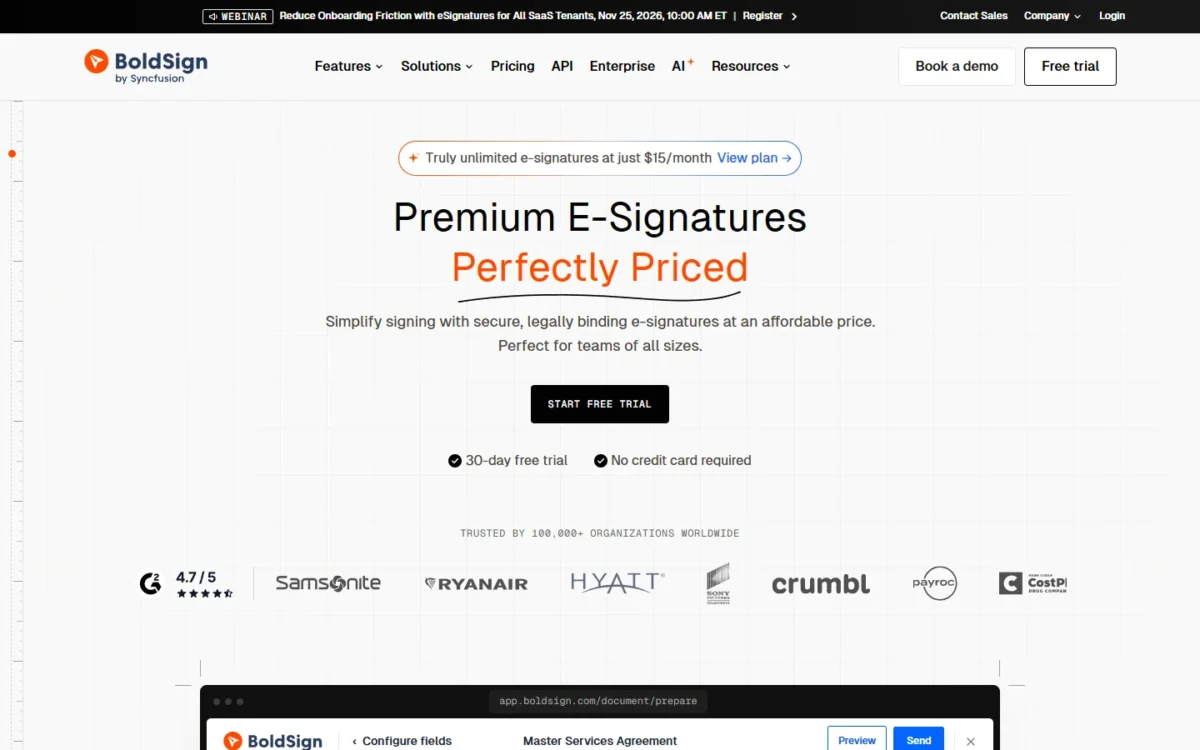
- Comparable plan: Business, $15 per user per month, billed yearly (DocuSign Standard: $25)
- Replaces: all of DocuSign eSignature’s sending and signing
- Import from DocuSign: JSON templates with roles and form fields
BoldSign is my first pick when years of DocuSign templates keep a team from leaving. Its help center documents an import for the JSON files DocuSign exports. On Business, BoldSign lists unlimited envelopes for $15 per user per month, billed yearly. DocuSign Standard costs $25 per user per month billed up front and counts 100 envelopes per user per year. The trade-off is cleanup: some DocuSign fields arrive as plain Text Box fields.
Where BoldSign may be better
- Volume: unlimited envelopes on Business, against 100 per user per year
- SSO: included in Business; DocuSign holds it for Enhanced plans
Where DocuSign may be better
- Integrations: DocuSign lists 1,000+ partner integrations from its Personal plan up
- Bulk send: included in DocuSign Business Pro; BoldSign charges $0.25 per envelope for it
Five senders pay $15 x 5 x 12 = $900 a year on Business. From 7 senders, BoldSign’s own math favors Premium: $99 a month against 7 x $15 = $105, within 250 envelopes a month.
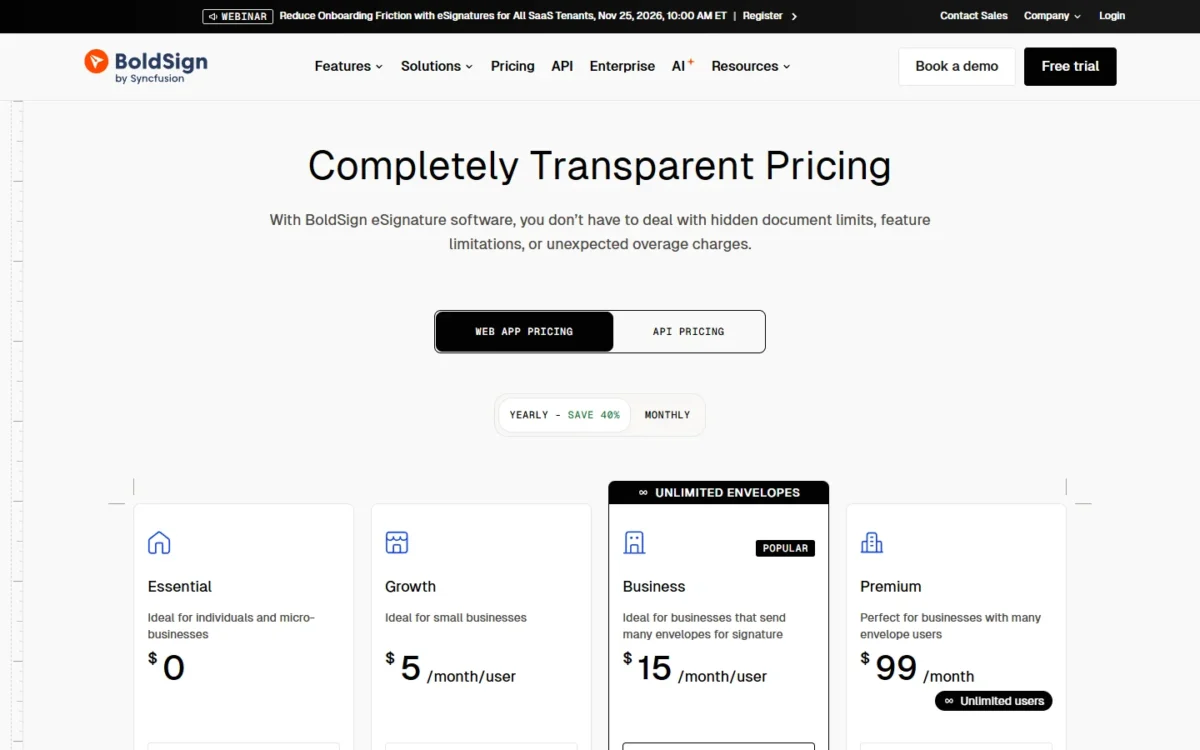
- Essential: free, 25 envelopes per month
- Growth: $5 per user per month, billed yearly, 50 envelopes per user per month
Sources: BoldSign pricing, checked Nov 2026.
To switch, download your templates from DocuSign as JSON, run BoldSign’s DocuSign template import and review each one, as BoldSign recommends.
- Skip it if:
- bulk send is your main workflow. At $0.25 per envelope, 500 bulk envelopes a month add $0.25 x 500 = $125, and Zoho Sign Enterprise includes bulk send in its $22 seat.
2. Dropbox Sign: Best DocuSign Alternative for Unlimited Signature Requests on a Small Team
- Comparable plan: Standard, $25 per user per month, from $600 billed yearly (DocuSign Standard: $25)
- Replaces: DocuSign eSignature for 2 to 5 senders
- Free trial: 30 days
Same price, different meter: Dropbox Sign Standard matches DocuSign Standard’s seat price but lists unlimited signature requests instead of counting envelopes. BoldSign Business is the cheaper unlimited plan, so Dropbox Sign earns its place on what it plugs into: its pricing page lists Google Drive, Microsoft Word and HubSpot integrations, and a 30-day trial opens the paid-plan features before you pay. Past five users you’re asking sales for a quote.
If you still know this tool as HelloSign, hellosign.com now lands on Dropbox Sign’s site.
Where Dropbox Sign may be better
- Volume: unlimited signature requests on paid plans
- Trial: 30 days of paid-plan features, free
Where DocuSign may be better
- Team size: DocuSign Standard and Business Pro take up to 50 users
- Workplace apps: DocuSign Standard includes Slack, Microsoft Teams, Zoom and Stripe integrations
Five senders pay $25 x 5 x 12 = $1,500 a year, with no envelope count to watch.
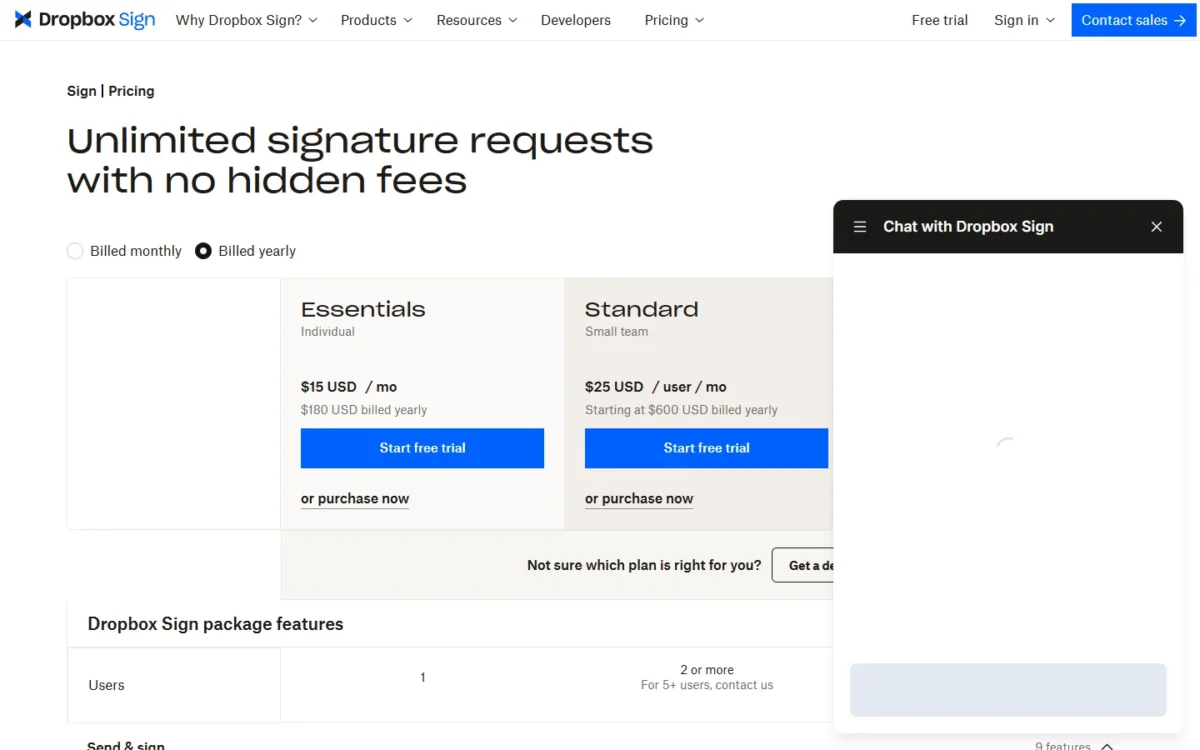
- Essentials: $15 per month, $180 billed yearly, 1 user
Sources: Dropbox Sign pricing, checked Nov 2026.
Dropbox Sign’s pricing page lists no DocuSign import, which means re-creating templates: upload the same PDFs and place the fields again during the 30-day trial.
- Skip it if:
- you have six or more senders. BoldSign Business keeps a published per-user price as the team grows, with unlimited envelopes.
3. Zoho Sign: Best DocuSign Alternative for Bulk Send Below Business Pro’s Price
- Comparable plan: Enterprise, $22 per user per month, billed annually (DocuSign Business Pro: $40)
- Replaces: all of DocuSign eSignature
- Free plan or trial: a Free plan, and a trial that opens on Enterprise
DocuSign puts bulk send, web forms and payment collection on Business Pro. Zoho Sign puts its equivalents (bulk send, SignForms and payment collection) on Enterprise, at $22 per user per month, billed annually, along with 21 CFR Part 11 controls and APIs. That is $18 a seat below DocuSign Business Pro’s $40 billed up front ($40 – $22).
For bulk send alone, SignWell includes it from Light, $10 a month billed yearly for 1 sender with unlimited documents, and SignNow Business Premium adds it at $15 a month billed annually, within 100 invites a year.
Zoho Sign Enterprise is the pick when bulk send comes with SignForms, payment collection and 21 CFR Part 11 controls in one plan, for an HR or ops team that sends one form to a long list. Its bulk sends consume Zoho Sign credits; Enterprise includes 50 complimentary credits per user per month, capped at 2,500 per organization.
The catch sits lower down: the $10 Standard plan stops at 25 envelopes per user per month.
Where Zoho Sign may be better
- Bulk send and payments: on Enterprise, a tier priced below DocuSign Business Pro
- Volume: no envelope count from Professional up
Where DocuSign may be better
- Burst sending: DocuSign’s annual allowance isn’t split by month, while Zoho’s Standard plan counts envelopes monthly
- Partner apps: 1,000+ integrations on every DocuSign plan
Ten senders on Enterprise pay $22 x 10 x 12 = $2,640 a year, against $40 x 10 x 12 = $4,800 on DocuSign Business Pro. Zoho adds local taxes to its prices.
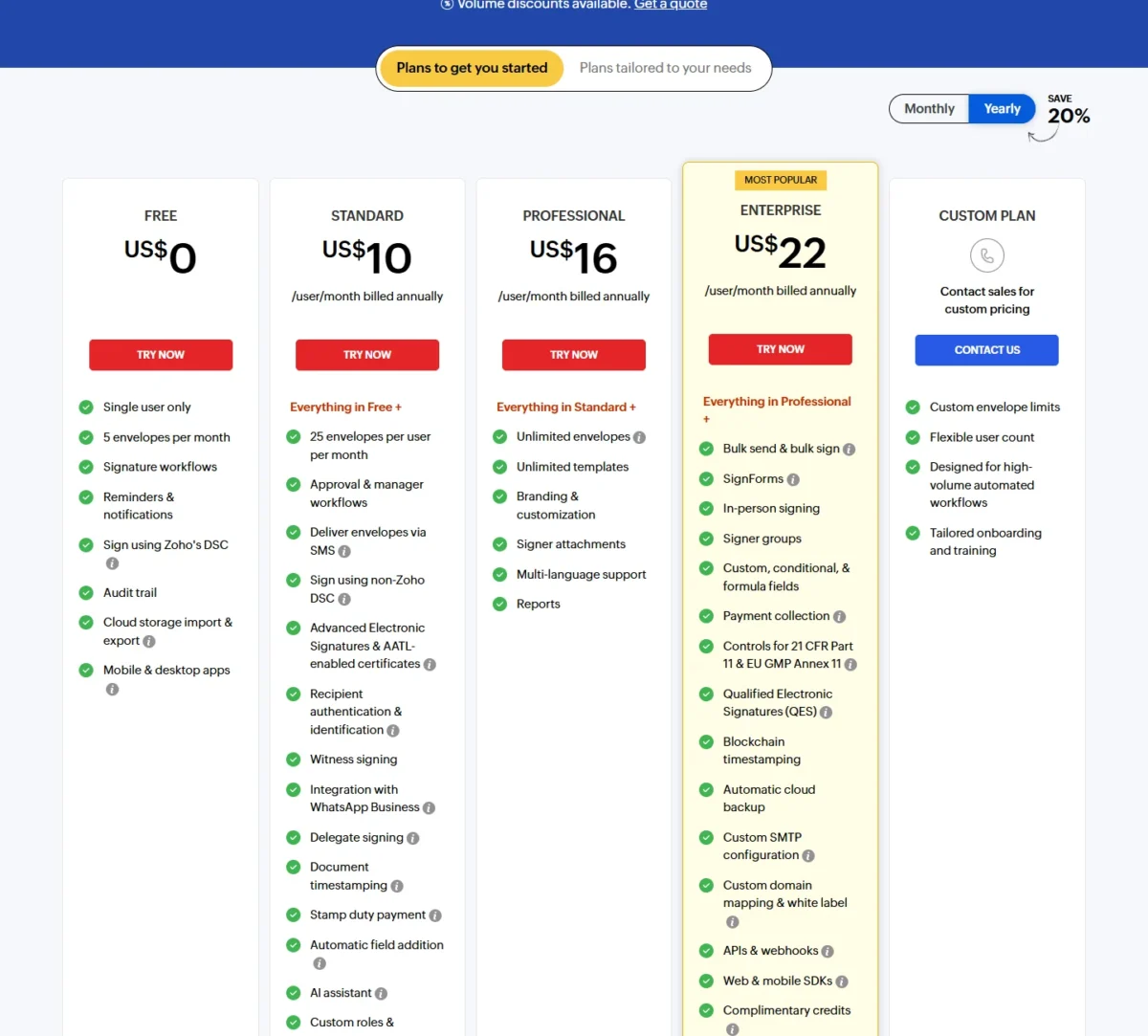
- Professional: the plan that removes the envelope cap
- Enterprise: adds bulk send, SignForms and payment collection
Sources: Zoho Sign pricing, checked Nov 2026.
Plan to rebuild your templates during Zoho Sign’s 14-day trial. Envelopes sent through the API or third-party apps consume paid Zoho Sign credits on any plan.
- Skip it if:
- you need bulk send without forms or payments, or two or three senders only need the cap removed. SignWell Business covers three senders, with bulk send, for $30 a month billed yearly, against $16 x 3 = $48 on Zoho Sign Professional.
4. SignWell: Best DocuSign Alternative for Teams of One to Three Senders
- Comparable plan: Business, $30 per month billed yearly for 3 senders
- Replaces: all of DocuSign eSignature for small teams
- Import from DocuSign: “Easy DocuSign import” on every plan
SignWell prices the account, then the sender, and never the document. Business includes three senders and unlimited documents in one yearly-billed price. Three DocuSign Standard seats would each count against 100 envelopes a year instead. For a firm of one to three people who send contracts every day, that is one flat bill with no count. Bigger teams are the limit: Large Team Plans sit in Enterprise.
Where SignWell may be better
- Document count: unlimited documents on Business, with no envelope meter
- Bulk send: included from Light, SignWell’s first paid plan; DocuSign holds it for Business Pro
Where DocuSign may be better
- Seats: DocuSign’s self-serve Standard and Business Pro plans go up to 50 users
- Partner apps: 1,000+ integrations, listed from DocuSign Personal up
Each extra sender costs $12 a month on yearly billing, so five senders pay $30 + $12 x 2 = $54 a month.
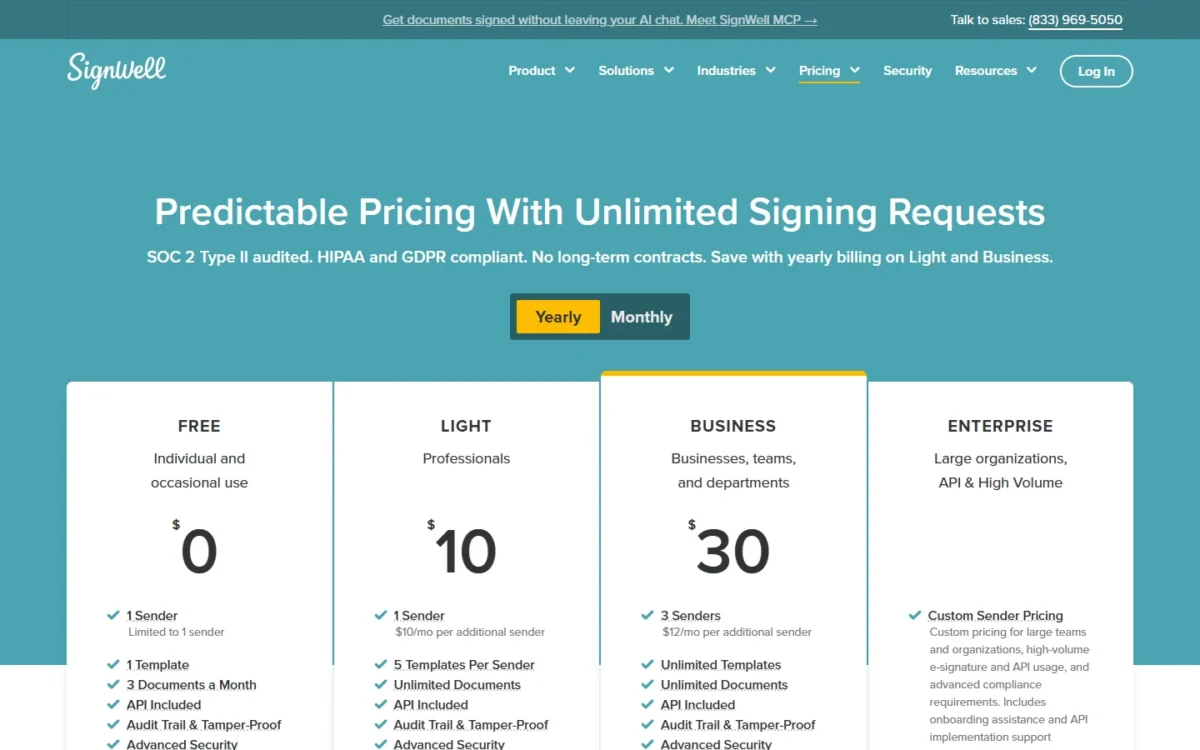
- Free: 1 sender, 3 documents a month
- Light: $10 per month, billed yearly, 1 sender, 5 templates per sender
Sources: SignWell pricing, checked Nov 2026.
SignWell describes the import in one line: it brings your DocuSign templates over. The Free plan holds 1 template, so import one there and compare it field by field before you move the rest.
- Skip it if:
- you expect 10 or more senders: Business then costs $30 + $12 x 7 = $114 a month. BoldSign Premium covers unlimited users for $99 a month, billed yearly, within 250 envelopes a month.
5. PandaDoc: Best DocuSign Alternative for Sales Proposals and Quotes
- Comparable plan: Business, $49 per seat per month on annual billing (DocuSign Business Pro: $40)
- Replaces: DocuSign’s signing, plus a document editor; quotes and approval workflows on Business
- Free plan or trial: Free plan with 5 documents a month; 14-day trial
PandaDoc is the pick when a sales team builds the proposal in the tool that collects the signature. Business adds custom quotes, a content library, deal rooms and approval workflows to e-signatures, so a rep drafts, prices, approves and sends a proposal in one place. The trade-off is the seat: PandaDoc Business costs more per seat than DocuSign Business Pro on annual billing, which pays off only when the document is built where it’s signed.
Where PandaDoc may be better
- Proposals: custom quotes, a content library and approval workflows on Business
- Signing only: Starter lists unlimited e-signatures at $19 per seat per month, billed annually
Where DocuSign may be better
- Seat price: DocuSign Business Pro is the lower seat price of the two on annual billing
- Bulk send: a Business Pro feature; PandaDoc Business needs usage credits for it
Five Business seats cost $49 x 5 x 12 = $2,940 a year, against $40 x 5 x 12 = $2,400 on DocuSign Business Pro.
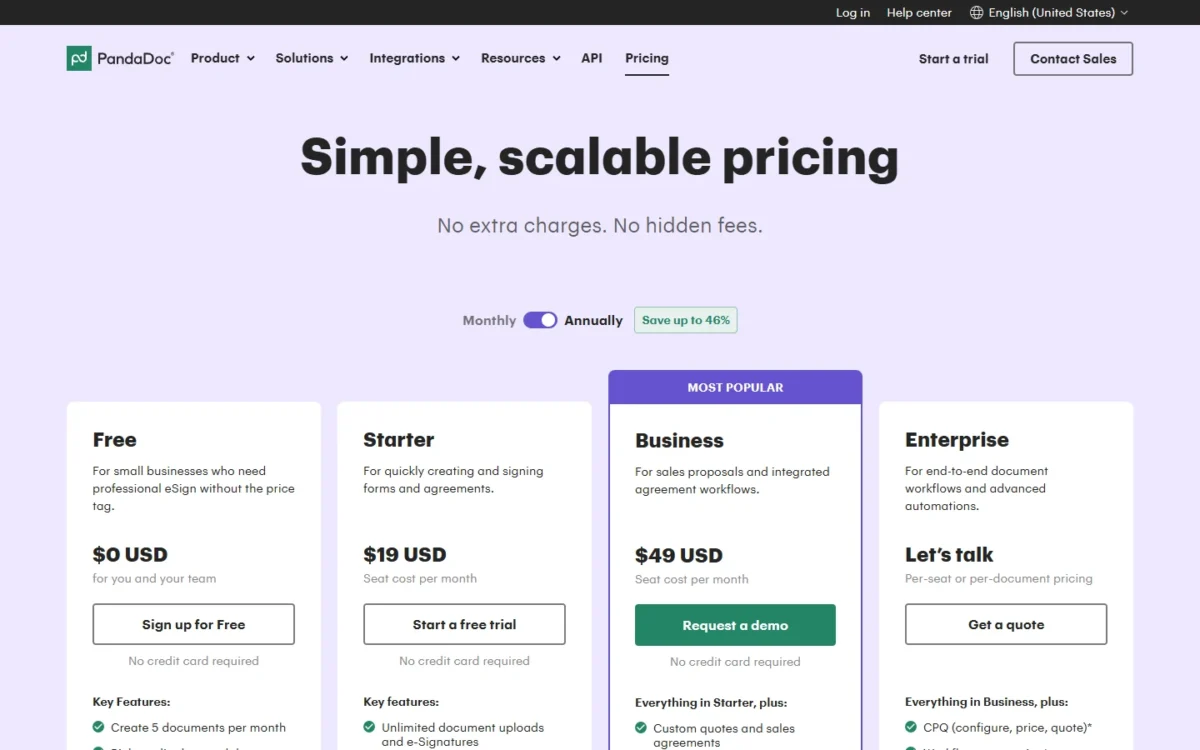
- Enterprise: quoted per seat or per document
Sources: PandaDoc pricing, checked Nov 2026.
No DocuSign importer is listed, so each template is rebuilt as a PandaDoc document. Build one live proposal in the 14-day trial first, and read the asterisks: web forms and CRM integrations on Business also need usage credits or a paid add-on.
- Skip it if:
- your documents arrive as finished PDFs and need only a signature. BoldSign Business signs them with unlimited envelopes at a lower published seat price than PandaDoc Business.
6. SignNow: Best DocuSign Alternative for Many Occasional Senders
- Comparable plan: Business Premium, $15 per month, billed annually (DocuSign Business Pro: $40 per user)
- Replaces: all of DocuSign eSignature, at low volume
- Free trial: 7 days
Twelve managers who each send an offer letter a few times a year fit per-user pricing badly: twelve seats, very few envelopes. SignNow’s plan cards read differently. Each lists “Unlimited users” and “100 invites per year” beside one price, $8 a month for Business and $15 for Business Premium, billed annually. The same card is the warning: 100 invites a year is about two a week (100 / 52).
Where SignNow may be better
- Seats: “Unlimited users” at one plan price; DocuSign prices each user
- Bulk send and payments: on Business Premium, its second plan
Where DocuSign may be better
- Volume: each added DocuSign seat brings its own allowance of 100 envelopes a year
- Identity add-ons: DocuSign sells SMS delivery and ID verification as add-ons to Standard and Business Pro
Business Premium costs $15 x 12 = $180 a year. Past its allowance, the quote-based Site License bills per signature invite and adds full API access and SSO.
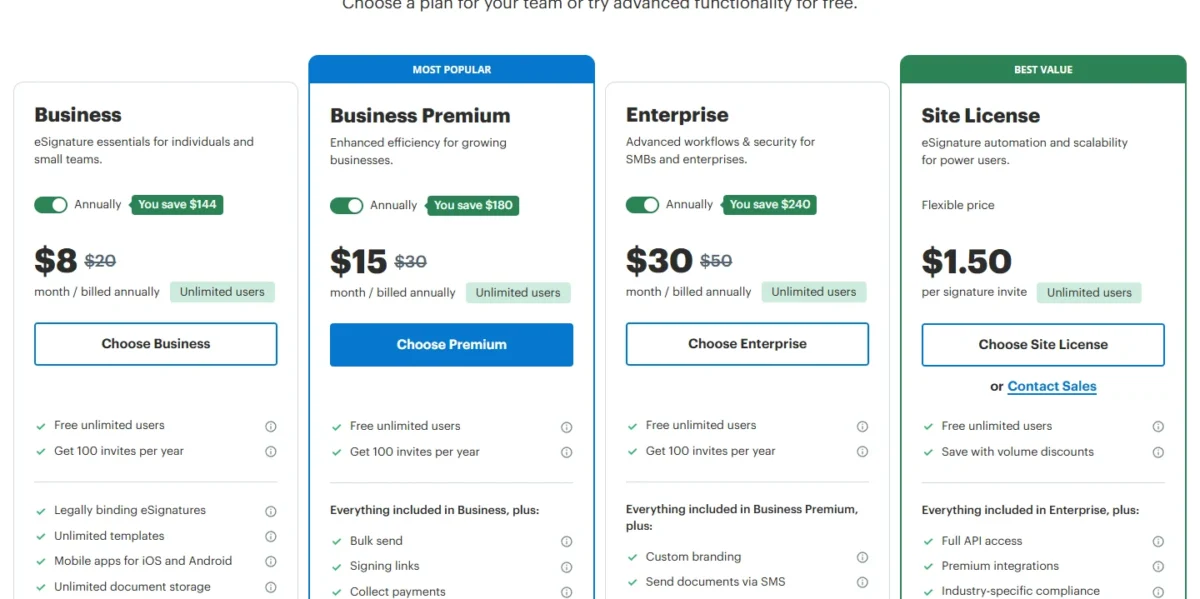
- Business Premium: adds bulk send, signing links and payment collection
- Enterprise: adds custom branding and conditional fields
Sources: SignNow pricing, checked Nov 2026.
SignNow lists “Migrate documents from other platforms” without detail, so use the free trial to bring over one DocuSign template and watch the invite counter.
- Skip it if:
- your team sends more than 100 documents a year. Zoho Sign Professional removes the envelope count at $16 per user per month, billed annually.
7. Adobe Acrobat Pro: Best DocuSign Alternative for PDF-Heavy Teams
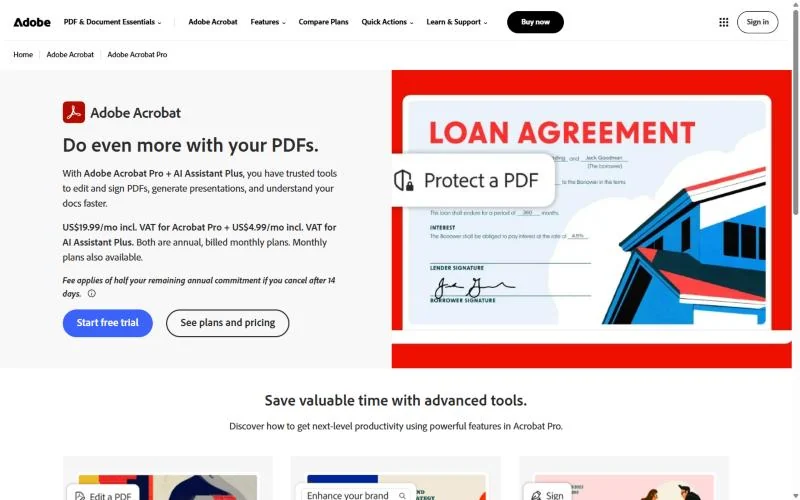
- Comparable plan: Acrobat Pro for teams (DocuSign Business Pro)
- Replaces: DocuSign eSignature for teams whose agreements start as PDFs
- Pricing: on Adobe’s Acrobat business pricing page
If your team already edits, redacts and combines PDFs all day, Acrobat Pro can retire DocuSign instead of sitting beside it. It puts bulk e-signature requests, signable web forms and brand customization in the same license as the PDF editor. The limit is one Adobe states itself: e-signatures in Acrobat Standard and Acrobat Pro don’t offer the same level of compliance as Acrobat Sign Solutions, its sales-led e-signature product.
Where Adobe Acrobat Pro may be better
- PDF work: editing, redaction and comparison in the same license as e-signatures
- Web forms: part of Acrobat Pro; DocuSign starts them at Business Pro
Where DocuSign may be better
- Signature types: DocuSign’s Enhanced plans list AeS, SeS and QeS
- Signer checks: DocuSign’s Enhanced plans add SMS, phone and knowledge-based authentication
Acrobat for teams subscriptions are bought directly; Acrobat Sign Solutions goes through sales. For current prices, see Adobe’s Acrobat business pricing page and set Acrobat Pro for teams against DocuSign Business Pro at your seat count, since both hold bulk sending and web forms.
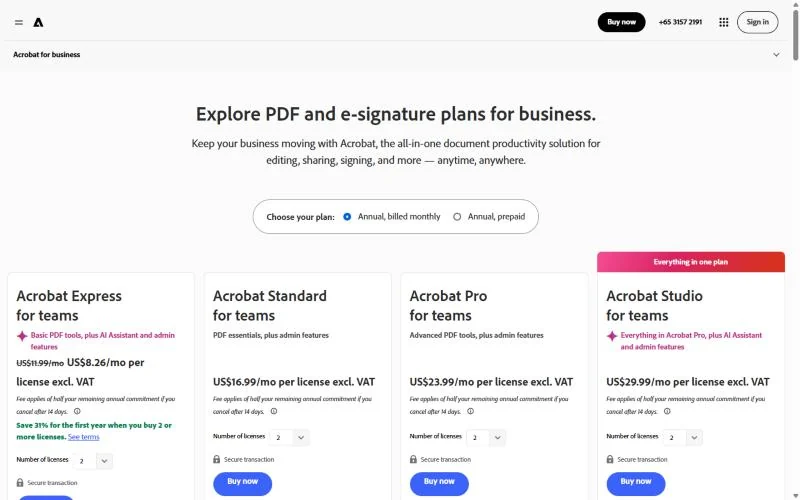
- Acrobat Standard: edit, convert, password-protect and request signatures
- Acrobat Pro: adds redaction, PDF comparison and bulk send
Sources: Adobe Acrobat business plans, checked Nov 2026.
Migration is a rebuild: with no DocuSign import listed, you upload the source PDFs, and existing PDF forms can be turned into web forms.
- Skip it if:
- nobody on the team edits PDFs. Dropbox Sign or BoldSign sells the signing without the editor.
8. Jotform Sign: Best DocuSign Alternative for Forms That Need a Signature
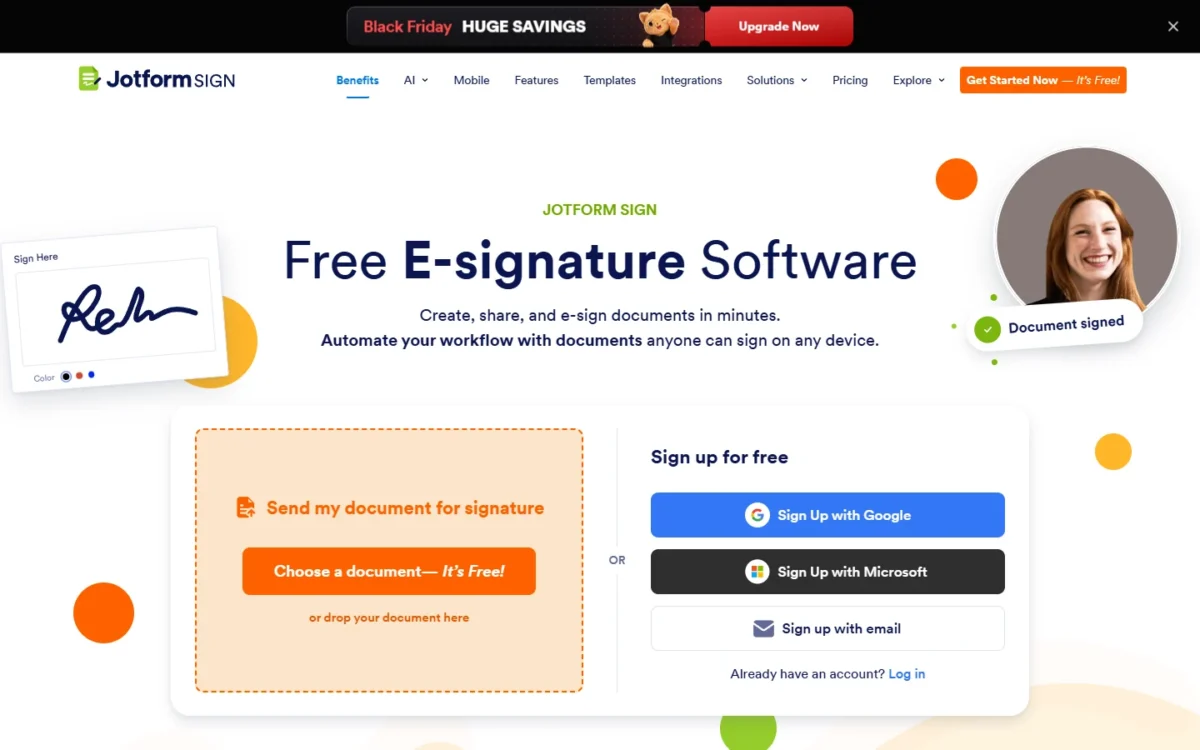
- Comparable plan: Bronze, $34 per month, billed annually, 1 user (DocuSign Business Pro, where web forms start: $40 per user)
- Replaces: part of DocuSign: form-driven signing for one user
- Free plan or trial: free Starter plan with 10 signed documents a month
Jotform Sign is a partial replacement, and the part it replaces is the web form. Signed documents are one allowance inside a Jotform plan, next to forms, submissions and payments. DocuSign starts web forms at Business Pro. Jotform doesn’t replace a team of senders: every plan below Enterprise is a 1-user plan.
Where Jotform Sign may be better
- Solo volume: 100 signed documents a month on Bronze; DocuSign Personal includes 5 envelopes
- Web forms: DocuSign holds them for Business Pro, priced per user
- HIPAA: HIPAA-enabled features on Gold; DocuSign lists HIPAA support on Enhanced plans
Where DocuSign may be better
- Team sending: DocuSign Standard takes up to 50 users and shares templates across the team
- Solo signing price: DocuSign Personal costs $10 a month, billed annually up front
Bronze costs $34 x 12 = $408 a year on annual billing. Jotform refunds a subscription cancelled within 30 days of payment.
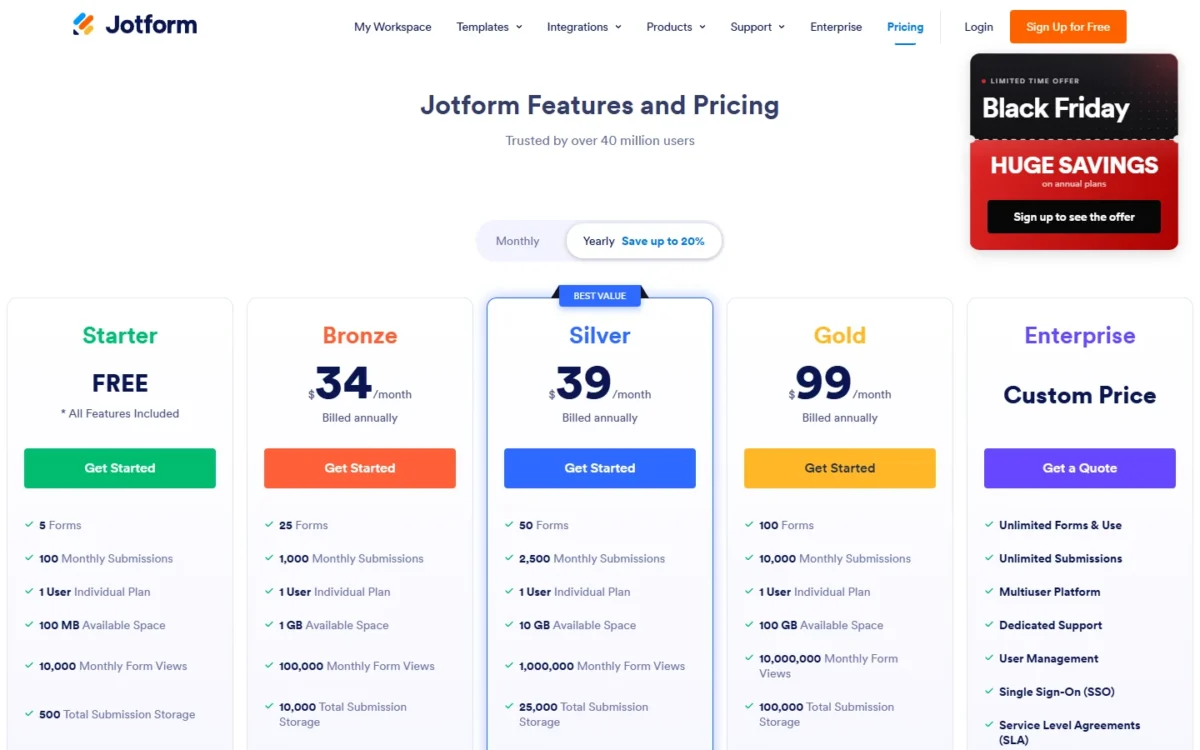
- Gold: $99 per month, billed annually, 1,000 signed documents a month
Sources: Jotform pricing, checked Nov 2026.
Plan on a rebuild: recreate each form in Jotform and test its signature field before you cancel DocuSign.
- Skip it if:
- a team sends your contracts. SignWell Business gives three senders unlimited documents for $30 a month, billed yearly.
9. DocuSeal: Best DocuSign Alternative for Self-Hosting and API Embedding
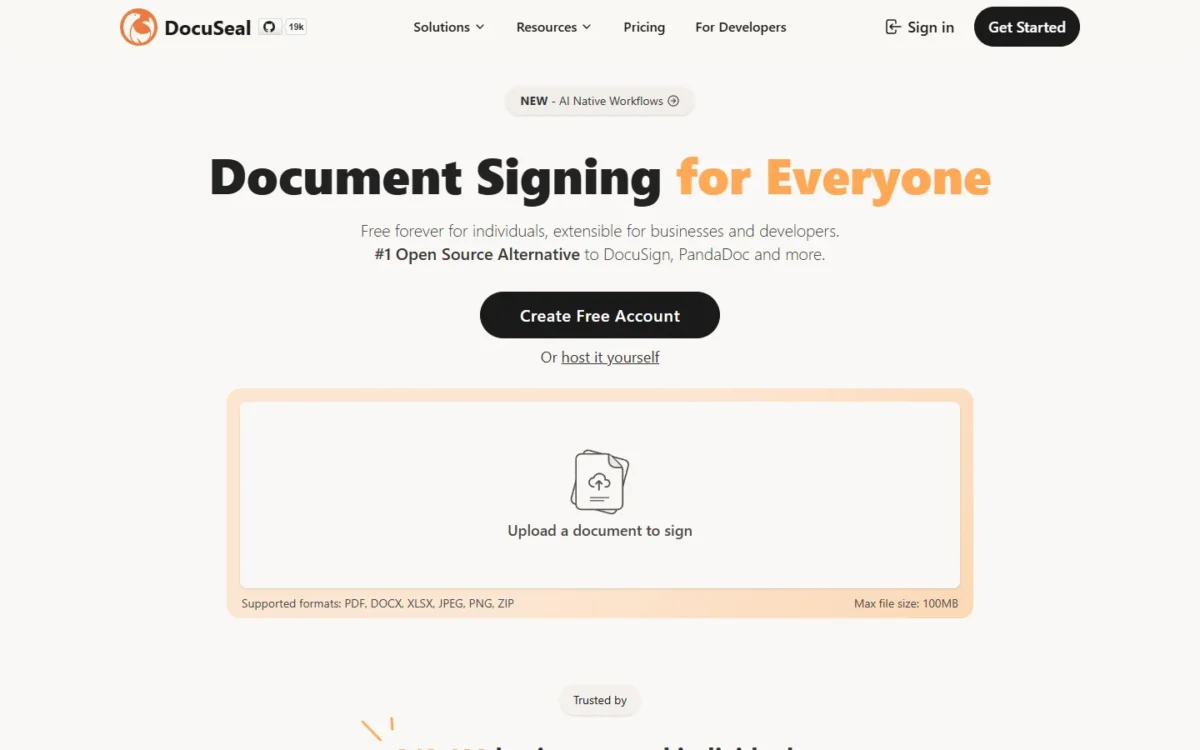
- Comparable plan: Pro, $20 per user per month (DocuSign Business Pro: $40)
- Replaces: all of DocuSign eSignature, hosted or on your own servers
- Import from DocuSign: “Import from DocuSign” in its feature table
Signing on your own servers, or inside your own product, is the reason to pick DocuSeal. Its open-source on-premises edition is free to deploy, and Pro adds bulk send from a spreadsheet, SSO/SAML, and API and embedding. You take on what a hosted vendor handles: the free edition uses your own SMTP for emails and gets its support through GitHub.
Where DocuSeal may be better
- Self-hosting: a free open-source on-premises edition
- SSO: SSO/SAML on Pro; DocuSign includes SSO in Enhanced plans
Where DocuSign may be better
- Support: DocuSign’s Enhanced plans list 24/7 live technical support
- Collaboration: DocuSign Standard adds real-time commenting and delegated signing
Five Pro users cost $20 x 5 x 12 = $1,200 a year, half of five DocuSign Business Pro seats at $40 x 5 x 12 = $2,400, on a plan that also holds bulk send.
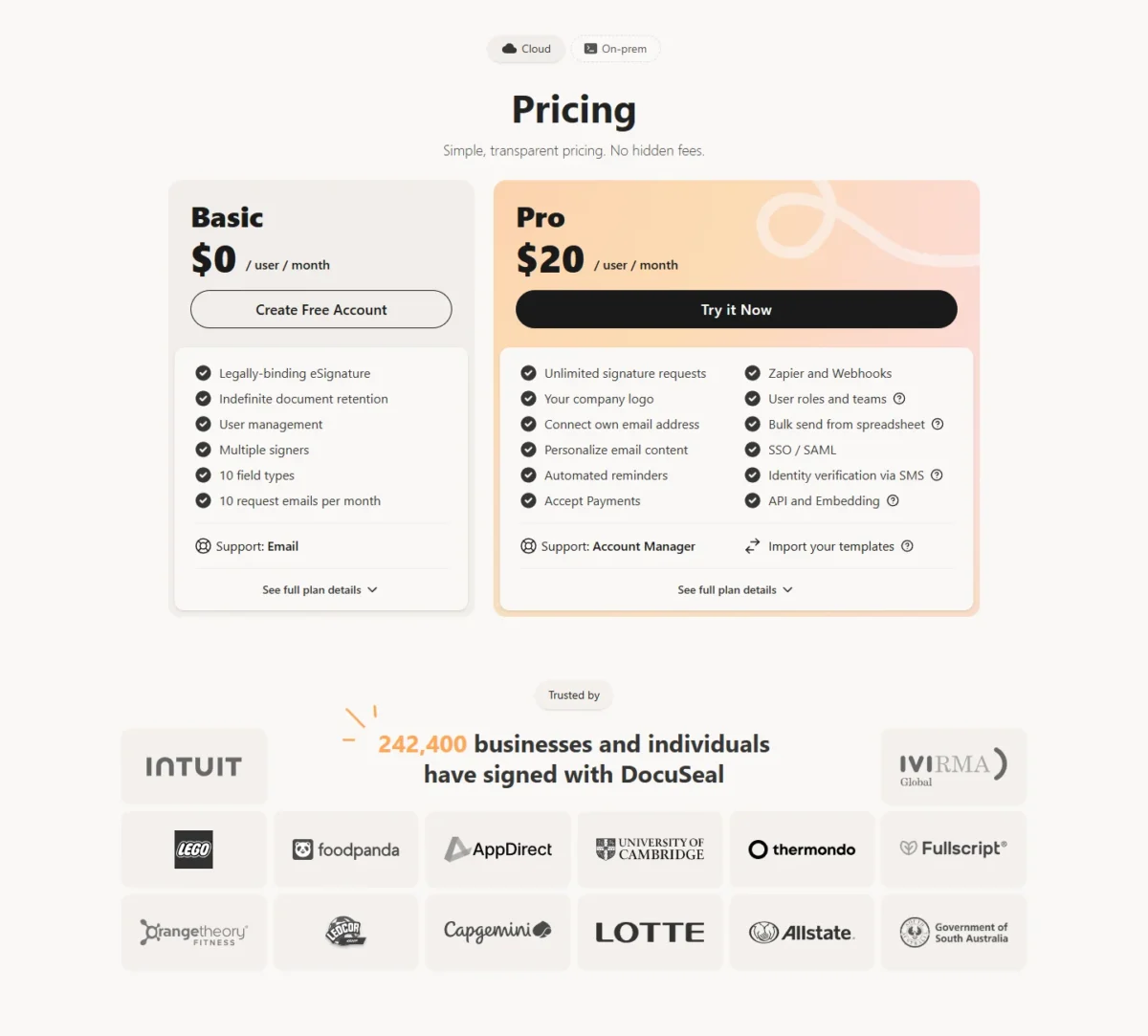
- Basic (cloud): $0, 10 signature request emails a month
- API and embedding: $0.20 per signed document
Sources: DocuSeal pricing, checked Nov 2026.
DocuSeal’s plan cards put “Import your templates” under Pro, so test the import with a few exported templates in your first Pro month.
- Skip it if:
- you need neither self-hosting nor the API. For one to three senders, SignWell Business includes three senders and unlimited documents, with no server to run.
10. OpenSign: Best DocuSign Alternative for Free Unlimited Signing

- Comparable plan: Free, $0 (DocuSign Personal: $10 a month)
- Replaces: DocuSign eSignature for basic sending and signing
- Team plan: Teams, $19.99 per user per month on yearly billing
Can a solo user or a small nonprofit sign for nothing? On OpenSign, yes: the Free plan lists unlimited e-signatures, unlimited templates, unlimited guest signers and completion certificates. DocuSign Personal, the cheapest DocuSign eSignature plan, costs $10 a month billed annually up front and sends 5 envelopes a month. The cost of free is what’s missing: automatic reminders, bulk send and API access start on Professional, and SSO arrives only on Enterprise.
Where OpenSign may be better
- Cost: unlimited e-signatures and templates at $0
- API: API access from Professional, with up to 240 API signatures included
Where DocuSign may be better
- Team controls: DocuSign Standard adds user and group permissions and team reports
- Branding: DocuSign Standard lets you use your own branding
Mind the toggle: on yearly billing, OpenSign Professional is $9.99 a month. Billed monthly, Teams is $39.99 per user per month.
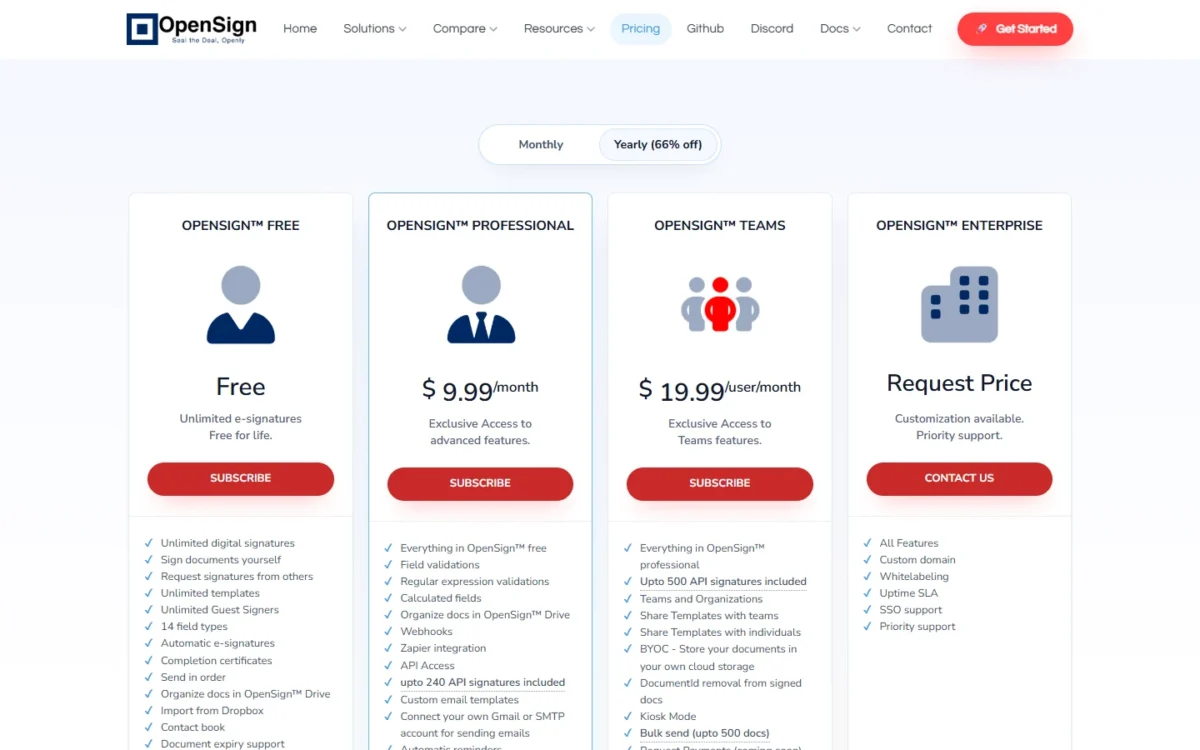
- Professional: bulk send up to 240 documents
- Teams: shared templates, bulk send up to 500 documents
Sources: OpenSign pricing, checked Nov 2026.
The Free plan lists an import from Dropbox, not from DocuSign, so templates are rebuilt: upload the PDFs and place the fields again.
- Skip it if:
- you need SSO without an enterprise contract. DocuSeal Pro lists SSO/SAML at $20 per user per month.
Should You Stay With DocuSign or Switch?
Stay with DocuSign if 6 to 50 senders depend on its integrations, if you need qualified signatures, or if each sender uses fewer than 100 envelopes a year. Switch if you’re past the cap, pay for Business Pro mainly to get bulk send, or have one to three senders.
Two DocuSign facts hold teams in place. DocuSign Standard and Business Pro take up to 50 users each on self-serve plans. DocuSign’s Enhanced plans add QeS signatures, SSO and integrations with Salesforce, Microsoft Dynamics and NetSuite.
Timing matters too. Annual plans bought on docusign.com are refundable within 30 days of purchase; after that, cancelling an “Annual | Billed monthly” plan leaves you owing the rest of the term, so any saving starts at renewal.
Consider switching if
- A sender passes 100 envelopes a year and overage shows up on the bill
- You pay DocuSign $40 per user per month for Business Pro, billed up front, mainly for bulk send or web forms
- You have one to three senders paying DocuSign $300 a year each for Standard
Consider staying with DocuSign if
- Your team depends on DocuSign’s 1,000+ partner integrations
- You need qualified electronic signatures, which Enhanced plans list
- You’re more than 30 days into an annual plan
By priority, the choice looks like this.
| Your priority | Alternative to consider | Reason | Trade-off |
|---|---|---|---|
| Over 100 envelopes per sender a year | BoldSign or Dropbox Sign | Unlimited envelopes or signature requests | Integrations are rebuilt |
| Bulk send on a smaller budget | Zoho Sign | Bulk send on Enterprise, $22 per user per month billed annually | API sends consume credits |
| Many DocuSign templates | BoldSign | JSON template import | Some fields become Text Box fields |
| One to three senders | SignWell | 3 senders for $30 a month, billed yearly | Large Team Plans need Enterprise |
| Proposals and quotes | PandaDoc | Quotes and a content library on Business | $49 per seat per month, billed annually |
| Self-hosting or an embedded API | DocuSeal | Free open-source edition | You run the server |
| A $0 budget | OpenSign | Unlimited e-signatures on Free | SSO only on Enterprise |
| 6 to 50 senders on integrations | DocuSign | 1,000+ partner integrations from Personal up | The envelope cap stays |
Sources: DocuSign pricing and the pricing pages linked in each pick’s section, checked Nov 2026.
Migrating from DocuSign
Moving off DocuSign takes eight steps, and the first two happen while the DocuSign account is still open.
- Export your envelopes. DocuSign’s export article names four bulk routes: Retrieve, Connect, eSignature for Microsoft Power Automate, and bulk download via Box. Five or fewer envelopes are downloaded one by one.
- Export the list and the templates. Use Export as CSV on the Agreements page, then download your templates: one saves as a JSON file, several as a .zip.
- Run a trial with two or three real templates before the full move: 30 days on Dropbox Sign, 14 on PandaDoc and Zoho Sign, 7 on SignNow, or a free plan.
- Import on the new tool. BoldSign takes the JSON files, and SignWell and DocuSeal each list a DocuSign import. Elsewhere, upload the source PDFs and rebuild.
- Reconnect your tools, then confirm what each connector needs.
- Rebuild what doesn’t import: converted fields, signing order, branding and reminders.
- Set a cutover date and keep the export as your rollback. DocuSign advises verifying that downloaded documents and metadata are readable first.
- Cancel within DocuSign’s terms: the 30-day refund on annual plans, any time on monthly plans.
Export limit
Rooms documents are the exception to the bulk routes: DocuSign says they should be downloaded manually, so schedule that before the cancellation date.
Also Considered
Five more tools stayed off the list, each for a reason on its own pricing page.
- Nitro Sign is sold beside Nitro’s PDF editor (Nitro PDF Standard: $15 per user per month, $180 annually), so it overlaps with Adobe Acrobat Pro’s place here.
- Formstack Sign comes inside Formstack’s Suite, which starts at $250 a month paid annually with 3 builder users.
- Signaturely charges $240 a year for a Personal plan with 5 signature requests a month. DocuSign Personal includes 5 envelopes a month for $120 billed annually.
- Xodo Sign has no plan of its own on Xodo’s pricing page, which prices the PDF tools (Xodo Document Suite: $14.99 a month, billed $179.88 annually).
- SwifDoo PDF is a PDF editor licensed per end device, a tool for signing your own PDFs.
Sources: Nitro, Formstack, Signaturely, Xodo and SwifDoo PDF pricing pages, checked Nov 2026.
FAQ
Is there a free DocuSign alternative?
Yes. OpenSign’s Free plan lists unlimited e-signatures and templates, and BoldSign’s free Essential plan allows 25 envelopes a month. Zoho Sign and PandaDoc stop at 5 a month on their free plans, SignWell at 3 documents and Jotform Sign at 10 signed documents. For regular sending, OpenSign and BoldSign are the two to compare.
Is there a free version of DocuSign?
DocuSign offers a free trial with a set allowance of free envelope sends. DocuSign’s lowest-priced eSignature plan is Personal, at $10 a month billed annually up front ($120 a year), for 1 user and 5 envelopes a month.
Are signatures from DocuSign alternatives legally binding?
Vendors state it for US law. Dropbox Sign says its eSignatures are legally binding under the ESIGN Act of 2000. SignWell says its signatures comply with ESIGN, UETA and eIDAS. DocuSign says its eSignature helps customers comply with the ESIGN Act and UETA. For a regulated agreement, ask your counsel which signature type applies.
Final Verdict
My pick follows your reason for leaving. If the envelope cap is the problem and your templates are the anchor, start with BoldSign: import two templates and count the fields that need fixing. Two to five senders who want no envelope count and work in Google Drive or HubSpot should start Dropbox Sign’s 30-day trial.
For bulk send with forms and payment collection, pick Zoho Sign Enterprise; for one to three senders, SignWell; for a sales team that builds proposals, PandaDoc at a higher seat price.
Stay with DocuSign if 6 to 50 senders rely on its integrations or nobody reaches 100 envelopes a year. The biggest burden of moving is the rebuild, not the subscription.