Yes, Gemini Notebook is a free AI research assistant from Google: anyone above the age of consent in a supported country can use it in a browser with a Gmail account. It answers from the sources you upload, with in-line citations. NotebookLM is the same product; Google renamed it Gemini Notebook in July 2026.
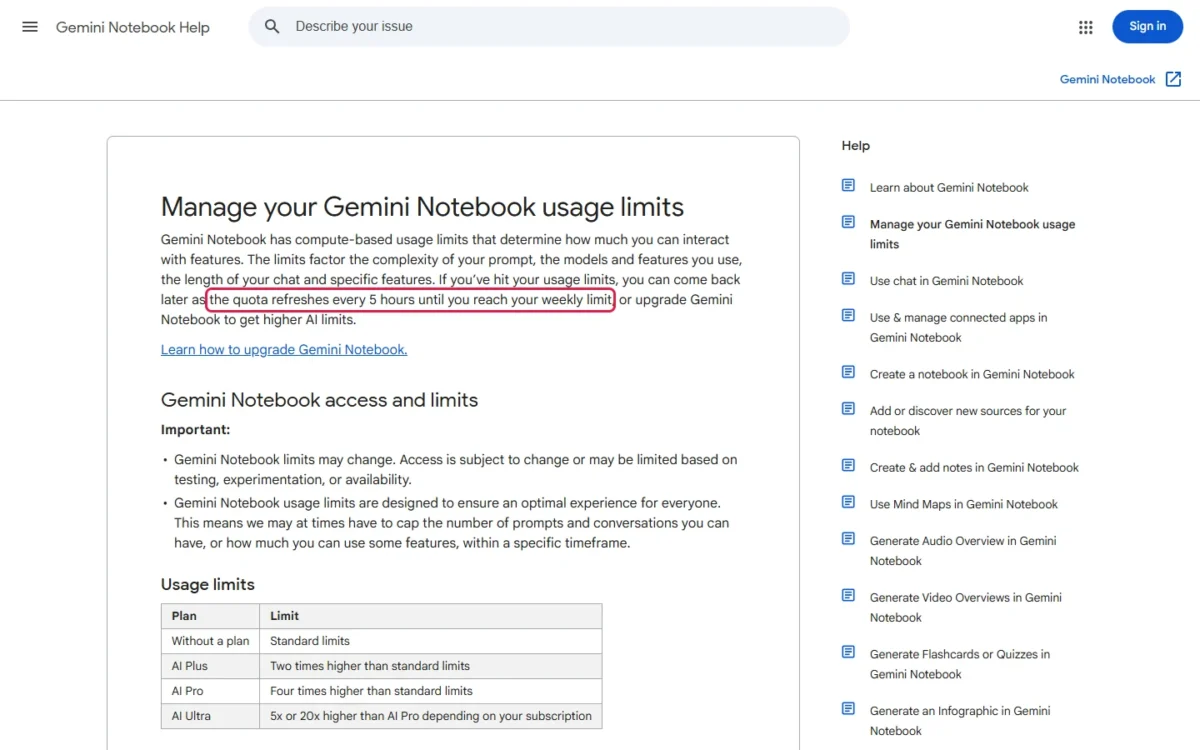
The free plan gives you 100 notebooks and 50 sources per notebook. Chat and Studio outputs run on compute-based limits that refresh every 5 hours until a weekly cap, so how often you reach that cap decides whether free is enough.
Free fits occasional study and research; daily Audio Overview users and notebooks over 50 sources outgrow it. The cheapest upgrade is Google AI Plus at $4.99 a month, and eligible U.S. college students can get Google AI Pro free for a year. I checked every limit below on Google’s pages on November 7, 2026.
In This Article (7 sections)
Is Gemini Notebook Totally Free? What the Free Plan Includes
Yes for the core features: sources, chat and Studio outputs cost nothing, with smaller allowances than the paid plans.
| What you get | Free plan (personal Google account) |
|---|---|
| Notebooks | 100 per user |
| Sources | 50 per notebook |
| Source types | PDFs, websites, YouTube videos, audio files, Google Docs, Google Slides |
| Chat | Answers grounded in your sources, with in-line citations |
| Studio outputs | Audio Overviews, slide decks and other artifacts, under standard limits |
| Custom chat and analytics | Included |
| Gemini models | Access to Gemini models |
| Languages | 80+ |
Sources: Gemini Notebook plans help page, Learn about Gemini Notebook and the plans page, checked November 2026.
Building a first notebook is covered in my guide on how to use Gemini Notebook step by step.
How the Free Usage Limits Work
Personal free accounts run on compute-based limits that weigh your prompt’s complexity, the model and feature you use, and the length of your chat. The quota refreshes every 5 hours until you hit a weekly limit; Google publishes no fixed daily count for personal accounts.
When you run low:
- Check usage: Settings, then Usage, shows your weekly limit, and the chat footer says when your limit resets.
- Generate later: on the web, you can queue a Studio output with Generate later; it may take a couple of hours.
- Automatic outputs: a report or Audio Overview created automatically when sources are first added does not count toward limits.
Sources: Gemini Notebook usage limits page, checked November 2026.
Because chat length counts toward the limit, focused, ready-made Gemini Notebook prompts are worth having before a long session.
Work and school accounts get fixed daily counts
A work or school account follows its Workspace edition, with fixed counts. Standard Access covers Business Starter, Enterprise Essentials, the Frontline editions, Nonprofits, Education Fundamentals, Education Standard and other editions; Higher Level Access covers Business Standard, Business Plus and Enterprise Standard and Plus.
| Limit | Standard Access | Higher Level Access |
|---|---|---|
| Notebooks | 100 per user | 500 per user |
| Sources | 50 per notebook | 300 per notebook |
| Chats | 50 a day | 500 a day |
| Audio Overviews | 3 a day | 20 a day |
| Video Overviews | 3 a day | 20 a day |
| Reports, flashcards, quizzes, mind maps | 10 each a day | 100 each a day |
| Deep Research | 10 a month | 20 a day |
Sources: Gemini Notebook work and school accounts page, checked November 2026.
For a student cohort on Standard Access, 3 Audio Overviews a day and 10 Deep Research runs a month are the lines that bind first. Raising them goes through your Workspace administrator, because Google AI plans are open to personal Google Accounts only.
What the Free Plan Cannot Do: Free vs Premium Plans
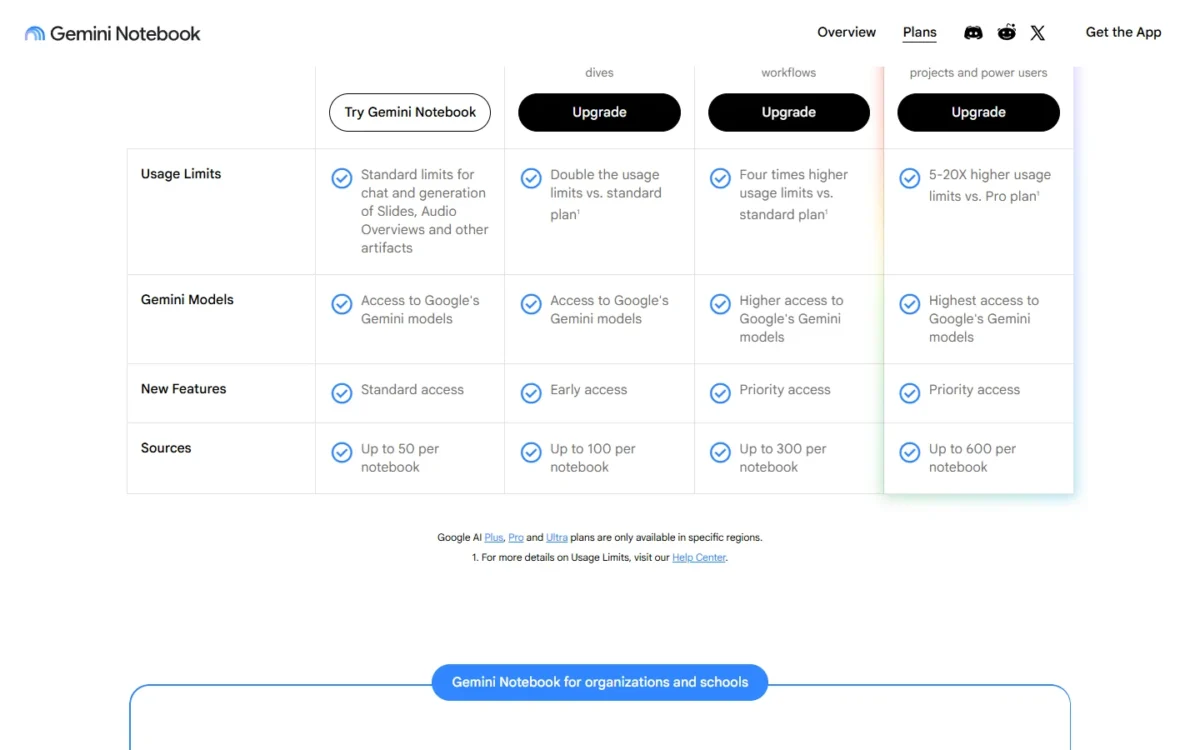
Five things need a paid plan: more than 50 sources per notebook, more than 100 notebooks, Advanced sharing, control of the visible watermark, and higher or earlier access to Gemini models and new features.
| Feature | Free | Google AI Plus | Google AI Pro | Google AI Ultra |
|---|---|---|---|---|
| Usage limits | Standard | 2x standard | 4x standard | 5x or 20x AI Pro |
| Notebooks | 100 | 200 | 500 | 500 |
| Sources per notebook | 50 | 100 | 300 | 500 or 600 |
| Advanced sharing | No | Yes | Yes | Yes |
| Visible watermark control | No | No | Yes | Yes |
| Gemini models | Access | Access | Higher access | Highest access |
| New features | Standard | Early | Priority | Priority |
Sources: Gemini Notebook plans help page and usage limits page, checked November 2026.
Is the free version worse? Mostly in capacity and priority, plus the sharing and watermark gates.
Generated images and videos carry a visible watermark that AI Pro and Ultra subscribers can switch off, except in India, South Korea and Vietnam, where it is applied automatically.
Enterprise upgrades go through Google Cloud instead, with Gemini Notebook for Enterprise; annual billing and team pricing are in my pricing guide.
When a Paid Plan Is Worth the Cost
Stay free unless you hit the weekly cap more than now and then, need over 50 sources in one notebook, or need Advanced sharing, more than 100 notebooks or watermark control.
| Your situation | Plan to consider | Why | US price per month |
|---|---|---|---|
| Occasional study, under 50 sources | Stay free | Limits refresh every 5 hours | $0 |
| Weekly cap hit, up to 100 sources, Advanced sharing or over 100 notebooks | Google AI Plus | 2x limits, 100 sources, 200 notebooks, Advanced sharing | $4.99 |
| Plus’s 2x limits still run out, over 100 sources or watermark-free videos | Google AI Pro | 4x limits, 300 sources, watermark control | $19.99 |
| Pro’s 4x limits still run out | Google AI Ultra | 5x or 20x AI Pro’s limits | From $99.99 |
| Work or school account | Ask your admin | Limits follow the Workspace edition | Set by the edition |
Sources: Google One AI plans page, checked November 2026, plus the usage limits and plans help pages above.
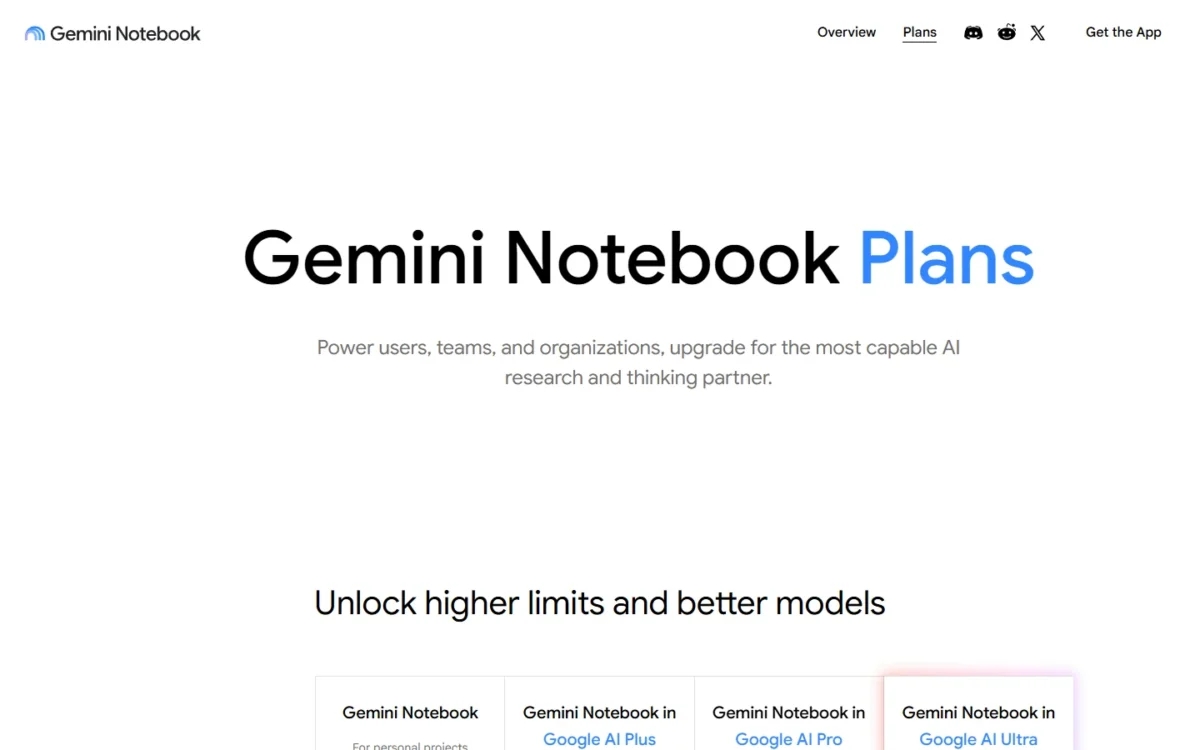
AI Ultra, from $99.99 a month, bills monthly only.
My take
Google AI Plus costs $4.99 x 12 = $59.88 a year for 2x the free limits, so it is worth it when you hit the cap every week. The $15 monthly step to Pro ($19.99 – $4.99) pays when Plus’s 2x limits still run out, 100 sources per notebook is not enough or you publish generated videos without the watermark. Ultra fits only when Pro’s limits still stop you; Notebook limits alone rarely justify $99.99 a month.
Free Ways to Get More Gemini Notebook
Google offers two official free routes: a student offer and a schools route.
Students. The Google AI Pro student offer is open to eligible U.S. college students 18 and older. Redeem it by December 31, 2026; a valid form of payment is required, and eligibility is verified each year.
Unless you cancel, the plan charges $19.99 a month after the free year, so set a reminder. Students who miss it can compare study tools in my list of best AI tools for students.
Schools. Google gives institutions Gemini Notebook free through Google for Education Fundamentals, whatever productivity suite they run. Workspace for Education users of all ages can use it; Education Fundamentals and Standard get the Standard Access limits above.
FAQ
Is NotebookLM still free after the rename?
Yes. It is the same product under a new name, and Google says all existing notebooks remain fully accessible.
Is the Gemini Notebook app free?
Google publishes no Gemini Notebook price of its own; upgrades come through Google AI plans. Google says you can keep using Gemini Notebook across web and mobile, and your Google AI plan sets the usage limits. Generate later works only on the web.
Is my free-plan data used for training?
No, unless you send feedback. Google keeps an individual’s data out of training by default; once you send feedback, it may review that whole exchange, uploads included. Skip feedback on chats about class notes or client files.
Is Gemini completely free too?
The Gemini app is a separate product from Gemini Notebook, with its own limits, covered in my Google Gemini review.
Related Gemini Notebook Guides
- Pricing guide: annual billing and team pricing.
- How-to guide: your first notebook, step by step.
- Review: whether the tool earns an upgrade.