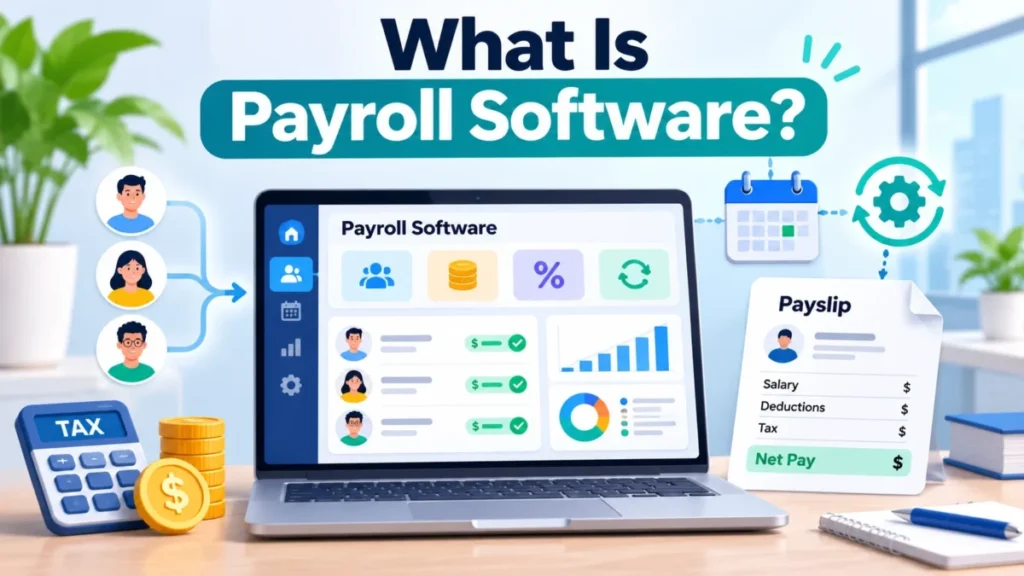
Payroll software is a business application that calculates each employee’s pay, withholds and deposits payroll taxes, pays workers by direct deposit or check, and prepares the employment tax returns and year-end forms an employer files. For a US employer, that means withholding every payday, Forms 941 and 940, and W-2s by January 31, and the employer stays responsible for those taxes even when a provider files them.
You need it, or someone doing its job, from your first employee. A full-service plan takes the arithmetic and the deadlines off your desk, not the liability.
This guide rests on IRS, Department of Labor and Social Security Administration pages read on November 1, 2026, and on Gusto, Roll by ADP and Patriot Payroll pricing pages. If you already want product names, my ranking of the best payroll software for small business compares the options.
In This Article (9 sections)
What Payroll Software Is, in Plain Terms
Payroll software, often called a payroll system, is a calculation, payment and filing system with five parts:
- Employee records: name, Social Security number, Form W-4 and pay rate. The IRS requires the name and SSN on each W-2 and a W-4 on file for each employee (IRS hiring guide).
- Pay rules: salary, hourly rates and overtime, built on the daily and weekly hours the FLSA requires you to record (DOL Fact Sheet #21).
- A tax engine: federal, state and local withholding, plus the employer’s own taxes.
- Payments: direct deposit or check.
- Filings and records: tax deposits, returns, year-end wage statements, new hire reports and payroll history.
Some products add an employee side: Roll invites staff to the same app to view and download paystubs and download tax statements.
Payroll software is not the party the IRS holds liable. The employer “is ultimately responsible for the deposit and payment of federal tax liabilities,” even when a third party makes the deposits (IRS on outsourcing payroll duties). The parts make sense only in motion, so here is one pay period.
How Payroll Software Works: One Pay Period, Step by Step
Every pay run follows the same sequence:
- Collect hours and changes: timesheets, new hires, raises, updated withholding forms.
- Compute gross pay, with overtime.
- Withhold federal income tax, Social Security and Medicare, plus state and local taxes.
- Pay net pay.
- Record the employer’s taxes for the next deposit.
Covered nonexempt employees get at least one and a half times their regular rate for hours over 40 in a workweek (DOL FLSA guide). To figure federal income tax withholding, employers use the employee’s Form W-4 and the method and withholding table described in Publication 15-T.
For 2026, Social Security is 6.2% each for employer and employee on wages up to $184,500, and Medicare is 1.45% each with no cap. FUTA, the federal unemployment tax, is paid only by the employer: 6.0% on the first $7,000 paid to each employee, or 0.6% after the maximum 5.4% state credit (IRS Employer’s Tax Guide).
Take an illustrative employee; every input is invented. They earn $25 an hour, paid biweekly, and work 44 hours in week one and 40 in week two, early in the year. The $180 of income tax is invented too; the real figure comes from their W-4.
| Line | Amount | Borne by |
|---|---|---|
| Regular pay: $25 x 80 hours | $2,000.00 | Employer |
| Overtime: $25 x 1.5 x 4 hours | $150.00 | Employer |
| Gross pay: $2,000 + $150 | $2,150.00 | Employer |
| Social Security: $2,150 x 6.2% | $133.30 | Employee |
| Medicare: $2,150 x 1.45% | $31.18 | Employee |
| Federal income tax (invented) | $180.00 | Employee |
| Net pay: $2,150 – $133.30 – $31.18 – $180 | $1,805.52 | Paid out |
| Employer match: $133.30 + $31.18 | $164.48 | Employer |
| FUTA: $2,150 x 0.6% | $12.90 | Employer |
| Employer cost above gross pay: $164.48 + $12.90 | $177.38 | Employer |
Sources: illustrative example with invented inputs; rates from IRS Publication 15, checked November 2026.
Had week two run 36 hours, the period would total 80 hours, yet week one’s 4 overtime hours would still be owed, because the rule counts each workweek. So this paycheck costs the employer $164.48 + $12.90 = $177.38 above gross pay before state unemployment tax and benefits, and those are the lines to check in any provider’s payroll preview.
The paycheck is half the job: the withheld money and the match still have to reach the IRS.
After payday: deposits, quarterly returns and year-end forms
The software, or you on a self-service plan, deposits taxes by electronic funds transfer, files Form 941 quarterly and Form 940 yearly, and furnishes and files Forms W-2 by January 31.
| Task | Rule | Due |
|---|---|---|
| Deposit withheld tax and both FICA shares | Monthly if the lookback period showed $50,000 or less; else semiweekly | Monthly: 15th of the next month |
| Deposit FUTA | When the quarter’s liability is more than $500 | End of the month after the quarter |
| Form 941 | Quarterly wages and taxes | April 30, July 31, October 31, January 31 |
| Form 940 | Annual FUTA return | January 31 |
| Forms W-2 and W-3 | W-2s furnished to employees and filed with Form W-3 | January 31 |
Sources: IRS employment tax due dates and IRS deposit rules, checked November 2026.
Employers filing 10 or more information returns, W-2s included, must e-file, so a ten-person business is past the paper option. A full-service plan covers every row; a self-service plan leaves them with you.
What Payroll Software Handles for a US Small Business
Beyond the paycheck, payroll software runs recurring jobs that each answer to a rule:
| Job | What the software does | Rule |
|---|---|---|
| Pay runs and automation | Scheduled, off-cycle and automatic runs (Patriot’s auto payroll) | Your pay schedule |
| Tax deposits and filings | EFT deposits; Forms 941, 940, W-2 | IRS calendar above |
| Contractors | Pays 1099 workers; prepares 1099-NEC | $2,000 threshold for 2026 payments |
| New hires | Reports them to the state registry | Every state has one |
| Time and overtime | Imports hours from time tracking | FLSA |
| Deductions | Benefits, retirement, garnishments | Your plans |
| Integrations | Posts to accounting, pulls hours from time tools | Avoids re-keying |
| Records | Registers, tax reports, history | IRS 4 years; DOL 3 years (time cards 2) |
Sources: IRS Publication 15, IRS recordkeeping and DOL Fact Sheet #21, checked November 2026.
Roll lists garnishments, new hire reporting, automatic deductions for benefit and retirement plans, and payroll registers sent to your accountant. Run any feature list against this table: a business with contractors and hourly staff needs those two rows, and an owner without a bookkeeper needs the filing row most.
What changed for payroll in 2026
Four changes should already be in any product you buy:
- The 1099-NEC threshold rose from $600 to $2,000 for payments made after 2025 (P.L. 119-21).
- The IRS discontinued Pub. 51, Pub. 80 and Pub. 179; Pub. 15 now covers all employers, agricultural ones included.
- Employees can claim the qualified tips and overtime deduction through an updated W-4, applied with Pub. 15-T; overtime stays subject to Social Security, Medicare and FUTA.
- The SSA decommissioned its old W-2/W-2c Online application on September 19, 2026; employers now sign in with Login.gov or ID.me (SSA employer page).
Ask a provider whether its contractor forms and its withholding setup reflect these.
Types of Payroll Software
The split that matters is who files. Self-service software calculates and pays while you deposit and file; full-service software also deposits and files federal, state and local taxes. Payroll also comes inside HR suites, as part of accounting software, or fully outsourced to a payroll service or PEO.
| Type | Who files | Fits | Example |
|---|---|---|---|
| Self-service | You | Owners who already file 941s | Patriot Basic Payroll |
| Full-service | The provider | Owners without a bookkeeper | Patriot Full Service Payroll, Gusto Simple |
| HR suite | The provider | Teams wanting time tracking and HR tools | Gusto Plus and Premium |
| With accounting | Check the plan | Existing QuickBooks users | QuickBooks Workforce plans |
| Outsourced | Service or PEO | Owners handing payroll off | PSPs, CPEOs |
Patriot shows the split on one page: Full Service Payroll adds federal, state and local filings and deposits, and year-end filings, to Basic Payroll (Patriot payroll pricing). ADP says RUN deducts and files federal, state and local payroll taxes, and Intuit says payroll “is included with all QuickBooks Workforce plans.”
For a first-time employer without a bookkeeper, I would shortlist full-service products only. Skip that if you or a bookkeeper already deposit and file on time. The outsourced end blurs into services and PEOs, which the IRS treats differently.
Payroll Software vs HR Software, Accounting Software, a Payroll Service and a PEO
Payroll software runs pay and payroll taxes under your EIN; HR software manages people records, hiring and benefits; accounting software keeps the ledger payroll posts into. Outsourced options differ on who is liable when a deposit goes wrong.
| Option | Whose EIN | Who is liable for employment taxes | Fits when |
|---|---|---|---|
| Software you run | Yours | You | You have time or a bookkeeper |
| Payroll service provider (PSP) | Yours | You; the PSP is not | You want filing done |
| Reporting agent (Form 8655) | Yours | You; the agent is not | You want e-filing signed for you |
| Agent with approved Form 2678 | The agent’s | You and the agent, jointly | You want liability shared |
Sources: IRS Publication 15, section 16, and the IRS CPEO page, checked November 2026.
A full-service product that files under your EIN does a PSP’s work, and the IRS says a PSP “isn’t liable as either an employer or an agent of the employer.” Full-service software cuts your workload, not your exposure.
PEOs handle payroll for a fee based on payroll costs. A certified PEO (CPEO) is generally treated as the employer for employment tax purposes, but only for the wages it pays under the CPEO contract. The IRS says certification “may affect the employment tax liabilities of both the CPEO and its customers,” so read the contract.
HR software manages records, hiring and benefits, and some suites bundle payroll, as Gusto Premium does with HR guidance and tools. If onboarding and time off matter more than tax filing, start with my picks of HR software for small business.
Payroll totals end up in your books, so the accounting side matters too; my explainer on what accounting software is covers it.
Roll lists a QuickBooks Online integration, and Gusto names QuickBooks, Xero and FreshBooks among its integrations. If you choose your books first, my guide to accounting software for small business compares the options.
Benefits and Limits of Payroll Software
The IRS says third-party payroll service providers can “help meet filing deadlines and deposit requirements.” The limits are just as plain: the employer stays “the responsible party,” worker classification stays your call, and EFTPS is where you confirm that payments are being made.
What it changes:
- Deadlines: a full-service plan files the 941s, 940 and W-2s on time, if the account is funded before each run.
- Extra runs: Gusto says every plan comes with unlimited payroll runs, and Roll and Patriot list unlimited payroll, so a correction check costs nothing extra.
What it does not:
- Liability: the employer “may also be held personally liable for certain unpaid federal taxes,” the IRS says.
- Classification: the IRS judges employee status on behavioral, financial and relationship facts, and a remote worker you control is your employee (IRS on contractors).
- Inputs: with no W-4 on file, the IRS says to withhold as if the employee is single.
The IRS tells employers to register on EFTPS with their own PIN and verify payments periodically, since a red flag should go up the first time a provider misses or is late with a payment. EFTPS keeps 16 months of history; I would check it after each deposit date for a new provider’s first quarter. Next comes the monthly bill.
How Much Payroll Software Costs
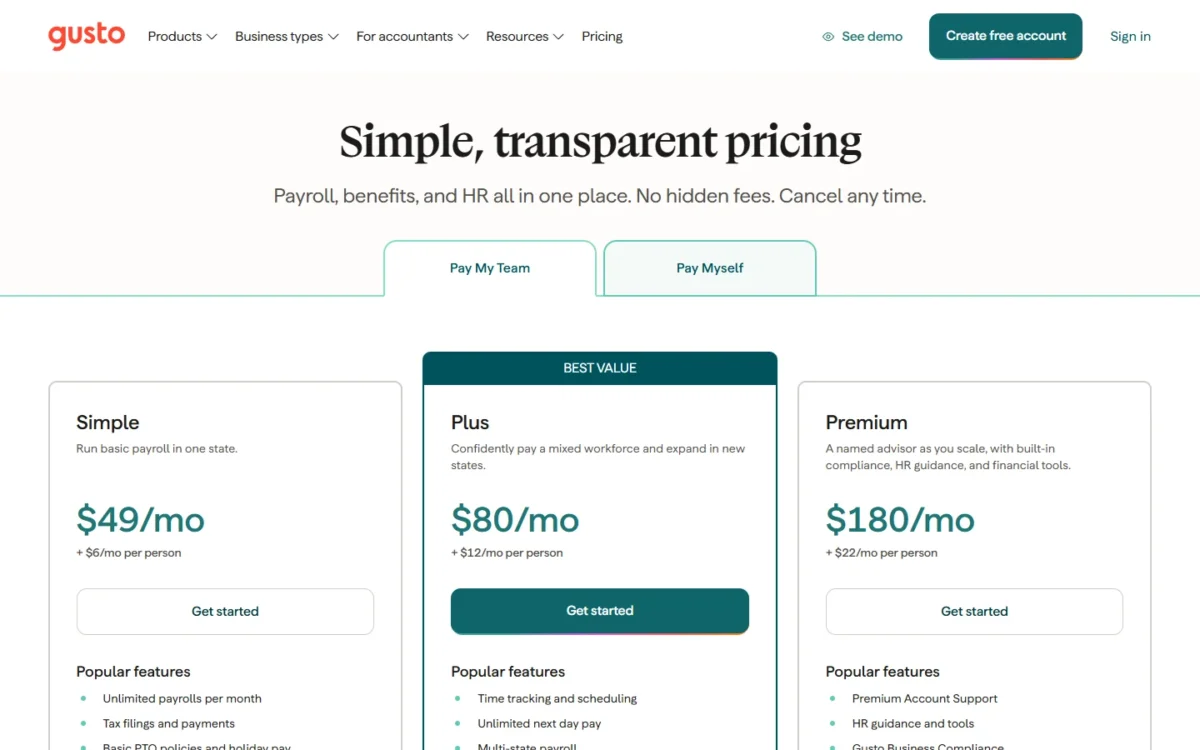
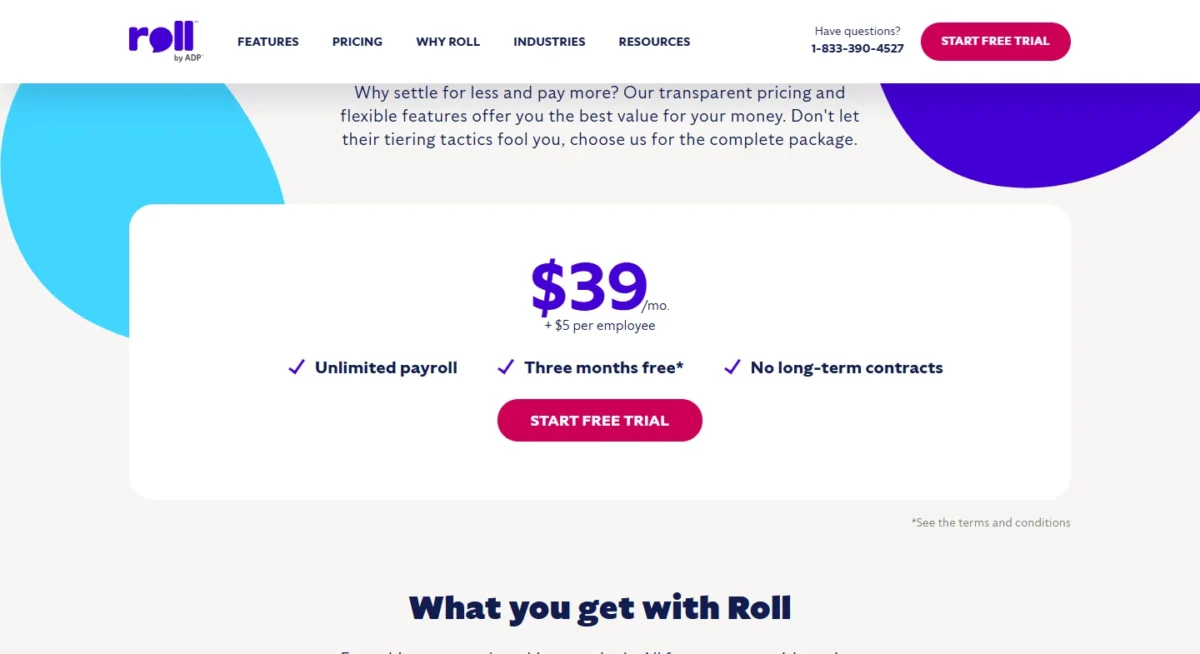
On the three pricing pages I read, payroll costs a monthly base fee plus a fee per person paid. Patriot Basic Payroll starts at $17 a month and $4 per worker paid, Roll at $39 a month and $5 per employee, and Gusto Simple at $49 a month and $6 a month per person.
| Plan | Base per month | Per person per month | Adds |
|---|---|---|---|
| Patriot Basic Payroll | $17 | $4 | You file the taxes |
| Patriot Full Service Payroll | $37 | $5 | Federal, state and local filing; a $12 multi-state tax filing fee for each additional state |
| Roll | $39 | $5 | Taxes paid for you; W-2 and 1099 workers |
| Gusto Simple | $49 | $6 | Tax filings; one state |
| Gusto Plus | $80 | $12 | Time tracking, multi-state |
| Gusto Premium | $180 | $22 | HR guidance and tools |
Sources: Patriot payroll pricing and Roll by ADP pricing, checked November 2026; Gusto pricing (Internet Archive copy of October 24, 2026), checked October 2026. Regular US prices.
| Monthly cost | 5 people | 10 people |
|---|---|---|
| Patriot Basic | $17 + $4 x 5 = $37 | $17 + $4 x 10 = $57 |
| Patriot Full Service | $37 + $5 x 5 = $62 | $37 + $5 x 10 = $87 |
| Roll by ADP | $39 + $5 x 5 = $64 | $39 + $5 x 10 = $89 |
| Gusto Simple | $49 + $6 x 5 = $79 | $49 + $6 x 10 = $109 |
| Gusto Plus | $80 + $12 x 5 = $140 | $80 + $12 x 10 = $200 |
Sources: Patriot, Roll and Gusto pricing pages, checked October and November 2026.
At five people, Patriot Full Service costs $62 – $37 = $25 a month more than Basic. That $25 buys the deposits and returns, and I would pay it unless someone on staff already files 941s.
At 10 people, the per-person fees already outweigh the base fee: $5 x 10 = $50 against Roll’s $39 and Patriot Full Service’s $37, and $6 x 10 = $60 against Gusto Simple’s $49. Price next year’s headcount, not today’s.
Hourly and multi-state teams pay more. Gusto’s time tracking sits on Plus, $140 – $79 = $61 more a month than Simple at five people. Simple covers one state, Patriot Full Service adds a $12 multi-state tax filing fee for each additional state, and Roll’s page lists payroll in all 50 states with no per-state fee printed.
Patriot offers a 30-day free trial, then 50% off for 3 months, and Roll lists three months free; budget on the regular prices. For every Gusto plan and add-on, see Gusto’s full pricing.
Already on QuickBooks? My breakdown of QuickBooks Payroll pricing lists Intuit’s payroll plans.
ADP’s RUN page prints no package price, so see ADP payroll pricing to set RUN against Roll. Price is the last filter, though.
How to Choose Payroll Software
Decide in this order: who files, the states you pay in, employees versus contractors, hours and overtime, the tools it must connect to, then the monthly bill at next year’s headcount.
| Your situation | Look for | Example |
|---|---|---|
| First employee, no bookkeeper | Full-service filing | Patriot Full Service, Gusto Simple |
| Staff in several states | Multi-state payroll | Gusto Plus; Patriot Full Service, $12 filing fee per additional state |
| Contractors too | 1099 payments and forms | Roll; Patriot |
| Hourly staff | Time tracking into payroll | Gusto Plus; Patriot Time & Attendance |
| On QuickBooks | Bundle or integration | QuickBooks Workforce; Roll |
Sources: Patriot payroll pricing, Roll by ADP pricing and Gusto pricing, checked October and November 2026.
Register on EFTPS during setup so you can confirm each deposit yourself. My default for a first-time employer is a full-service plan whose fees fit next year’s headcount. With staff in several states on day one, start the shortlist from the multi-state plans in the table above: Gusto Plus, or Patriot Full Service with its $12 filing fee for each additional state. If it comes down to two names, my Gusto vs ADP comparison sets their plans side by side.
If Gusto leads your list, see my Gusto alternatives for other options to weigh against it.
Mistakes that cost money or create liability
- Moving your IRS address of record to the provider’s: the IRS strongly advises against it, since its notices go there.
- Never checking EFTPS, so a missed deposit surfaces as an IRS notice.
- Paying an employee as a contractor: the software processes it, and the error stays yours.
- Buying a one-state plan with a remote hire elsewhere.
- Budgeting on a promotional price.
FAQ
Is ADP a payroll software?
Yes. RUN Powered by ADP deducts and files federal, state and local payroll taxes and e-files W-2 and 1099 forms (ADP RUN page). My ADP RUN review covers who it fits.
What is the most common payroll software?
I would not choose by popularity, because the counts are the vendors’ own: ADP says over 900,000 small businesses trust its RUN platform. The type you need matters more.
What is the easiest payroll software to use?
Easier means less left to you: full-service filing and hours that flow in from time tracking. My Gusto review shows how one full-service product handles them.
Is it difficult to learn payroll?
The rules are the hard part: income tax withholding from each employee’s withholding certificate, a deposit schedule set by the lookback period, and the IRS’s employee-or-contractor test. Software applies the first two; classification stays your call.
How much is payroll software for 2 employees?
On full-service plans: $37 + $5 x 2 = $47 a month at Patriot, $39 + $5 x 2 = $49 at Roll and $49 + $6 x 2 = $61 at Gusto Simple. Patriot Basic, where you file, is $17 + $4 x 2 = $25.
Is there free payroll software?
Patriot says it has no free payroll tier, though it offers a 30-day free trial. None of the plans above stays free past its trial or promotion.