RUN Powered by ADP is worth a quote for a 1-49 employee business that wants its payroll taxes filed for it and HR help on the same platform. It is a weaker buy for an owner who wants a price first, because ADP prints no price for any of RUN’s four packages.
This ADP RUN review sets out what each package adds, what moves ADP’s quote, the two ADP prices that are not RUN’s, and who should skip it.
Quick verdict
- Worth it for: ADP RUN suits owners with 1 to 49 employees who want payroll taxes filed for them and expect to add HR help later.
- Skip it if: you need a printed price before a sales call, you pay only yourself (ADP for One), or you employ 50 or more people.
- Main strength: one platform from payroll-only Essential to HR Pro with applicant tracking, a learning management system and legal services.
- Biggest limit: no package price on the page, so every comparison starts with a quote.
- Price basis: quote-based, set by payroll frequency, employee count and services, most commonly as a per-payroll processing fee.
In This Article (10 sections)
ADP RUN at a Glance
RUN Powered by ADP is ADP’s payroll and HR platform for businesses with 1 to 49 employees, sold in four quote-priced packages.
- Category: payroll and HR software for 1-49 employees
- Best for: owners who want taxes filed for them and HR help available later
- Starting price: no package price printed; each package says “Get pricing”
- Free plan or trial: no free plan; a self-guided demo, and a switching offer of up to 6 months free before November 26 (read October 28, 2026)
- Packages: Essential Payroll, Enhanced Payroll, Complete Payroll & HR+, HR Pro Payroll & HR
- Main limitation: the missing package price; you see RUN’s cost only after a sales quote
ADP RUN Pros and Cons
Pros
- Federal, state and local payroll taxes are filed and paid in every package, which helps an employer with staff in several states
- RUN & Done and AI error flagging come with Essential, so even the entry package automates a salaried payroll
- 24/7 customer service is in all four packages, useful for an owner who runs payroll after hours
- CashFlow Central bill pay and invoicing is included at no additional cost, which can replace a separate bills tool
- A growing team upgrades from payroll-only to applicant tracking and legal services without switching platforms
Cons
- No package shows a price, so comparing providers means sitting through a sales quote
- Electronic Form I-9, SUI management and garnishment payments need Enhanced, which hurts a hiring business priced on Essential
- A live HR HelpDesk needs Complete Payroll & HR+, two packages above the entry point
- The switching offer says “up to” 6 months free, and its terms sit on a separate page
- CashFlow Central is run by a third party, and its payments carry transaction fees
ADP RUN Features
Five features decide it. The core of four sits in every package, with SUI management and paper checks starting at Enhanced; the fifth, HR tools, is split across the four.
Payroll Taxes and Year-End Forms
Yes: RUN calculates, files and pays federal, state and local payroll taxes, with support on IRS inquiries. ADP offers its small-business payroll in all 50 states.
W-2 and 1099 e-filing and multi-jurisdiction payroll are in all four packages. An employer with staff in two states is buying ADP’s filing work, and it comes with Essential. One tax job is held back: SUI management starts at Enhanced.
RUN & Done and AI Error Checks
RUN & Done, ADP’s automatic recurring payroll, is in every package. So are three AI-enabled tools on ADP’s 2026 RUN package sheet: payroll error flagging, Smart Timesheet Import and a Virtual Assistant.
For a salaried team paid the same amount each period, RUN & Done turns payroll into a review step. Hourly teams gain more from Smart Timesheet Import, so ask which time-clock files it reads before you sign.
Paying Employees: Direct Deposit and Checks
Every package pays employees by direct deposit and includes the Wisely Direct card, a prepaid account ADP offers directly to consumers.
Paper checks are the gate. ADPCheck and check signing and stuffing start at Enhanced. A business that still hands out printed checks should price Enhanced from the start.
HR Tools by Package
HR help grows one package at a time. Essential already holds new hire self-onboarding, employment verification, background checks and HR tracking.
Enhanced adds electronic Form I-9 and ZipRecruiter, which posts a job to over 100 job boards with one click, per ADP’s small-business page. Complete adds the live HR HelpDesk and a handbook wizard. HR Pro adds CareerPlug applicant tracking, a learning management system and Upnetic legal services.
The step that matters most is Complete: it is the first package with a person to call about an HR question. HR Pro earns its place only when hiring or staff training is a weekly job.
Bill Pay, Invoicing and Integrations
CashFlow Central, RUN’s bill pay and invoicing tool, is included with a RUN subscription at no additional cost. It pays vendors by ACH, check or card, sends invoices with payment links, and syncs with QuickBooks Online and Xero.
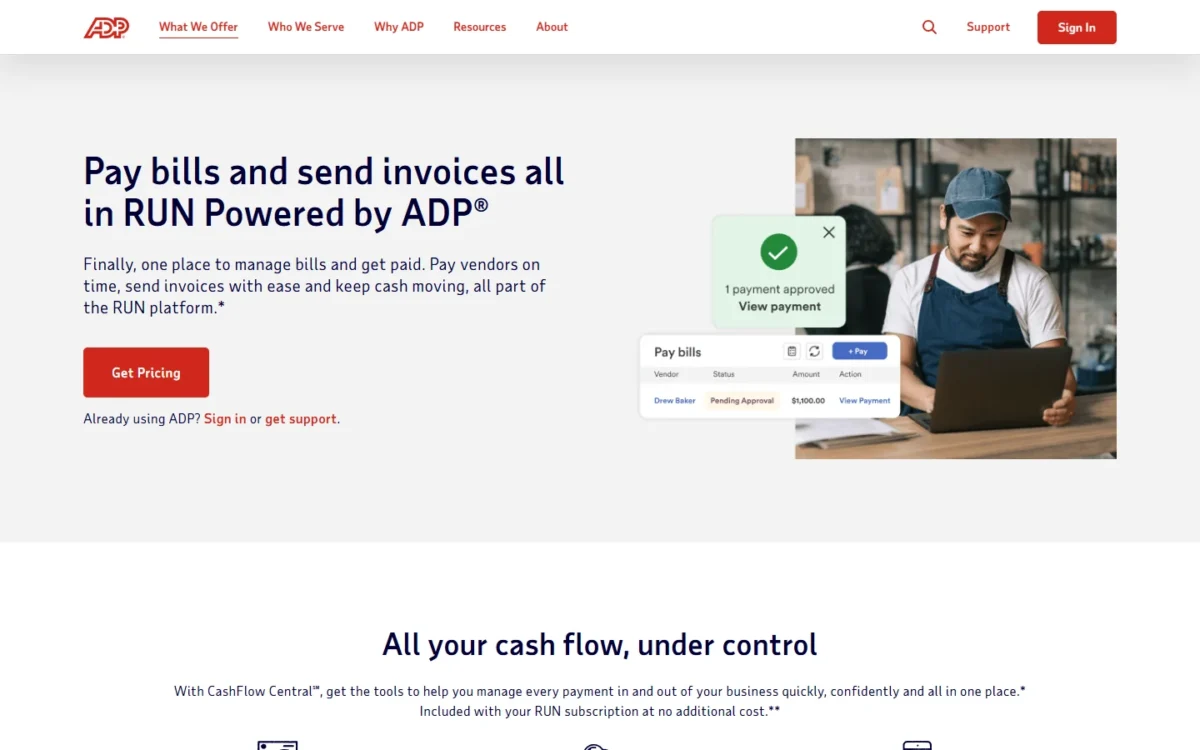
The catch is on ADP’s bill pay page: a third party provides the service, and its transaction fees are disclosed when you make or receive a payment.
Every package also carries a General Ledger Interface. ADP’s App Marketplace connects to “hundreds of popular apps”, and RUN integrates with Clover point of sale.
Features are half the decision; the other half is the work of getting started.
ADP RUN Ease of Use
Setup runs through a Company Setup Wizard, and RUN’s getting-started guide publishes what to gather first, so the effort is predictable before you sign. The list:
- Legal name and address as filed on Forms 940, 941 or 944
- Bank name, account number and routing number
- Pay frequency, check date and pay period dates
- Federal, state and local tax IDs, deposit frequencies, and your state unemployment ID and rate
- Earnings, benefits and deductions
- General ledger account numbers, or RUN’s pre-defined chart of accounts
- Workers’ compensation class codes from your policy
A mid-year switch adds one step. If you paid anyone earlier in the calendar year, you enter prior payroll amounts before the first RUN payroll. Once you click Finish in that wizard, changes go through ADP’s service team, so check those totals twice.
After setup, the guide splits each payroll into seven tasks, from updating employee details to approving and printing checks. Help comes from ADP’s 24/7 support from certified payroll experts.
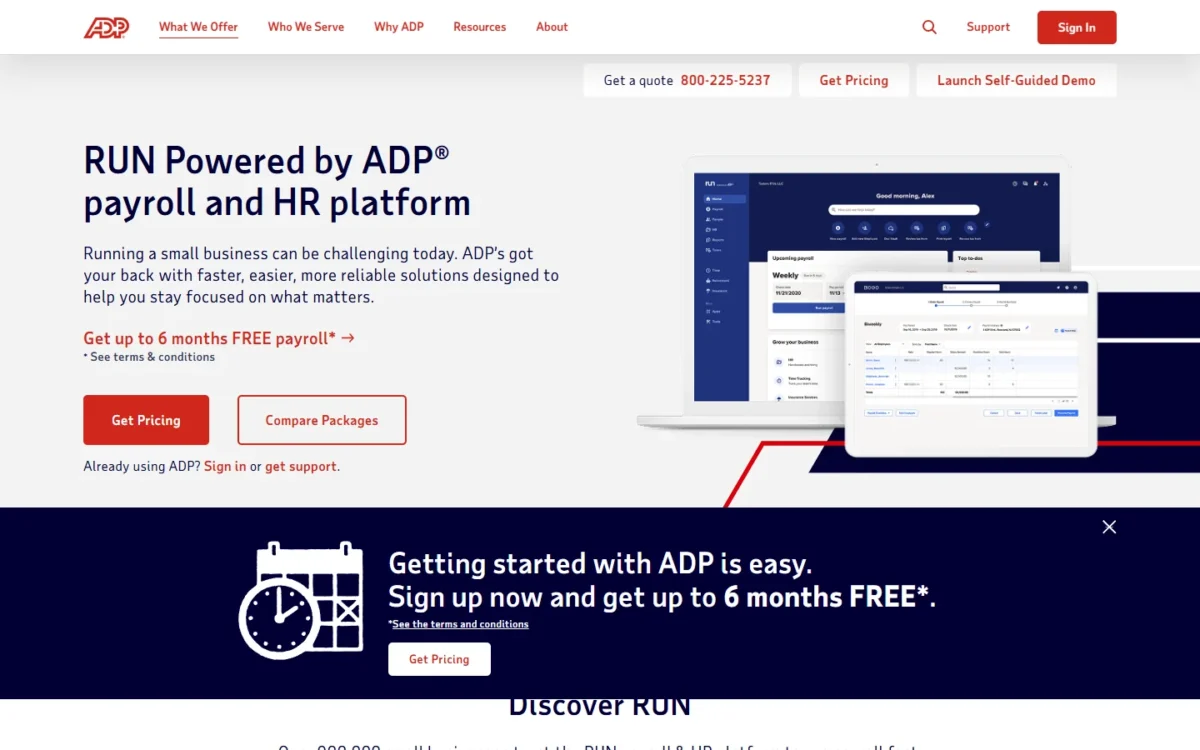
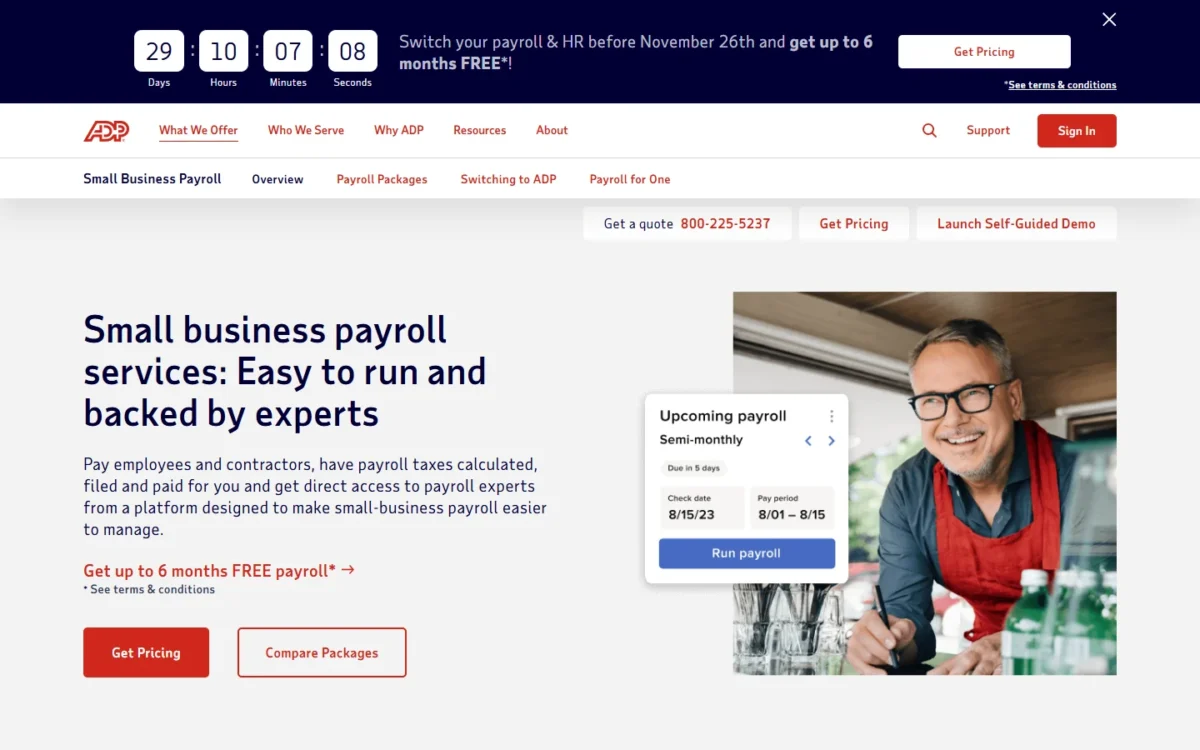
To judge the screens yourself, the 1-49 page offers a Launch Self-Guided Demo button next to Get Pricing.
Setup effort is knowable in advance; the price is the part ADP keeps off the page.
ADP RUN Pricing: How Much Does RUN Cost?
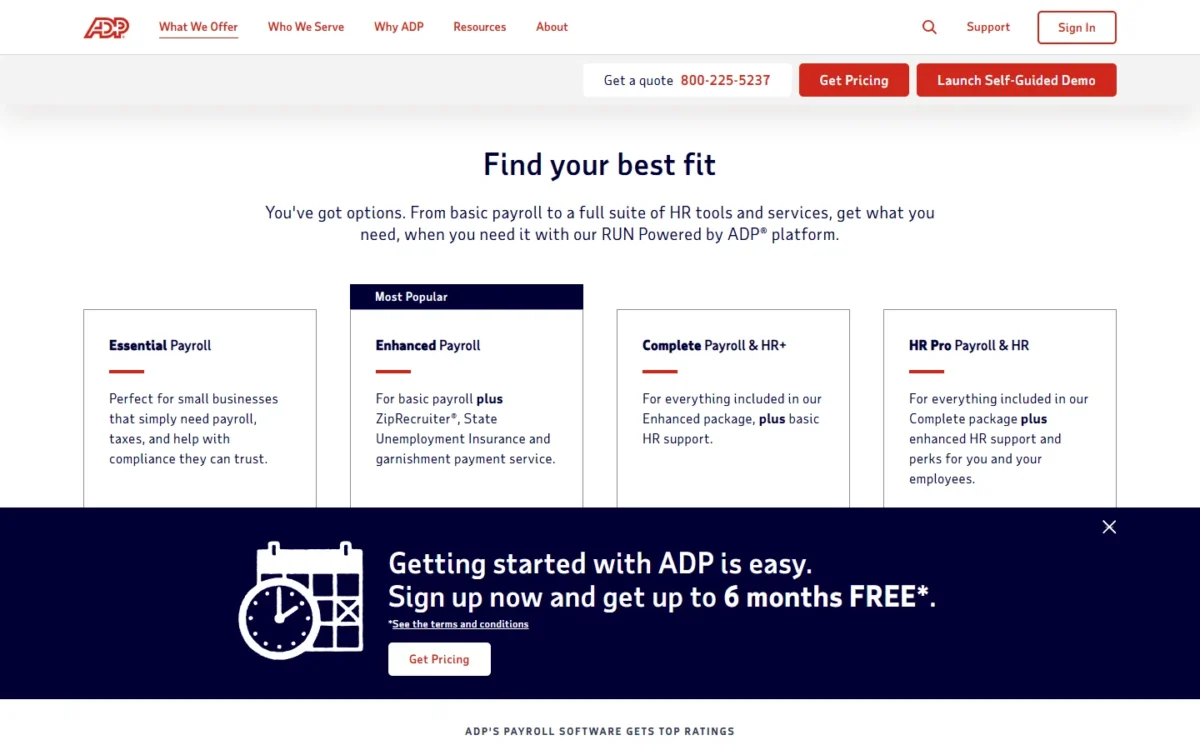
ADP prints no price for any of RUN’s four packages: each package card says “Get pricing”. The cost depends on how often you run payroll, how many people you pay and which services you add, most commonly as a per-payroll processing fee.
| Package | What it adds | Price | Who it fits |
|---|---|---|---|
| Essential Payroll | Payroll, tax filing, W-2 and 1099 e-filing, RUN & Done, AI error flagging, bill pay | Get pricing (quote) | Payroll-only teams paid by direct deposit |
| Enhanced Payroll (Most Popular) | ADPCheck, poster compliance, SUI management, garnishment payments, check signing, job costing, ZipRecruiter, electronic Form I-9 | Get pricing (quote) | Paper checks, garnishments or regular hiring |
| Complete Payroll & HR+ | HR HelpDesk (live support), handbook wizard, salary benchmarks, HR forms, document vault | Get pricing (quote) | Owners who want a person to call on HR questions |
| HR Pro Payroll & HR | Applicant tracking (CareerPlug), learning management system, Upnetic Legal Services | Get pricing (quote) | Businesses that hire and train often |
Sources: ADP’s 2026 RUN package sheet and ADP payroll for 1-49 employees, checked October 2026.
How ADP Quotes RUN
RUN is quote-based. ADP lists three cost drivers for small-business payroll: payroll frequency, total number of employees and the services you need, with “a per-payroll processing fee” as the most common charge.
ADP’s payroll software page describes the usual structure as an annual base price, plus a possible fee for each payroll transaction. ADP’s payroll overview frames the model as paying for the services you need today and adding features as you grow.
Even ADP’s own Marketplace hides the number: the ADP HR Pro listing, a full HR package for RUN users, shows “Login to view price”.
Pay frequency is the lever you control. RUN’s payroll fees increase with frequency, and a per-payroll fee is charged once per payroll, so a weekly schedule triggers it more often than a biweekly one.
ADP generally recommends weekly or biweekly pay periods where acceptable, so ask for the quote at both.
The other two drivers grow with you: each hire raises the employee count, and each package step raises the services line. If cost is your first question, read my ADP payroll pricing guide.
What Each Package Adds and What Forces an Upgrade
Essential covers payroll, taxes, year-end forms and the AI checks; the reasons to move up are specific.
- Enhanced: your first paper check, garnishment order, I-9 you want filed electronically, or job you want posted through ZipRecruiter.
- Complete Payroll & HR+: the first HR question you want a person to answer.
- HR Pro Payroll & HR: enough hiring or training to need an applicant tracking system or a learning management system.
I would start a quote at Enhanced for any business that hires during the year, because Essential has no electronic Form I-9 and no ZipRecruiter. Essential is enough for a stable team paid by direct deposit, with no garnishments and no paper checks.
The Current Offer and Add-ons
On October 28, 2026, ADP’s 1-49 page read “Switch your payroll & HR before November 26th and get up to 6 months FREE”, with the terms on a separate linked page.
Offer deadline
The offer says “up to” six months, and the page does not print its conditions. Ask how many free months your business qualifies for, and get the terms in writing before November 26.
ADP lists add-ons beyond the packages: business insurance and health benefits including workers’ compensation, retirement plans, time and scheduling, App Marketplace apps and Clover point of sale.
The Prices ADP Does Print
ADP prints two small-business prices, and neither belongs to the four RUN packages.
- ADP for One: ADP’s payroll for one employee page says packages start at $42/month for one-time annual processors. It is payroll for S corps and solopreneurs, which ADP also calls RUN for one payroll, with no fixed fees and no contract.
- $39 plus $5: ADP’s small-business FAQ says prices start as low as $39 per month, plus $5 per employee. That answer ends with “Simple payroll by Roll”, pointing to Roll by ADP, a separate ADP product.
At that FAQ rate, a 10-person team pays $39 + $5 x 10 = $89 a month for Roll. That is Roll’s cost, not RUN’s, but it gives you a printed ADP rate to hold a RUN quote against.
What to Ask for in Your Quote
A RUN quote is only comparable when it spells out every charge. My checklist:
- The package, named as ADP names it
- The per-payroll processing fee, quoted at weekly and biweekly frequency
- Any annual base price and any per-employee or per-contractor charge
- Each add-on you need, such as time and scheduling or retirement, priced separately
- The number of free months the switching offer gives you, and its terms
- The CashFlow Central fee schedule, if you will pay bills through RUN
With those numbers in hand, set the quote against the printed rates in the competitor table below.
Who Should Use ADP RUN?
RUN fits a 1-49 employee business that wants payroll taxes filed for it and expects to add HR help. It is a weaker fit for owners who want a printed price, solo S corps and businesses past 49 employees.
The misfits are concrete. ADP for One is the ADP product built for S corps and solopreneurs, and ADP sells separate payroll for 50 to 1,000+ employees. An owner who wants HR handed off entirely should look at ADP TotalSource, ADP’s full-service PEO, which is a different buying model.
If your real need is HR software beyond payroll, my guide to HR software for small businesses covers tools built for that job.
Best for
- A team with staff in more than one state, since multi-jurisdiction payroll and tax filing come with Essential
- An owner who expects to need live HR answers, since the HR HelpDesk sits at Complete Payroll & HR+, two packages above Essential
- A business that runs Clover point of sale, which ADP integrates with RUN
- An owner of several companies, since multi-company management is in all four packages
Not ideal for
- An owner who must see a price before talking to sales, since every package says “Get pricing”
- A solo S corp owner, since ADP for One starts at $42/month for one-time annual processors
- A business with 50 or more employees, which ADP routes to its separate 50 to 1,000+ payroll
- A team that needs applicant tracking on a tight budget, since CareerPlug sits only in HR Pro
If RUN is not the fit, the nearest options differ mostly in how openly they price.
ADP RUN vs Competitors
RUN asks for a quote, while ADP for One and Roll by ADP print starting prices; what the quote buys is RUN’s ladder from payroll to HR Pro. If you are choosing between ADP and Gusto, compare them in my Gusto vs ADP comparison.
Against Gusto, the sharpest contrast is how payroll runs are charged. ADP says small business payroll most commonly carries a per-payroll processing fee, while every Gusto plan comes with unlimited payroll runs and no extra charge for off-cycle payrolls.
| Software | Best for | Starting price | Key difference | Main trade-off |
|---|---|---|---|---|
| RUN Powered by ADP | 1-49 employees wanting taxes filed and HR help | Get pricing (quote) | Four packages up to applicant tracking, LMS and legal services | No printed price |
| ADP for One | S corps and solopreneurs | $42/ | No fixed fees, no contract | Built for one employee |
| Roll by ADP | Owners who want a printed per-employee rate | $39 per month plus $5 per employee | Payroll processing, tax filing and direct deposit at a listed rate | A separate product, not a RUN package |
| Gusto | Teams that run frequent off-cycle payrolls | Plan prices in my Gusto pricing guide | Unlimited payroll runs on every plan | Simple plan has Basic Support; Priority Support is a $30/mo + $3/mo per person add-on |
Sources: ADP payroll for one employee, ADP small business payroll and HR, ADP payroll for 1-49 employees and Gusto pricing, checked October 2026.
For Gusto’s plan prices, start with my Gusto pricing guide, the comparison I would run first.
My Gusto review judges it as a product, not only on price.
For a wider field, my ranking of the best payroll software for small business compares more providers on cost, states and contractors.
How I Evaluated ADP RUN
This review rests on official documentation and pricing pages from ADP, checked October 2026. They include the 1-49 employee payroll page, the 2026 RUN package sheet, the HR Pro Marketplace listing, the ADP for One page, the CashFlow Central page and RUN’s getting-started guide.
Package fit, the quote checklist and who should skip RUN are my analysis of those pages. Ratings appear only as ADP prints them.
ADP does not publish a price for Essential Payroll, Enhanced Payroll, Complete Payroll & HR+ or HR Pro Payroll & HR; each card says “Get pricing”. The switching offer carries a “See terms & conditions” note.
ADP RUN FAQ
Is ADP RUN legit?
Yes. ADP’s homepage says it serves more than 1,100,000 clients and pays 1 in 6 workers in the US. Its small-business payroll page counts over 900,000 small business clients.
That payroll page also prints Capterra at 4.6 out of 5 and G2 at 4.7 out of 5, as of 7/15/26, and notes that the ratings include incentivized reviews.
Is ADP RUN different from ADP Workforce Now?
Yes. ADP sells RUN as payroll for 1 to 49 employees and lists separate payroll services for 50 to 1,000+ employees. ADP describes Workforce Now as “just right for growing organizations”, so a business heading past 49 people should ask which platform its quote covers.
Does ADP RUN have a free trial?
ADP lists no free plan or free trial for RUN. You can look before you buy through the self-guided demo on the 1-49 page. The switching offer then gives up to 6 months of free payroll under its linked terms.
ADP RUN Review: Final Verdict
Yes, request a RUN quote if you have 1 to 49 employees and want ADP to own payroll tax filing, with a live HR HelpDesk at Complete Payroll & HR+.
Start the quote at Enhanced if you print checks, handle garnishments or hire during the year. Pay for Complete Payroll & HR+ only when a live HR HelpDesk is worth more to you than the price gap ADP quotes.
Skip RUN if you want a printed price before any sales call, if you pay only yourself (ADP for One), or if you have 50 or more employees. If your books already live in QuickBooks, check my QuickBooks Payroll pricing guide before you ask ADP for a quote.
Before you sign, get the package, the per-payroll fee at your pay frequency, the add-ons and the offer terms in writing.