Attio suits small and mid-size teams whose deals run through email and meetings, and this Attio review shows which plan that workflow needs. It is the wrong CRM for volume outbound, because Attio caps sending per mailbox on every plan.
Evidence basis: Attio’s official pricing page and help center documentation, checked October 2026 (a documentation-based review). How I review
In This Article (8 sections)
Attio Review: The Quick Verdict
Attio is worth a trial for teams that sell through email and meetings, not for teams that win on outbound volume. Pro costs more than twice as much as Plus on annual billing ($79 against $35 per user per month), and that premium buys sequences and call recording.
| Question | Short answer |
|---|---|
| Best for | Teams that sell or partner through relationships and work from Google or Microsoft email |
| Skip it if | You run volume outbound: each synced mailbox sends at most 12 emails an hour and 200 a day |
| Free plan | Up to 3 seats, 1 synced mailbox per user, 3 Insight reports |
| Plan most teams need | Plus up to 10 seats and 1,000 sends per user a month; Pro for sequences, call recording, more sends or an 11th seat |
| Main strength | Synced inboxes create and enrich People and Company records automatically |
| Main limitation | No reports on emails, meetings or sequences beyond first and last interaction dates |
| Best alternative | HubSpot CRM, if marketing and service teams need the same CRM |
Sources: Attio pricing page, Attio plans and features and Attio email sending limits, checked October 2026.
Read the table as one trade: Attio does the data entry from your inbox, then charges Pro rates once you want it to send sequences or record calls. That trade starts with how Attio stores data.
How Attio Works
Attio is a CRM built on objects and lists. Objects hold your records, lists run a process on them, and synced Google or Microsoft inboxes create the contacts. Storing people, companies and deals is what a CRM does; Attio changes who does the data entry.
Five standard objects come built in: Companies, People, Deals, Users and Workspaces, and custom objects extend them on Pro and Enterprise.
A list pulls one object’s records into a workflow, project or segment. Its fields live on the list entry, so a partnership stage never touches the company record.
Connect Google or Microsoft email and calendar, and Attio creates a People and Company record for everyone you have interacted with, enriched from public sources. Each person chooses what the team sees, from metadata only up to full email content on paid plans.
For a relationship-led team, that makes the CRM a byproduct of email it already sends. For a team that has never shared inboxes, the sharing setting becomes the first real rollout decision.
Attio’s homepage calls it “the CRM for agentic revenue”. In the help docs, that means the Ask Attio assistant and agent blocks in workflows, both paid from monthly credit pools. Budget the AI as metered usage, not as part of the seat price.
What that structure costs you depends on the workflow it has to carry.
What Attio Does Well
Attio carries most small-team sales workflows, and the workflow sets the first plan you need. Relationship tracking works on Free, SaaS account tracking needs Plus, and sequenced outreach and call recording need Pro.
| Workflow | Minimum plan | What that plan adds | First documented limit |
|---|---|---|---|
| Relationship tracking | Free | Connection strength, strongest connection, first and last interaction | 1 synced mailbox per user until Pro |
| Deal pipeline with conversion reports | Plus | Funnel reports for stage-to-stage conversion | Time in stage and Stage changed reports need Pro |
| SaaS customer accounts | Plus | Users and Workspaces objects next to Deals | 5 objects in total; custom objects need Pro |
| Email sequences | Pro | Multi-step sequences, up to 1,000 recipients enrolled at once | 12 emails an hour and 200 a day per mailbox |
| Call recording | Pro | A recorder for Zoom, Google Meet and Microsoft Teams with AI transcripts | The recorder must be admitted to each call |
| Custom data model | Pro | Custom objects, formula attributes, custom relationship attributes | 12 objects, Companies and People included |
Sources: Attio plans and features, Attio sequences, Attio call recording and Attio custom objects, checked October 2026.
The pattern matters for budgeting: the workflow sets the first plan you need, and headcount moves it again. Free stops at 3 seats and Plus at 10, so a 4th seat needs Plus or higher and an 11th needs Pro or Enterprise.
Relationship tracking from synced inboxes
Relationship tracking is one of Attio’s main benefits, and it works on Free. Synced email and calendar fill in connection strength, the strongest connection, and first and last interaction for every person and company.
Plus splits those dates into email and calendar interactions; Pro adds the next calendar interaction and a second mailbox per user. For a team selling through warm introductions, the strongest-connection field names who should ask for the intro, with no upkeep.
Sales pipeline, sequences and call recording
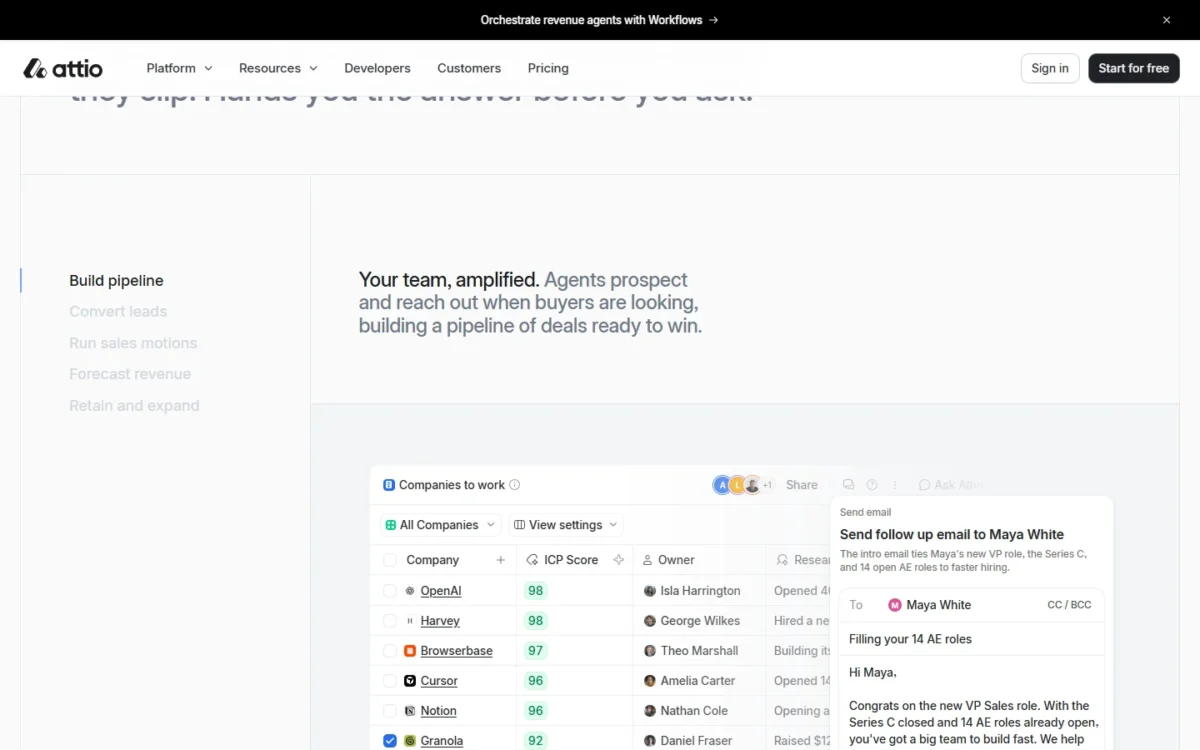
Attio can run a deal pipeline on Free, but the tools that move deals forward, sequences and call recording, are Pro and Enterprise only. Deals sit in kanban views with a column per sales pipeline stage, and Plus adds Funnel reports for stage-to-stage conversion.
Pro raises the report cap from 3 on Free to 100 and adds Time in stage, Stage changed and Historical values reports. A manager who needs to see where deals stall needs Pro, because Time in stage is the report built for bottlenecks.
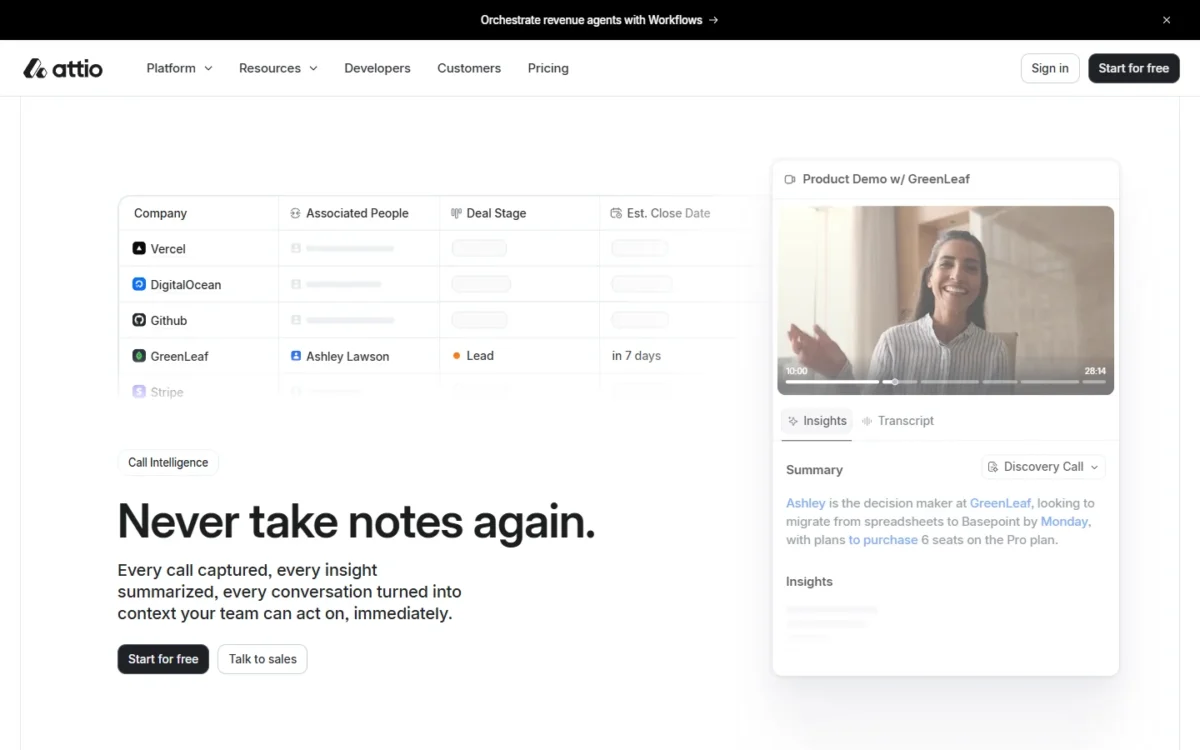
Sequences send multi-step emails at least 1 day apart and can stop when a recipient replies or books a meeting. Recorded calls come back with AI transcripts and insights that Ask Attio can then search alongside notes and emails.
That makes Pro the realistic Attio plan for a team that records demo calls, or whose repeatable outbound stays within 200 emails a day per mailbox.
Plus teams keep the pipeline and Funnel reports, but they send follow-ups as one-off emails or batches of up to 50, without automated steps.
Custom objects and SaaS account data
Plus is the cheapest plan for a SaaS company that tracks product accounts, because it is the first plan with Users and Workspaces next to Deals. Free enables only one of those three objects beside Companies and People.
Custom objects, formula attributes and custom relationship attributes all start on Pro, which caps a workspace at 12 objects; Enterprise removes the cap. API access comes with every plan, so a developer can push product data into standard objects on Free or Plus.
That makes Plus a fit for a product-led SaaS team, and Pro the minimum for modeling anything Attio does not ship, such as partners.
AI and automation, paid in credits
Attio’s AI works on every plan, but each Ask Attio prompt and AI workflow step spends credits, so your plan sets your AI budget.
Ask Attio searches your calls, notes, emails, records and the web. It drafts emails and proposes record updates and tasks, which apply only after you approve them.
Each seat gets 100, 500 or 1,000 Ask Attio credits a month on Free, Plus or Pro. The workspace shares a separate monthly pool for workflows and AI of 250, 1,500 or 10,000 credits, and the Free pool cannot be topped up.
A meeting-prep prompt costs 10 to 20 credits in Attio’s examples on the Auto model. A Plus seat’s 500 seat credits therefore cover 25 to 50 of them a month before the shared pool takes over.
Rule-based workflows cost little: triggers, filters and data lookups are free, and a block that writes a record costs 1 credit. Emails sent directly from sequences use no workspace credits at all. For budgeting, AI prompts and AI blocks are the variable cost.
Credits are a budget you can watch. The limits in the next section are harder walls.
Where Attio Falls Short
Four documented limits decide who should skip Attio. Sending caps hurt SDR teams, missing activity reports hurt managers, the 10-seat Plus cap hurts growing teams, and unexportable enrichment hurts switchers.
- Sending caps hurt SDR teams. Each synced mailbox sends at most 12 emails an hour and 200 a day, counting one-off, mass and sequence emails. Mass and sequence emails also go out five minutes apart, so one 50-recipient batch takes about 50 x 5 minutes = 250 minutes to clear.
- Missing activity reports hurt sales managers. Attio has no reports on emails, meetings, sequences or other activities beyond first and last interaction dates, and none on notes or tasks. The documented workarounds are an interactions custom object, which needs Pro, or workflows that write each activity to an attribute.
- The 10-seat Plus cap hurts growing teams. Plus stops at 10 seats, a pending invite occupies a seat, and every member of a workspace must be on the same plan. The 11th hire therefore moves the whole team to Pro or Enterprise, and the pricing section puts the Pro jump in dollars.
- Unexportable enrichment hurts switchers. Enriched data cannot be exported from Attio; only values you overwrite by hand leave with you. A team that lets Attio fill company descriptions, locations and employee counts should plan to rebuild those fields in its next CRM.
Which limit arrives first depends on the team:
| Your team | First limit it hits | Does upgrading fix it? |
|---|---|---|
| Founders on Free running automations | 250 workspace credits a month, no top-ups | Yes: Plus has 1,500 and sells more |
| A relationship team on Free or Plus sending follow-ups | 200 (Free) or 1,000 (Plus) sends per user a month | Yes: Pro removes the monthly cap |
| A Plus team hiring its 11th person | 10 seats | Yes, by moving everyone to Pro (Enterprise also has no seat cap) |
| An SDR team on Pro | 12 emails an hour and 200 a day per mailbox, 2 mailboxes per user | Partly: Enterprise syncs unlimited mailboxes, each still capped |
| A manager coaching activity | No email, meeting or sequence reports | No: only workarounds exist |
| A team that may switch CRMs | Enriched data stays in Attio | No |
Sources: Attio plans and features, Attio email sending limits, Attio report types and Attio enriched data, checked October 2026.
The monthly caps are tighter than they read. At the 200-a-day maximum, a Plus user’s 1,000 monthly sends last 5 days (1,000 / 200), and a Free user’s 200 last one day. The last two rows have no upgrade path, so test them before you buy.
Most of the other limits are plan gates, which is why the plan list matters more than the headline price.
Pricing and Plan Gates
Attio costs $0 on Free for up to 3 seats, and $35 per user per month on Plus or $79 on Pro, billed annually. Monthly billing raises those per-user prices to $44 and $99.
Enterprise is a custom quote, and every new workspace starts on a 14-day Pro trial.
| Plan | Per user per month, billed annually | Per user per month, billed monthly | Seats | Gate that changes the verdict |
|---|---|---|---|---|
| Free | $0 | $0 | Up to 3 | 250 workspace credits a month, no top-ups |
| Plus | $35 | $44 | Up to 10 | Funnel reports; Users and Workspaces objects |
| Pro | $79 | $99 | Unlimited | Sequences, call recording, custom objects |
| Enterprise | Custom quote | Custom quote, billed annually | Unlimited | SAML single sign-on and SCIM provisioning |
Sources: Attio pricing page and Attio plans and features, checked October 2026.
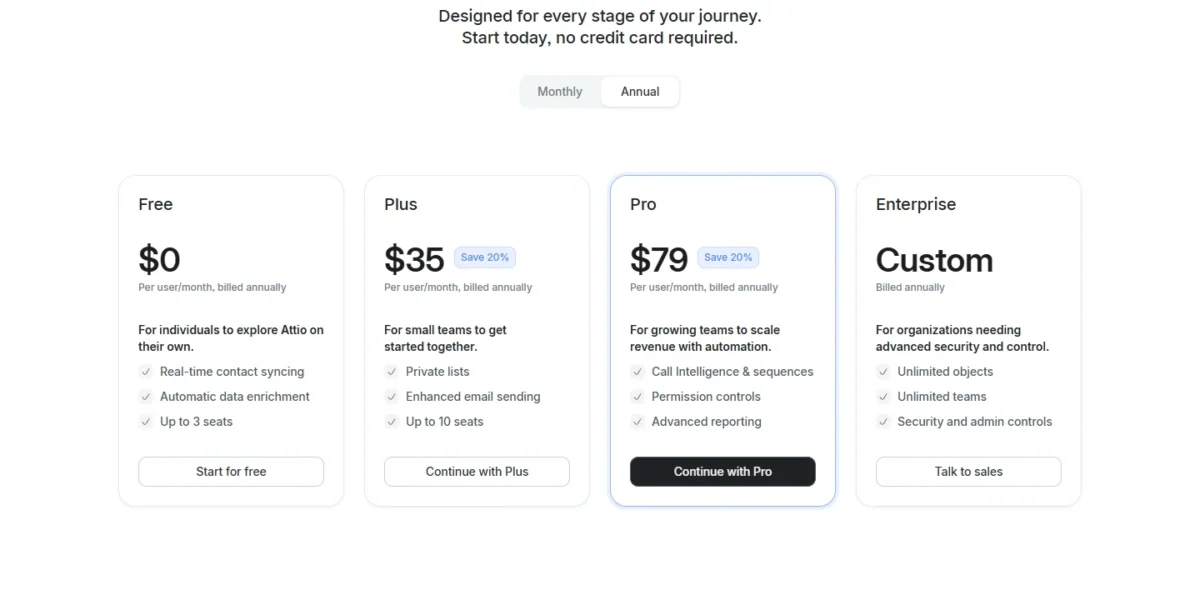
The gate that changes the verdict most is the 11th seat. On annual billing, ten people on Plus pay $35 x 10 users x 12 months = $4,200 a year, and eleven on Pro pay $79 x 11 users x 12 months = $10,428, a jump of $6,228.
That jump is why I would price Pro before signing an annual Plus contract for a team that expects to grow past 10 seats. Teams of other sizes can run their own number with my full Attio pricing breakdown, which also covers credits.
Annual billing saves 20% on Plus and Pro, but Attio bills at the start of each billing interval and applies downgrades only at renewal. A team that buys Pro annually and then finds Plus is enough keeps paying Pro rates until the year ends.
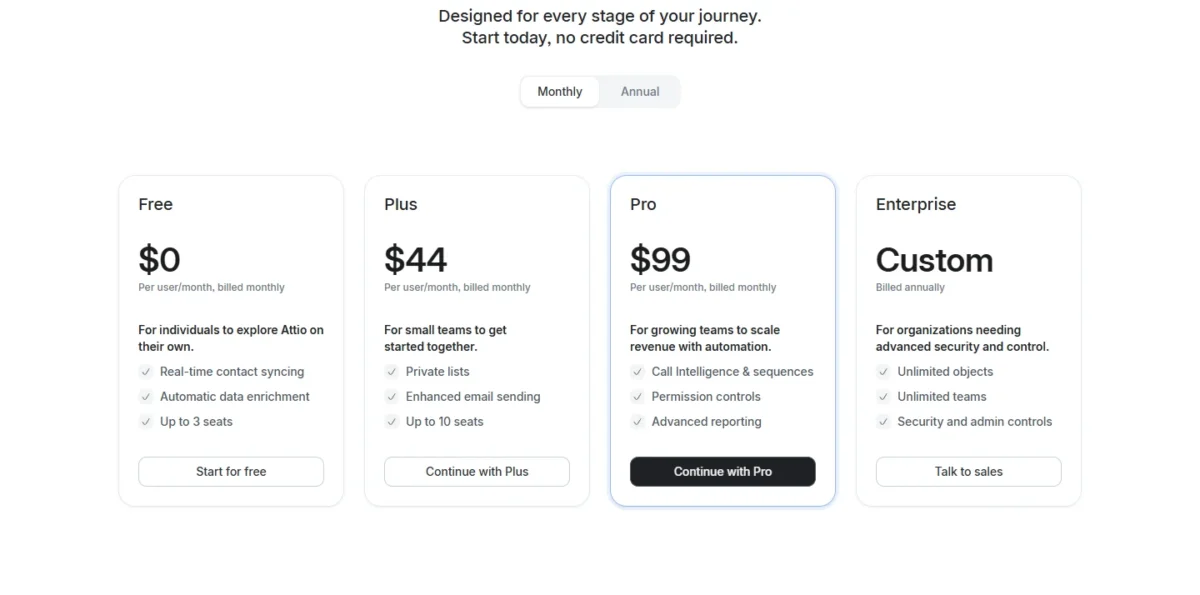
Two more gates are binary. Sequences and call recording start on Pro, and SAML single sign-on and SCIM provisioning are Enterprise only. A company whose security policy requires SSO therefore talks to sales at any team size.
Eligible startups can apply for up to 80% off through Attio’s startup program, which changes the math above for a young company. If neither Plus nor Pro fits the workflow at its price, the alternatives are where to look next.
Attio CRM Alternatives
Five CRMs are worth comparing: four answer a specific reason to skip Attio, and Folk is the closest rival on the relationship view itself:
- HubSpot CRM fits better when marketing and service teams must share one CRM. Every free HubSpot CRM account includes marketing, sales and service tools. My HubSpot CRM review covers its pricing and limits.
- Choose Salesforce when the CRM has to carry a complex organization. Salesforce pitches its enterprise CRM at the needs of complex organizations. My Salesforce CRM review weighs that depth against its plan gates.
- Pipedrive suits teams that think in pipeline stages before relationships. It sells itself as sales CRM and pipeline management software, built around a kanban-style dashboard of deals.
- For investors rather than sellers, Affinity is the closer match. It is built as an AI-first CRM for private capital and scores relationship strength from real communication patterns.
- Folk is the one to trial beside Attio when the relationship view is the feature you are buying. Its page promises to show where every relationship stands across the sales motion.
If none of these fits, my ranking of the best CRM software widens the shortlist to 10 options.
Final Verdict: Who Should Buy Attio
Buy Plus for a relationship-led team of up to 10 that stays within 1,000 sends per person a month. Buy Pro for sequences, call recording, more sends or an 11th seat. The trial runs on Pro, so test the Plus case inside Plus limits:
- Sync one Google or Microsoft mailbox per person, the Plus allowance, and check whether connection strength matches what the team knows.
- Build the pipeline and the reports you would keep on Plus: Insight and Funnel, not Time in stage or Stage changed.
- Leave sequences, call recording, custom objects and second mailboxes alone unless you are buying Pro.
- Count the emails each person sends from Attio, one-off and mass sends alike, and project a month from the 14 days. Plus allows 1,000 sends per user a month, but Pro has no monthly send cap, so the trial will not stop you at that limit.
- Before day 14, read credit use under Workspace settings, Billing, Usage. Plus’s 1,500 workspace credits and 500 seat credits per user are monthly pools. Project the trial’s 14 days of use to a full month before you compare it with them.
If the pipeline, reports and send counts hold up on those terms, Plus is the better buy. If the team kept reaching for sequences or the recorder, or projected past 1,000 sends per person a month, budget for Pro from the first invoice.
- Skip it if:
- your team wins on cold outbound volume, or your manager coaches on emails and meetings per rep. The per-mailbox sending cap and the missing activity reports hold on every plan.
Attio FAQ
Is Attio legit?
Yes. Attio is a paid CRM sold by Attio Ltd, with public prices and a help center that documents each plan’s limits. Attio’s homepage claims more than 30,000 customers, and Attio does not use customer data to train any AI models.
Does Attio have a free plan?
Yes, for up to 3 seats, with one synced mailbox per user. Every email sent from Free carries a “Sent with Attio” line that only paid plans can remove, so Free suits internal tracking better than customer-facing outreach.
How long is the Attio free trial?
14 days, on the Pro plan, for every new workspace, and no credit card is required to start. When the trial ends, an admin picks the plan to continue on, including Free, so testing Pro commits you to nothing.
What are the key differences between Attio and HubSpot?
Attio’s case rests on inbox-built records and a plan-gated data model; HubSpot’s rests on bundling marketing, sales and service tools with its CRM.
On free plans, Attio takes 3 seats and 50,000 records, while HubSpot’s free CRM covers up to two users and 1,000 contacts. The units differ: Attio’s 50,000 counts records in the workspace and HubSpot’s 1,000 counts contacts, so the two figures do not compare like for like. My Attio vs HubSpot comparison avoids that mismatch by weighing both against the same small sales team.
Can I move my data from HubSpot, Salesforce or Pipedrive?
Yes, on any paid plan, through Import2, Attio’s free migration service. It moves companies, people, deals, custom objects, notes, tasks and files from CRMs including HubSpot, Salesforce, Pipedrive, Folk and Affinity. Migrate before syncing mailboxes, because Import2 does not update records that already exist in Attio.
Does Attio have AI features?
Yes, on every plan, through the Ask Attio assistant and AI workflow blocks. You can pick the AI model Ask Attio uses or leave it on Auto, and it cannot send an email without your approval. You can also ask in one language and get answers from notes or emails written in another.