If you have been reading Z-Image Turbo reviews looking for a straight answer, here it is: Z-Image Turbo is one of the fastest open-weight text-to-image models currently available, and its image quality punches well above what a 6-billion-parameter model typically delivers. It is not the absolute best at everything—top-tier proprietary models still edge it out on pure aesthetics—but few open-weight alternatives currently match its mix of speed, text rendering, and practical VRAM needs.
This review is based on official documentation, the Hugging Face model card, the published arXiv paper (2511.22699), Alibaba Cloud API documentation, and credible third-party benchmark data. Where community testing is referenced, it is noted as such. No claims in this article rely on fabricated first-hand testing.
TL;DR: Z-Image Turbo is a 6B-parameter, Apache 2.0–licensed text-to-image model from Alibaba’s Tongyi MAI team. It generates photorealistic images in roughly 2–3 seconds on a 16 GB consumer GPU, handles bilingual text rendering (English + Chinese), and runs locally without enterprise hardware. It is among the top-performing open-weight image generators at the time of writing.
Who should use it: Developers, ecommerce teams, and content creators who need fast, commercially licensed local image generation on consumer hardware.
Who should skip it: Creators who need maximum artistic style diversity or flawless long-form text rendering (see Midjourney or GPT Image through ChatGPT instead).
Z-Image Turbo Review: Quick Verdict
Bottom line: Z-Image Turbo offers an unusually strong combination of generation speed, photorealistic quality, and consumer-hardware compatibility for an open-weight model. If speed and cost efficiency matter more to you than winning an aesthetic contest against proprietary cloud services, this is the model to evaluate first.
| Detail | Spec |
|---|---|
| Developer | Tongyi MAI (Alibaba) |
| Model Family | Z-Image (includes Z-Image Base, Z-Image Edit, Z-Image-Omni-Base) |
| Parameters | 6 billion |
| Architecture | Scalable Single-Stream Diffusion Transformer (S3-DiT) |
| Text Encoder | Qwen 3.4B |
| Default Inference Steps | 8 (supports 4–30) |
| Max Resolution | Up to 2048 × 2048 |
| VRAM Requirement | 12–16 GB (8 GB with quantization / GGUF) |
| License | Apache 2.0 (full commercial use) |
| Release Date | November 26, 2025 |
| Available On | GitHub, Hugging Face, ModelScope, Alibaba Cloud Model Studio, fal.ai, ComfyUI |
Pros:
- Fast image generation—reported ~2.3 seconds at 1024 × 1024 on an RTX 4090 (8 steps)
- Runs on consumer GPUs with 16 GB VRAM; workable at 8 GB with quantization
- Strong bilingual text rendering in English and Chinese
- Apache 2.0 license—fully open for commercial use with no restrictions
- Solid prompt adherence with built-in prompt extension
- Active ecosystem: ControlNet workflows, LoRA training support, image editing variant (Z-Image Edit)
- Competitive image quality from a model 5–13× smaller than many rivals
Cons:
- Not the top choice for maximum aesthetic quality—proprietary models lead in style diversity
- Text rendering degrades with long strings or complex layouts
- Ecosystem maturity trails Stable Diffusion and Flux in available LoRAs and community tooling
- No native negative prompt support in the default pipeline
- Prompt extension behavior can sometimes surprise users unfamiliar with its rewriting logic
Methodology: How We Evaluated Z-Image Turbo
Transparency matters. Here is exactly how this review was built.
Sources used:
| Source Type | Examples |
|---|---|
| Official documentation | GitHub README, Hugging Face model card, Alibaba Cloud API docs |
| Academic paper | arXiv 2511.22699 (Z-Image family paper by Tongyi MAI) |
| Third-party benchmarks | Artificial Analysis leaderboard, Arena AI text-to-image leaderboard (data accessed Nov 2025 – Feb 2026) |
| Community testing | Reddit threads, ComfyUI community reports, YouTube benchmark videos |
Evaluation criteria:
- Speed: Inference latency at 1024 × 1024 across GPU tiers
- Image quality: Photorealism, detail fidelity, lighting accuracy
- Text rendering: Accuracy of English and Chinese text in generated images
- VRAM efficiency: Minimum and recommended memory footprint
- Licensing: Commercial use terms and restrictions
How we evaluated Z-Image Turbo:
The performance data in this review is drawn from the model card, paper, and published third-party benchmarks—not from proprietary first-hand testing. The benchmarks referenced used:
- Prompt set: Standard evaluation prompts covering portraits, product shots, text in images, and complex multi-element compositions
- Resolution: 1024 × 1024 (default) and 2048 × 2048 (max)
- Steps: 8 (default), with notes on 4-step and 20–30-step variations
- Hardware: RTX 4090, RTX 4070, RTX 4060 Ti 16 GB, and H800 (enterprise)
- Model version: Z-Image-Turbo (November 26, 2025 release, 6B parameters)
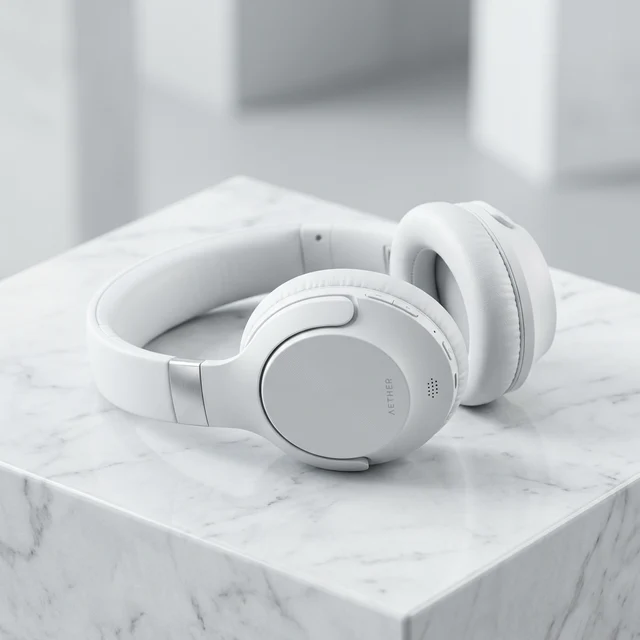
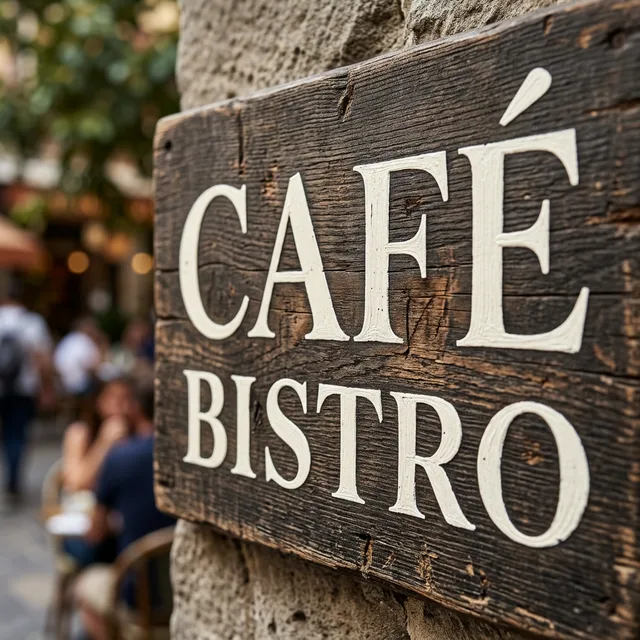
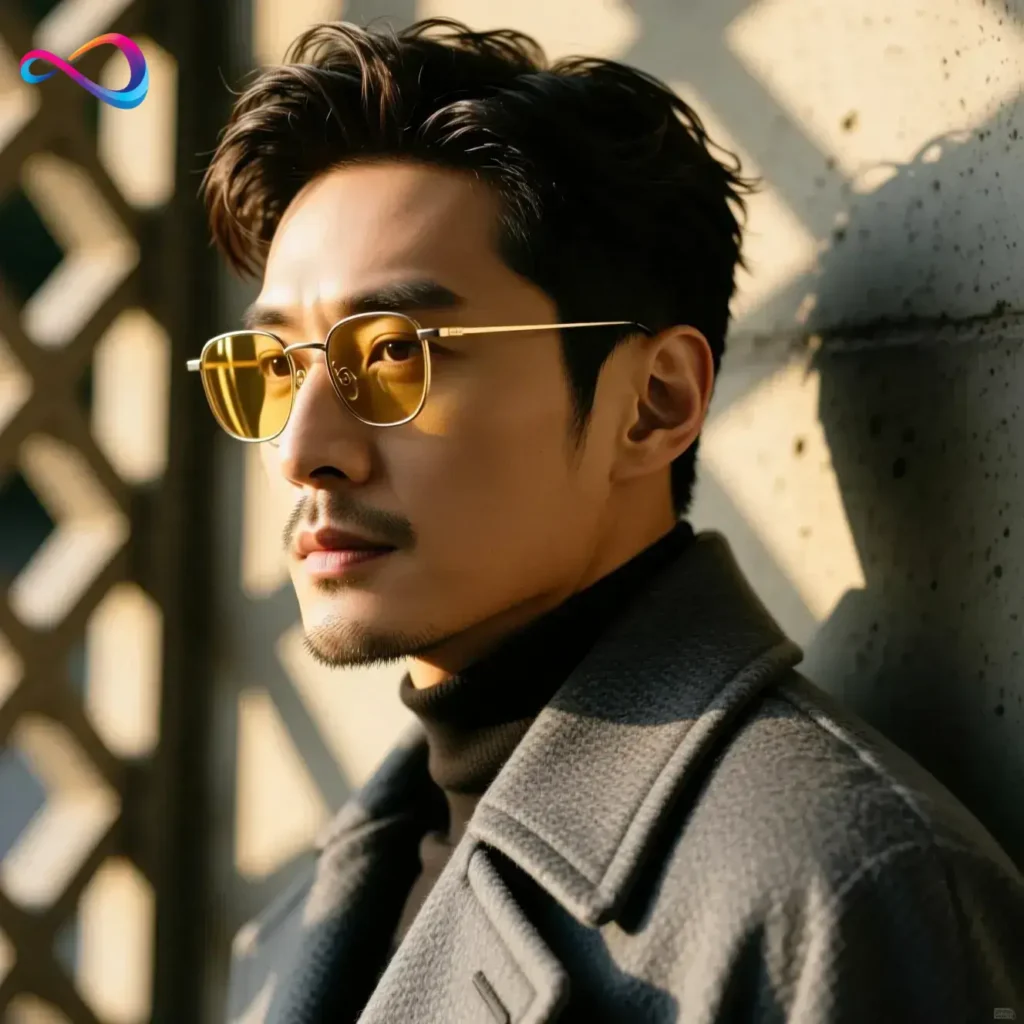
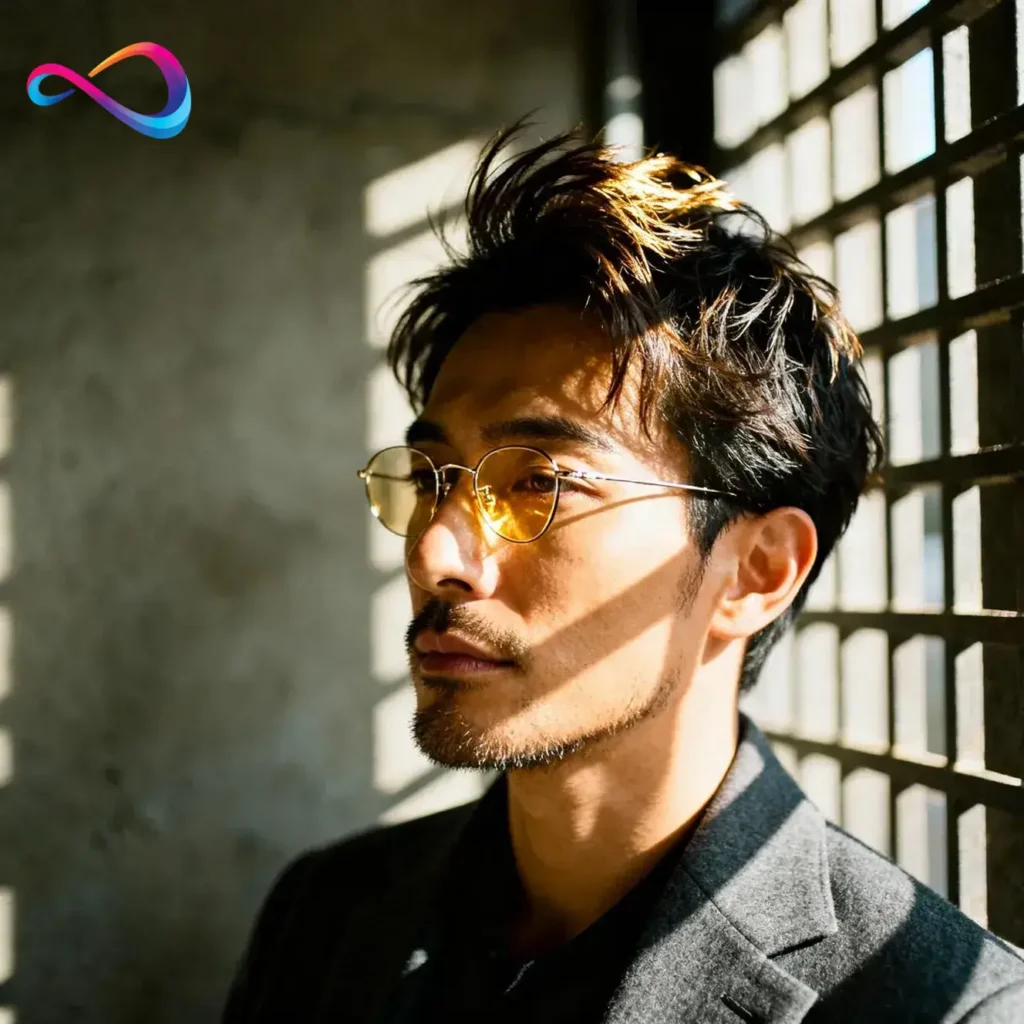
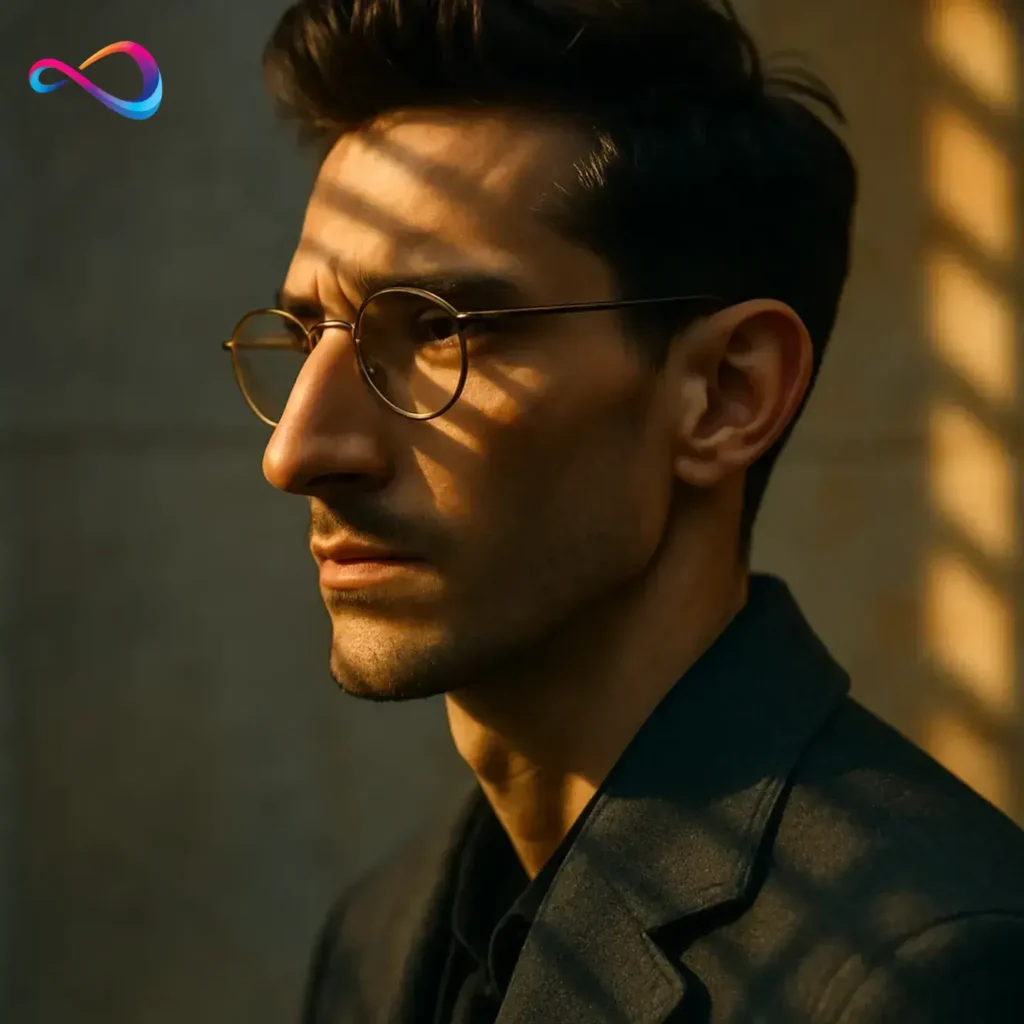
Note: The test images shown below are illustrative examples generated to demonstrate the types of outputs Z-Image Turbo produces (portraits, products, text rendering, complex compositions).
Sample Output Categories
Portrait generation test:

Product photography test:
Bilingual text rendering test:

Complex composition test:

Text rendering close-up (zoom crop):
What Is Z-Image Turbo?
Z-Image Turbo is a 6-billion-parameter, open-source text-to-image model developed by Tongyi MAI (Alibaba’s multimodal AI lab), designed for fast photorealistic image generation on consumer hardware.
Released on November 26, 2025, it is the speed-optimized variant of Alibaba’s Z-Image foundation model family—a lineup that also includes Z-Image Base (the full-step base model), Z-Image Edit (an image editing model), and Z-Image-Omni-Base (a unified multimodal model).
The “Turbo” designation signals what sets it apart: model distillation. Tongyi MAI used a technique called Decoupled-DMD (DMDR) to compress the generation process from dozens of denoising steps down to as few as four to eight, without the severe quality loss that typically accompanies few-step diffusion. The result is a text-to-image model that generates photorealistic images in roughly two to three seconds on consumer hardware.
Under the hood, Z-Image Turbo runs on the Scalable Single-Stream Diffusion Transformer (S3-DiT) architecture. Unlike the dual-stream Multimodal Diffusion Transformer (MMDiT) used by Flux, S3-DiT processes text tokens and image tokens in a single unified sequence. This design maximizes parameter reuse, improves text-image alignment, and dramatically reduces inference latency—the key reason the model can match or approach the output quality of much larger models at a fraction of the compute cost.
The model weights sit on Hugging Face and ModelScope under the Apache 2.0 license. It is also accessible through the Alibaba Cloud Model Studio API and third-party inference providers like fal.ai.
Why Z-Image Turbo Reviews Focus on Speed, Text Rendering, and 16 GB VRAM
Three features dominate nearly every Z-Image Turbo review, and for good reason—these are the areas where it meaningfully separates itself from most of the open-weight field.
Speed That Changes Workflows
Z-Image Turbo generates images in as few as 8 denoising steps, compared to 20–50 steps for most competing diffusion models. On an RTX 4090, published benchmarks report roughly 2.3 seconds for a 1024 × 1024 image. Community benchmarks on an RTX 4070 report times around 3–4 seconds. On enterprise H800 GPUs, inference drops below one second.
That speed difference is not incremental; it changes how you work. Batch generation of product images, rapid prototyping for client presentations, or interactive prompt iteration—all become practical in ways they are not with a 30-second-per-image model.
Text Rendering That Actually Works
Z-Image Turbo reliably renders short English phrases (1–5 words) and handles Chinese characters better than most open-weight competitors. Accurate text rendering has been a persistent weakness across AI image generators—a pain point the Stable Diffusion ecosystem has struggled with for years.
This capability is directly tied to the Qwen 3.4B text encoder and the unified token processing in the S3-DiT architecture. The model treats text glyphs as high-priority visual elements rather than afterthoughts.
Runs on Hardware You Already Own
A 16 GB VRAM GPU is the sweet spot for running Z-Image Turbo locally. An NVIDIA RTX 4060 Ti 16 GB, RTX 4070, or RTX 5060 handles the model comfortably at full precision. With GGUF quantized weights, you can squeeze it down to 8 GB VRAM—making even an RTX 3070 a viable option. Compare that to Flux.1 Dev, which typically demands 24–32 GB for comfortable operation.
For a US-based creator or developer already running a mid-range gaming GPU, the barrier to entry is essentially zero.
Quick Comparison Snapshot
Before diving into detailed analysis, here is how Z-Image Turbo stacks up at a glance against the models you are most likely comparing it to.
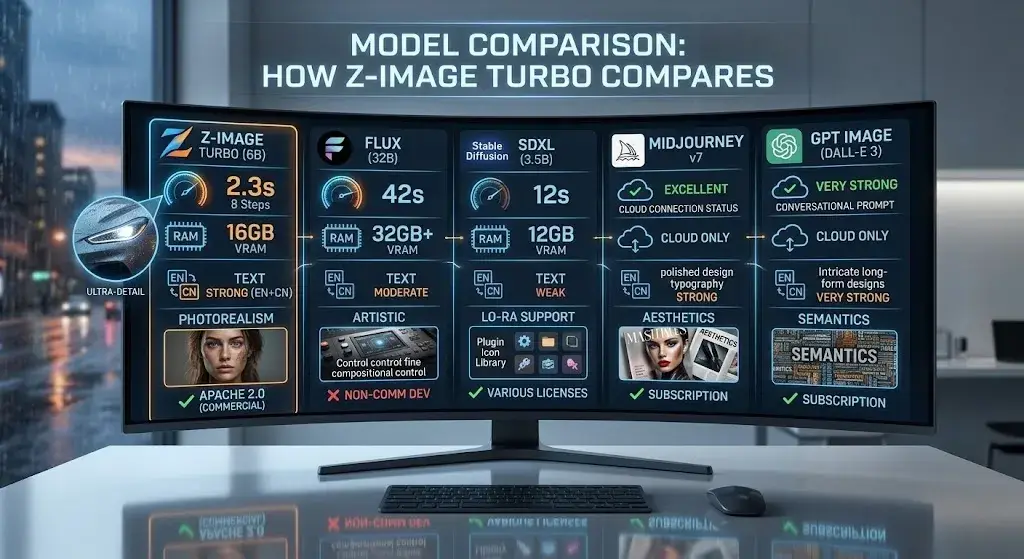
| Z-Image Turbo | Flux.1 Dev | SDXL | Midjourney v7 | GPT Image | |
|---|---|---|---|---|---|
| Open-weight | ✅ Apache 2.0 | ✅ (non-commercial) | ✅ (various) | ❌ | ❌ |
| Speed (RTX 4090) | ~2.3s | ~42s | ~8–12s | Cloud only | Cloud only |
| Min VRAM | 8 GB (GGUF) | 24 GB+ | 6 GB | N/A | N/A |
| Text rendering | Strong | Moderate | Weak | Strong | Very Strong |
| Best for | Fast local generation | Fine-grained control | Ecosystem depth | Artistic quality | Text accuracy |
Z-Image Turbo

Flux.1 Dev

SDXL
Midjourney v7
GPT Image
Real-World Performance: Speed, Prompt Adherence, and Image Quality
Speed and Latency
Z-Image Turbo is among the fastest open-weight image generators available based on published benchmarks. The speed comes from the S3-DiT architecture and Decoupled-DMD distillation, which reduce the required denoising steps to 8 by default.
| Hardware | Resolution | Steps | Approximate Time |
|---|---|---|---|
| NVIDIA H800 (enterprise) | 1024 × 1024 | 8 | < 1 second |
| NVIDIA RTX 4090 | 1024 × 1024 | 8 | ~2.3 seconds |
| NVIDIA RTX 4070 | 1024 × 1024 | 8 | ~3–4 seconds |
| NVIDIA RTX 4060 Ti (16 GB) | 1024 × 1024 | 8 | ~5–6 seconds |
| NVIDIA RTX 3070 (8 GB, GGUF) | 1024 × 1024 | 8 | ~8–12 seconds |
Speed data sourced from the official model card, Hugging Face benchmarks, and community testing reports (Nov 2025 – Feb 2026). Actual results vary by system configuration.
Even at the low end, these times are notably faster than Flux.1 Dev (40+ seconds on an RTX 4090 at its default 50 steps) and meaningfully faster than SDXL at comparable quality settings.
Reducing steps to four yields even faster results, though visual fidelity declines noticeably. For most production work, the default eight-step setting hits the optimal image quality vs speed balance.
Photorealistic Portraits and Product Visuals
Z-Image Turbo excels at photorealistic generation, particularly for:
- Portraits: Skin texture, hair detail, and studio-style lighting are handled with impressive realism. The model understands directional light, depth of field, and natural skin tone variation.
- Product images: Clean backgrounds, accurate material rendering (metal, glass, fabric), and consistent object geometry make it a practical choice for ecommerce visuals and catalog-style photography.
- Landscapes and environments: Natural scenes render with good color fidelity and atmospheric depth.
Where it falls short of proprietary leaders is in highly stylized or artistic compositions—painterly looks, complex fantasy scenes, or outputs that require a strong editorial “aesthetic opinion” from the model.
Text Rendering in English and Chinese
Z-Image Turbo renders short bilingual text (1–5 words per language) with accuracy that most open-weight models cannot match. This is one of its strongest differentiators:
- English text (1–5 words): Consistently accurate. Signage, logos, product labels, and short headlines render cleanly in most tested prompts.
- Chinese text: Handles common characters well at small to medium sizes. Quality degrades with rare characters or dense text blocks.
- Bilingual compositions: The model can render English and Chinese text in the same image—a relatively uncommon capability.
Best practices for text rendering prompts:
- Keep text strings short (1–5 words per language)
- Use plain quotes, not “smart” or full-width punctuation
- Designate a clear area for text in the composition
- Increase steps to 20–30 for text-heavy prompts
- Use a lower CFG scale for better text adherence
Longer strings—full sentences or paragraphs—remain unreliable. Missing letters, reordered characters, and distorted glyphs still appear, especially on busy backgrounds. This is an industry-wide limitation, not unique to Z-Image Turbo, but worth noting.
Complex Prompts, Composition, and Consistency
Z-Image Turbo follows multi-element prompts faithfully, performing on par with Flux.1 Dev for most evaluated scenarios. Prompt adherence is strong for subject + action + setting + lighting + style combinations.
Z-Image Turbo also includes a prompt extension feature (called prompt_extend in the API). When enabled, the model’s internal prompt rewriting engine adds contextual detail to short or vague prompts, improving output quality for casual users. Power users may prefer to disable it for precise control.
For instruction following with spatial relationships (“a red ball to the left of a blue cube”), results are generally good but occasionally inconsistent—similar to other models in this class.
How It Compares With Flux, SDXL, Midjourney, and GPT Image
The comparison below separates open-weight models (which you can run locally and modify freely) from closed/proprietary services (which require subscriptions and run in the cloud).
Full Comparison Table
| Feature | Z-Image Turbo | Flux.1 Dev | SDXL | Midjourney v7 | GPT Image | Ideogram 3.0 |
|---|---|---|---|---|---|---|
| Parameters | 6B | 32B | 3.5B | Undisclosed | Undisclosed | Undisclosed |
| Open-weight | Yes (Apache 2.0) | Yes (non-commercial) | Yes (various) | No | No | No |
| Commercial License | ✅ Free | ❌ Requires paid license | ✅ (model-dependent) | ✅ (subscription) | ✅ (subscription) | ✅ (subscription) |
| Default Steps | 8 | 50 | 20–30 | N/A (cloud) | N/A (cloud) | N/A (cloud) |
| Speed (RTX 4090) | ~2.3s | ~42s | ~8–12s | 10–30s (cloud) | 10–30s (cloud) | 5–15s (cloud) |
| Min VRAM (local) | 8 GB (GGUF) | 24 GB+ | 6 GB | N/A | N/A | N/A |
| Recommended VRAM | 16 GB | 32 GB+ | 8–12 GB | N/A | N/A | N/A |
| Text Rendering | Strong (EN + CN) | Moderate | Weak | Strong | Very Strong | Very Strong |
| Prompt Adherence | Strong | Strong | Moderate | Very Strong | Very Strong | Strong |
| Photorealism | Strong | Strong | Good | Excellent | Excellent | Good |
| Style Diversity | Moderate | Good | Good (via LoRAs) | Excellent | Good | Good |
| LoRA Support | Yes | Yes | Extensive | No | No | No |
| ControlNet | Yes | Yes | Extensive | No | No | No |
| Best for | Fast local + commercial | Fine control + composition | Ecosystem + flexibility | Artistic polish | Text + accuracy | Typography + design |
Open-Weight Competitors
Z-Image Turbo vs Flux
Flux.1 Dev is better at: fine-grained compositional control, broader community LoRA ecosystem, and certain complex artistic styles due to its larger 32B parameter count and dual-stream MMDiT architecture.
Z-Image Turbo is better at: raw speed (roughly 18× faster on the same GPU), VRAM efficiency (16 GB vs 32 GB+), bilingual text rendering, and licensing—Apache 2.0 versus Flux’s non-commercial Dev license.
Choose Z-Image Turbo when speed, commercial use, or limited VRAM is your priority. Choose Flux when you need the broadest fine-tune ecosystem or specific compositional capabilities.
Z-Image Turbo vs SDXL
SDXL is better at: ecosystem maturity. Thousands of community LoRAs, ControlNet configurations, and years of accumulated prompt engineering knowledge make Stable Diffusion the most customizable option.
Z-Image Turbo is better at: prompt adherence, text rendering, speed, and out-of-the-box photorealistic quality. Its S3-DiT architecture substantially outperforms SDXL’s older UNet-based pipeline for these tasks.
Choose Z-Image Turbo when you want strong baseline quality without heavy fine-tuning. Choose SDXL when you need access to the deepest library of specialized fine-tunes.
Closed / Proprietary Competitors
Z-Image Turbo vs Midjourney
Midjourney is better at: artistic style diversity, editorial-quality compositions, and outputs with strong emotional or atmospheric tone. It consistently produces the most aesthetically polished results among current AI image generators.
Z-Image Turbo is better at: cost (free vs subscription), local privacy, pipeline integration (API + custom workflows), and inference speed.
Choose Midjourney when aesthetic polish is your top priority and you prefer a managed cloud service. Choose Z-Image Turbo when you need local control, commercial licensing freedom, or batch-scale generation.
Z-Image Turbo vs GPT Image / DALL·E
GPT Image is better at: text rendering accuracy (especially long-form), prompt interpretation nuance, and integration with ChatGPT’s broader capabilities.
Z-Image Turbo is better at: speed, cost at scale (free locally vs per-image API fees), and running without an internet connection.
Choose GPT Image when you need flawless text in images or want conversational prompt refinement. Choose Z-Image Turbo when cost per image or local inference matters more.
Z-Image Turbo vs Ideogram 3.0
Ideogram is better at: typography-heavy designs, poster layouts, and complex text-graphic integration.
Z-Image Turbo is better at: photorealism, speed, self-hosting, and open-weight flexibility.
Choose Ideogram when your primary need is design-oriented text rendering. Choose Z-Image Turbo when you need photorealistic images with optional text elements.
Best Settings by Use Case
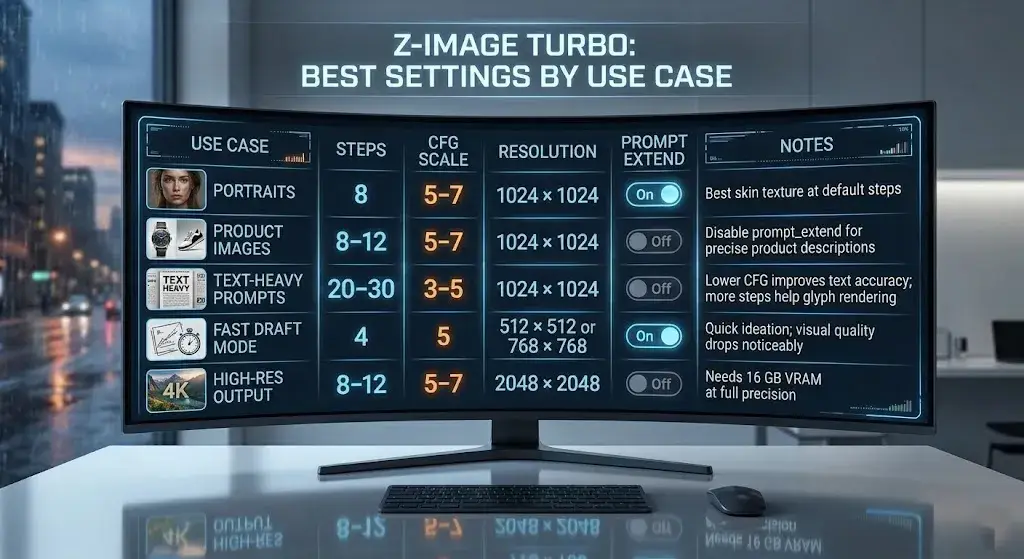
These recommended settings are based on the model card defaults and community-tested configurations. Adjust based on your specific hardware and needs.
| Use Case | Steps | CFG Scale | Resolution | prompt_extend | Notes |
|---|---|---|---|---|---|
| Portraits | 8 | 5–7 | 1024 × 1024 | On | Best skin texture at default steps |
| Product images | 8–12 | 5–7 | 1024 × 1024 | Off | Disable prompt_extend for precise product descriptions |
| Text-heavy prompts | 20–30 | 3–5 | 1024 × 1024 | Off | Lower CFG improves text accuracy; more steps help glyph rendering |
| Fast draft mode | 4 | 5 | 512 × 512 or 768 × 768 | On | Quick ideation; visual quality drops noticeably |
| High-res output | 8–12 | 5–7 | 2048 × 2048 | Off | Needs 16 GB VRAM at full precision |
Prompt Examples That Actually Work
These prompts are designed to demonstrate Z-Image Turbo’s strengths. Modify them to suit your needs.
1. Professional portrait:
Professional studio portrait of a 30-year-old male executive, dark navy suit, soft Rembrandt lighting, shallow depth of field, neutral gray background, photorealistic, 8K detail2. Product photography:
A matte black ceramic coffee mug on a white marble countertop, morning sunlight from the left, steam rising from the cup, clean product photography, no background objects, commercial catalog style3. Bilingual text rendering:
A minimalist poster with the text "SALE" in large red sans-serif font at the top, and "限时特惠" in white Chinese characters below, dark background, clean graphic design layout4. Complex composition:
An astronaut sitting in a vintage Parisian café, reading a newspaper, golden hour sunlight through the window, other patrons in the background, cinematic framing, photorealistic detail, wide shot5. Ecommerce lifestyle shot:
A pair of white running shoes on a forest trail, morning fog, golden backlighting, ground-level camera angle, shallow depth of field, lifestyle product photographyCommon Mistakes to Avoid
These are the most frequent errors reported in community forums and reflected in the official documentation:
- Writing prompts that are too long. Z-Image Turbo performs best with focused, structured prompts. Prompts exceeding 200 words often lead to the model ignoring secondary elements. Be specific but concise.
- Putting too much text in one image. Short phrases (1–5 words) render reliably. Full sentences or multiple text blocks in a single image frequently produce garbled output.
- Using prompt_extend when you need precise control. The prompt extension feature is designed for casual users—it rewrites and expands your prompt automatically. When you need exact adherence to your wording (product descriptions, brand-specific language), set
prompt_extend=false. - Using default settings for text-heavy prompts. The default 8-step, CFG 7 approach works well for photorealism but underperforms for text rendering. Switch to 20–30 steps and lower the CFG to 3–5 for better text accuracy.
- Expecting Stable Diffusion–style negative prompts. Z-Image Turbo does not natively support negative prompts in the same way Stable Diffusion does. Rely on positive prompt engineering and the prompt_extend feature for output control.
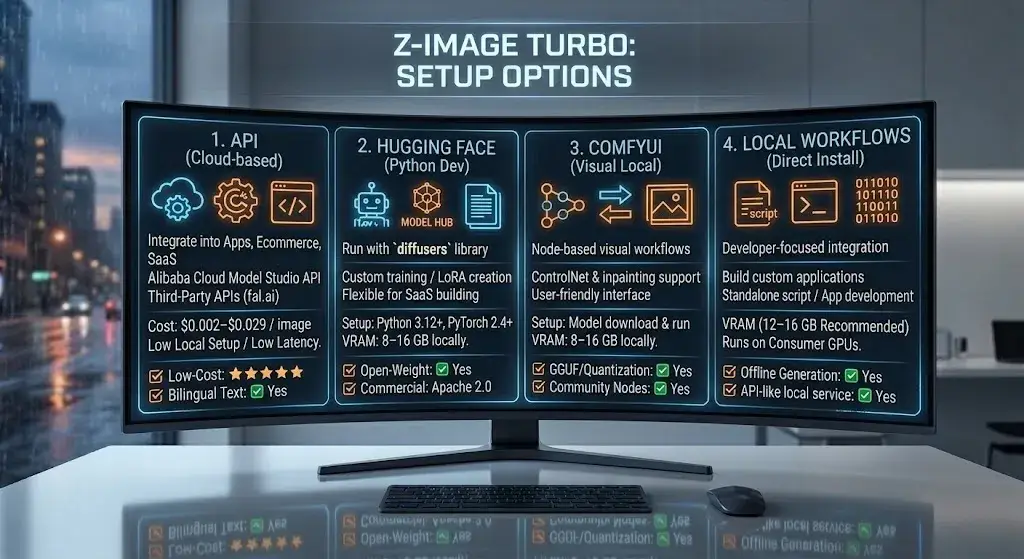
Setup Options: API, Hugging Face, ComfyUI, and Local Workflows
Z-Image Turbo offers multiple deployment paths, from zero-setup cloud APIs to full local installations. Choose based on your infrastructure and technical comfort level.
Alibaba Cloud Model Studio API
The Z-Image Turbo API through Alibaba Cloud’s Model Studio is the most direct cloud option:
- Endpoint: Standard REST API with JSON request/response
- Pricing: ~$0.014 per image (prompt rewriting disabled), ~$0.029 per image (prompt rewriting enabled)
- Prompt constraints: Supports
prompt_extendtoggle, multiple aspect ratios, and resolutions up to 2048 × 2048 - Best for: Developers integrating image generation into apps, ecommerce platforms, or automated workflows
Third-Party APIs
Providers like fal.ai offer Z-Image Turbo at rates as low as $0.002–$0.005 per image, often with faster cold-start times and simpler SDKs. This route is practical for US-based startups and SaaS builders who want reliable inference without managing Alibaba Cloud credentials.
Hugging Face and ModelScope
Download the weights directly from Hugging Face or ModelScope and run inference locally with the diffusers library. This is the most flexible path for researchers, fine-tuners, and anyone building custom pipelines.
ComfyUI (Local Workflow)
Z-Image Turbo ComfyUI integration is well-supported:
- Install ComfyUI Desktop (Windows, Linux, or macOS with Apple Silicon)
- Download the Z-Image Turbo model weights (or GGUF quantized version)
- Place weights in the ComfyUI models directory
- Use the standard Z-Image Turbo workflow node (available in the ComfyUI community manager)
This is the recommended path for creators who want a visual, node-based workflow with ControlNet, LoRA, and inpainting support.
Local Install (Direct Python)
For a standalone Z-Image Turbo local install:
- Ensure Python 3.12+ and PyTorch 2.4+ are installed
- Install the
diffuserslibrary:pip install diffusers transformers accelerate - Download the model from Hugging Face
- Run inference with a standard
diffuserspipeline script
Minimum requirements: NVIDIA GPU with 12–16 GB VRAM, 16 GB system RAM, SSD storage.
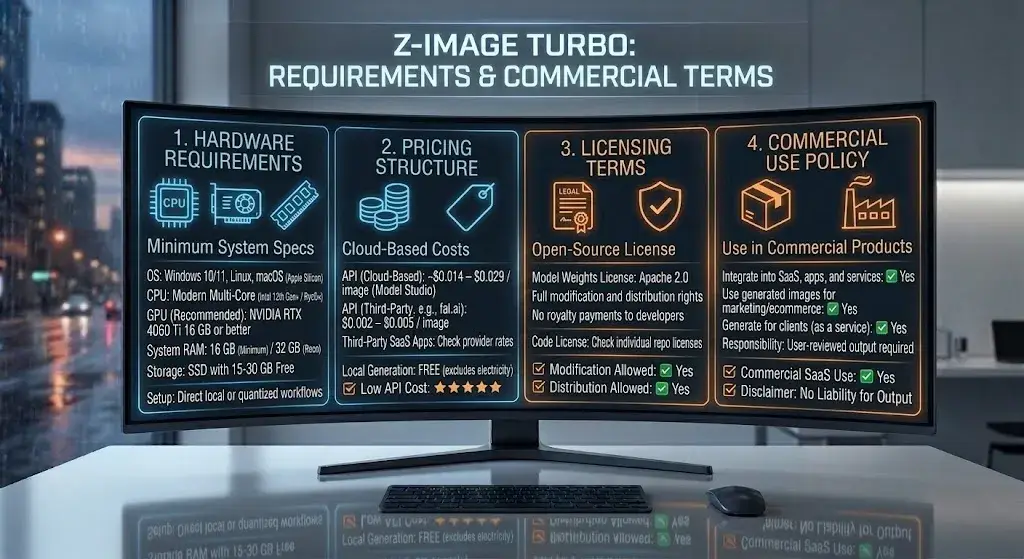
Hardware Requirements, Pricing, Licensing, and Commercial Use
Hardware Requirements
| Component | Minimum | Recommended |
|---|---|---|
| GPU | NVIDIA with 8 GB VRAM (GGUF quantized) | NVIDIA RTX 4060 Ti 16 GB / RTX 4070 / RTX 5060 |
| System RAM | 16 GB | 32 GB |
| CPU | Modern multi-core (Intel 12th Gen+ / AMD Ryzen 5000+) | Intel 13th Gen+ / AMD Ryzen 7000+ |
| Storage | 15 GB free (model weights + dependencies) | SSD with 30 GB+ free |
| OS | Windows 10/11, Linux, macOS (Apple Silicon) | Windows 11 or Ubuntu 22.04+ |
In short: if you own a mid-range gaming PC from the last two to three years, you can almost certainly run this model.
Pricing
- Self-hosted: Free (Apache 2.0 license, no usage fees)
- Alibaba Cloud API: ~$0.014–$0.029 per image
- fal.ai and third-party APIs: $0.002–$0.005 per image
- ComfyUI / local: Only hardware and electricity costs
Licensing and Commercial Use
The Z-Image Turbo license is Apache 2.0—one of the most permissive open-source licenses available. This means:
- ✅ Commercial use with no restrictions
- ✅ Modification and redistribution allowed
- ✅ No royalty payments or usage reporting
- ✅ No requirement to share derivative model weights
This is a significant advantage over Flux.1 Dev (which uses a non-commercial license for the Dev variant) and a decisive one over closed models that charge per image.
Commercial Use Caveats
While the Apache 2.0 license itself imposes no restrictions, businesses should still apply their own internal review:
- Output review: AI-generated images can contain unintended elements (biased representations, copyright-adjacent compositions). Internal quality and legal review processes still apply.
- Trademark and brand usage: The license covers the model weights, not any trademarks associated with Alibaba or Tongyi MAI.
- Jurisdictional compliance: US businesses should verify that AI-generated imagery meets local advertising standards (FTC guidelines on AI disclosures where applicable).
- No warranty: Apache 2.0 comes with no warranty. If the model produces problematic output, there is no vendor liability.
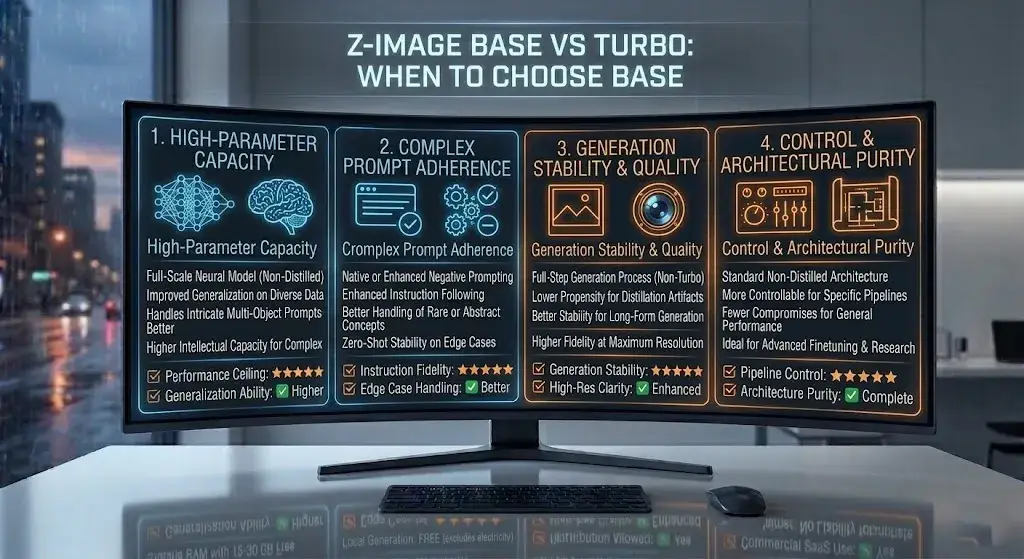
When to Choose Z-Image Base Instead of Turbo
Z-Image Turbo is not the only model in the family. The official repository lists several variants, and the Z-Image Base model deserves consideration for specific use cases:
| Z-Image Turbo | Z-Image Base | |
|---|---|---|
| Steps | 4–8 (default 8) | 20–50 (default 30) |
| Speed | Very fast | Slower |
| Image quality | Strong | Potentially higher ceiling at full steps |
| Best for | Production speed, batch generation, interactive workflows | Maximum quality when time is not a constraint |
| VRAM | 12–16 GB | 16–24 GB |
Choose Base when:
- You have more time per image and want to maximize visual fidelity
- You are doing final-render work where every detail matters
- You need the highest possible prompt adherence for complex compositions
Choose Turbo when:
- Speed and throughput are priorities
- You are running batch pipelines or interactive prototyping
- You need to constrain VRAM to 16 GB or less
There’s also Z-Image Edit for image-to-image editing workflows (inpainting, outpainting, style transfer) and Z-Image-Omni-Base for unified text-image-video tasks. The family is designed to be modular—use the variant that matches your specific need.
Limitations and Trade-Offs to Know Before You Use It
Every model involves trade-offs. Here are Z-Image Turbo’s honest limitations:
- Aesthetic ceiling. Z-Image Turbo produces strong photorealistic output, but it does not match the editorial style polish of proprietary models like Midjourney or the artistic range of GPT Image. If your use case centers on “make something that looks like a magazine cover,” a proprietary tool may still serve you better.
- Text rendering at scale. Short text works well. Sentences, paragraphs, or densely typeset layouts still produce errors—missing letters, mirrored characters, or garbled words. Plan to use inpainting for correction on text-heavy outputs.
- No native negative prompts. The default Z-Image Turbo pipeline does not support negative prompts the way Stable Diffusion does. You work around this through prompt engineering, but it is a workflow difference that SD veterans will notice.
- Ecosystem maturity. The LoRA and community tooling ecosystem is growing but still smaller than SDXL’s and Flux’s. If you depend on dozens of specialized fine-tunes for specific styles or subjects, the selection is thinner.
- Prompt extension surprises. The
prompt_extendfeature is helpful for beginners but can rewrite prompts in ways that surprise experienced users. Learn to toggle it off when you need exact control. - Limited non-English, non-Chinese text. While capable of bilingual rendering, the text rendering strength is concentrated in English and Chinese. Other languages and scripts may not render reliably.
- Leaderboard context. Z-Image Turbo was reported among the top open-weight models on Artificial Analysis and Arena AI leaderboards in late 2025 and early 2026. Rankings can change over time as new models and updates are released. Always check current benchmarks before making deployment decisions.
Who Should Use Z-Image Turbo — and Who Should Skip It
Use Z-Image Turbo If You
- Need fast local inference on consumer hardware (16 GB VRAM or less)
- Want a commercially licensed open-weight model with no usage fees
- Generate product images, portraits, or marketing visuals at volume
- Need reliable English text rendering in generated images
- Want to integrate image generation into applications via API
- Are building custom pipelines with ControlNet or LoRA workflows
Skip Z-Image Turbo If You
- Require maximum aesthetic polish and artistic style diversity (consider Midjourney)
- Need flawless text rendering for long sentences or complex typography (consider Ideogram or GPT Image)
- Depend heavily on the SDXL LoRA ecosystem and are not ready to migrate
- Work exclusively with non-Latin, non-Chinese scripts
- Want a fully managed, no-code solution with no local setup
Best Use Cases for US Creators, Marketers, and Developers
Ecommerce and Product Photography
Z-Image Turbo is a strong fit for product images and ecommerce visuals. Generate product shots on clean backgrounds, lifestyle mockups, and catalog imagery in seconds. At $0.002–$0.014 per image via API—or free locally—it undercuts stock photography costs by orders of magnitude. For teams scaling visual content across hundreds of SKUs, the speed and cost advantages are compelling.
Content Marketing and Social Media
Marketers who need a steady stream of visuals for blog posts, social media, and ad creative—the type of workflow covered in roundups like best AI tools for content creation—can use Z-Image Turbo for rapid prototyping. The text rendering capability means you can generate images with embedded headlines or calls to action directly, reducing post-production steps.
App Development and SaaS Integration
Is Z-Image Turbo worth it for developers? Yes—if speed and cost matter. The API is straightforward, the Apache 2.0 license eliminates legal friction, and the low per-image cost makes it viable for user-facing features (avatar generation, custom thumbnails, product visualization) without worry about runaway API bills.
Portrait and Headshot Generation
Z-Image Turbo delivers consistently realistic portrait results. Professional headshots, character art for gaming, and editorial-style portraits all fall within its strengths. Expect studio-quality lighting and natural skin rendering.
Rapid Prototyping and Concept Art
For designers and creative teams who need to explore visual directions quickly, the two-to-three-second generation time enables a “think and see” workflow that slower models simply cannot support.
FAQ: Z-Image Turbo Reviews and Common Questions
What is Z-Image Turbo?
Z-Image Turbo is a 6-billion-parameter, open-weight text-to-image model developed by Tongyi MAI, Alibaba’s multimodal AI team. It uses the S3-DiT architecture and model distillation to generate photorealistic images in as few as 4–8 inference steps.
Is Z-Image Turbo good?
Yes. Z-Image Turbo is one of the strongest open-weight image generators for users who care about speed, photorealism, and practical hardware requirements. It performs especially well for local generation, short text rendering, and cost-efficient commercial workflows.
Is Z-Image Turbo better than Flux?
Z-Image Turbo is better than Flux for speed, VRAM efficiency, commercial-friendly licensing, and bilingual text rendering. Flux.1 Dev can still be the better choice for users who want a larger LoRA ecosystem, more mature tooling, or stronger compositional control in certain scenarios.
How fast is Z-Image Turbo?
Z-Image Turbo is very fast for an open-weight model. Published benchmarks report about 2.3 seconds for a 1024 × 1024 image on an RTX 4090 at 8 steps, while an RTX 4070 typically lands around 3–4 seconds depending on the setup.
Can Z-Image Turbo run on 16 GB VRAM?
Yes. A 16 GB GPU is the recommended setup for running Z-Image Turbo comfortably at full precision. With quantized weights such as GGUF, some users can also run it on 8 GB VRAM, though performance and flexibility are more limited.
Does Z-Image Turbo support English and Chinese text?
Yes. Z-Image Turbo supports bilingual text rendering in English and Chinese, which is one of its biggest strengths compared with many other open-weight models. It works best with short phrases rather than long sentences or dense layouts.
Can you use Z-Image Turbo commercially?
Yes. Z-Image Turbo is released under the Apache 2.0 license, which allows commercial use, modification, and redistribution. Companies should still review outputs internally for legal, brand, and compliance reasons before publishing at scale.
Does Z-Image Turbo work with ComfyUI?
Yes. Z-Image Turbo works with ComfyUI and is already supported in community workflows. That makes it a practical option for creators who want node-based local generation, prompt control, and workflow customization.
Can Z-Image Turbo use negative prompts?
Not in the same native way as Stable Diffusion. Z-Image Turbo relies more on positive prompt engineering and features like prompt_extend rather than traditional negative prompting workflows.
What are the best Z-Image Turbo alternatives?
The best Z-Image Turbo alternatives depend on your goal. Flux.1 Dev is a strong open-weight alternative for advanced control, SDXL remains useful for ecosystem depth, Midjourney is stronger for aesthetics, GPT Image is stronger for text accuracy, and Ideogram is better for typography-heavy images.
Does Z-Image Turbo have an API?
Yes. Z-Image Turbo is available through the Alibaba Cloud Model Studio API and through third-party providers such as fal.ai. That makes it usable for both direct app integration and managed inference workflows.
How do you install Z-Image Turbo locally?
To install Z-Image Turbo locally, download the model weights from Hugging Face or ModelScope, install Python and PyTorch, add the diffusers, transformers, and accelerate libraries, and run a standard inference pipeline. Many users also choose ComfyUI for an easier local setup.
What are Z-Image Turbo’s limitations?
Z-Image Turbo’s main limitations are long-text rendering, a smaller LoRA ecosystem than SDXL, no native negative prompt workflow, and less stylistic range than top proprietary models. It is strongest when speed and practicality matter more than artistic variety.
Why is Z-Image Turbo so fast?
Z-Image Turbo is fast because it combines the S3-DiT architecture with Decoupled-DMD distillation. In practical terms, that reduces the number of inference steps needed from the 20–50 range down to roughly 4–8 while preserving strong output quality.
What hardware does Z-Image Turbo need?
At minimum, Z-Image Turbo is practical on an NVIDIA GPU with 8 GB VRAM when using quantized weights, plus 16 GB system RAM and SSD storage. For the best experience, a 16 GB GPU such as an RTX 4060 Ti 16 GB or RTX 4070 is the safer recommendation.
What is Z-Image Turbo best for?
Z-Image Turbo is best for fast photorealistic image generation, product visuals, portrait creation, marketing assets, and local commercial workflows. It is especially useful when you need good quality without paying per image to a cloud-only service.
What are Z-Image Turbo’s biggest limitations?
Its biggest limitations are a lower aesthetic ceiling than some proprietary models, weaker performance on long or complex text, a smaller fine-tuning ecosystem than SDXL, and less flexibility for users who rely heavily on negative prompts.
Final Verdict
Z-Image Turbo has earned a strong position in the open-weight image generation space. The combination of fast generation speed, consumer GPU compatibility, reliable short-text rendering, and an Apache 2.0 commercial license creates a package that few open-weight alternatives currently match.
It is not the right model for every scenario. If you need maximum aesthetic polish, proprietary services like Midjourney remain the benchmark. If you need flawless long-form text rendering, GPT Image and Ideogram lead. If you need the deepest LoRA ecosystem, SDXL still has more options.
But for the majority of practical use cases—product photography, marketing visuals, app integration, portrait generation, and rapid prototyping—Z-Image Turbo reviews consistently reach the same conclusion: it delivers far more than its compact size suggests, and it does so faster and more affordably than most of the competition.
If you have a 16 GB GPU and commercial-use requirements, this is a strong starting point. Explore the wider open-weight landscape in our best AI image generators roundup to see how it fits into your stack.
Sources: Z-Image GitHub Repository · Hugging Face Model Card · arXiv Paper 2511.22699 · Alibaba Cloud Z-Image API Reference · Artificial Analysis Leaderboard
About the author

I’m Macedona, an independent reviewer covering SaaS platforms, CRM systems, and AI tools. My work focuses on hands-on testing, structured feature analysis, pricing evaluation, and real-world business use cases.
All reviews are created using transparent comparison criteria and are updated regularly to reflect changes in features, pricing, and performance.