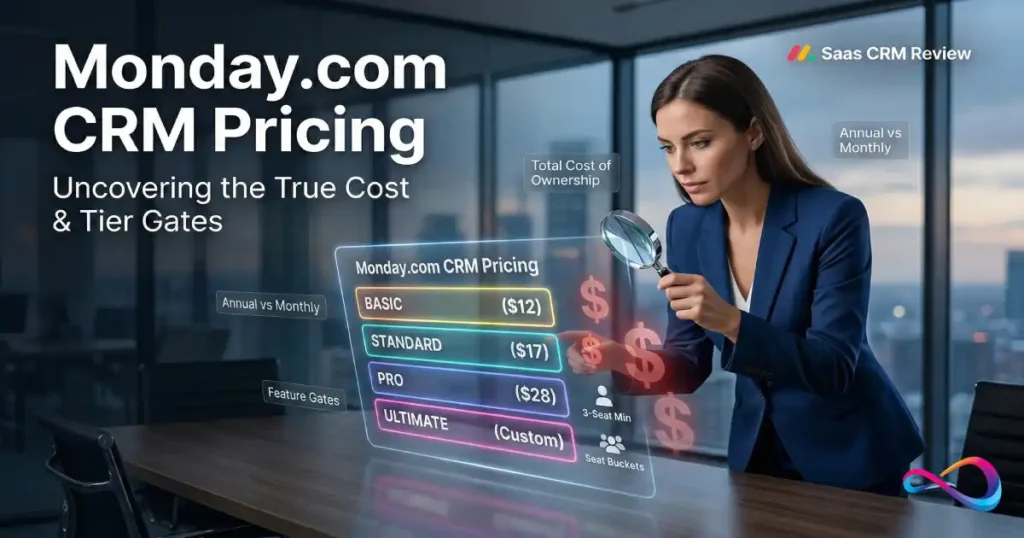
Monday.com CRM pricing starts at $12 per seat per month (billed annually) and scales across four tiers — Basic, Standard, Pro, and Ultimate (formerly Enterprise). This guide breaks down every plan, translates feature gates into real cost implications, and gives you a decision framework so you can select the right tier for your team size, workflow complexity, and budget.
By the end, you’ll know: which plan fits your use case, what your true total cost looks like (including hidden charges), and when to upgrade or walk away.
Source: monday.com CRM pricing page | Annual billing assumed unless otherwise noted
Quick answer (snippet): Monday CRM costs $12–$28 per seat/month billed annually, with a 3-seat minimum on all paid plans. Most sales teams start on Standard ($17/seat) for email sync and light automations, upgrading to Pro ($28/seat) for forecasting, sequences, and higher action limits.
Who This Guide Is For
- Sales leaders evaluating monday CRM for a team of 3–50+ reps
- RevOps and Sales Ops professionals comparing CRM platforms against options like Salesforce or HubSpot
- CRM administrators preparing budgets, forecasting license costs, or building upgrade business cases
- Procurement teams negotiating enterprise contracts and running vendor evaluations
This is not a feature review. It is a pricing and plan-selection guide written from a buyer’s perspective.
What Changed in 2026
- Enterprise → Ultimate rename. monday.com rebranded its top CRM tier from “Enterprise” to “Ultimate.” Same features, new label. The official pricing page states: “Ultimate is a new name for our Enterprise tier.” If vendor reps say “Enterprise,” they mean Ultimate. (Source: monday.com CRM pricing page)
- AI Sidekick tiers. Standard and Pro include AI Sidekick (lite); Ultimate (formerly Enterprise) includes AI Sidekick (plus) with deeper contextual capabilities. AI credits ship with all paid plans. (Verify current AI feature availability in your admin dashboard)
- Sequences added to Pro. Pro CRM now includes email sequences — automated multi-step email flows with task reminders — marked as “New” on the pricing page as of March 2026.
- Pricing stable. Per-seat rates have not changed materially since late 2025, based on archived pricing page snapshots. The 3-seat minimum, seat-bucket structure, and annual billing discount remain consistent. Always confirm at checkout, as monday.com may adjust rates by region or promotion.
TL;DR — Monday CRM Pricing Summary
- Four paid tiers: Basic ($12/seat/mo), Standard ($17/seat/mo), Pro ($28/seat/mo), Ultimate (contact sales). All prices are annual billing.
- 3-seat minimum on every paid plan. You cannot buy 1 or 2 seats. Minimum annual spend: $432/year (Basic, 3 seats).
- Annual billing saves ~18%. Monthly billing adds a premium (estimated: Basic ~$15, Standard ~$20, Pro ~$33 per seat/mo).
- No permanent free plan. Monday CRM offers a 14-day free trial only.
- Email sync requires Standard ($17/seat). Basic has no Gmail/Outlook integration.
- Forecasting, lead scoring, sequences, and mass email require Pro ($28/seat).
- HIPAA, SSO, multi-level permissions, and audit logs require Ultimate (custom pricing).
- Key cost drivers to watch: seat-bucket rounding, automation action limits (250/mo on Standard vs 25,000/mo on Pro), and potential AI credit overages.
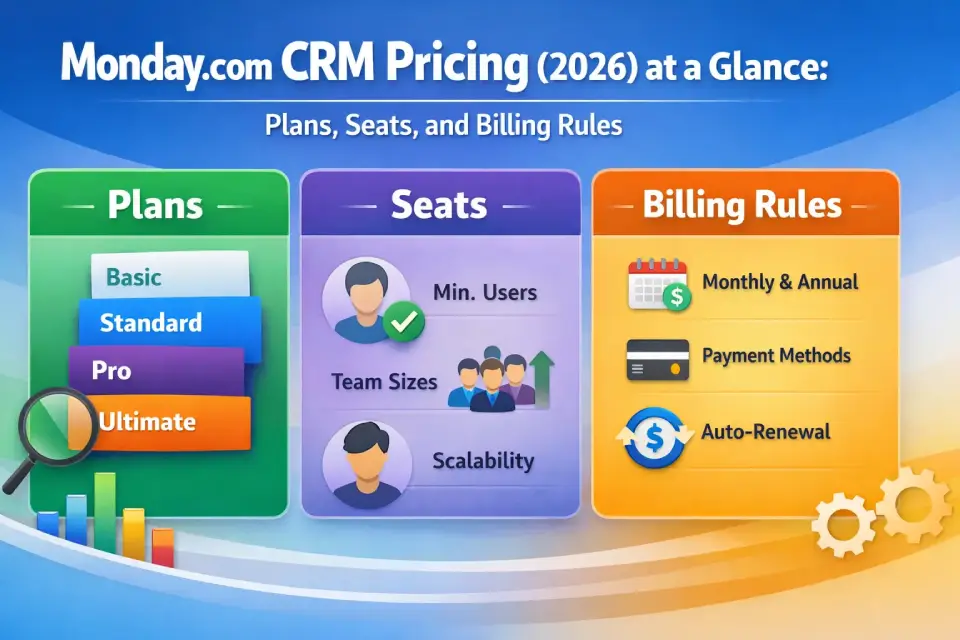
Monday.com CRM Pricing (2026) at a Glance: Plans, Seats, and Billing Rules
Monday CRM uses per-seat licensing across four pricing tiers. Every paid plan requires a minimum of 3 seats, and seats are sold in predefined buckets (typically 3, 5, 10, 15, 20, 25, 30, 40, 50+). If your team size falls between buckets, you pay for the next bucket up. Verify exact bucket breakpoints on the checkout page, as they may vary.
Plans and Price Snapshot
| Plan | Annual Billing (per seat/mo) | Monthly Billing (per seat/mo, est.) | Min. Seats | Min. Annual Cost (3 seats) |
|---|---|---|---|---|
| Basic CRM | $12 | ~$15 | 3 | $432 |
| Standard CRM | $17 | ~$20 | 3 | $612 |
| Pro CRM | $28 | ~$33 | 3 | $1,008 |
| Ultimate CRM | Contact sales | Contact sales | Custom | Custom quote |
Annual billing requires full-year payment upfront. Monthly estimates derived from the ~18% annual saving referenced on the official pricing page. Verify exact monthly rates at checkout.
Consultant note: Buyers frequently quote the per-seat monthly rate without realizing that annual billing means a lump-sum upfront payment. For a 10-seat Pro plan, that’s $3,360 due at signing — not $280/month on a credit card.
Key takeaways:
- Standard ($17/seat) is the true entry point for most sales teams — it unlocks email sync and automations
- Pro ($28/seat) is where monday CRM becomes a full sales platform (forecasting, sequences, quoting)
- Ultimate is mandatory only for organizations with SSO, HIPAA, or audit-log requirements
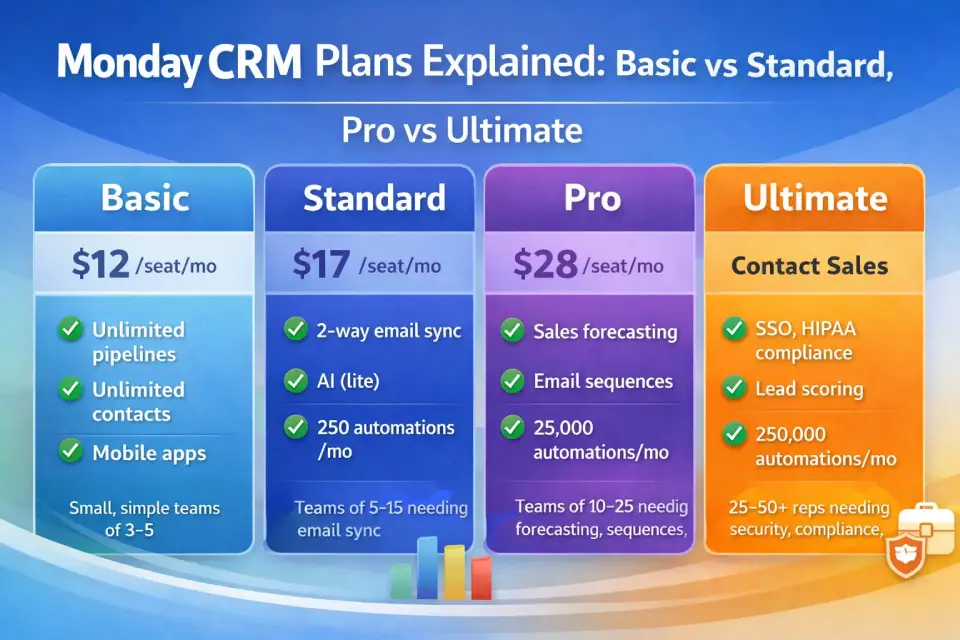
Monday CRM Plans Explained: Basic vs Standard vs Pro vs Ultimate
Basic CRM — $12/seat/month (Annual)
Best for: Very small sales teams (3–5 reps) with simple pipelines that do not require email integration or automations.
Key features:
- Unlimited customizable pipelines
- Unlimited contacts database
- Unlimited boards
- Templates for lead, contact, and deal management
- iOS and Android apps
- Unlimited free viewers
- AI credits (basic)
- 1-board dashboards
Biggest limitations:
- ❌ No email sync — cannot connect Gmail or Outlook
- ❌ No automations — zero workflow automation actions
- ❌ No integrations — cannot connect PandaDoc, Aircall, or other external tools
- ❌ No activity management or duplicate merging
- Limited to 1-board dashboards
Choose this if: You have exactly 3 reps, your pipeline is purely visual (Kanban boards), and you have zero need for email tracking, automations, or third-party integrations.
Avoid this if: You need email sync, automations, or any integration. Most CRM buyers should skip Basic and start on Standard.
Consultant note: Basic CRM is rarely the right choice. A CRM without email integration is a contact database with a pipeline view — not a working sales tool. The $5/seat jump to Standard unlocks the features that make a CRM functional. We see fewer than 10% of buyers stay on Basic past month two.
Standard CRM — $17/seat/month (Annual)
Best for: Sales teams of 5–15 reps running active pipelines with email engagement and light automation needs.
Key features (everything in Basic, plus):
- 2-way email integration (Gmail and Outlook) — send, receive, and track emails inside the CRM
- AI email generator — use AI to draft and edit emails
- AI Sidekick (lite) — context-aware AI assistant
- Advanced account, contact, and deal management
- Activity management — log calls, meetings, notes
- Merge duplicate data — identify and clean overlapping records
- Custom CRM automations — 250 actions per month
- Custom CRM integrations — 250 actions per month
- 5-board dashboards
Biggest limitations:
- ❌ No sales forecasting — locked to Pro
- ❌ No lead scoring — locked to Ultimate (formerly Enterprise)
- ❌ No mass emails, quotes/invoices, or email sequences — all Pro-tier features
- ❌ 250 automation/integration actions per month — low ceiling for active teams
Choose this if: Email sync is essential, your automation needs are light (under 250 actions/month), and you have 5–15 reps. Standard is the real entry point for a working CRM.
Avoid this if: You need forecasting, lead scoring, or mass email campaigns. You’ll likely hit the 250-action cap within weeks if you run more than 2–3 active automations.
Consultant note: The 250-action limit is the most common reason teams upgrade to Pro within 90 days. A single automation like “When deal stage changes, notify owner + update activity log” can consume 50–100 actions/month on a moderately active board. Three automations on a 10-rep team? You’re at the cap by week two.
Pro CRM — $28/seat/month (Annual)
Best for: Revenue teams of 10–25+ reps needing sales forecasting, email sequences, and high-volume automations.
Key features (everything in Standard, plus):
- Sales forecasting — weighted pipeline forecasting with revenue tracking
- Email templates — pre-built customizable templates
- Email tracking and automations — automated rules on opens/replies
- Email sequences (new in 2026) — multi-step automated email flows with task reminders
- Quotes and invoices — create and share customizable documents
- Mass emails — bulk campaigns with personalized messages and tracking
- Google Calendar sync
- Sales analytics — real-time dashboards with pipeline and forecasting data
- 25,000 automation actions/month (100× Standard)
- 25,000 integration actions/month
- 20-board dashboards
Biggest limitations:
- ❌ No automatic lead scoring — locked to Ultimate (formerly Enterprise)
- ❌ No mandatory fields, team goals/quota tracking, or multi-level permissions
- ❌ No SSO, HIPAA, or enterprise governance
Choose this if: You need forecasting, quoting, sequences, or your team exceeds the 250-action cap. Pro is where monday CRM becomes a real sales platform. At $28/seat, it’s competitive with Pipedrive Advanced pricing ($28/seat) and Salesforce Starter plans ($25/seat).
Avoid this if: You need enterprise security (SSO/SCIM), HIPAA compliance, or advanced governance controls — those are Ultimate-only.
Consultant note: Pro is the plan most mid-market sales teams land on. The 25,000 automation actions and native forecasting make it a strong contender for teams under 50 reps. Compare against Pipedrive and Freshsales during your evaluation.
Ultimate CRM — Custom Quote (Formerly Enterprise)
Best for: Organizations with 25–50+ reps requiring advanced security, governance, compliance, and high-volume operations.
Key features (everything in Pro, plus):
- Lead scoring — automatic scoring based on custom criteria
- Mandatory fields — require fields before status changes
- Team goals — manage quotas and track attainment
- Advanced analytics — dashboards combining up to 50 boards
- Account management — client onboarding tracking and renewal management
- Documents for sales — centralized document library
- 250,000 automation and integration actions/month
- Enterprise-grade security and governance — SSO (SAML), SCIM provisioning, IP restrictions
- Multi-level permissions — granular access control at every level
- HIPAA compliance — BAA available (learn about HIPAA requirements)
- AI Sidekick (plus) — full contextual AI capabilities
- Audit logs and data governance controls
- Dedicated customer success manager
Choose this if: IT/security requires SSO, HIPAA, audit logs, or multi-level permissions — or your automation volumes exceed 25,000 actions/month.
Avoid this if: You have fewer than 15 reps, no compliance requirements, and no enterprise governance needs. You’re overpaying for features you won’t use.
Consultant note: Negotiate. Ultimate (formerly Enterprise) pricing is not publicly listed, which means there’s margin in the quote. Request quotes from at least two alternatives (HubSpot Sales Hub, Salesforce) to create competitive pressure. Ask about multi-year discounts (typically 10–20% off Year 1), volume pricing above 50 seats, and whether onboarding hours are included.
Key takeaways:
- Basic is a contact database; Standard is the minimum viable CRM; Pro is the full sales platform; Ultimate (formerly Enterprise) adds governance
- Email sync ($17 Standard), forecasting ($28 Pro), and lead scoring (Ultimate) are the three features that drive tier selection
- Over 80% of buyers should be on Standard or Pro — Basic and Ultimate are edge cases
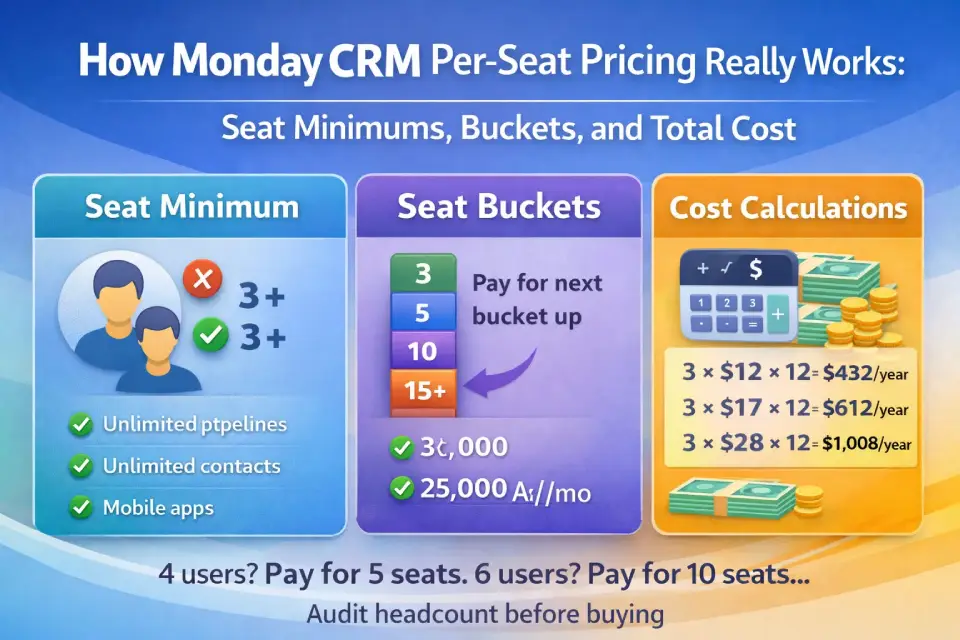
How Monday CRM Per-Seat Pricing Really Works: Seat Minimums, Buckets, and Total Cost
The 3-Seat Minimum
Every paid monday CRM plan requires a minimum purchase of 3 seats. Even solo founders pay for 3.
- Basic minimum: $12 × 3 × 12 = $432/year
- Standard minimum: $17 × 3 × 12 = $612/year
- Pro minimum: $28 × 3 × 12 = $1,008/year
Seat-Bucket Pricing Explained
monday.com does not sell exact seat counts. Seats are sold in predefined buckets (typically 3, 5, 10, 15, 20, 25, 30, 40, 50+). If your team size falls between two buckets, you pay for the next bucket up. Exact bucket breakpoints may vary — always verify at the checkout page.
Examples:
- 4 users → buy the 5-seat bucket (1 unused seat)
- 6 users → buy the 10-seat bucket (4 unused seats)
- 11 users → buy the 15-seat bucket (4 unused seats)
- 16 users → buy the 20-seat bucket (4 unused seats)
Consultant note: Seat-bucket rounding is the single most overlooked cost driver. A team of 6 reps on Standard pays $170/month (10 seats × $17), not $102/month (6 × $17). That’s $816/year in phantom-seat cost. Before signing, audit your headcount and check whether borderline users can be converted to free Viewers.
Monday CRM Cost Scenarios by Team Size
All prices assume annual billing on Standard CRM. Seat bucket assumed per checkout behavior. Monthly billing would add an estimated 18–25% premium.
| Actual Users | Seat Bucket | Basic ($/mo) | Basic ($/yr) | Standard ($/mo) | Standard ($/yr) | Pro ($/mo) | Pro ($/yr) | |||
|---|---|---|---|---|---|---|---|---|---|---|
| 3 | 3 | $36 | $432 | $51 | $612 | $84 | $1,008 | |||
| 5 | 5 | $60 | $720 | $85 | $1,020 | $140 | $1,680 | |||
| 10 | 10 | $120 | $1,440 | $170 | $2,040 | $280 | $3,360 | |||
| 15 | 15 | $180 | $2,160 | $255 | $3,060 | $420 | $5,040 | |||
| 25 | 25 | $300 | $3,600 | $425 | $5,100 | $700 | $8,400 |
How to read this: A team of 10 on the Pro plan pays $280/month ($3,360/year) with annual billing. That’s the total due upfront at contract signing.
Consultant note: For monday CRM pricing for small business, the realistic entry point is Standard at 3–5 seats ($612–$1,020/year). That’s competitive with Pipedrive Essential ($14/seat × 3 = $504/year) and in the same range as HubSpot Starter ($20/seat × 3 = $720/year). Small teams should model the annual upfront outlay, not the monthly rate.
For more options at this price range, explore our best CRM for startups guide — it covers monday CRM alongside Pipedrive, HubSpot, and other options ranked by team size and budget.
Key takeaways:
- Always check the checkout page for your exact seat-bucket cost — straight per-seat math often underestimates
- Convert borderline users to free Viewers to drop to a lower seat bucket
- A team of 10 on Standard pays $2,040/year; the same team on Pro pays $3,360/year — the $1,320 difference buys forecasting, sequences, and 100× more automation capacity
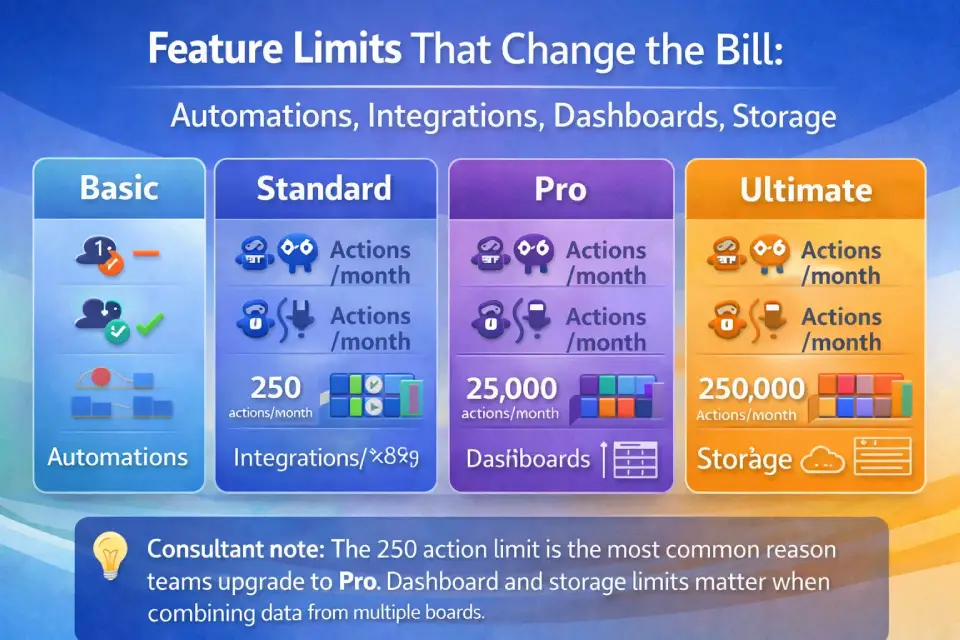
Feature Limits That Change the Bill: Automations, Integrations, Dashboards, Storage
Feature gates — not just seat count — determine which plan you actually need.
Automation and Integration Action Limits
| Plan | Automation Actions/Month | Integration Actions/Month |
|---|---|---|
| Basic | 0 | 0 |
| Standard | 250 | 250 |
| Pro | 25,000 | 25,000 |
| Ultimate | 250,000 | 250,000 |
What 250 actions/month actually means:
- Each time an automation recipe fires, it consumes 1 action (e.g., “When deal stage changes → send email notification” = 1 action per trigger).
- A team of 10 reps updating 5 deals/week ≈ 200 actions/month from one automation.
- If you run 3 active automations, expect to hit 250 within the first 2 weeks.
Upgrade trigger from Standard to Pro:
- You consistently reach 60–70% of 250 actions by mid-month
- You need more than 2–3 simultaneous active automations
- You’re connecting 3+ external integrations (PandaDoc, Aircall, Mailchimp, etc.)
Monitor usage: Check Administration → Usage Statistics in your monday account.
Dashboard and Storage Limits
| Plan | Max Board Sources/Dashboard | File Storage |
|---|---|---|
| Basic | 1 board | 5 GB |
| Standard | 5 boards | 20 GB |
| Pro | 20 boards | 100 GB |
| Ultimate | 50 boards | 1,000 GB |
Activity Log Retention
Activity log retention typically varies by plan. Based on publicly available documentation and user reports, Basic and Standard retain activity data for shorter periods, while Pro and Ultimate (formerly Enterprise) offer extended retention. Exact retention periods may differ — check your plan details in Administration → Account or verify with monday.com support before making compliance-dependent decisions.
Consultant note: If your organization requires 12+ months of audit history for compliance reporting, confirm the retention period for your plan directly with monday.com support. HIPAA-regulated organizations should go directly to Ultimate (formerly Enterprise).
Key takeaways:
- The 250-action Standard limit is the #1 driver of mid-contract upgrades to Pro
- Dashboard limits matter if you consolidate data from 6+ boards — that requires Pro
- Storage is rarely an issue for CRM-only use cases (20 GB on Standard covers most teams)
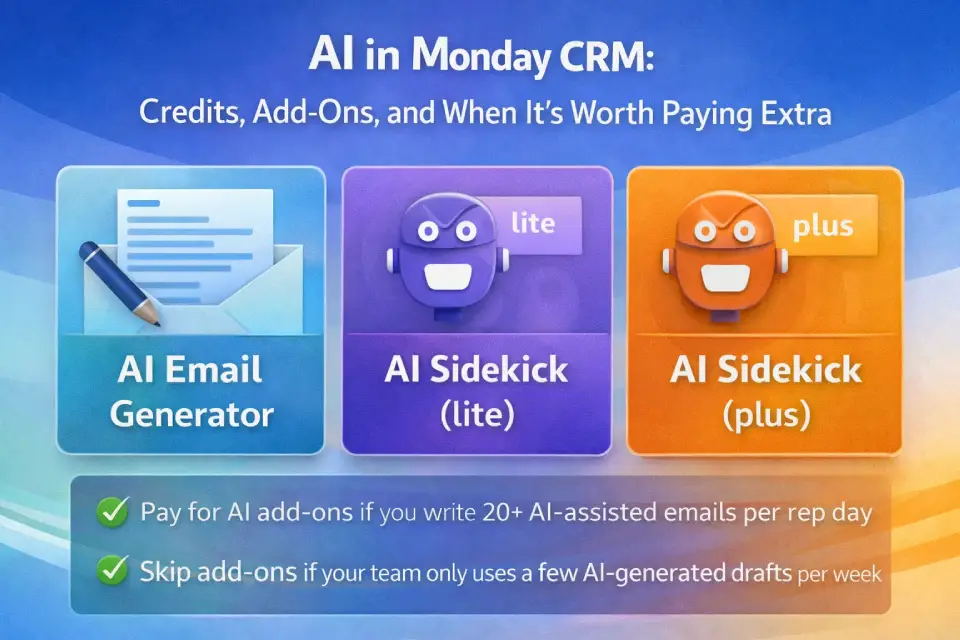
AI in Monday CRM: Credits, Add-Ons, and When It’s Worth Paying Extra
What AI Credits Are
All paid monday CRM plans include AI credits that power built-in AI features:
- AI email generator (Standard+): draft and edit emails using AI
- AI Sidekick (lite) (Standard and Pro): context-aware assistant for task suggestions, summaries, and workflow recommendations
- AI Sidekick (plus) (Ultimate only): full-power AI assistant with deeper contextual understanding
How to Estimate AI Credit Usage
- During your 14-day trial, use AI features at your expected production rate
- Track AI-assisted actions per rep per day (email drafts, summaries, Sidekick queries)
- Extrapolate to monthly volume
- If you exceed included credits during the trial, use that as your baseline for post-trial planning
Monday has not publicly disclosed exact credit consumption rates per action, so trial-period measurement is the most reliable forecasting method. Verify current AI credit policies in your account settings or contact monday.com support.
When to Pay for AI Add-Ons vs Skip
Pay if your team generates 20+ AI-assisted emails per rep per day or relies heavily on Sidekick for pipeline analysis.
Skip if AI usage is light (a few email drafts per week) and standard included credits cover trial usage.
Consultant note: AI credits are monday’s emerging monetization layer. Today, most teams won’t exhaust included credits. But as monday rolls out more AI-powered features (agents, predictive analytics, data enrichment), expect credit consumption — and pricing — to increase. Budget a 10–15% contingency for AI add-ons starting Year 2.
Key takeaways:
- AI credits are included with all paid plans — no separate purchase needed for basic usage
- Heavy AI usage may require purchasing additional credit packs
- Measure usage during the 14-day trial to forecast post-trial AI costs
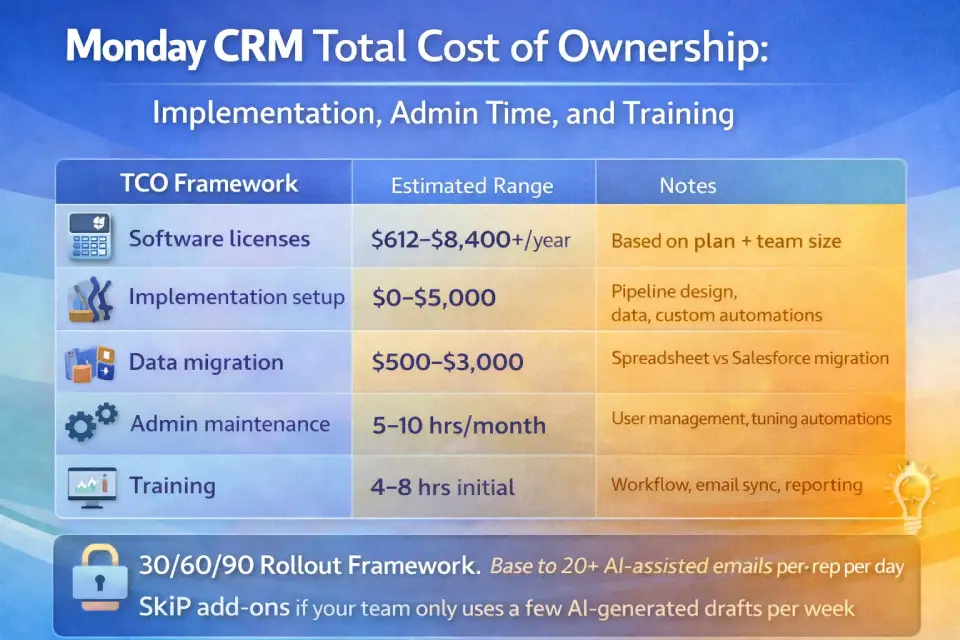
Monday CRM Total Cost of Ownership: Implementation, Admin Time, and Training
License cost is only part of the investment. Here’s a realistic total cost of ownership framework:
TCO Framework
| Cost Category | Estimated Range | Notes |
|---|---|---|
| Software licenses | $612–$8,400+/year | Based on plan and team size (see scenario table) |
| Implementation setup | $0–$5,000 | Self-service is free; professional services range $2K–$5K for pipeline design, data migration, and custom automations |
| Data migration | $500–$3,000 | Migrating from spreadsheets is simple; migrating from Salesforce or HubSpot with custom fields and deal history requires cleanup |
| Admin maintenance | 5–10 hrs/month | Ongoing: user management, automation tuning, pipeline adjustments, report creation |
| Training | 4–8 hrs initial | Monday CRM is intuitive, but reps still need workflow and reporting training |
| Change management | Varies | Without executive buy-in, expect 40–60% adoption at 90 days |
30/60/90 Rollout Framework
Days 1–30 (Foundation): Set up pipelines, configure email integration, import contacts, build 2–3 core automations, train pilot reps. KPI: 100% of pilot reps logging deals daily.
Days 31–60 (Expansion): Roll out to full team, activate dashboards and analytics (Pro), launch integrations (PandaDoc, Aircall, Zoom). KPI: 80% daily active usage.
Days 61–90 (Optimization): Review automation usage, configure forecasting/lead scoring (Pro/Ultimate), audit seat utilization — convert inactive seats to Viewers. KPI: Pipeline data accuracy >90%; managers using dashboards weekly.
Consultant note: The most common mistake is not assigning a dedicated CRM admin. On Standard/Pro, someone must maintain automations, manage users, clean data, and build reports. For teams of 10–25, this is typically 20–25% of one person’s role. For 25+ reps, plan for a half-time or full-time admin.
Key takeaways:
- Total cost = licenses + implementation + admin labor + training — budget for all four
- A 10-rep Standard deployment typically costs $2,040 (licenses) + $1,000–$3,000 (setup/migration) + ongoing admin time
- The 30/60/90 framework applies regardless of team size — adapt timelines, not structure
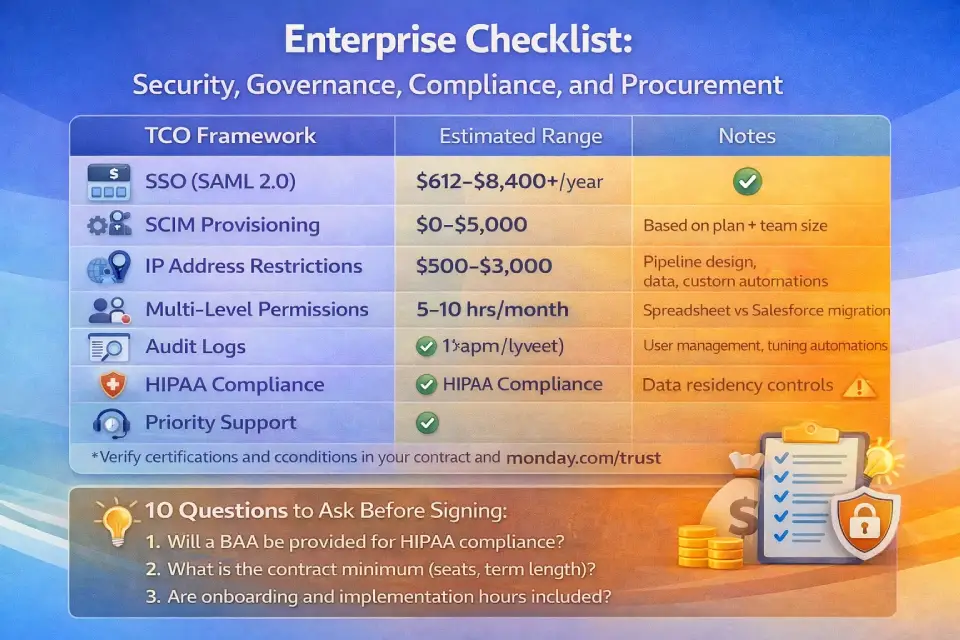
Enterprise Checklist: Security, Governance, Compliance, and Procurement
If you’re evaluating the Ultimate (formerly Enterprise) plan, use this checklist:
Requirements Matrix
| Requirement | Ultimate? | Notes |
|---|---|---|
| SSO (SAML 2.0) | ✅ | Supports major identity providers |
| SCIM provisioning | ✅ | Automated user provisioning/deprovisioning |
| IP address restrictions | ✅ | Restrict access by IP range |
| Multi-level permissions | ✅ | Board, column, and item-level access control |
| Audit logs | ✅ | Track user actions for compliance |
| HIPAA compliance | ✅ | BAA available;learn about requirements |
| ISO/IEC 27001 | ✅ | Platform-wide certification (monday.com security page) |
| ISO/IEC 27018 | ✅ | Cloud privacy certification |
| Data residency controls | ⚠️ | Ask sales for specific region availability |
| Uptime SLA | ✅ | Verify exact SLA percentage in your contract |
| Dedicated CSM | ✅ | Assigned customer success manager |
| Priority support | ✅ | 24/7 with priority queue |
All compliance/security claims should be verified in your contract and against monday.com’s current trust center.
10 Questions to Ask Monday.com Sales Before Signing
- What is the exact per-seat price for our volume?
- Are onboarding and implementation hours included or billed separately?
- What is the contract minimum (seats, term)?
- What’s the Year 2/Year 3 pricing lock?
- Can we reduce seats mid-contract?
- Is data migration support included?
- What are the data residency options for our region?
- Can you provide a BAA for HIPAA compliance? Cost?
- What AI credit limits apply, and what’s the add-on pricing?
- Who is our dedicated CSM, and what’s the engagement model?
Key takeaways:
- Ultimate (formerly Enterprise) is mandatory only if IT/security requires SSO, HIPAA, audit logs, or multi-level permissions
- Always verify compliance certifications against the trust center — not the sales deck
- Negotiate multi-year and volume discounts aggressively; custom pricing means margin exists
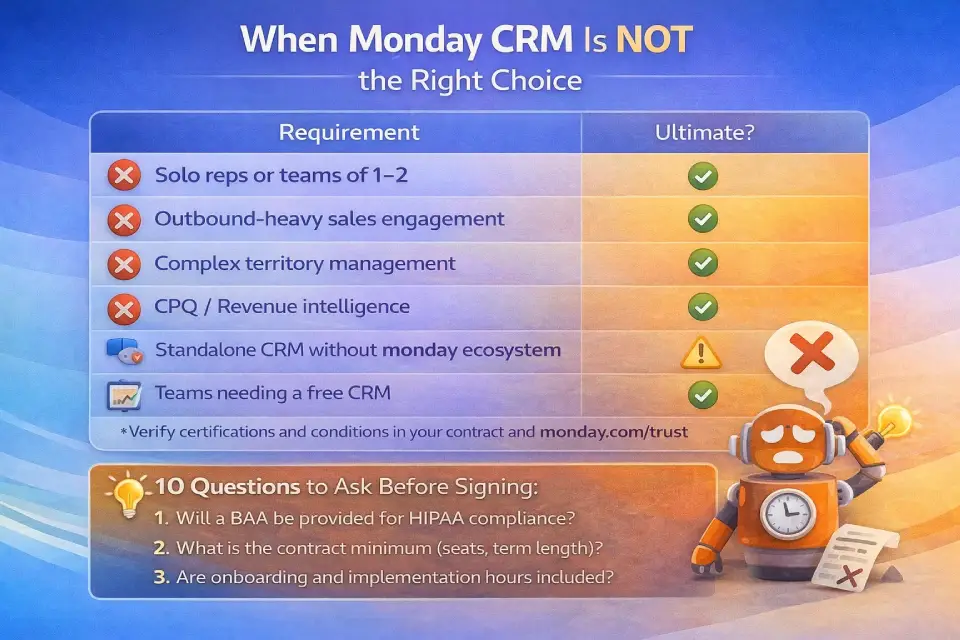
When Monday CRM Is NOT the Right Choice (2026)
Not every team should buy monday CRM. Here are clear disqualifiers:
❌ Solo users or teams of 1–2. The 3-seat minimum means a solo user pays $432–$1,008/year for seats they don’t use. Better options: HubSpot CRM Free (unlimited users), Pipedrive CRM ($14/seat, no minimum), or a tool from our best CRM for freelancers guide.
❌ Outbound-heavy teams needing advanced sales engagement. Monday CRM added email sequences in 2026, but they’re new and basic compared to dedicated platforms. If your team relies on multi-channel outbound (email + calls + LinkedIn + SMS), evaluate a purpose-built sales engagement tool alongside your CRM.
❌ Complex territory management. Monday CRM does not offer native territory hierarchies, rule-based lead routing by geography, or territory-level quota tracking. For territory-dependent sales orgs, Salesforce or Zoho CRM Enterprise pricing are stronger fits.
❌ CPQ / revenue intelligence requirements. Monday CRM has basic quoting, but no configure-price-quote (CPQ) engine, deal-room functionality, or revenue intelligence (conversation analytics, win/loss signals). Salesforce + CPQ or HubSpot pricing plans at Professional/Enterprise tiers are better suited.
❌ Standalone CRM without the monday ecosystem. Monday CRM’s biggest advantage is tight integration with monday Work Management, Dev, and Service. If you’re not using any other monday product and don’t plan to, evaluate Pipedrive (simpler, cheaper) or Zoho CRM (broader feature set at lower cost).
❌ Teams needing a truly free CRM. Monday CRM has no permanent free tier. Only a 14-day trial. If budget is the top constraint, see our best free CRM software guide.
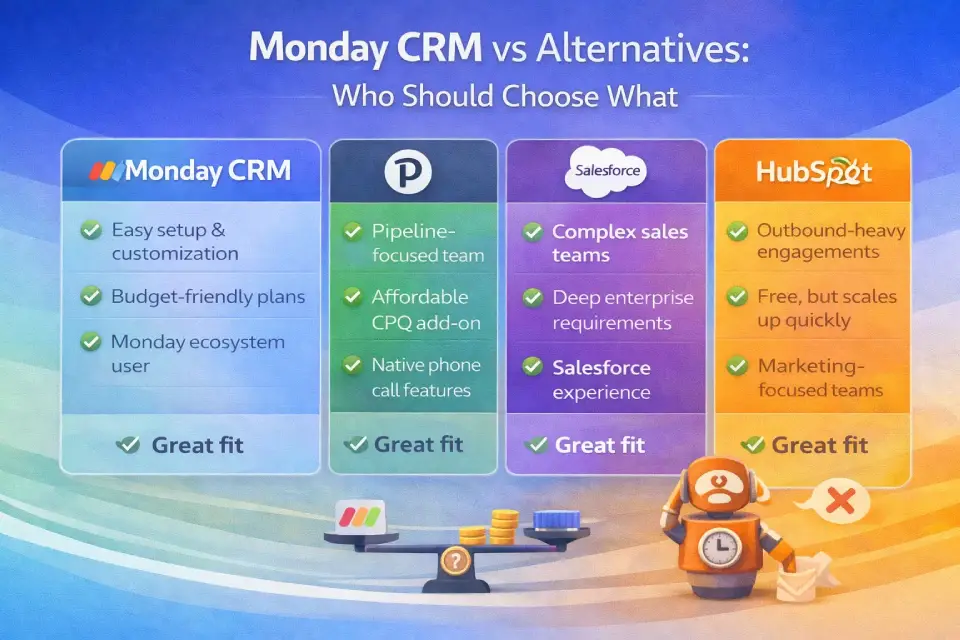
Monday CRM vs Alternatives: Who Should Choose What
This is not a feature-by-feature comparison. It’s a decision guide based on buyer type and constraints.
Comparison by Buyer Profile
| If You Are… | Consider Monday CRM If… | Consider an Alternative If… |
|---|---|---|
| Small team (3–5 reps) | You want visual pipelines + flexibility; already use monday Work Management | You need a free CRM (HubSpot Free) or simpler UX (Pipedrive) |
| Mid-market (10–25 reps) | You need forecasting + automations at $28/seat; want a unified platform | You need deep Salesforce ecosystem or advanced territory management |
| Enterprise (50+ reps) | You want one platform for CRM + projects + service; you value UX | You need mature enterprise CRM with AppExchange and CPQ |
| Workflow-first, CRM-second | ✅ Monday CRM is built for this — CRM features inside visual boards | CRM is your primary system of record (choose a CRM-first platform) |
| Email-heavy outbound | ❌ Sequences are new and basic | Use a dedicated sales engagement platform |
| Marketing + sales alignment | ❌ Limited marketing features | HubSpot gives you marketing, sales, and service under one roof |
Quick Alternative Map
- Best free CRM: HubSpot CRM Free (unlimited users)
- Best for simplicity and value: Pipedrive ($14–$99/seat/mo)
- Best for enterprise scale: Salesforce ($25–$500/seat/mo)
- Best for marketing + sales: HubSpot Growth Suite
- Best for budget-first teams: Freshsales CRM (free tier + paid from $9/seat) or Zoho CRM (free for 3 users)
- Best for project-first CRM: monday CRM (this guide)
- Best CRM options for sales teams: see our best CRM for sales teams roundup
Consultant note: Monday CRM’s real edge is when you’re already in the monday ecosystem. If your ops, marketing, or dev teams use monday Work Management or monday Dev, adding CRM creates cross-product synergies (linked boards, shared dashboards, unified reporting) that standalone CRMs can’t match.
Mini Pricing Calculator: Estimate Your Monday CRM Cost
Use this formula to estimate your annual monday CRM cost:
Step 1: Determine your seat bucket
Number of users → round UP to nearest available bucket (3, 5, 10, 15, 20, 25, 30, 40, 50)
Step 2: Calculate annual cost
Annual total = Seat bucket × Per-seat monthly rate × 12
Step 3: Add monthly billing premium (if applicable)
Monthly billing rate ≈ Annual rate ÷ 0.82 (reflects ~18% annual discount)
Step 4: Calculate effective per-user cost
Effective cost per user = Annual total ÷ Actual number of users
Worked Example
- Team: 7 sales reps on Pro ($28/seat/mo annual)
- Seat bucket: 10 (next bucket above 7)
- Annual total: 10 × $28 × 12 = $3,360/year
- Monthly equivalent: $3,360 ÷ 12 = $280/month
- Effective per-user cost: $3,360 ÷ 7 = $480/user/year (vs. theoretical $336 if buying exact seats)
- Phantom-seat premium: 3 unused seats × $28 × 12 = $1,008/year wasted
Optimization tip: If 2 of those 7 users only check dashboards, convert them to free Viewers. That drops you to 5 seats: 5 × $28 × 12 = $1,680/year — saving $1,680/year (50% less).
Plan Selector: If You Are X, Choose Y
→ 1–2 users: Monday CRM is not the right fit (3-seat minimum). Try HubSpot Free or Pipedrive.
→ 3–5 reps, basic pipeline only: Start with Standard ($17/seat/mo). Skip Basic unless you truly don’t need email.
→ 5–15 reps, email sync + light automations: Standard ($17/seat/mo). Monitor the 250-action limit monthly.
→ 10–25 reps, need forecasting/sequences/quoting: Pro ($28/seat/mo). The 25,000-action ceiling gives room to grow.
→ 25+ reps, SSO/HIPAA/audit requirements: Ultimate (formerly Enterprise) — contact sales. Negotiate aggressively.
→ Already using monday Work Management: Adding CRM creates the highest ROI through unified boards and cross-product reporting. Start with Standard and upgrade as needed.
Mini Glossary: Key Monday CRM Pricing Terms
| Term | Definition |
|---|---|
| Seat | A paid user license. Each person who creates, edits, or manages CRM data requires one. |
| Viewer | A free, read-only user. Can see boards and dashboards but cannot edit. Unlimited on all paid plans. |
| Guest | Limited-access user for external collaborators (clients, partners). Typically 3 free on Standard, 5 on Pro, unlimited on Ultimate. Verify in plan details. |
| Seat bucket | Predefined seat increments (3, 5, 10, 15, 25+) in which monday.com sells licenses. No arbitrary seat counts. |
| Automation action | One execution of an automation recipe. Each trigger = 1 action consumed. |
| Integration action | One execution of a data sync between monday CRM and an external tool. Counted separately from automations. |
| AI credits | Units consumed when using AI features (email drafts, Sidekick queries). Included in plan; add-on packs available. |
| Annual prepay | Paying the full year upfront to get the ~18% discount vs monthly billing. |
| Monthly premium | The higher per-seat rate for month-to-month billing vs annual commitment. |
| Free trial | 14-day evaluation period for any paid plan (no credit card required). Monday CRM has no permanent free tier. |
| Pipeline | A visual board representing your sales process stages (lead → qualified → proposal → closed). Unlimited on all plans. |
| Ultimate (formerly Enterprise) | Monday CRM’s top tier, renamed from Enterprise in 2025–2026. Same features, new label. |
FAQ: Monday CRM Pricing Questions (Answered)
How much does monday CRM cost?
$12–$28 per seat per month with annual billing. Basic is $12, Standard is $17, Pro is $28. Ultimate (formerly Enterprise) requires a custom quote. All plans require a minimum of 3 seats.
Is monday CRM free?
No. There is no permanent free plan. Monday CRM offers a 14-day free trial with no credit card required. Nonprofits may qualify for discounted or free access through monday.com’s nonprofit program.
What’s the cheapest monday CRM plan?
Basic at $12/seat/month (annual billing), with a 3-seat minimum ($432/year). However, Basic lacks email sync and automations — most teams need Standard ($17/seat) at minimum.
Does monday CRM require a minimum number of seats?
Yes. All paid plans require 3 seats minimum. Seats are also sold in buckets (3, 5, 10, 15, 25+), so 4 users means paying for 5 seats.
What plan includes Gmail/Outlook email sync?
Standard ($17/seat/mo) and above. Basic does not include email integration.
What plan includes sales forecasting?
Pro ($28/seat/mo) and above. Forecasting, email sequences, quotes/invoices, and mass emails are all Pro-tier features.
Does monday CRM require seat buckets?
Yes. Monday.com sells seats in predefined increments (typically 3, 5, 10, 15, 20, 25, 30, 40, 50). You cannot buy arbitrary seat counts. If you have 6 users, you pay for the 10-seat bucket.
Is there a free plan for monday CRM?
No. Only a 14-day free trial. For a free CRM option, consider HubSpot CRM Free, Freshsales Free, or Zoho CRM Free (3 users).
How much does monday CRM cost for 10 users?
On annual billing: Basic = $120/month ($1,440/year), Standard = $170/month ($2,040/year), Pro = $280/month ($3,360/year). Assumes the 10-seat bucket.
What is the difference between monday CRM and monday.com?
monday.com is the platform (Work OS). Monday CRM is one of four products built on it, designed specifically for sales teams. The others are monday Work Management, monday Dev, and monday Service. Each product has separate pricing.
Is monday CRM worth it for small business?
Yes, for teams of 5–15 reps on Standard or Pro. The visual pipeline, email sync, and automation capabilities are competitive at $17–$28/seat. For teams of 1–2, the 3-seat minimum makes it expensive — consider Pipedrive or HubSpot Free.
What are monday CRM’s hidden costs?
The most commonly overlooked: seat-bucket rounding (paying for unused seats), automation action caps (driving upgrades to Pro), annual prepay requirement, implementation/admin time (5–10 hrs/month), data migration, and AI credit overages.
How does monday CRM compare to HubSpot?
HubSpot offers a free CRM with unlimited users; monday CRM does not. HubSpot’s paid Sales Hub ($20–$150/seat/mo) includes marketing features monday lacks. Monday CRM wins on visual workflows, customization flexibility, and the monday.com ecosystem. Choose HubSpot for marketing+sales alignment; choose monday CRM for workflow-first teams.
How does monday CRM compare to Salesforce?
Salesforce is the enterprise CRM standard — deeper functionality, AppExchange ecosystem, territory management — but starts at $25/user/mo and scales to $500+. Monday CRM is simpler, more visual, and easier to implement. Choose Salesforce for 100+ reps; monday for visual-first teams under 50.
Can I negotiate monday CRM pricing?
Primarily on Ultimate (formerly Enterprise) plans, multi-year contracts, and 50+ seats. Standard and Pro pricing is generally fixed, but discounts may apply through annual billing, multi-product bundles, or nonprofit status.
Does monday CRM support HIPAA compliance?
Only on the Ultimate (formerly Enterprise) plan. A Business Associate Agreement (BAA) is available for HIPAA-covered entities. No other plan supports HIPAA.
Hidden Costs and Gotchas Checklist
Before you buy, audit against these commonly missed cost drivers:
- [ ] 3-seat minimum — you pay for 3 seats even if only 1 person uses the CRM
- [ ] Seat-bucket rounding — 6 users = buy 10-seat bucket = 4 unused seats at full price
- [ ] Annual prepay — annual billing saves 18% but requires full-year payment upfront
- [ ] Automation action limits — Standard’s 250/month is very low for active teams
- [ ] Integration action limits — separate from automations, equally constrained on Standard
- [ ] Email sync plan gate — Gmail/Outlook sync requires Standard ($17/seat)
- [ ] Forecasting plan gate — sales forecasting requires Pro ($28/seat)
- [ ] Lead scoring plan gate — automatic lead scoring requires Ultimate (custom pricing)
- [ ] AI credit overages — heavy AI usage may require add-on purchases
- [ ] Implementation time — budget 30–90 days for full deployment
- [ ] Data migration cost — moving from another CRM? Budget $500–$3,000 and 2–4 weeks
- [ ] Admin overhead — 5–10 hours/month for user management, automations, and reporting
- [ ] No free tier — only a 14-day trial | no permanent free option
Conclusion
Overall Pricing Score: 8.0 / 10
Monday.com CRM pricing follows a straightforward per-seat model, but the real cost depends on your team size, feature needs, and billing decisions. Key decision rules:
- Skip Basic unless you have zero need for email integration. Standard ($17/seat) is the true entry point.
- Budget for Pro ($28/seat) if you need forecasting, sequences, or more than 250 automation actions per month.
- Always model seat-bucket math — the number on your invoice will often be higher than seats × per-seat price.
- Start with annual billing to save ~18%, but budget the full-year upfront cost.
- Negotiate Ultimate (formerly Enterprise) aggressively — custom pricing means there’s room in the quote.
Before purchasing, run a 14-day trial on the plan you expect to buy, estimate your automation action burn rate, and verify seat-bucket costs at checkout. The right monday CRM plan is the one that matches your workflow complexity today with 12–18 months of growth room — without overpaying for features you won’t use.
About the author

I’m Macedona, an independent reviewer covering SaaS platforms, CRM systems, and AI tools. My work focuses on hands-on testing, structured feature analysis, pricing evaluation, and real-world business use cases.
All reviews are created using transparent comparison criteria and are updated regularly to reflect changes in features, pricing, and performance.