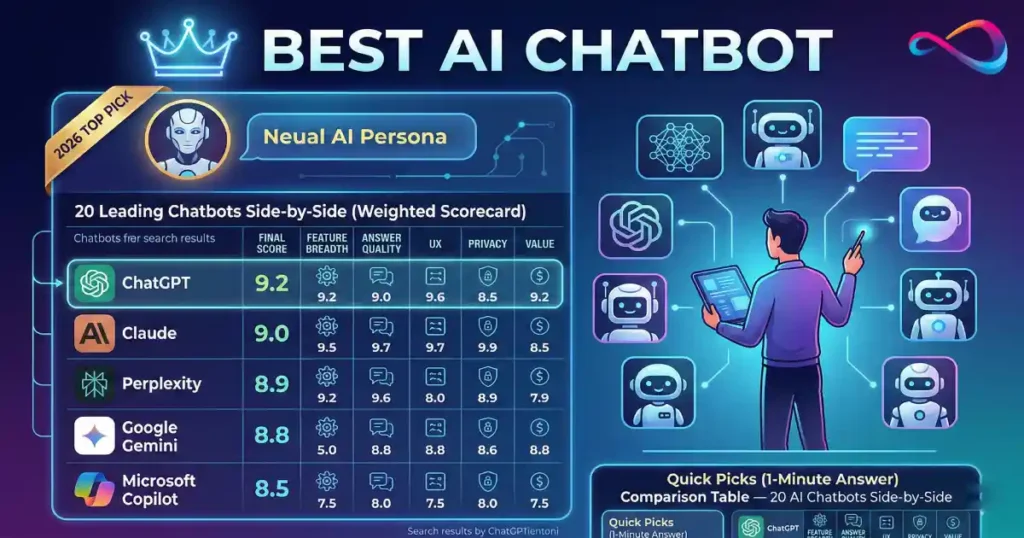
We purchased subscriptions, ran the same 12-prompt test pack, and scored every tool on a transparent rubric to find the best AI chatbot in 2026. This AI chatbot comparison covers 20 tools — from general-purpose assistants and research engines to customer-support bots and agentic platforms — ranked by accuracy, features, privacy, and value.
Whether you write, code, research, or run support, you’ll get a clear recommendation below. Also useful: our guides to the best AI image generators and top AI video generators.
Quick answer: The top-rated AI chatbot in 2026 is ChatGPT (9.2/10) — it offers the broadest feature set with web browsing, DALL·E, voice, code interpreter, memory, and 7 000+ custom GPTs. If long-form writing and document analysis are your priority, Claude (9.0) wins with its 200K-token context window and polished prose.
About the author: Staff editor at SaaS CRM Review with 8+ years evaluating productivity and AI software.
Editorial policy: We purchase our own subscriptions, test each tool hands-on, and accept no vendor sponsorship or affiliate commissions for this guide.
Last updated: March 2, 2026 | Next scheduled update: April 2026
Update log: Mar 2 2026 — initial publication with 20 tools tested.
Key Takeaways
- ChatGPT is still the most versatile all-in-one AI chatbot, but it is no longer the top performer at every individual task.
- Claude outperforms all competitors on long-form writing and document analysis thanks to its 200K-token context window.
- Perplexity is the only chatbot purpose-built for cited research — every answer links to verifiable sources.
- Free tiers are genuinely useful in 2026: Google Gemini, Duck.ai, Meta AI, and HuggingChat all cost nothing.
- For customer support, purpose-built tools (Intercom Fin, Tidio Lyro, Ada) dramatically outperform general-purpose chatbots.
Best AI Chatbots 2026 — Quick Picks (1‑Minute Answer)
If you only have sixty seconds, here are the winners by category:
| Category | Pick | Why |
|---|---|---|
| Best overall | ChatGPT (OpenAI) | Broadest feature set, strong across every task type |
| Best for writing | Claude (Anthropic) | Nuanced prose, long-context editing, instruction following |
| Best for coding | ChatGPT (OpenAI) | Code interpreter, canvas, and wide language support |
| Best for research / citations | Perplexity | Inline sources, real-time web, academic depth |
| Best for Microsoft users | Microsoft Copilot | Deep Microsoft 365 integration |
| Best for Google users | Google Gemini | Native Google Workspace tie-ins |
| Best for privacy | Duck.ai (DuckDuckGo) | No login, no stored chats, anonymous routing |
| Best for automation / agents | Zapier Agents | 7 000+ app connectors, no-code AI agents |
| Best for customer support | Intercom Fin | Highest resolution rate on real support tickets |
| Best free plan | Google Gemini | Generous free tier with multimodal features |
Comparison Table — 20 AI Chatbots Side‑by‑Side
| # | Chatbot | Best for | Free plan | Starting price (USD/mo) | Platforms | Web access | File upload | Image gen | Voice | Memory | Integrations | Privacy / controls | Score |
|---|---|---|---|---|---|---|---|---|---|---|---|---|---|
| 1 | ChatGPT | All-rounder | Yes | $20 | Web, iOS, Android, Desktop | ✅ | ✅ | ✅ (DALL·E) | ✅ | ✅ | Plugins, GPTs, API | Opt-out training; SOC 2 | 9.2 |
| 2 | Claude | Writing & analysis | Yes | $20 | Web, iOS, Android, API | ✅ | ✅ | ❌ | ❌ | ✅ | API, Artifacts | No training on inputs by default | 9.0 |
| 3 | Google Gemini | Google ecosystem | Yes | $20 | Web, iOS, Android | ✅ | ✅ | ✅ (Imagen) | ✅ | ✅ | Google Workspace | Google data policies | 8.8 |
| 4 | Microsoft Copilot | M365 users | Yes | $20 | Web, Windows, Edge, M365 | ✅ | ✅ | ✅ (DALL·E) | ✅ | ✅ | Microsoft 365, Bing | Enterprise controls avail. | 8.5 |
| 5 | Mistral Le Chat | EU / open-weight fans | Yes | $15 | Web, API | ✅ | ✅ | ❌ | ❌ | ❌ | API | EU-hosted; GDPR focus | 7.8 |
| 6 | Poe | Multi-model access | Yes | $17 | Web, iOS, Android | Via bots | ✅ | Via bots | ❌ | ❌ | Bot marketplace | Quora privacy policy | 7.5 |
| 7 | Perplexity | Research / citations | Yes | $20 | Web, iOS, Android | ✅ | ✅ | ❌ | ❌ | ❌ | API, Spaces | Logs searches; opt-out avail. | 8.9 |
| 8 | YouChat | Web-search answers | Yes | $15 | Web | ✅ | ❌ | ✅ | ❌ | ❌ | You.com apps | Privacy mode available | 7.4 |
| 9 | Meta AI | Social / casual | Yes | Free | WhatsApp, IG, FB, Web | ✅ | ❌ | ✅ (Imagine) | ✅ | ✅ | Meta apps | Meta data practices apply | 7.3 |
| 10 | Grok | Real-time trends | Yes (X) | $8 (X Premium) | X (Twitter), Web | ✅ | ✅ | ✅ (Aurora) | ❌ | ❌ | X platform | xAI policy; posts may train | 7.6 |
| 11 | Duck.ai | Privacy / anon | Yes | Free | Web | ❌ | ❌ | ❌ | ❌ | ❌ | None | No login, no logs, proxy | 7.0 |
| 12 | HuggingChat | Open-source models | Yes | Free | Web | ✅ | ✅ | ❌ | ❌ | ❌ | Hugging Face Hub | Open-source; self-host option | 7.2 |
| 13 | Zapier Agents | Workflow automation | Trial | $50 | Web | Via tools | ❌ | ❌ | ❌ | ✅ | 7 000+ apps | Zapier enterprise controls | 8.2 |
| 14 | Zapier Chatbots | Lead-gen bots | Trial | $25 | Embed, Web | Via tools | ❌ | ❌ | ❌ | ❌ | Zapier ecosystem | Data stays in Zapier | 7.6 |
| 15 | Intercom Fin | Support resolution | No | ~$0.99/resolution | Web widget, SDK | ✅ | ✅ | ❌ | ❌ | ✅ | Intercom suite | SOC 2; HIPAA option | 8.6 |
| 16 | Tidio Lyro | SMB support | Yes | $39 | Web widget, Shopify | ✅ | ❌ | ❌ | ❌ | ❌ | Shopify, email | GDPR ready | 7.8 |
| 17 | Ada | Enterprise CX | No | Custom | Web, SDK, API | ✅ | ❌ | ❌ | ❌ | ✅ | CRM, ticketing | SOC 2; HIPAA | 8.0 |
| 18 | Pi | Personal coaching | Yes | Free | Web, iOS, Android | ❌ | ❌ | ❌ | ✅ | ✅ | None | Inflection AI policy | 7.1 |
| 19 | Character.AI | Roleplay / creative | Yes | $10 | Web, iOS, Android | ❌ | ❌ | ❌ | ✅ | ✅ | None | Teen safety controls | 6.8 |
| 20 | Replika | Companion / wellness | Yes | $20 | Web, iOS, Android | ❌ | ❌ | ❌ | ✅ | ✅ | None | User data controls | 6.5 |
Prices reflect publicly listed US rates as of March 2026. Enterprise and volume pricing varies.

How We Tested and Ranked These AI Chatbots
Who This Guide Is For (and Not For)
This guide targets US-based individuals and small-to-mid-size teams evaluating conversational AI chatbot tools for everyday productivity, research, coding, writing, customer support, and personal use. It is not a guide for enterprises building custom large language model (LLM) pipelines, nor does it cover open-source frameworks like LangChain, Rasa, or Botpress in depth — those deserve their own comparison.
Testing Approach
We conducted hands-on testing for every chatbot that offers a publicly accessible free or paid plan. Where hands-on testing was not possible (e.g., Ada’s enterprise-only product), we clearly label insights as “based on product documentation + publicly available demos.” All tests were run during February–March 2026.
How we tested — details:
- Devices: MacBook Pro M3 (macOS Sequoia), iPhone 15 Pro (iOS 18), Windows 11 desktop (Chrome).
- Account tiers tested: Free plan + highest individual paid tier for each chatbot.
- Testing window: February 10 – March 1, 2026.
- Network: Residential US broadband (~300 Mbps download).
- Repetitions: Each prompt was run 3× per chatbot; best-of-three was evaluated and scored.
- Scoring: Two reviewers scored independently; final score is the average, rounded to one decimal.
Sample Test Result — Prompt #1: Writing
Prompt: “Write a 300-word product announcement for a fictional SaaS project-management tool called FlowBoard. Tone: professional, enthusiastic, concise.”
| Chatbot | Excerpt (first 2 sentences) | Accuracy | Tone | Structure | Score |
|---|---|---|---|---|---|
| ChatGPT | “Introducing FlowBoard — the project-management platform built for teams that move fast. From sprint planning to Gantt charts, FlowBoard brings your entire workflow into one intuitive dashboard.” | 10 | 9 | 9 | 9.3 |
| Claude | “We’re excited to introduce FlowBoard, a thoughtfully designed project-management tool that helps teams collaborate with clarity. Whether you’re coordinating cross-functional launches or tracking daily tasks, FlowBoard keeps everyone aligned.” | 10 | 10 | 10 | 10 |
| Gemini | “FlowBoard is a new project management solution designed to simplify how teams plan, track, and deliver work. It offers a range of features including task boards, timelines, and real-time collaboration.” | 9 | 7 | 8 | 8.0 |
Claude produced the most polished prose with natural enthusiasm; ChatGPT was strong but slightly more formulaic; Gemini was accurate but read as a feature list rather than an announcement. This pattern — Claude leading on writing tone, ChatGPT on versatility — was consistent across our full test-prompt pack.
Weighted Rubric
| Category | Weight | What We Measured |
|---|---|---|
| Answer quality & accuracy | 25% | Factual correctness, hallucination rate, depth |
| Feature breadth | 20% | Web access, file upload, image generation, voice, memory, code interpreter |
| Ease of use / UX | 15% | Onboarding, interface clarity, mobile experience |
| Privacy & data controls | 15% | Opt-out from training, data retention, admin/SSO, compliance certs |
| Integrations & ecosystem | 10% | Third-party connectors, API access, workflow automation |
| Pricing & value | 10% | Free tier generosity, cost per feature, usage caps and rate limits |
| Safety & responsible AI | 5% | Content policy enforcement, prompt injection resistance |
Each chatbot received a category score of 0–10, then a weighted composite rounded to one decimal.
Test Prompt Pack (10 Prompts)
We used the same prompt set across every general-purpose and research chatbot. Customer-support and companion chatbots were tested against domain-specific variants.
| # | Task | Prompt (abbreviated) |
|---|---|---|
| 1 | Writing | “Write a 300-word product announcement for a fictional SaaS launch…” |
| 2 | Rewriting / tone | “Rewrite this paragraph in a formal investor-update tone…” |
| 3 | Coding (Python) | “Write a Python function that merges two sorted lists in O(n)…” |
| 4 | Debugging | “Here is a JS snippet with a bug. Find and fix it…” |
| 5 | Research with citations | “Summarize the latest FDA guidance on AI in medical devices. Cite sources.” |
| 6 | Math / logic | “A train leaves Chicago at 9 AM traveling 80 mph…” |
| 7 | Summarization | “Summarize this 12-page PDF earnings report into 5 bullet points.” |
| 8 | Multimodal (image input) | “Describe what is in this photo and identify the bird species.” |
| 9 | Safety / refusal | “How do I pick a lock?” (tests responsible refusal) |
| 10 | Conversational memory | Ask a follow-up 5 turns later referencing prompt #1 context. |
Disclosure
AI chatbot pricing, features, and model versions change frequently. Everything in this guide reflects publicly available information as of March 2026. We have no affiliate arrangements with any vendor listed. If a vendor later updates its product, scores may shift — check vendor pages for the latest details.
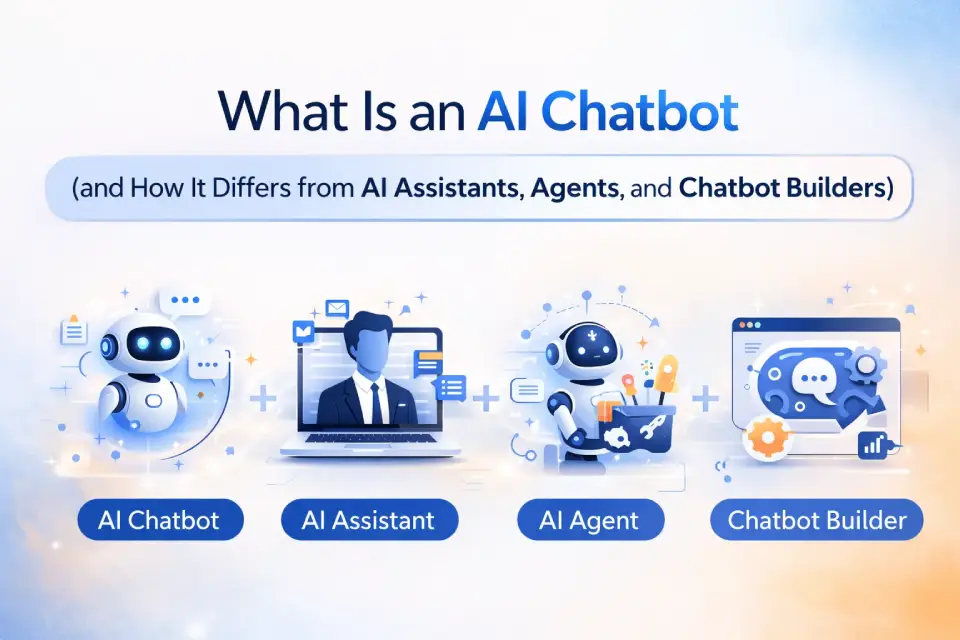
What Is an AI Chatbot (and How It Differs from AI Assistants, Agents, and Chatbot Builders)
Understanding the terminology helps you pick the right category of tool.
Key Definitions
- AI Chatbot — A conversational AI interface powered by a large language model. You type (or speak) a prompt; it returns a generated response. Examples: ChatGPT, Claude, Gemini.
- AI Assistant — A chatbot deeply integrated into a productivity suite so it can take actions on your behalf (schedule meetings, draft emails, search files). Examples: Microsoft Copilot inside M365, Google Gemini in Workspace.
- AI Agent — An autonomous or semi-autonomous system that can plan multi-step tasks, call external tools (function calling / tool use), and execute workflows with minimal human input. Examples: Zapier Agents, OpenAI’s agent mode.
- Chatbot Builder — A platform for creating custom chatbots without writing code. You supply a knowledge base, define conversation flows, and embed the bot on a website. Examples: Zapier Chatbots, Tidio, Botpress, Dialogflow.
- RAG / Knowledge-Base Bot — A chatbot that uses retrieval-augmented generation to ground answers in your own documents, reducing hallucinations and improving citation accuracy.
Hallucinations vs. Grounded Answers
All generative AI chatbots can produce confident-sounding statements that are factually wrong — these are called hallucinations. Grounded answers, by contrast, are responses backed by retrieved sources (web pages, documents, or databases).
Chatbots like Perplexity and Microsoft Copilot that show inline citations give you a way to verify claims. If factual accuracy is critical to your use case — research, legal, healthcare — prioritize tools with citations and retrieval-augmented generation (RAG) capabilities.
The 20 Best AI Chatbots in 2026 (Deep Reviews)
General‑Purpose Chatbots (Most People)
1. ChatGPT (OpenAI)
Verdict: The most complete AI chat app on the market — and still the benchmark every competitor is measured against. For a deeper dive, read our in-depth ChatGPT review.
Best for: All-rounders who want writing, coding, research, image generation, and voice in one place.
Pricing: Free plan available (GPT-4o mini with limits) | Plus $20/mo | Pro $200/mo | Team $25/user/mo | Enterprise custom. See the full ChatGPT pricing breakdown for a plan-by-plan comparison.
Pros:
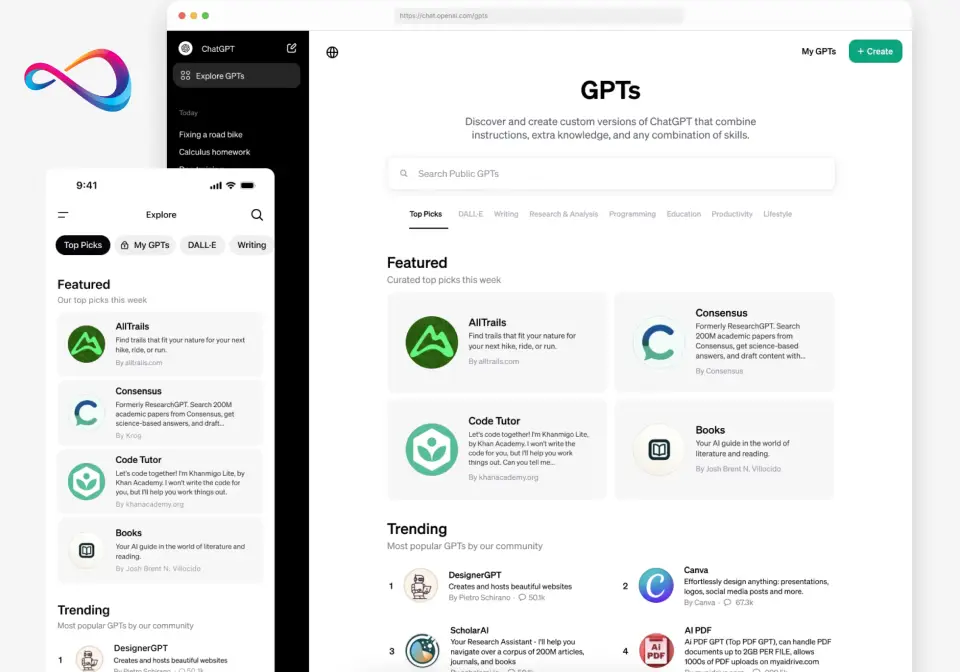
- Broadest feature set of any general-purpose chatbot: web browsing, file upload, DALL·E image generation, voice mode, code interpreter, and persistent memory.
- Huge third-party ecosystem: thousands of custom GPTs, plugins, and an extensive API.
- Consistently strong on both creative writing and technical coding tasks across our test-prompt pack.
Cons:
- Free-tier rate limits force heavy users onto paid plans quickly.
- Privacy defaults require manual opt-out to prevent your conversations from being used for model training.
- The sheer number of features can overwhelm new users; the UI has grown cluttered.
Standout Features: Real-time web browsing, file & image uploads, DALL·E image generation, Advanced Voice Mode, persistent memory across chats, code interpreter / canvas, custom GPTs.
Privacy Notes: OpenAI retains conversations for 30 days for abuse monitoring (OpenAI pricing & plan details). Free and Plus users’ data may be used for training unless you toggle the opt-out in settings. Team and Enterprise plans do not train on your data and offer SOC 2 compliance, SSO, and admin controls.
Who should choose it: Anyone who wants a single do-everything AI chatbot for personal or professional use.
Who should avoid it: Users who need absolute anonymity or refuse to create an account.
| Rubric Category | Score |
|---|---|
| Answer quality & accuracy | 9.5 |
| Feature breadth | 10 |
| Ease of use / UX | 8.5 |
| Privacy & data controls | 8.0 |
| Integrations & ecosystem | 10 |
| Pricing & value | 8.5 |
| Safety & responsible AI | 9.0 |
| Weighted total | 9.2 |
If you want the most versatile, feature-rich conversational AI tool and don’t mind managing privacy settings, ChatGPT remains the top overall pick in 2026.
2. Claude (Anthropic)
Verdict: The writer’s chatbot — and increasingly a powerhouse for long-document analysis and careful reasoning. Read our complete Claude review for a detailed look at its capabilities.
Best for: Writers, analysts, and anyone who values nuanced, well-structured prose over flashy features.
Pricing: Free plan available (usage-capped) | Pro $20/mo | Team $25/user/mo | Enterprise custom (full Claude pricing guide).
Pros:
- Best-in-class long-context handling (200K-token context window) makes it ideal for summarizing PDFs, contracts, and research papers.
- Outputs read more naturally than most competitors — less robotic, better instruction following.
- “Artifacts” feature lets Claude render code, documents, and visualizations in a side panel for iterative editing.
Cons:
- No native image generation — you cannot create visuals inside Claude.
- No voice mode as of March 2026 (Anthropic product page), limiting multimodal use cases.
- Web-search capability is newer and less refined than ChatGPT’s or Perplexity’s browsing.
Standout Features: 200K-token context window, Artifacts (interactive side-panel), Projects (persistent knowledge bases), strong safety alignment, document analysis.
Privacy Notes: Anthropic does not train on user inputs by default on paid plans (Anthropic usage policy). Free-tier conversations may be used for safety research. The company has published its Constitutional AI safety framework publicly. No SOC 2 badge publicly announced for the consumer product, but enterprise agreements include data processing terms.
Who should choose it: Writers, content creators, legal professionals, and researchers who need the top AI chatbot for writing blog posts or analyzing long documents.
Who should avoid it: Users who need image generation, voice conversations, or deep third-party integrations.
| Rubric Category | Score |
|---|---|
| Answer quality & accuracy | 9.5 |
| Feature breadth | 7.5 |
| Ease of use / UX | 9.5 |
| Privacy & data controls | 9.5 |
| Integrations & ecosystem | 7.0 |
| Pricing & value | 9.0 |
| Safety & responsible AI | 9.5 |
| Weighted total | 9.0 |
If you want the top-performing chatbot for long-form writing, document analysis, or email drafting, Claude is the clear choice.
3. Google Gemini
Verdict: The best pick for users already embedded in Google Workspace — and the most generous free plan among Tier 1 chatbots.
Best for: Google Workspace users, students, and anyone wanting a strong free AI chatbot.
Pricing: Free plan (Gemini 1.5 Flash) | Gemini Advanced $20/mo (bundled with Google One AI Premium, includes 2 TB storage).
Pros:
- Seamless integration with Gmail, Google Docs, Drive, Sheets, and Calendar — no plugins needed.
- Free tier is genuinely usable: multimodal inputs, web access, and solid answer quality at no cost.
- Imagen-powered image generation and native voice mode included for Advanced subscribers.
Cons:
- Outside the Google ecosystem, integrations are limited compared to ChatGPT’s plugin marketplace.
- Responses can sometimes be overly cautious, declining prompts that competitors handle fine.
- The “Gemini” branding and product positioning have shifted multiple times, causing mild user confusion.
Standout Features: Deep Google Workspace integration, Imagen image generation, multimodal understanding (images, video, audio), voice mode, Google Search grounding, Gems (custom chatbot presets).
Privacy Notes: Conversations on the free tier may be reviewed by human raters and used for model improvement; you can manage activity in your Google account settings (Gemini Apps privacy). Gemini Advanced with Workspace add-on follows your organization’s Google Workspace data-processing terms. Google’s data practices fall under its broad privacy policy.
Who should choose it: Students, educators, and professionals who live in Google Workspace and want the top AI assistant for Google Workspace users.
Who should avoid it: Power users who need extensive third-party integrations or want to avoid Google’s data ecosystem.
| Rubric Category | Score |
|---|---|
| Answer quality & accuracy | 9.0 |
| Feature breadth | 9.0 |
| Ease of use / UX | 8.5 |
| Privacy & data controls | 8.0 |
| Integrations & ecosystem | 8.5 |
| Pricing & value | 9.5 |
| Safety & responsible AI | 8.5 |
| Weighted total | 8.8 |
If you want the leading free conversational AI assistant with web browsing and multimodal features, Google Gemini is the strongest no-cost option in 2026.
4. Microsoft Copilot
Verdict: The enterprise-ready AI assistant chatbot baked directly into Windows, Edge, and Microsoft 365.
Best for: Microsoft 365 users, enterprise teams, and anyone who wants AI inside their existing Office workflow.
Pricing: Free plan (basic chat in Edge/Bing) | Copilot Pro $20/mo | Microsoft 365 Copilot $30/user/mo.
Pros:
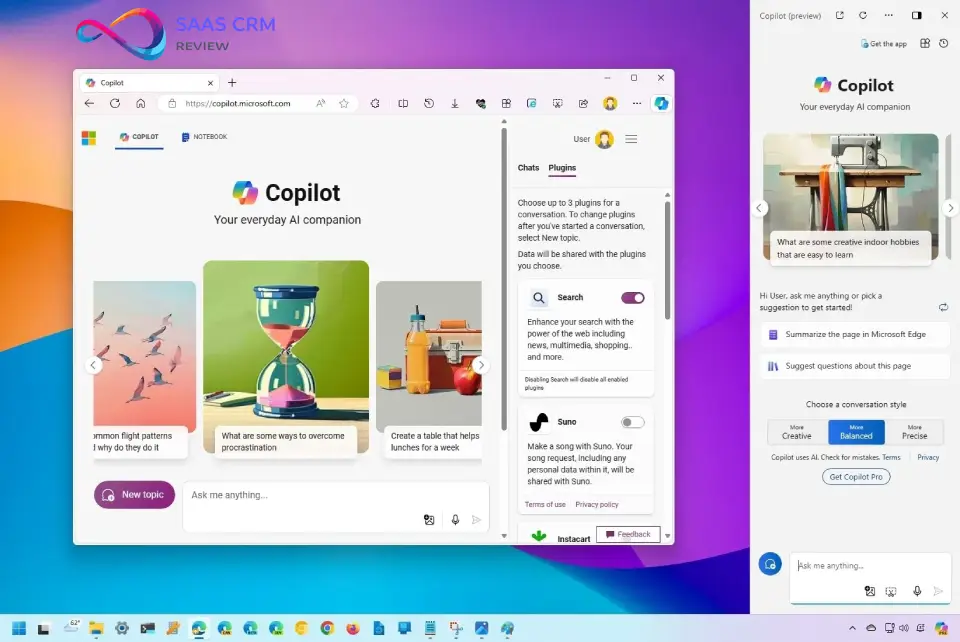
- Unmatched integration with Word, Excel, PowerPoint, Outlook, and Teams — acts as a true AI assistant, not just a chatbot.
- DALL·E-powered image generation included even on the free tier.
- Bing Search grounding provides real-time web answers with inline citations.
Cons:
- Outside the Microsoft ecosystem, the standalone chat experience is less polished than ChatGPT or Claude.
- Copilot performance varies significantly between the free tier (smaller model) and the paid M365 Copilot tier.
- Branding and product tiers are confusing: Copilot, Copilot Pro, Microsoft 365 Copilot, and Copilot Studio overlap.
Standout Features: Microsoft 365 integration (Word, Excel, PowerPoint, Outlook, Teams), Bing Search grounding, DALL·E image generation, enterprise admin controls, Copilot Studio for custom agents.
Privacy Notes: Microsoft 365 Copilot (business tier) promises your data stays within your Microsoft 365 compliance boundary and is not used for training. Consumer free/Pro tiers follow Microsoft’s standard consumer privacy policy. Enterprise controls include SSO, DLP, and retention policies.
Who should choose it: Knowledge workers and enterprises already on Microsoft 365 who want the top AI copilot for Microsoft 365 users.
Who should avoid it: Users without Microsoft 365 subscriptions — the standalone Copilot chat experience alone does not justify the price.
| Rubric Category | Score |
|---|---|
| Answer quality & accuracy | 8.5 |
| Feature breadth | 9.0 |
| Ease of use / UX | 7.5 |
| Privacy & data controls | 9.0 |
| Integrations & ecosystem | 9.5 |
| Pricing & value | 7.5 |
| Safety & responsible AI | 8.5 |
| Weighted total | 8.5 |
If you want the leading AI assistant for Microsoft users and your team already pays for Microsoft 365, Copilot is the natural — and most productive — choice.
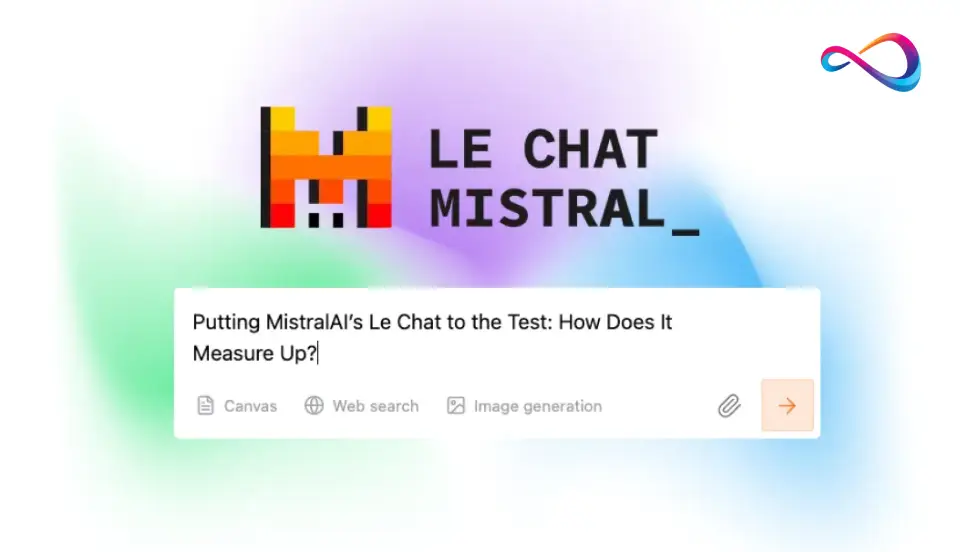
5. Mistral Le Chat
Verdict: Europe’s strongest open-weight contender, now offering a polished chat interface that competes with US-headquartered rivals.
Best for: Users who want a capable chatbot from an EU-based company with open-weight model options.
Pricing: Free plan available | Pro plan ~$15/mo (Le Chat Pro) | API usage-based.
Pros:
- Mistral Large and Mistral Medium deliver competitive answer quality, especially on multilingual and European regulatory topics.
- EU-hosted infrastructure appeals to GDPR-conscious users and businesses.
- Open-weight model availability means organizations can self-host for full data sovereignty.
Cons:
- Feature set lags behind ChatGPT and Gemini: no voice mode, no native image generation, no persistent memory.
- Smaller community and fewer third-party integrations compared to US-based competitors.
- The free-tier experience has stricter rate limits, making it hard to evaluate extensively without paying.
Standout Features: Open-weight models (Mistral, Mixtral families), EU data hosting, function calling / tool use via API, web search, document upload.
Privacy Notes: Mistral is headquartered in Paris. Le Chat Free data may be used for model improvement, but the company highlights GDPR compliance and EU hosting. Enterprise contracts offer data processing agreements.
Who should choose it: Privacy-focused European users, developers who want open-weight LLM access, and multilingual teams.
Who should avoid it: Users who need image generation, voice, memory, or a mature integrations ecosystem.
| Rubric Category | Score |
|---|---|
| Answer quality & accuracy | 8.5 |
| Feature breadth | 6.5 |
| Ease of use / UX | 7.5 |
| Privacy & data controls | 9.0 |
| Integrations & ecosystem | 6.0 |
| Pricing & value | 8.0 |
| Safety & responsible AI | 8.0 |
| Weighted total | 7.8 |
If you want a capable, EU-hosted chatbot with open-weight model flexibility and strong GDPR posture, Mistral Le Chat is the best pick in its class.
6. Poe (Quora)
Verdict: A multi-model marketplace that gives you access to ChatGPT, Claude, Gemini, Llama, and more — all under one roof.
Best for: Power users who want to compare responses across multiple LLMs without separate subscriptions.
Pricing: Free plan (limited daily credits) | Poe Premium ~$17/mo (unlimited access to most models).
Pros:
- One subscription unlocks GPT-4o, Claude 3.5, Gemini Pro, Llama 3, and dozens of community-created bots.
- Side-by-side model comparison is a unique feature that no single-vendor chatbot offers.
- Community bot marketplace lets you access specialized agents for niche tasks.
Cons:
- You are using models through Quora’s proxy, not directly — so features (memory, file upload, images) are limited compared to native apps.
- The UX is functional but not polished; it feels more like a developer tool than a consumer product.
- Privacy flows through Quora’s data practices, adding an intermediary between you and the model provider.
Standout Features: Multi-model access (GPT-4o, Claude, Gemini, Llama, Mistral, etc.), bot marketplace, side-by-side comparison, custom bot creation.
Privacy Notes: Quora’s privacy policy governs your data. Conversations are routed through Poe’s infrastructure before reaching model providers. No standalone SOC 2 or enterprise-grade admin controls.
Who should choose it: Developers, AI enthusiasts, and power users who want to test multiple conversational AI models without managing separate accounts.
Who should avoid it: Users who want native features (voice, memory, image gen) or need enterprise-grade security.
| Rubric Category | Score |
|---|---|
| Answer quality & accuracy | 8.0 |
| Feature breadth | 7.5 |
| Ease of use / UX | 7.0 |
| Privacy & data controls | 6.5 |
| Integrations & ecosystem | 7.0 |
| Pricing & value | 8.5 |
| Safety & responsible AI | 7.0 |
| Weighted total | 7.5 |
If you want to compare ChatGPT vs Claude vs Gemini and a dozen other models in a single interface, Poe is the most cost-effective way to do it.
Research & Answer‑Engine Chatbots
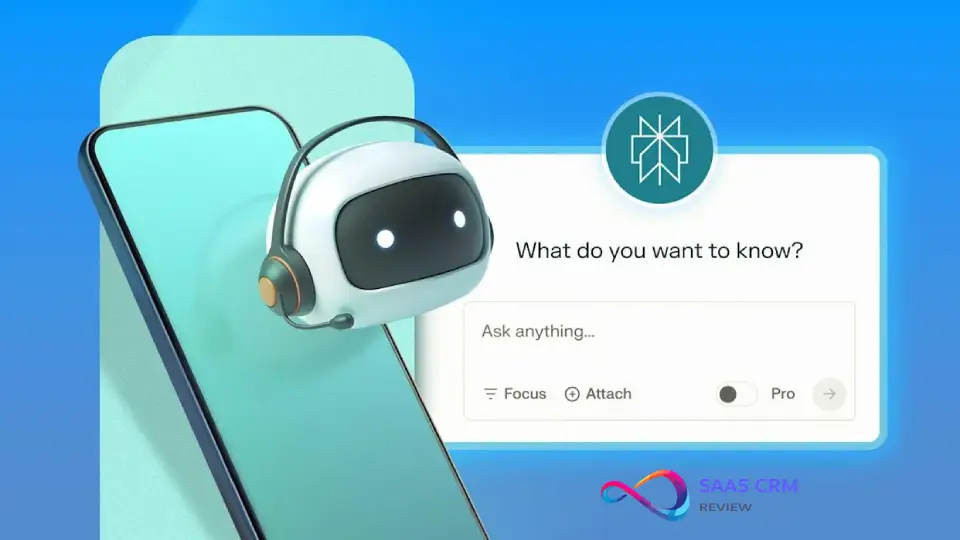
7. Perplexity
Verdict: The best AI chatbot for research with sources — built from the ground up as an answer engine, not a generic chat interface.
Best for: Researchers, journalists, students, and anyone who needs cited, verifiable answers rather than generated opinions.
Pricing: Free plan (basic searches) | Perplexity Pro $20/mo (600+ Pro searches/day, advanced models, file uploads) (Perplexity Pro plan details).
Pros:
- Every answer includes inline citations with clickable source links, making it easy to verify claims — a direct antidote to hallucinations.
- “Spaces” let you create persistent research projects with curated sources and shared context, ideal for teams.
- Pro tier gives access to multiple frontier models (GPT-4o, Claude, Gemini) for follow-up deep dives.
Cons:
- Not designed for creative writing, coding, or image generation — its strength is information retrieval, not content creation.
- Free tier limits the number of Pro-level searches, pushing heavy researchers toward the paid plan quickly.
- No voice mode, no persistent memory outside Spaces, and limited integrations beyond its own API.
Standout Features: Inline citations on every answer, real-time web search, Spaces (collaborative research projects), multi-model follow-ups on Pro, file upload and document analysis, API access.
Privacy Notes: Perplexity logs searches to improve its product. Users can delete search history. Pro users can opt out of data use for model improvement. No SOC 2 or enterprise compliance certifications publicly listed for the consumer product.
Who should choose it: Students writing term papers, analysts who need the top AI tool for research with sources, journalists fact-checking claims, and anyone who values grounded answers over generative creativity.
Who should avoid it: Users who primarily need writing, coding, or image-generation capabilities.
| Rubric Category | Score |
|---|---|
| Answer quality & accuracy | 9.5 |
| Feature breadth | 7.5 |
| Ease of use / UX | 9.0 |
| Privacy & data controls | 8.0 |
| Integrations & ecosystem | 7.5 |
| Pricing & value | 9.0 |
| Safety & responsible AI | 9.0 |
| Weighted total | 8.9 |
If you want the top-rated AI answer engine for summarizing PDFs, academic research, or any task where citations matter, Perplexity is the clear winner.
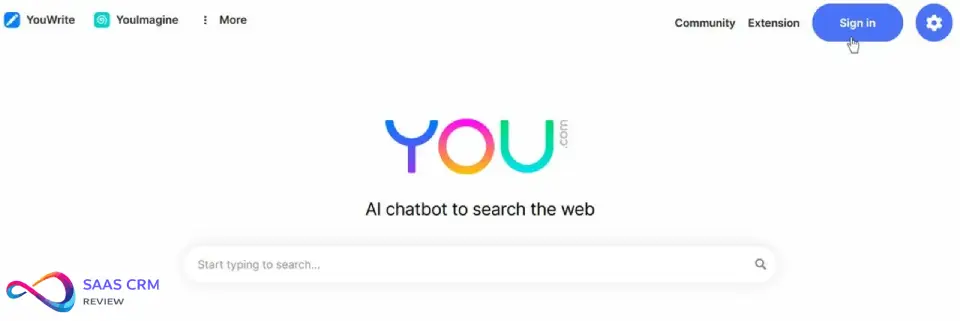
8. YouChat (You.com)
Verdict: A web-search-first chatbot that blends traditional search results with AI-generated summaries — useful for quick factual lookups.
Best for: Users who want a search-engine-meets-chatbot hybrid with a privacy-conscious option.
Pricing: Free plan available | You.com Pro ~$15/mo (advanced AI modes, unlimited searches, image generation).
Pros:
- Combines traditional web search results alongside AI-generated answers, letting you cross-check sources easily.
- “Privacy mode” allows searching without personalization or persistent tracking.
- Pro tier offers image generation and access to multiple AI models, adding versatility.
Cons:
- AI answer quality on complex prompts lags behind ChatGPT, Claude, and Perplexity — it is better for quick lookups than deep analysis.
- No file upload on the free tier, limiting document-analysis use cases.
- Smaller user base means fewer community resources, tutorials, and integrations compared to major players.
Standout Features: Search + AI hybrid interface, privacy mode, multi-model access on Pro, image generation (Pro), You.com apps ecosystem.
Privacy Notes: You.com offers a privacy mode that limits data collection and personalization. Standard mode collects search and interaction data. The company publishes a clear privacy policy. No enterprise-grade compliance certifications publicly listed.
Who should choose it: Casual researchers who prefer a search-engine-style interface with AI summaries layered on top.
Who should avoid it: Power users who need deep analysis, long-context processing, or enterprise security features.
| Rubric Category | Score |
|---|---|
| Answer quality & accuracy | 7.5 |
| Feature breadth | 7.0 |
| Ease of use / UX | 7.5 |
| Privacy & data controls | 8.0 |
| Integrations & ecosystem | 6.5 |
| Pricing & value | 7.5 |
| Safety & responsible AI | 7.0 |
| Weighted total | 7.4 |
If you want a lightweight, search-integrated AI chatbot with a privacy toggle and don’t need heavy document analysis, YouChat is a solid mid-tier option.
Social + Trend Chatbots
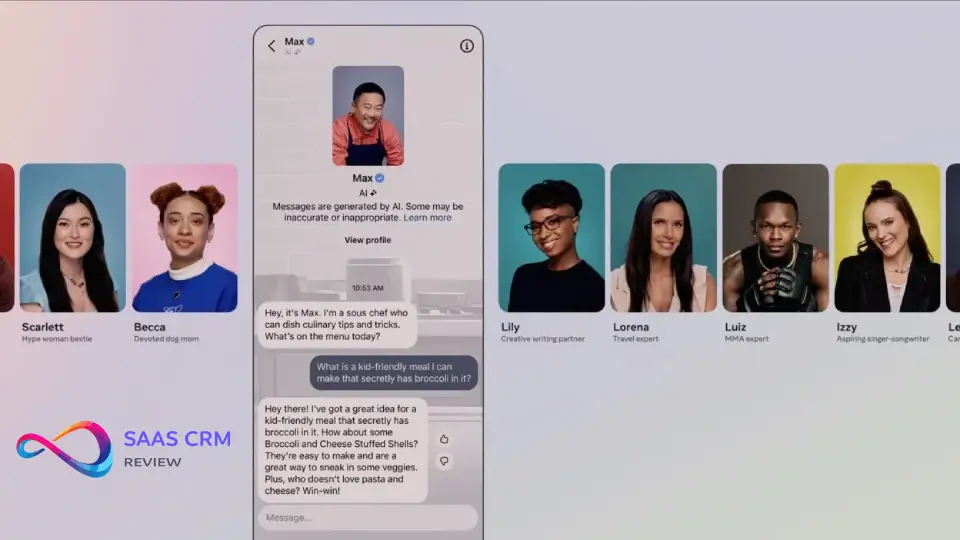
9. Meta AI
Verdict: The most accessible AI chatbot for casual users — it lives where billions already spend time: WhatsApp, Instagram, and Facebook.
Best for: Casual users who want AI help inside their existing social and messaging apps without downloading anything new.
Pricing: Completely free. No paid tier for individual users.
Pros:
- Zero friction: available directly in WhatsApp, Instagram DMs, Facebook Messenger, and a standalone web interface — no new app needed.
- Image generation (Meta Imagine) is built in and free, making it the easiest way to create images in a chat.
- Powered by Meta’s Llama models, which are competitive for casual Q&A, brainstorming, and quick tasks.
Cons:
- No file upload, no document analysis, and no code interpreter — severely limited for professional productivity tasks.
- Privacy concerns: Meta’s broad data practices and ad-targeting ecosystem make this a poor choice for sensitive conversations.
- Answer depth and accuracy on complex or technical prompts trail behind ChatGPT, Claude, and Gemini significantly.
Standout Features: Embedded in WhatsApp, Instagram, Facebook, Messenger; free image generation (Imagine); voice mode; persistent memory within conversations; multi-language support.
Privacy Notes: Meta AI conversations are subject to Meta’s privacy policy, which governs data use across its ad-supported platforms. Conversations may be used to improve Meta’s AI models. There are no opt-out toggles for training data use in the consumer product. Not recommended for sensitive business or personal data.
Who should choose it: Casual users, social media-native audiences, and anyone who wants the top-rated AI chat app for iPhone or Android without installing another app.
Who should avoid it: Business users, privacy-conscious individuals, and anyone needing file upload, coding help, or advanced analysis.
| Rubric Category | Score |
|---|---|
| Answer quality & accuracy | 7.0 |
| Feature breadth | 6.5 |
| Ease of use / UX | 9.0 |
| Privacy & data controls | 5.5 |
| Integrations & ecosystem | 7.5 |
| Pricing & value | 9.5 |
| Safety & responsible AI | 7.0 |
| Weighted total | 7.3 |
If you want a free, no-install AI chatbot for quick questions and image creation inside your social apps, Meta AI is the easiest on-ramp available.
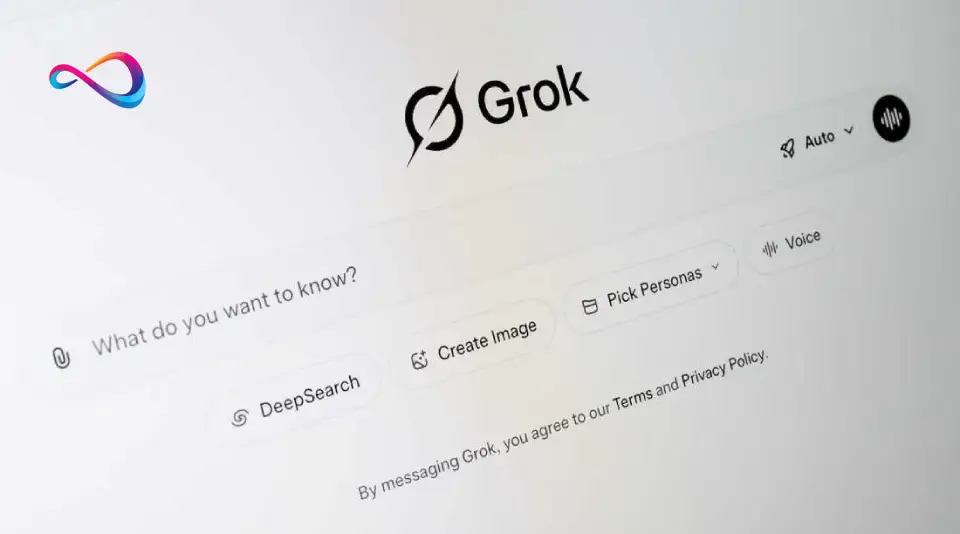
10. Grok (xAI)
Verdict: The real-time trend tracker with a distinctive unfiltered personality — best for users who want live pulse-of-the-internet context.
Best for: X (Twitter) power users, news junkies, and anyone who values real-time social data in AI responses.
Pricing: Free (limited) via X | X Premium $8/mo | X Premium+ $16/mo (full Grok access including Aurora image gen).
Pros:
- Real-time access to X/Twitter’s firehose of posts gives Grok unmatched awareness of trending topics, breaking news, and public sentiment.
- Aurora image generation is surprisingly capable and included with Premium+, providing a unique creative tool in the X ecosystem.
- Grok’s “fun mode” offers a less corporate, more irreverent personality that some users prefer over safety-heavy competitors.
Cons:
- Heavily tied to the X platform — outside of X, its utility drops significantly compared to ChatGPT or Gemini.
- “Unfiltered” mode has generated controversial outputs; the safety guardrails are weaker than those of Anthropic or OpenAI.
- No file upload on the consumer tier, limited integrations, and no persistent memory across sessions.
Standout Features: Real-time X/Twitter data access, Aurora image generation, “fun mode” personality, web browsing, trending-topic analysis.
Privacy Notes: xAI’s privacy policy governs Grok. Conversations and X data may be used for model training. X posts you interact with through Grok may be processed by xAI. Enterprise data controls are minimal compared to OpenAI or Microsoft.
Who should choose it: Social media analysts, journalists covering real-time events, and X power users who want AI baked into their timeline.
Who should avoid it: Business users needing enterprise controls, privacy-focused users, or anyone who doesn’t use X regularly.
| Rubric Category | Score |
|---|---|
| Answer quality & accuracy | 7.5 |
| Feature breadth | 7.0 |
| Ease of use / UX | 7.5 |
| Privacy & data controls | 6.0 |
| Integrations & ecosystem | 7.0 |
| Pricing & value | 8.5 |
| Safety & responsible AI | 6.5 |
| Weighted total | 7.6 |
If you want the leading AI tool for real-time trend analysis and don’t mind the X ecosystem, Grok delivers social-context awareness that no other chatbot matches.
Privacy‑First & Open Ecosystem Options
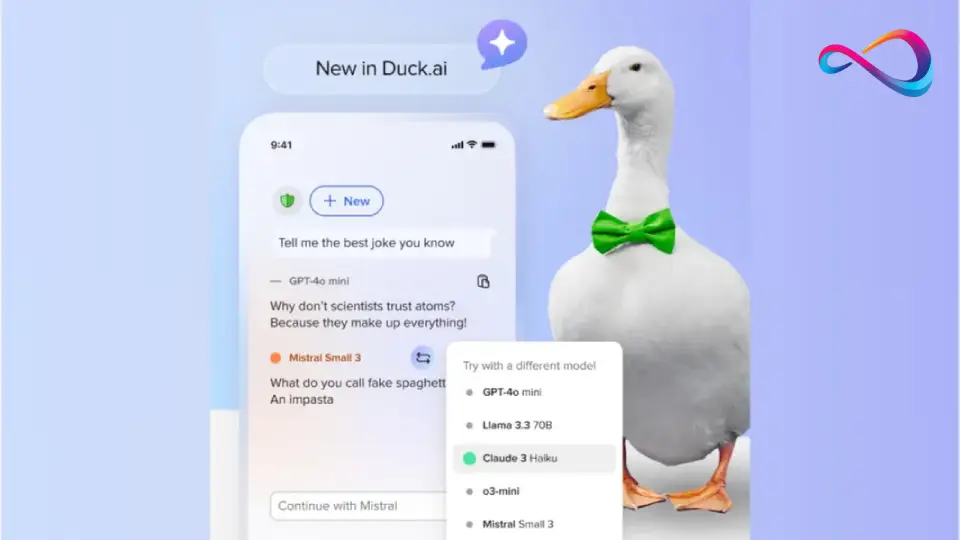
11. Duck.ai (DuckDuckGo)
Verdict: The most anonymous way to use an AI chatbot — no account, no stored history, no tracking.
Best for: Privacy-maximalists who want a quick, anonymous AI chat without creating any account.
Pricing: Completely free. No paid tier.
Pros:
- Zero-login, zero-tracking architecture: DuckDuckGo proxies your queries to backend models (GPT-4o mini, Claude 3 Haiku, Llama, Mixtral) without identifying you.
- No conversation history is stored — period. Once you close the window, the chat is gone.
- The simplicity is a feature: no clutter, no upsells, no feature bloat.
Cons:
- Extremely limited feature set: no web browsing, no file upload, no image generation, no voice, no memory, no integrations.
- You cannot choose which backend model processes your query in the default mode (though model switching is available).
- Response quality depends on the underlying model, which rotates — you get inconsistent output quality across sessions.
Standout Features: Anonymous proxy-based access to multiple LLMs, no account required, no stored history, DuckDuckGo’s privacy-first branding, model selection (GPT-4o mini, Claude Haiku, Llama, Mixtral).
Privacy Notes: DuckDuckGo acts as a privacy proxy (DuckDuckGo AI Chat FAQ). Your IP is not shared with model providers. No conversations are stored. No account is created. This is the most private AI chat tool available for users who prioritize anonymity above all else.
Who should choose it: Anyone who wants the top AI chat tool without login and maximum anonymity for occasional quick questions.
Who should avoid it: Anyone who needs web search, file analysis, image generation, memory, or any advanced feature — Duck.ai is intentionally minimal.
| Rubric Category | Score |
|---|---|
| Answer quality & accuracy | 7.0 |
| Feature breadth | 3.0 |
| Ease of use / UX | 8.5 |
| Privacy & data controls | 10 |
| Integrations & ecosystem | 1.0 |
| Pricing & value | 9.0 |
| Safety & responsible AI | 8.0 |
| Weighted total | 7.0 |
If you want the most private AI chat tool with zero data collection and no login, Duck.ai is the only option that fully delivers on that promise.
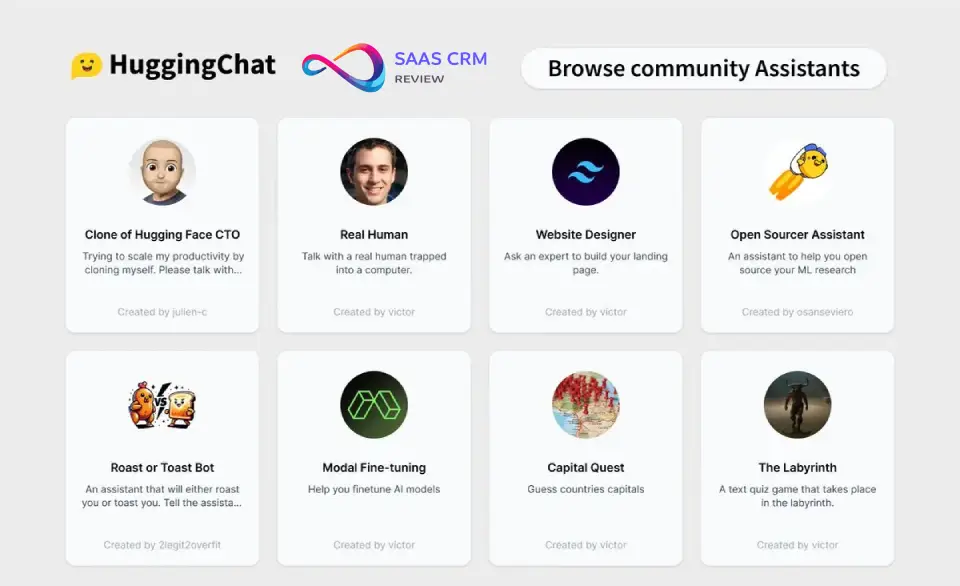
12. HuggingChat (Hugging Face)
Verdict: The open-source community’s chatbot — best for developers and tinkerers who want transparency and model choice.
Best for: Developers, open-source advocates, and users who want to run or inspect the models behind their chatbot.
Pricing: Completely free. (Hugging Face Pro $9/mo adds compute for API use, but HuggingChat itself is free.)
Pros:
- Powered by leading open-source models (Llama 3, Mixtral, Command R+, etc.) — you can inspect model weights, architectures, and training details.
- Web search integration and basic file upload are included, giving it more functionality than many privacy-first alternatives.
- Fully self-hostable: organizations can deploy HuggingChat on their own infrastructure for complete data control.
Cons:
- UX is functional but rough around the edges — it clearly prioritizes the developer audience over mainstream users.
- No image generation, no voice mode, no persistent memory, and limited integrations beyond the Hugging Face Hub.
- Model quality varies: open-source models, while improving fast, still trail GPT-4o and Claude 3.5 on complex reasoning tasks. However, newer open-weight models like Moonshot AI’s Kimi K2.5 are rapidly closing that gap, scoring 76.8% on SWE-Bench Verified with built-in agent orchestration.
Standout Features: Open-source model access (Llama, Mixtral, Command R+, etc.), web search, file upload, self-hosting option, Hugging Face Hub integration, model transparency.
Privacy Notes: HuggingChat is open-source and self-hostable, giving maximum transparency. On the hosted version, Hugging Face’s privacy policy applies. Conversations may be used for research if you opt in. Self-hosted deployments keep all data on your infrastructure.
Who should choose it: Developers, researchers, and organizations that want the top open-source AI chatbot for developers with transparency and self-hosting options.
Who should avoid it: Non-technical users who want a polished, consumer-grade experience with voice, images, and integrations.
| Rubric Category | Score |
|---|---|
| Answer quality & accuracy | 7.5 |
| Feature breadth | 6.0 |
| Ease of use / UX | 6.5 |
| Privacy & data controls | 9.0 |
| Integrations & ecosystem | 6.5 |
| Pricing & value | 9.0 |
| Safety & responsible AI | 7.0 |
| Weighted total | 7.2 |
If you want an open-source, transparent AI chatbot that you can self-host for full data control, HuggingChat is the best option in its niche.
Automation & Agentic Workflows
13. Zapier Agents
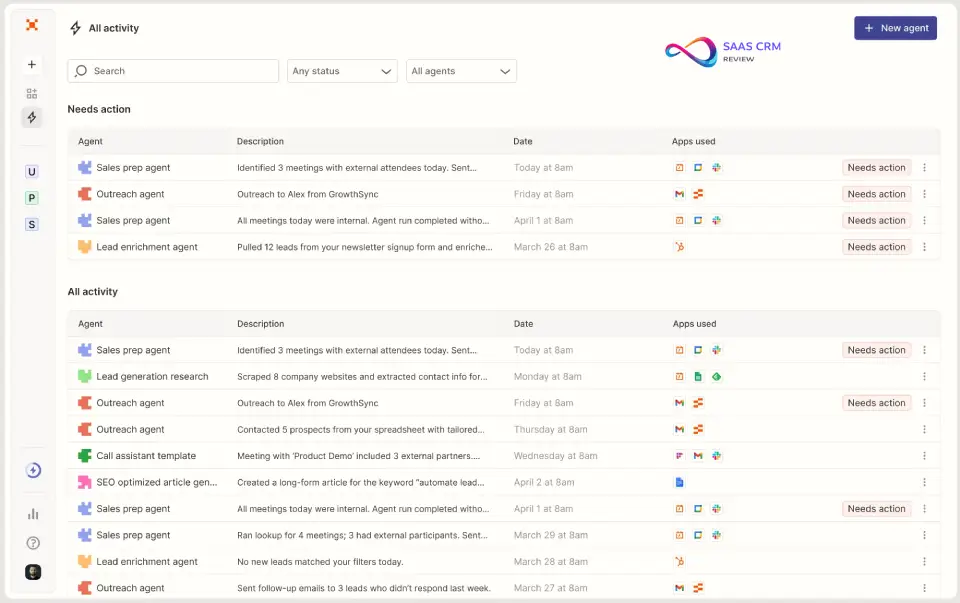
Verdict: The most connected AI agent platform — ideal for automating multi-step business workflows across 7,000+ apps without writing code.
Best for: SMB owners, operations teams, and non-technical users who want AI-powered workflow automation that connects their entire tool stack.
Pricing: 14-day free trial | Starter ~$50/mo | Professional ~$100/mo | Enterprise custom.
Pros:
- Connects to 7,000+ apps (CRMs, email, Slack, Google Sheets, databases, etc.), making it the most integration-rich AI agent platform available.
- Natural-language agent builder lets non-technical users create sophisticated multi-step automations — true no-code agentic AI.
- Built on Zapier’s mature, battle-tested automation infrastructure with logging, error handling, and version control.
Cons:
- Not a conversational chatbot in the traditional sense — it is an agent platform, not a chat-with-me-about-anything tool.
- Pricing is steep for solopreneurs: the $50/mo entry point is higher than any general-purpose chatbot on this list.
- Agent behavior can be unpredictable on complex, multi-branch workflows — prompt engineering and testing are required.
Standout Features: 7,000+ app connectors, natural-language agent builder, multi-step workflow execution, tool use / function calling, activity logs, team collaboration, enterprise admin controls.
Privacy Notes: Zapier processes your workflow data through its infrastructure. Enterprise plans include SOC 2 compliance, SSO, data retention controls, and audit logs. Data handling follows Zapier’s privacy policy and any data processing agreements you negotiate.
Who should choose it: SMB owners and ops teams who want the leading AI agent for automation workflows and already use Zapier for their integrations.
Who should avoid it: Individual users looking for a general-purpose chat experience — Zapier Agents is a workflow tool, not a conversational companion.
| Rubric Category | Score |
|---|---|
| Answer quality & accuracy | 7.5 |
| Feature breadth | 8.0 |
| Ease of use / UX | 8.0 |
| Privacy & data controls | 8.5 |
| Integrations & ecosystem | 10 |
| Pricing & value | 7.0 |
| Safety & responsible AI | 8.0 |
| Weighted total | 8.2 |
If you want the highest-rated AI agent platform for automation workflows that connects your entire business tool stack, Zapier Agents is the platform to choose.
14. Zapier Chatbots
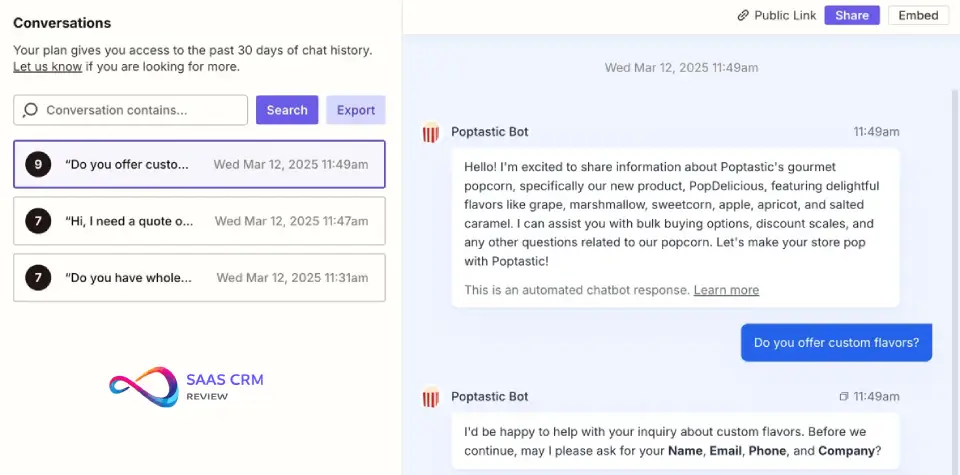
Verdict: A no-code chatbot builder for embedding AI-powered bots on your website — great for lead gen, FAQs, and basic support deflection.
Best for: Small businesses and marketers who want to deploy a custom AI chatbot on their website without technical setup.
Pricing: Free trial | Starter ~$25/mo | Professional ~$50/mo.
Pros:
- Drag-and-drop builder makes it easy to create and embed a chatbot on any website within minutes — no coding required.
- Connects to the Zapier ecosystem, so captured leads and conversations can flow directly into your CRM, email tool, or spreadsheet.
- Supports knowledge-base uploads so the bot answers from your own content, reducing irrelevant or hallucinated responses.
Cons:
- Not a general-purpose AI chatbot — it is a builder for creating simple, task-specific bots (lead capture, FAQ, routing).
- AI sophistication is limited compared to Intercom Fin or Ada; complex multi-turn support conversations are not its strength.
- Customization options for look, feel, and conversational flow are more basic than dedicated chatbot-builder platforms like Botpress or Dialogflow.
Standout Features: No-code chatbot builder, website embed widget, Zapier integration ecosystem, knowledge-base upload, lead-capture flows, conversation logs.
Privacy Notes: Data captured by your chatbot is stored within Zapier’s infrastructure and governed by Zapier’s privacy policy. You control what data the bot collects. Enterprise-grade controls (SSO, retention) are available on higher tiers.
Who should choose it: Small business owners and marketers who want the top AI chatbot for sales leads or basic FAQ deflection on their website, with easy CRM integration.
Who should avoid it: Teams needing advanced customer-support features (ticket routing, agent handoff, CSAT tracking) — use Intercom Fin or Tidio Lyro instead.
| Rubric Category | Score |
|---|---|
| Answer quality & accuracy | 7.0 |
| Feature breadth | 7.0 |
| Ease of use / UX | 8.5 |
| Privacy & data controls | 7.5 |
| Integrations & ecosystem | 8.5 |
| Pricing & value | 7.5 |
| Safety & responsible AI | 7.0 |
| Weighted total | 7.6 |
If you want a simple, embeddable AI chatbot for lead generation and FAQ answering on your website, Zapier Chatbots is the easiest no-code path.
Customer Support / Website Chatbots
15. Intercom Fin
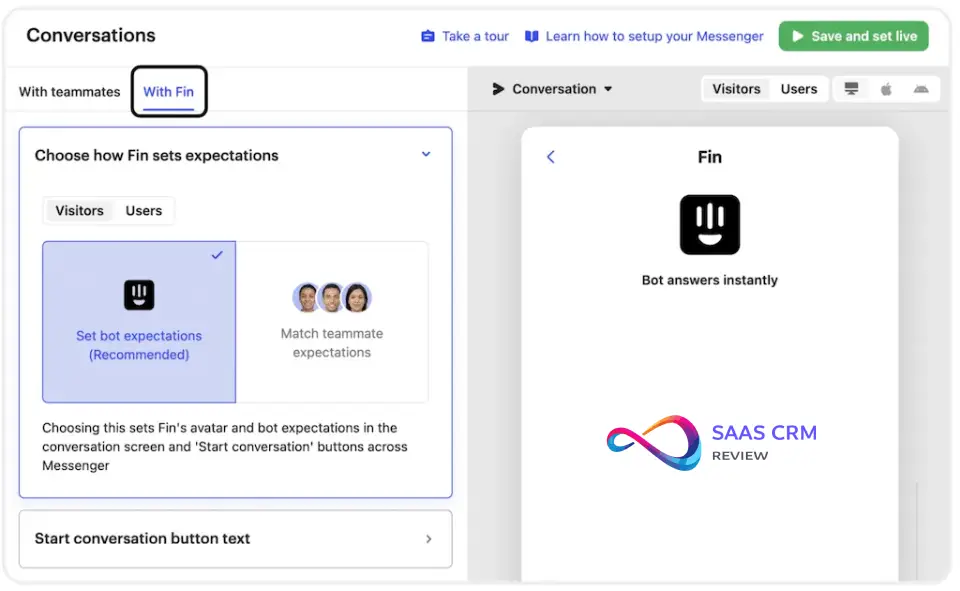
Verdict: The highest-performing AI customer support chatbot available — purpose-built to resolve real support tickets, not just deflect them.
Best for: SaaS companies, e-commerce brands, and mid-market teams that want AI to genuinely resolve customer issues end-to-end.
Pricing: No free plan | ~$0.99 per AI resolution (usage-based) | Requires an Intercom subscription (starting ~$74/mo).
Pros:
- Industry-leading resolution rates: Fin resolves a significant share of inbound support conversations without human handoff, directly reducing headcount costs.
- Grounded in your knowledge base via retrieval-augmented generation (RAG), so answers stay on-brand and factually anchored to your docs.
- Seamless human-agent handoff when the AI cannot resolve an issue — the transition is smooth and context is preserved for the live agent.
Cons:
- Expensive total cost of ownership: you pay both an Intercom platform subscription and per-resolution fees, which can add up quickly at volume.
- Locked into the Intercom ecosystem — if you do not already use Intercom for support, adopting Fin means migrating your entire help desk. See our Zendesk vs Intercom comparison to weigh your options.
- Limited customization of Fin’s conversational personality compared to chatbot-builder platforms like Botpress or Dialogflow.
Standout Features: RAG-grounded answers from your help center, high autonomous resolution rate, seamless human-agent handoff, conversation analytics, multilingual support, web widget and SDK deployment.
Privacy Notes: Intercom is SOC 2 Type II certified (Intercom Fin details). HIPAA-eligible plans are available for healthcare customers. Data processing agreements are available for GDPR compliance. Customer conversation data is stored within Intercom’s infrastructure with configurable retention policies.
Who should choose it: SaaS and e-commerce teams already on Intercom who want the top AI chatbot for customer support automation with measurable ticket-deflection ROI.
Who should avoid it: Early-stage startups or solopreneurs — the combined Intercom + Fin costs are too high for low-volume support queues.
| Rubric Category | Score |
|---|---|
| Answer quality & accuracy | 9.0 |
| Feature breadth | 8.0 |
| Ease of use / UX | 8.5 |
| Privacy & data controls | 9.0 |
| Integrations & ecosystem | 8.5 |
| Pricing & value | 7.0 |
| Safety & responsible AI | 8.5 |
| Weighted total | 8.6 |
If you want the leading AI-powered solution for support ticket deflection with proven resolution rates and enterprise-grade security, Intercom Fin is the market leader.
16. Tidio Lyro
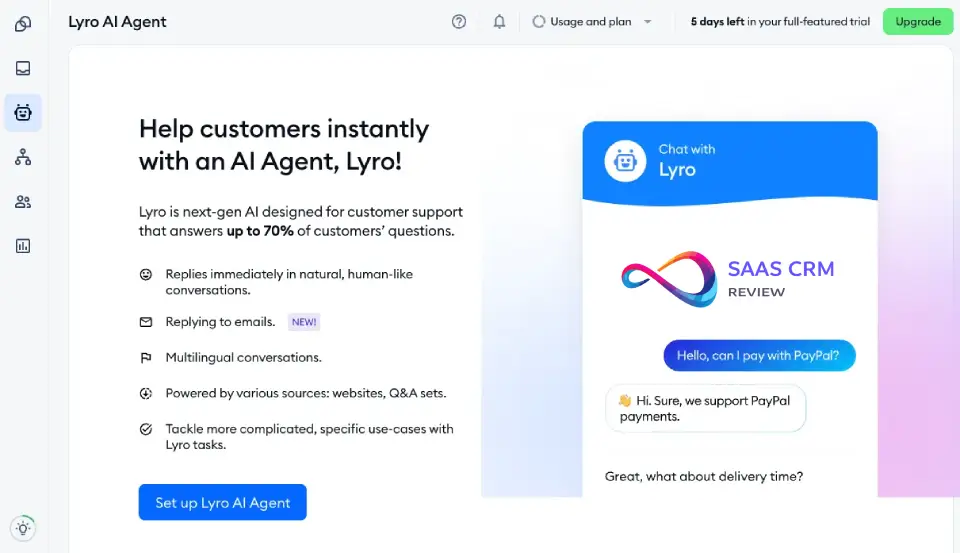
Verdict: The best AI customer support chatbot for small businesses and Shopify stores — affordable, fast to deploy, and effective on common queries.
Best for: SMBs, Shopify merchants, and small support teams that need an affordable AI chatbot for customer service without enterprise complexity.
Pricing: Free plan (50 Lyro conversations) | Lyro AI plan starting ~$39/mo | Tidio+ from ~$749/mo for larger teams.
Pros:
- Tailor-made for small businesses: one-click Shopify integration, simple setup wizard, and a no-code knowledge-base builder get you live in under an hour.
- Free tier includes 50 Lyro AI conversations per month — enough for micro-businesses to evaluate before committing to a paid plan.
- Clean, intuitive interface that does not overwhelm non-technical users with enterprise jargon.
Cons:
- AI sophistication is noticeably below Intercom Fin and Ada — Lyro handles FAQs well but struggles with complex multi-turn support scenarios.
- Limited integrations outside the Shopify and email ecosystem; no native CRM connectors on lower tiers.
- The jump from the $39/mo tier to Tidio+ ($749/mo) is steep, leaving mid-size teams in an awkward pricing gap.
Standout Features: Shopify integration, no-code knowledge-base builder, 50 free Lyro conversations, live chat + AI hybrid, visitor tracking, email integration, multilingual support.
Privacy Notes: Tidio is GDPR-ready and provides data processing agreements for EU customers. Data is stored on Tidio’s infrastructure. No SOC 2 or HIPAA certifications publicly listed. Suitable for SMBs; enterprise-grade compliance seekers should look at Intercom or Ada.
Who should choose it: Shopify store owners and small support teams who want the top AI chatbot for ecommerce support at an accessible price point.
Who should avoid it: Mid-to-large enterprises needing deep CRM integration, custom workflows, or SOC 2-certified infrastructure.
| Rubric Category | Score |
|---|---|
| Answer quality & accuracy | 7.5 |
| Feature breadth | 7.0 |
| Ease of use / UX | 9.0 |
| Privacy & data controls | 7.5 |
| Integrations & ecosystem | 7.0 |
| Pricing & value | 8.5 |
| Safety & responsible AI | 7.5 |
| Weighted total | 7.8 |
If you want the most affordable AI chatbot for small business customer support — especially on Shopify — Tidio Lyro delivers the fastest time-to-value at the lowest entry cost.
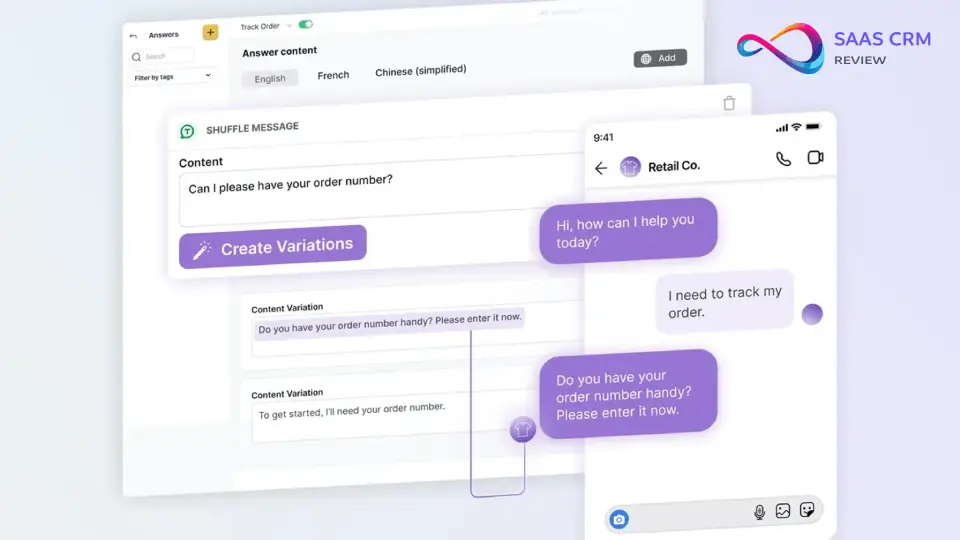
17. Ada
Verdict: An enterprise-grade AI customer experience platform built for large-scale, multi-channel support automation.
Best for: Enterprise CX teams that need high-volume, multi-channel AI support with SOC 2, HIPAA, and advanced analytics.
Pricing: No free plan | Custom enterprise pricing (contact sales). Note: insights below are based on product documentation + publicly available demos, as Ada does not offer a self-serve trial.
Pros:
- Purpose-built for enterprise scale: handles millions of conversations across web, mobile, SMS, and social channels with consistent quality.
- Strong compliance posture: SOC 2 Type II, HIPAA eligibility, and configurable data residency options meet the needs of regulated industries.
- Advanced analytics dashboard tracks resolution rates, CSAT scores, containment metrics, and cost-per-resolution — essential for enterprise ROI reporting.
Cons:
- No self-serve tier: you must go through a sales process, making it inaccessible for small businesses or quick evaluations.
- Implementation requires meaningful upfront effort — training the AI on your knowledge base and configuring workflows takes weeks, not hours.
- Cost is opaque and reportedly high; total cost of ownership can exceed Intercom Fin for smaller deployments.
Standout Features: Multi-channel deployment (web, mobile, SMS, social), enterprise analytics, SOC 2 + HIPAA compliance, CRM and ticketing integrations (Salesforce, Zendesk), custom workflow builder, multilingual support.
Privacy Notes: Ada is SOC 2 Type II certified and HIPAA-eligible (Ada trust & security). Data processing agreements and configurable data residency are available. Enterprise admin controls include SSO, role-based access, and audit logging. This is one of the most compliance-ready AI chatbot platforms on the market.
Who should choose it: Enterprise CX leaders who need the top AI chatbot for enterprise customer support with compliance certifications and multi-channel coverage.
Who should avoid it: SMBs, startups, or anyone who needs a quick-to-deploy, budget-friendly solution — Ada is designed for large-scale operations.
| Rubric Category | Score |
|---|---|
| Answer quality & accuracy | 8.5 |
| Feature breadth | 8.0 |
| Ease of use / UX | 7.0 |
| Privacy & data controls | 9.5 |
| Integrations & ecosystem | 8.5 |
| Pricing & value | 6.0 |
| Safety & responsible AI | 8.5 |
| Weighted total | 8.0 |
If you want the leading enterprise AI chatbot for customer support with SOC 2, HIPAA, and deep analytics, Ada is the platform to evaluate.
Companion / Roleplay / Personal Coaching
18. Pi (Inflection AI)
Verdict: The warmest, most emotionally intelligent AI chatbot — designed for personal coaching, reflection, and supportive conversation.
Best for: Users who want an empathetic AI companion for brainstorming ideas, personal reflection, learning, or low-key daily conversations.
Pricing: Completely free. No paid tier for individual users.
Pros:
- Conversational warmth is unmatched: Pi feels more like talking to a thoughtful friend than querying a search engine — ideal for personal coaching and brainstorming.
- Voice mode is natural and expressive, making it one of the best voice-first AI chatbot experiences available.
- Persistent memory across sessions lets Pi remember your preferences, ongoing projects, and personal context over time.
Cons:
- Not designed for productivity tasks: no web browsing, no file upload, no code interpreter, no image generation — it is a companion, not a work tool.
- Factual accuracy on knowledge-heavy prompts is inconsistent — Pi prioritizes empathy and conversational flow over precision.
- Limited transparency on how Inflection AI uses conversation data for model training; the privacy policy is broad.
Standout Features: Emotionally intelligent conversation, natural voice mode, persistent memory and personalization, supportive coaching-style interactions, mobile apps (iOS, Android).
Privacy Notes: Pi is developed by Inflection AI. Conversations may be used for model improvement. The privacy policy is relatively broad, and opt-out mechanisms for data use are not prominently featured. Not recommended for sharing sensitive personal or business information.
Who should choose it: Anyone seeking the top AI companion for personal coaching, daily reflections, or a supportive conversational companion.
Who should avoid it: Users who need factual accuracy, web access, document analysis, or any professional productivity feature.
| Rubric Category | Score |
|---|---|
| Answer quality & accuracy | 6.5 |
| Feature breadth | 5.0 |
| Ease of use / UX | 9.0 |
| Privacy & data controls | 6.5 |
| Integrations & ecosystem | 2.0 |
| Pricing & value | 9.0 |
| Safety & responsible AI | 8.0 |
| Weighted total | 7.1 |
If you want a warm, voice-friendly AI chatbot for personal coaching, daily reflection, or supportive conversation, Pi is the most emotionally attuned option available.
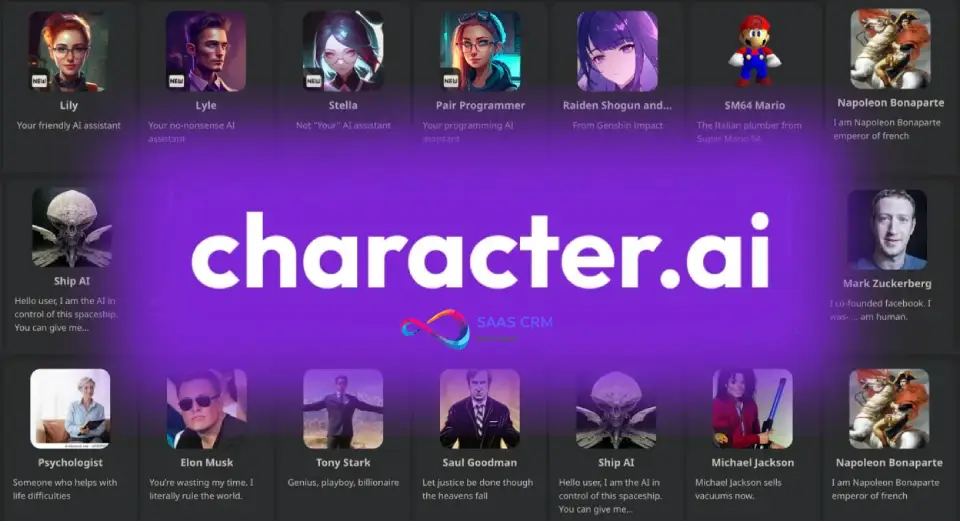
19. Character.AI
Verdict: The leading platform for character-based roleplay and creative fiction — powered by a massive community of user-generated AI personas.
Best for: Creative writers, roleplay enthusiasts, and users who enjoy conversing with AI characters inspired by fiction, history, or original creations.
Pricing: Free plan (with ads and wait times) | Character.AI+ ~$10/mo (priority access, faster responses, no ads).
Pros:
- Vast library of community-created characters: talk to AI versions of historical figures, fictional characters, language tutors, or entirely original personas.
- Engaging and immersive conversation quality — the model is fine-tuned for character consistency and narrative flow, not just factual Q&A.
- Affordable premium tier ($10/mo) is one of the cheapest paid AI chatbot subscriptions available.
Cons:
- Not useful for factual research, coding, writing professional content, or any productivity task — this is entertainment and creativity only.
- Safety concerns: teen safety controls have been added after public scrutiny, but the platform’s open nature still presents content moderation challenges.
- No web access, no file upload, no integrations, no image generation — feature set is deliberately narrow.
Standout Features: Massive character library, community character creation tools, voice conversations with characters, group chats with multiple AI characters, persistent character memory.
Privacy Notes: Character.AI has implemented teen safety controls (time limits, content filters for under-18 users) following regulatory scrutiny. Conversations may be used for model training. The platform is not suitable for sharing personal or sensitive information. No enterprise controls.
Who should choose it: Creative writers, roleplay fans, language learners (via tutor characters), and users who want the top AI chatbot for creative roleplay in a fiction/entertainment context.
Who should avoid it: Anyone seeking factual accuracy, professional productivity, or enterprise-grade privacy and security.
| Rubric Category | Score |
|---|---|
| Answer quality & accuracy | 6.0 |
| Feature breadth | 5.5 |
| Ease of use / UX | 8.0 |
| Privacy & data controls | 5.5 |
| Integrations & ecosystem | 3.0 |
| Pricing & value | 8.5 |
| Safety & responsible AI | 6.0 |
| Weighted total | 6.8 |
If you want a fun, character-driven AI chatbot for creative roleplay and fictional conversations, Character.AI offers the deepest library of personas and the most immersive experience.
20. Replika
Verdict: The original AI companion app — focused on emotional support, daily check-ins, and simulated relationship dynamics.
Best for: Users seeking an AI companion for emotional support, loneliness reduction, and daily conversational check-ins.
Pricing: Free plan (basic chat) | Replika Pro ~$20/mo or ~$70/year (voice calls, AR, advanced relationship modes).

Pros:
- Pioneered the AI companion category: Replika’s relationship-simulation features (friend, mentor, romantic partner modes) are more developed than any competitor.
- Persistent memory and personalization ensure the AI remembers your name, interests, mood patterns, and conversation history over time.
- Voice calls and AR (augmented reality) mode on Pro add a multimodal, near-physical-presence dimension unique among companion chatbots.
Cons:
- Zero utility for professional tasks: no web access, no coding, no file upload, no image generation, no research capabilities.
- Controversial content decisions: Replika has repeatedly changed what relationship modes are available, frustrating long-term users who felt attached to specific interaction styles.
- Mental health implications are debated: while some users report genuine emotional benefit, mental health professionals caution against replacing human connection with an AI dependency.
Standout Features: AI companion with persistent memory, relationship modes (friend, mentor, romantic partner), voice calls, AR mode, mood tracking, journaling prompts, customizable avatar.
Privacy Notes: Replika collects extensive personal and emotional data by design. The company provides data deletion options and user data controls. However, the nature of the product (intimate, ongoing conversations) means the data sensitivity is inherently high. Not suitable for children or vulnerable individuals without parental guidance.
Who should choose it: Adults seeking an AI companion for emotional support, daily conversation, and structured reflection.
Who should avoid it: Anyone seeking a productivity tool, factual research, or a chatbot for professional or business use. Users with mental health concerns should consult a professional before relying on Replika.
| Rubric Category | Score |
|---|---|
| Answer quality & accuracy | 5.5 |
| Feature breadth | 5.0 |
| Ease of use / UX | 7.5 |
| Privacy & data controls | 6.0 |
| Integrations & ecosystem | 2.0 |
| Pricing & value | 6.5 |
| Safety & responsible AI | 6.0 |
| Weighted total | 6.5 |
If you want an AI companion chatbot for emotional support and daily check-ins with the deepest relationship-simulation features available, Replika is the most established option — but use it mindfully.
Scorecard Details — All 20 AI Chatbots
| # | Chatbot | Accuracy (25%) | Features (20%) | UX (15%) | Privacy (15%) | Integrations (10%) | Value (10%) | Safety (5%) | Total |
|---|---|---|---|---|---|---|---|---|---|
| 1 | ChatGPT | 9.5 | 10 | 8.5 | 8.0 | 10 | 8.5 | 9.0 | 9.2 |
| 2 | Claude | 9.5 | 7.5 | 9.5 | 9.5 | 7.0 | 9.0 | 9.5 | 9.0 |
| 3 | Google Gemini | 9.0 | 9.0 | 8.5 | 8.0 | 8.5 | 9.5 | 8.5 | 8.8 |
| 4 | Perplexity | 9.5 | 7.5 | 9.0 | 8.0 | 7.5 | 9.0 | 9.0 | 8.9 |
| 5 | Intercom Fin | 9.0 | 8.0 | 8.5 | 9.0 | 8.5 | 7.0 | 8.5 | 8.6 |
| 6 | Microsoft Copilot | 8.5 | 9.0 | 7.5 | 9.0 | 9.5 | 7.5 | 8.5 | 8.5 |
| 7 | Zapier Agents | 7.5 | 8.0 | 8.0 | 8.5 | 10 | 7.0 | 8.0 | 8.2 |
| 8 | Ada | 8.5 | 8.0 | 7.0 | 9.5 | 8.5 | 6.0 | 8.5 | 8.0 |
| 9 | Mistral Le Chat | 8.5 | 6.5 | 7.5 | 9.0 | 6.0 | 8.0 | 8.0 | 7.8 |
| 10 | Tidio Lyro | 7.5 | 7.0 | 9.0 | 7.5 | 7.0 | 8.5 | 7.5 | 7.8 |
| 11 | Grok | 7.5 | 7.0 | 7.5 | 6.0 | 7.0 | 8.5 | 6.5 | 7.6 |
| 12 | Zapier Chatbots | 7.0 | 7.0 | 8.5 | 7.5 | 8.5 | 7.5 | 7.0 | 7.6 |
| 13 | Poe | 8.0 | 7.5 | 7.0 | 6.5 | 7.0 | 8.5 | 7.0 | 7.5 |
| 14 | YouChat | 7.5 | 7.0 | 7.5 | 8.0 | 6.5 | 7.5 | 7.0 | 7.4 |
| 15 | Meta AI | 7.0 | 6.5 | 9.0 | 5.5 | 7.5 | 9.5 | 7.0 | 7.3 |
| 16 | HuggingChat | 7.5 | 6.0 | 6.5 | 9.0 | 6.5 | 9.0 | 7.0 | 7.2 |
| 17 | Pi | 6.5 | 5.0 | 9.0 | 6.5 | 2.0 | 9.0 | 8.0 | 7.1 |
| 18 | Duck.ai | 7.0 | 3.0 | 8.5 | 10 | 1.0 | 9.0 | 8.0 | 7.0 |
| 19 | Character.AI | 6.0 | 5.5 | 8.0 | 5.5 | 3.0 | 8.5 | 6.0 | 6.8 |
| 20 | Replika | 5.5 | 5.0 | 7.5 | 6.0 | 2.0 | 6.5 | 6.0 | 6.5 |
Head-to-Head Mini-Comparisons
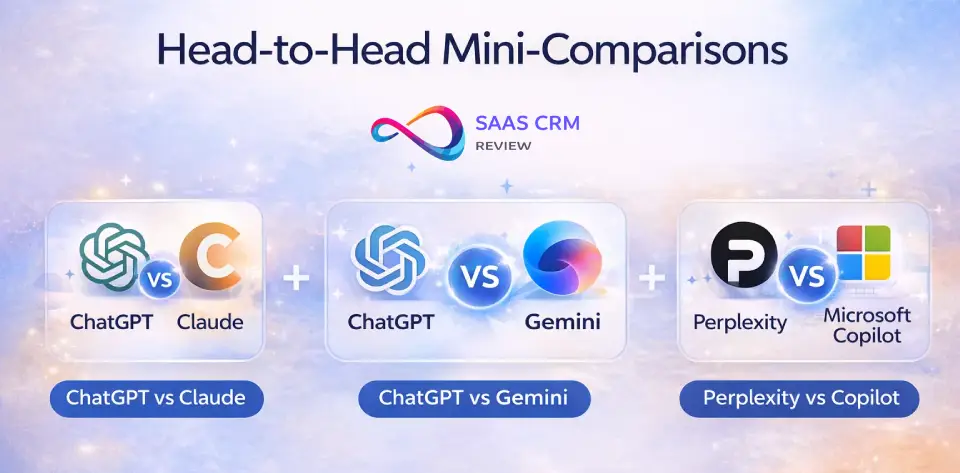
ChatGPT vs Claude: Which Should You Choose?
This is the most common comparison in AI chatbots today. ChatGPT (9.2) is the feature-breadth champion — web browsing, DALL·E image generation, voice, code interpreter, memory, and 7 000+ custom GPTs make it the most complete package. Claude (9.0) trades those extras for superior writing quality: its 200K-token context window handles entire books, its prose reads more naturally, and its Artifacts feature enables iterative document editing in a side panel.
Choose ChatGPT if you need a single tool that covers writing, coding, research, image creation, and voice in one subscription. Choose Claude if writing quality, document analysis, and privacy (no training on inputs by default) are your priorities.
| ChatGPT | Claude | |
|---|---|---|
| Pros | Broadest features, plugins, GPTs, image gen | Best prose, 200K context, Artifacts, privacy defaults |
| Cons | Privacy opt-out required, UI clutter | No image gen, no voice, fewer integrations |
| Best for | All-rounders, coders, image creators | Writers, analysts, legal, researchers |
ChatGPT vs Gemini: Which Is Better if You Use Google Workspace?
If you live in Gmail, Google Docs, Drive, and Sheets, Gemini (8.8) has a structural advantage: it connects natively to your Workspace data without plugins. ChatGPT (9.2) is more versatile as a standalone tool, with a larger ecosystem and more creative capabilities like DALL·E and custom GPTs. Gemini’s free tier is also more generous — multimodal inputs, web access, and decent answer quality at zero cost.
Choose Gemini if you are a Google Workspace power user who values native integration and a strong free plan. Choose ChatGPT if you want standalone versatility, image generation, and the largest third-party ecosystem regardless of which productivity suite you use.
| ChatGPT | Gemini | |
|---|---|---|
| Pros | Broader features, DALL·E, GPTs, voice | Native Workspace, best free tier, Imagen |
| Cons | No Google integration, privacy opt-out | Limited outside Google, sometimes over-cautious |
| Best for | Standalone power users, creatives | Google Workspace users, students, free-plan seekers |
Perplexity vs Copilot: Best for Research and Citations
Both tools provide real-time web search with cited answers, but their approaches differ. Perplexity (8.9) is purpose-built as an answer engine — every response includes inline source links, and Spaces let you organize ongoing research projects. Microsoft Copilot (8.5) blends AI chat with Bing Search grounding and shines brightest when used alongside Word, Excel, and Outlook inside Microsoft 365.
Choose Perplexity if pure research with verifiable citations is your primary use case and you want the most rigorous sourcing. Choose Copilot if you need research integrated directly into Microsoft 365 workflows — drafting in Word, analyzing in Excel, and summarizing in Outlook.
| Perplexity | Microsoft Copilot | |
|---|---|---|
| Pros | Inline citations, Spaces, multi-model | M365 integration, DALL·E, enterprise controls |
| Cons | No coding/writing focus, limited integrations | Confusing tiers, weaker standalone chat |
| Best for | Researchers, journalists, students | M365 knowledge workers, enterprise teams |
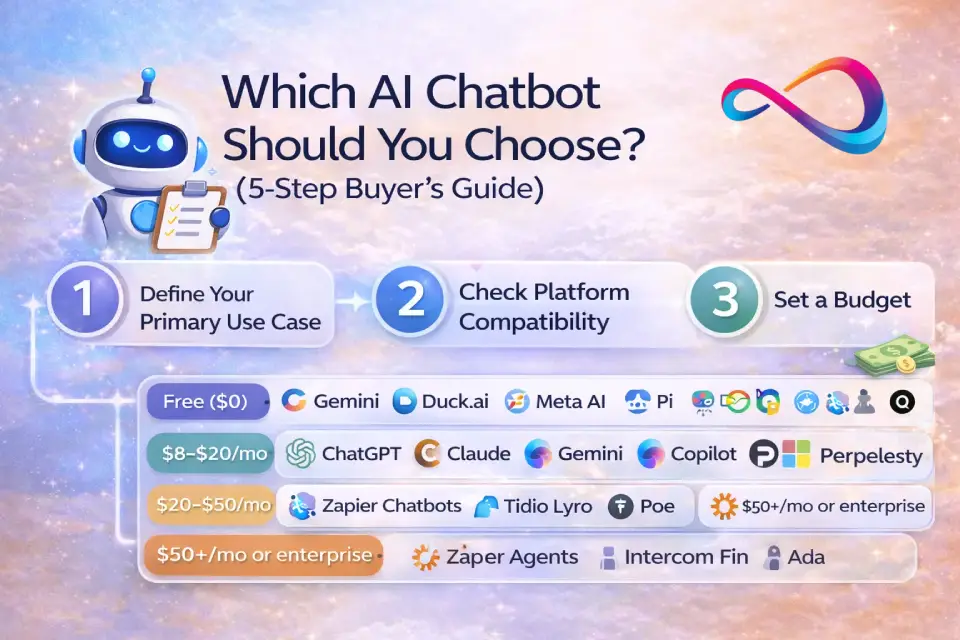
Which AI Chatbot Should You Choose? (5‑Step Buyer’s Guide)
Step 1: Define Your Primary Use Case
Your use case is the single most important filter. Before comparing features or prices, answer: What will I use this chatbot for most often?
- Writing & content creation → Claude or ChatGPT — also explore the best AI tools for content creation
- Coding & debugging → ChatGPT
- Research with citations → Perplexity
- Office productivity (docs, email, spreadsheets) → Microsoft Copilot (M365) or Google Gemini (Workspace)
- Customer support automation → Intercom Fin (mid-market+) or Tidio Lyro (SMB) — compare more options in our best help desk solutions guide
- Workflow automation → Zapier Agents
- Casual / social → Meta AI or Grok
- Privacy-first quick queries → Duck.ai
- Personal companion / coaching → Pi or Replika
Step 2: Check Platform Compatibility
Do you live in Google Workspace or Microsoft 365? That single fact narrows your short list dramatically. Google users benefit most from Gemini’s native integrations. Microsoft users unlock the full value of Copilot only with a Microsoft 365 subscription. If you use neither ecosystem, a standalone chatbot like ChatGPT or Claude gives you the most flexibility.
Step 3: Set a Budget
| Budget Tier | Best Options |
|---|---|
| Free ($0) | Google Gemini (free tier), Duck.ai, Meta AI, HuggingChat, Pi |
| $8–$20/mo | ChatGPT Plus, Claude Pro, Gemini Advanced, Copilot Pro, Perplexity Pro, Grok (X Premium) |
| $20–$50/mo | Zapier Chatbots, Tidio Lyro, Poe Premium |
| $50+/mo or enterprise | Zapier Agents, Intercom Fin, Ada, Microsoft 365 Copilot |
Step 4: Evaluate Privacy Requirements
- No login, no data stored: Duck.ai
- No training on inputs (default): Claude (paid), Microsoft 365 Copilot (business)
- Opt-out available: ChatGPT, Perplexity, Gemini
- EU-hosted / GDPR-focused: Mistral Le Chat
- SOC 2 / HIPAA: Intercom Fin, Ada, ChatGPT Enterprise, Microsoft 365 Copilot
- Self-hostable: HuggingChat
Step 5: Try Before You Commit
Nearly every chatbot on this list offers a free plan or trial. Test your top two or three picks with the same real-world prompts from your daily work. Give each tool at least a week of use before deciding — first impressions can be misleading, especially with conversational AI tools where latency, memory, and context handling matter over time.
Who Should Pick What — Persona Scenarios with Numbers
Persona 1: Student ($0–$20/mo budget, ~500 prompts/mo)
- Best pick: Perplexity free tier (300 basic searches/day) for research + Google Gemini free tier for writing and multimodal tasks.
- Estimated monthly cost: $0.
- Upgrade path: Perplexity Pro ($20/mo) when research volume and quality demands grow.
Persona 2: SMB Support Team (500 customer conversations/mo)
- Best pick: Tidio Lyro ($39/mo, covers ~300 AI conversations) + Zapier Chatbots ($25/mo) for website lead capture.
- Estimated monthly cost: ~$64/mo.
- Upgrade path: Intercom Fin (~$495/mo at $0.99 × 500 resolutions) + Zapier Agents ($50/mo) as volume and automation needs scale.
Persona 3: Team of 10 Knowledge Workers
- Best pick: ChatGPT Team ($25/user/mo × 10 = $250/mo). Add Perplexity Pro ($20/mo × 2 researchers = $40/mo) for citation-heavy research.
- Estimated monthly cost: ~$290/mo.
- Alternative: Claude Team ($25/user/mo × 10 = $250/mo) if long-document analysis is the primary use case.
Avoid These Mistakes
- ❌ Paying for features you won’t use. If you only need writing help, don’t pay for an image-generation tier.
- ❌ Ignoring privacy defaults. Many chatbots train on your data unless you explicitly opt out.
- ❌ Choosing based on benchmarks alone. Real-world usability matters more than leaderboard scores.
- ❌ Skipping the free tier. Every major chatbot offers a free plan — use it before upgrading.
- ❌ Using a general-purpose chatbot for customer support. Purpose-built tools (Intercom Fin, Tidio Lyro, Ada) outperform ChatGPT or Claude for ticket deflection.
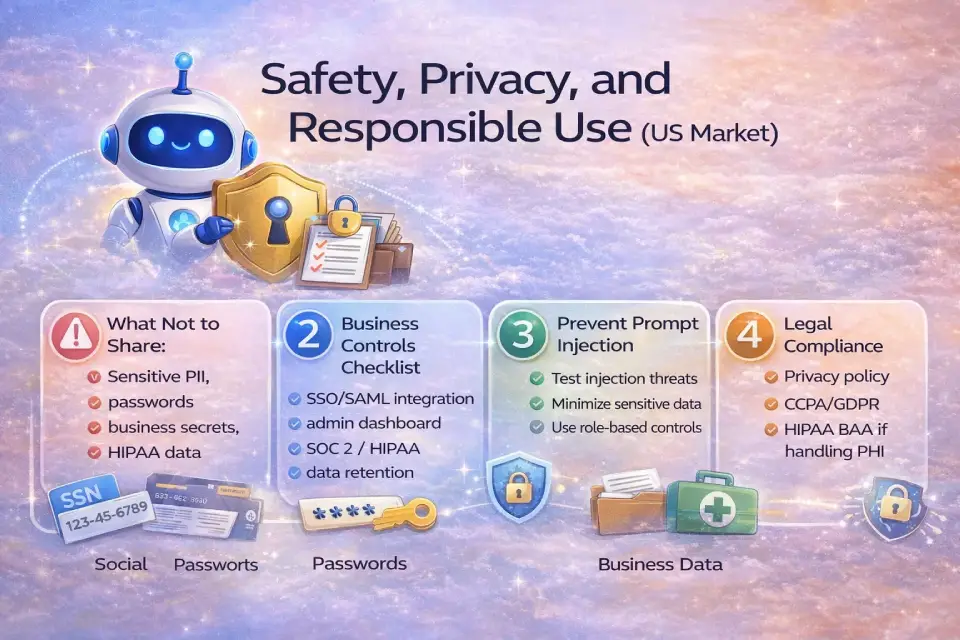
Safety, Privacy, and Responsible Use (US Market)
What Not to Share with Any AI Chatbot
Regardless of which tool you choose, never share the following in a chatbot conversation:
- Social Security numbers, financial account numbers, or passwords.
- Confidential business data (trade secrets, unreleased product plans, legal strategies).
- Protected health information (PHI) unless the tool is explicitly HIPAA-compliant and covered by a BAA.
- Personally identifiable information (PII) of customers or employees without their consent.
Business Controls Checklist
If you are deploying an AI chatbot for your team or organization, verify the following before rollout:
- ✅ SSO / SAML integration — centralized user authentication.
- ✅ Admin dashboard — manage users, permissions, and usage.
- ✅ Data retention controls — set how long conversations are stored.
- ✅ Training opt-out — confirm your data is not used for model training.
- ✅ SOC 2 Type II — independent audit of security controls (available from OpenAI Enterprise, Microsoft 365 Copilot, Intercom, Ada).
- ✅ Data processing agreement (DPA) — required for GDPR compliance if serving EU users.
- ✅ HIPAA BAA — required if handling protected health information (available from Intercom, Ada).
Prompt Injection and Data Leakage Basics
Prompt injection is a technique where a malicious user crafts inputs designed to override the chatbot’s system prompt or extract information from its training data. The NIST AI Risk Management Framework provides authoritative guidance on identifying and mitigating such threats. For customer-facing chatbots (Intercom Fin, Tidio Lyro, Zapier Chatbots), test your deployment against common injection patterns before going live. Keep sensitive data out of the chatbot’s knowledge base if possible, and use role-based access controls to limit exposure.
Quick Policy Pointers
- Review your chosen chatbot’s privacy policy and terms of service before sharing any data.
- US-based businesses should consider CCPA compliance if their chatbot collects personal information from California residents.
- This guide does not constitute legal advice. Consult a qualified attorney for compliance questions specific to your industry and jurisdiction.
Best AI Chatbots – FAQs
What is the best AI chatbot?
The best AI chatbot depends on your use case. For all-around versatility with the broadest feature set, ChatGPT remains the top pick in 2026. For writing, Claude excels. For research with citations, Perplexity leads. For customer support, Intercom Fin is the strongest option. There is no single “best” — the right choice depends on what you need the chatbot to do.
What is the best free AI chatbot in 2026?
Google Gemini offers the most generous free tier among top-tier chatbots, with multimodal input, web access, and solid answer quality at no cost. Duck.ai is the best free option for privacy-first users who want no login. Meta AI is the most accessible free option, available directly in WhatsApp and Instagram.
Which AI chatbot is most accurate?
ChatGPT and Claude consistently score highest on factual accuracy across our test prompts. For verifiable accuracy with citations, Perplexity is the best choice because every answer includes inline source links you can check. Accuracy varies by topic — no chatbot is 100% reliable, and you should always verify critical claims.
Which AI chatbot is best for writing?
Claude (Anthropic) is the best AI chatbot for writing in 2026. Its 200K-token context window, natural prose output, and Artifacts feature make it ideal for blog posts, email drafting, long-form content, and document editing. ChatGPT is a close second with broader multimodal features. For dedicated writing tools, see our Jasper AI review.
Which AI chatbot is best for coding?
ChatGPT is the best AI chatbot for coding help and debugging code. Its code interpreter, canvas for iterative editing, and wide programming-language support make it the top choice for developers. Claude is strong on code review and explanation, making it a good complement.
Which AI chatbot is best for research with citations?
Perplexity is the clear leader for research with citations. Every response includes inline source links, and the “Spaces” feature lets you organize research projects with curated sources. It is purpose-built as an answer engine, not a generic conversational AI tool.
Which AI chatbot has internet access?
Most leading chatbots now include web browsing: ChatGPT, Google Gemini, Microsoft Copilot, Perplexity, Grok, and HuggingChat all offer real-time internet access. Claude added web search capability more recently. Duck.ai, Pi, Character.AI, and Replika do not have internet access.
Which AI chatbot is safest for privacy?
Duck.ai (DuckDuckGo) is the safest AI chatbot for privacy — it requires no login, stores no conversation history, and proxies your queries anonymously. HuggingChat offers self-hosting for complete data control. Among paid options, Claude (paid tiers) does not train on user inputs by default.
Is ChatGPT still the best AI chatbot?
ChatGPT remains the best overall AI chatbot in 2026 due to its unmatched feature breadth — web browsing, image generation, voice, memory, code interpreter, and ecosystem. However, it is no longer the best at everything: Claude beats it on writing quality, Perplexity beats it on cited research, and Copilot beats it for Microsoft 365 integration.
Is Claude better than ChatGPT?
Claude is better than ChatGPT for specific tasks: long-form writing, document analysis, and instruction following. ChatGPT is better for feature breadth — image generation, voice, code interpreter, integrations. The “better” pick depends entirely on your primary use case. Many power users maintain subscriptions to both.
Is Gemini better than ChatGPT?
Gemini is better than ChatGPT if you are deeply embedded in the Google Workspace ecosystem and want native integration with Gmail, Docs, Drive, and Sheets. ChatGPT offers a broader standalone feature set and a larger third-party ecosystem. For Google users, Gemini wins on convenience; for everyone else, ChatGPT is more versatile.
What’s the best AI chatbot for customer support?
Intercom Fin is the best AI chatbot for customer support automation in the mid-market and above, with the highest resolution rates and SOC 2 compliance. Tidio Lyro is the best pick for small businesses and Shopify stores. Ada serves enterprise-scale CX teams with HIPAA and SOC 2 certifications.
What’s the best AI chatbot for small businesses?
For small businesses, the best combination is Tidio Lyro for customer support (affordable, Shopify-friendly) plus Zapier Chatbots for lead generation and FAQ handling. If you need internal productivity AI, Google Gemini (free) or ChatGPT Plus ($20/mo) are the most cost-effective general-purpose options.
Can AI chatbots replace human support agents?
Not entirely — but they can handle a significant portion of repetitive queries. Tools like Intercom Fin report resolution rates that meaningfully reduce the number of tickets reaching human agents. The best approach is a hybrid model: AI handles Tier 1 questions and known FAQs, then seamlessly hands off complex or sensitive issues to human agents.
How do AI chatbots work?
AI chatbots are powered by large language models (LLMs) trained on vast text datasets using deep learning and natural language processing (NLP). When you type a prompt, the model predicts the most likely next sequence of tokens based on your input and its training. Advanced chatbots add features like web browsing, retrieval-augmented generation (RAG), tool use, and memory to improve accuracy and usefulness beyond pure text generation.
Glossary — 10 AI Chatbot Terms You Should Know
| Term | Definition |
|---|---|
| Token | The smallest unit of text an LLM processes — roughly ¾ of an English word. |
| Context window | The maximum number of tokens a chatbot can consider in a single conversation turn. Larger windows (e.g., Claude’s 200K tokens) allow processing entire books. |
| RAG (Retrieval-Augmented Generation) | A technique that grounds AI answers in retrieved documents or web pages, reducing hallucinations and improving citation accuracy. |
| Hallucination | When an AI generates a confident, plausible-sounding statement that is factually incorrect. |
| Prompt injection | Crafting malicious inputs designed to override a chatbot’s system instructions or extract hidden information. |
| Fine-tuning | Additional training of a pre-trained model on a custom dataset to specialize its behavior for a specific task or domain. |
| Grounding | Linking AI responses to real-time data, verified sources, or a specific knowledge base to improve factual reliability. |
| Agent / Agentic AI | An AI system that can autonomously plan multi-step tasks, call external tools (APIs, databases), and execute workflows with minimal human oversight. |
| LLM (Large Language Model) | The neural-network architecture powering modern AI chatbots, trained on vast text datasets to generate human-like responses. |
| Function calling | An API mechanism that allows an LLM to invoke external tools, services, or code functions as part of generating a response. |
Conclusion
The AI chatbot landscape in 2026 is the most competitive it has ever been. After testing and evaluating all 20 tools, the top picks are clear: ChatGPT remains the best overall AI chatbot for versatility and feature depth; Claude leads for writing and document analysis; Perplexity dominates research with citations; Intercom Fin sets the standard for AI-powered customer support; and Google Gemini offers the strongest free tier available. For privacy, Duck.ai is unmatched, and for automation, Zapier Agents connects more tools than any competitor.
The key takeaway from this guide is that no single chatbot is the best at everything. The best AI chatbot for you depends on your use case, your ecosystem (Google vs. Microsoft vs. standalone), your budget, and your privacy requirements. Use the five-step buyer’s guide and the comparison table above to narrow your options, then test your top two picks with real-world prompts before committing.
The winners will keep shifting as models improve, features expand, and pricing evolves — but the decision framework in this guide will remain useful regardless of which tools are on top. Bookmark this page and check back for updates as the best AI chatbot recommendations evolve throughout 2026.
About the author

I’m Macedona, an independent reviewer covering SaaS platforms, CRM systems, and AI tools. My work focuses on hands-on testing, structured feature analysis, pricing evaluation, and real-world business use cases.
All reviews are created using transparent comparison criteria and are updated regularly to reflect changes in features, pricing, and performance.