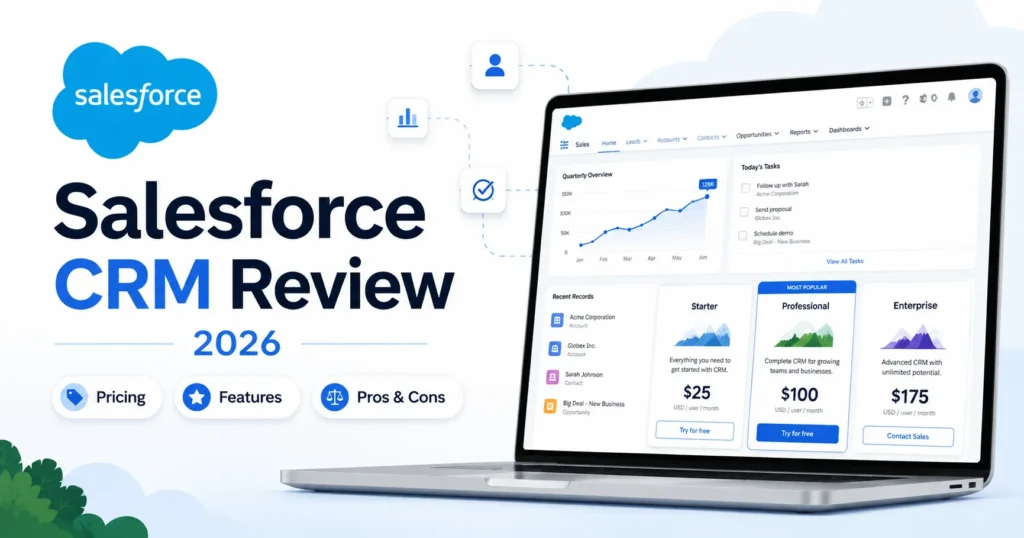
Salesforce sells its CRM across six plans, from a $0 Free Suite to Agentforce 1 Sales at $550 per user per month. The distance between those two numbers is where most CRM buying mistakes happen.
This Salesforce CRM review answers the question the pricing page avoids: which plan turns Salesforce from an expensive contact database into a working revenue system. The short version: Salesforce is worth it for mid-market and enterprise sales teams with a dedicated admin, and a poor fit for small teams that need a working pipeline this quarter.
Everything below rests on official Salesforce pricing and documentation checked on July 5, 2026, plus verified review patterns from G2, Capterra, Gartner Peer Insights, and SoftwareAdvice. If Salesforce turns out to be the wrong shape for your team, the best CRM software field has cheaper fits, and I name them below.
One number to hold onto before the tables start: Premier support costs 30% of net license fees unless it is bundled into your edition. That single line item reshapes the budget more than any feature comparison.
In This Article (20 sections)
Quick Verdict
| Question | Verdict |
|---|---|
| Best for | Mid-market and enterprise sales teams with a dedicated CRM admin or RevOps owner |
| Not ideal for | 1-5 person teams that need simple pipeline tracking without admin capacity |
| Starting price | $0 (Free Suite, 2 licenses); paid plans from $25/ |
| Best practical plan | Enterprise at $175/ |
| Free plan/ | Yes, Free Suite with 2 user licenses, no contract or credit card required |
| Setup difficulty | High once custom objects, automation, or integrations enter the project |
| Main strength | Customization, reporting, and ecosystem depth for complex sales processes |
| Main limitation | Admin dependency, plus support costs of up to 30% of license fees |
| Best alternative | HubSpot for marketing-led SMBs that want faster adoption |
The verdict table hides one trap: the “best practical plan” costs 7x the entry plan. Buyers who budget from the $25 Starter Suite and then discover their integration needs sit at the $175 Enterprise tier face the most painful upgrade conversation in the CRM market.
Starting price: $0 (Free Suite) to $550/user/month (Agentforce 1 Sales). Official pricing page.
Salesforce states its pricing pages are informational and subject to change, so confirm before signing.
Salesforce Pros and Cons
| Pros | Cons |
|---|---|
| Enterprise tier includes web API, advanced pipeline management, deal insights, and Conversation Intelligence at $175/ | Premier Success Plan costs 30% of net license fees unless you buy Unlimited or Agentforce 1 |
| Plan ladder runs from a genuine $0 Free Suite to a full AI and data bundle, so teams rarely outgrow the platform itself | Pro Suite and above require annual contracts, so commitment risk starts at $100/ |
| Customization handles multi-stage, multi-team sales processes that break simpler CRMs | API access is gated to Enterprise and Unlimited editions per Salesforce’s help documentation |
| AgentExchange marketplace plus REST APIs cover most integration scenarios | Reviewers across four platforms report a steep learning curve and dedicated-admin dependency |
| Capterra rates Salesforce Sales Cloud 4.4/5 across 18,748 reviews, with pipeline visibility and reporting praised most | Starter Suite carries transaction fees on payment links and storefront features |
| Published compliance documentation, including SOC 2 and ISO 27001 categories, supports enterprise vendor review | AI value depends on data readiness and credits, and some G2 reviewers describe Agentforce as still evolving |
Read the cons column as a budget document, not a complaint list. Four of the six cons are cost or contract mechanics that never appear in a feature demo.
What Is Salesforce CRM?
Salesforce CRM is the sales-focused core of Salesforce, Inc.’s Customer 360 platform, covering lead management, opportunity tracking, forecasting, automation, and reporting. Salesforce positions the whole platform as the #1 AI CRM, with unified applications powered by agentic AI and data.
A naming note before anything else, because the market is mid-transition. Salesforce’s own pricing pages still use Sales Cloud terminology, while G2 and several competitor reviews now list the product as Agentforce Sales, formerly Salesforce Sales Cloud.
Scope of this review: Salesforce CRM here means Sales Cloud / Agentforce Sales, the sales automation product. Salesforce also sells Service, Marketing, Commerce, Platform, Data, and AI products, and none of those are graded here. If you are comparing quotes, confirm which product line the quote covers before you compare prices.
If you are still mapping what CRM software does against your sales process, settle that question first. Salesforce is the deepest version of the category, which makes it the most expensive place to learn the basics.
How This Salesforce CRM Review Was Done
This review is based on official Salesforce sources only, with no hands-on trial. I reviewed the Salesforce CRM pricing page, the Sales pricing page, Success Plan pages, the compliance documentation site, AgentExchange, and Salesforce help and developer documentation, all checked on July 5, 2026.
Third-party sentiment was cross-checked against G2, Capterra, Gartner Peer Insights, and SoftwareAdvice. Testing level: official research only, so nothing below claims in-app testing, and every workflow judgment is analyst interpretation of documented behavior.
Two limitations are worth stating plainly. Salesforce does not publish implementation fees or negotiated discounts, so total-cost figures here cover licenses and listed support pricing only.
I write as Macedona, the CRM buying analyst behind saascrmreview.com, and the lens is a buying memo: plan gates, budget pressure, adoption risk, and switch-or-stay logic.
The 3 Problems Salesforce Solves
Salesforce earns its market position on three specific problems, not on generic power. Each one maps to a plan tier and a buyer profile.
Fragmented revenue data across a growing sales team
Salesforce centralizes accounts, contacts, leads, and opportunities into one record system, with Slack-connected conversations included even on the Free Suite. For a 15-rep team running deals across email threads and three spreadsheets, that consolidation is the entire purchase justification.
The interpretation matters more than the feature. Once opportunity data lives in one governed system, forecasting, territory decisions, and renewal planning stop depending on whoever built the last spreadsheet.
My recommendation: treat data consolidation as the phase-one goal and defer everything else. Teams that try to launch consolidation, automation, and AI in one rollout are the ones writing the negative reviews quoted later in this article.
Forecasts that finance will not sign off on
Enterprise and above add advanced pipeline management and deal insights, per the official Sales pricing page. That is the tier where forecasting stops being a weighted spreadsheet and becomes an auditable process.
For a RevOps lead defending a quarterly number to a CFO, this is the difference between a debate and a report. Pro Suite includes forecasting, but the deal-insight layer that explains why the number moved sits at Enterprise.
If forecast credibility is the buying trigger, budget for $175/user/month from day one. Buying Pro at $100 and upgrading in month six costs more in migration disruption than the $75 monthly gap ever saved.
Sales processes too complex for lightweight CRMs
Salesforce’s customization model, automation tooling, and marketplace exist for processes with approval chains, multi-team handoffs, and industry-specific objects. Gartner Peer Insights reviewers specifically praise its fit for complex sales processes, flexibility, and ecosystem depth.
This is the one problem where Salesforce has no real ceiling among mainstream CRMs. The catch is that the same flexibility is what creates the admin dependency covered next.
Buy Salesforce for this reason only if the complexity already exists in your process today. Buying platform headroom for a process you have not designed yet is how five-figure shelfware happens.
The 2 Problems Salesforce Creates
An honest Salesforce CRM verdict has to price in the problems the platform introduces. Two show up consistently across official documentation and verified reviews.
A permanent admin job you did not budget for
SoftwareAdvice reviewer Nathaniel C. put it directly: the learning curve is steep and a dedicated admin is likely needed to keep things running smoothly. G2 and Gartner reviewers repeat the same pattern in different words.
The buyer impact is a hidden headcount cost. A 10-rep team that cannot assign at least half an admin’s time is buying a system that degrades within two quarters.
Trailhead, Salesforce’s free training platform, lowers the learning cost but does not remove the ownership requirement. Someone still has to own fields, flows, duplicates, and permissions every week.
Budget drift between the sticker price and the real invoice
The advertised per-seat price excludes the three lines that move real budgets: Premier support at 30% of net license fees, implementation services that Salesforce does not publish prices for, and usage-based AI and data add-ons that are quote-dependent. Capterra reviewers echo this, with one warning that organizations need to be specific about what they want Salesforce to do to keep cost down.
Plan the budget top-down, not bottom-up. Start from licenses plus 30% support plus an implementation reserve, and treat any unspent reserve as a win rather than pricing from the $25 tier and hoping.
Salesforce Pricing Reality in 2026
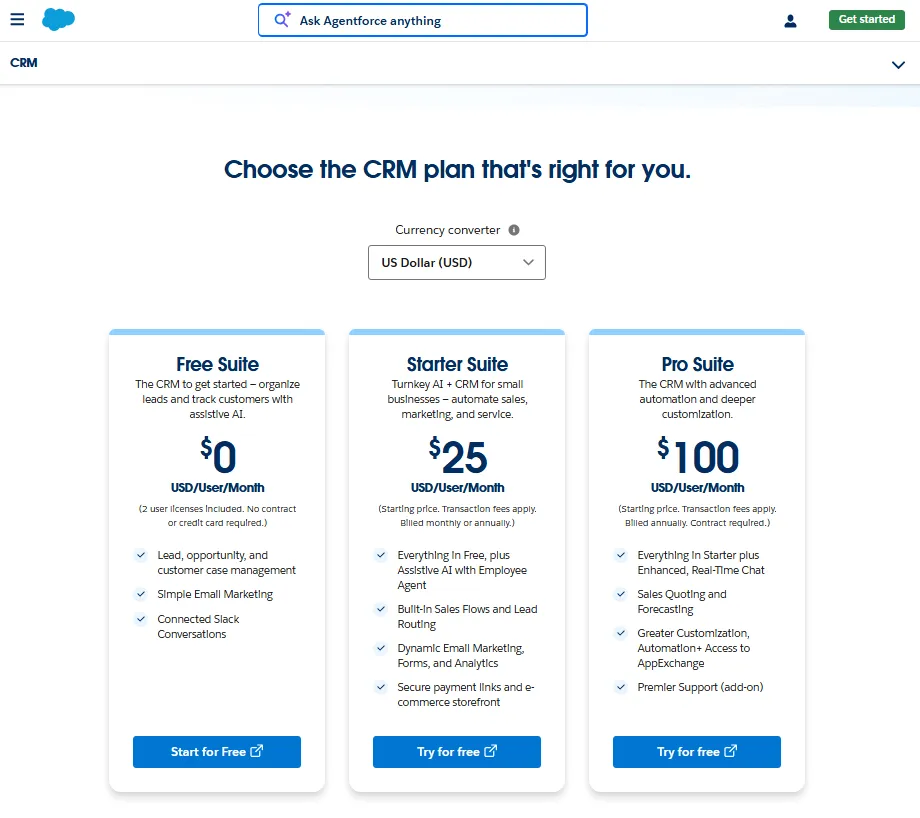
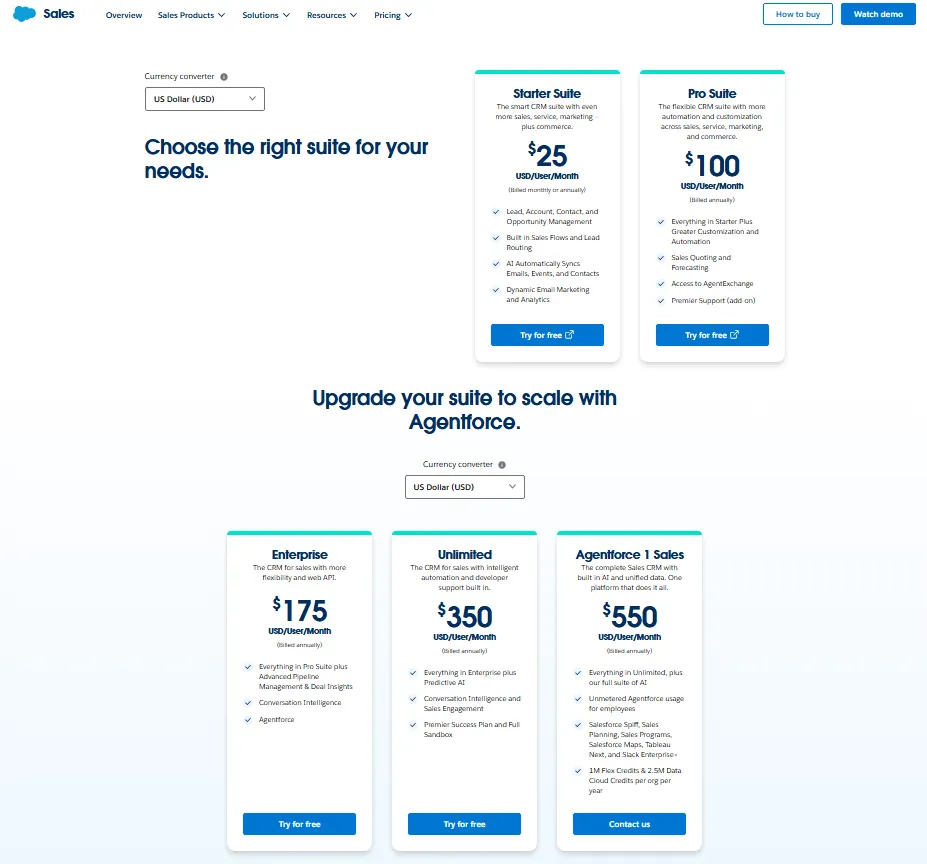
Salesforce publishes US pricing across two pages: the CRM pricing page for Free, Starter, and Pro Suites, and the Sales pricing page for Enterprise, Unlimited, and Agentforce 1 Sales. Both were checked on July 5, 2026, and both carry Salesforce’s own note that pricing is informational and subject to change.
That freshness point is not pedantic. TechRadar’s current review still lists Unlimited near $330/user/month, below the $350 Salesforce publishes today, so stale third-party pricing tables are an active risk on this SERP.
| Plan | Price (USD, checked Jul 5, 2026) | Billing terms | What it adds |
|---|---|---|---|
| Free Suite | $0 | No contract or credit card | 2 user licenses; lead, opportunity, and case management; simple email marketing; Slack-connected conversations |
| Starter Suite | $25/ | Monthly or annual; transaction fees apply | Assistive AI with Employee Agent, lead routing, dynamic email marketing, forms and analytics, payment links, storefront |
| Pro Suite | $100/ | Billed annually; contract required | Enhanced real-time chat, quoting, forecasting, deeper customization, automation, AgentExchange access |
| Enterprise | $175/ | Billed annually | Web API, advanced pipeline management, deal insights, Conversation Intelligence, Agentforce |
| Unlimited | $350/ | Billed annually | Predictive AI, Sales Engagement, Premier Success Plan, Full Sandbox |
| Agentforce 1 Sales | $550/ | Billed annually | Full AI suite, unmetered Agentforce usage for employees, Spiff, Sales Planning, Sales Programs, Salesforce Maps, Tableau Next, Slack Enterprise+, 1M Flex Credits and 2.5M Data Cloud Credits per org per year |
The ladder has one structural jump: everything below Enterprise is a small-business suite, and everything from Enterprise up is the platform buyers mean when they say “Salesforce.” The $100-to-$175 step is where API access, deal insights, and Conversation Intelligence arrive together.
For a deeper tier-by-tier cost breakdown beyond this review, the Salesforce pricing guide walks through each edition in more detail.
Where Free Suite stops working
Free Suite is genuinely $0 with no contract or credit card, but Salesforce’s CRM pricing page caps it at 2 user licenses. That makes it an evaluation sandbox or a two-founder workspace, not a free CRM for a five-person team.
Use it to test whether Salesforce’s data model fits your sales motion. Do not build a rollout plan on it, because the third seat forces you onto a paid tier immediately.
The fine print that changes small-team math
Three official caveats rarely make it into competitor pricing tables. Starter Suite’s page states transaction fees apply, which matters if you plan to use its payment links or storefront features.
Pro Suite is billed annually with a contract required, so a 10-person team is committing to $12,000 for the year, not experimenting month to month. And Salesforce’s CRM pricing FAQ ties free Foundations activation to Enterprise and above, another quiet nudge toward the higher tiers.
None of these is a scandal. All three belong in the spreadsheet before signature, because each one changes either cash flow or exit cost.
Support is the 30% line item
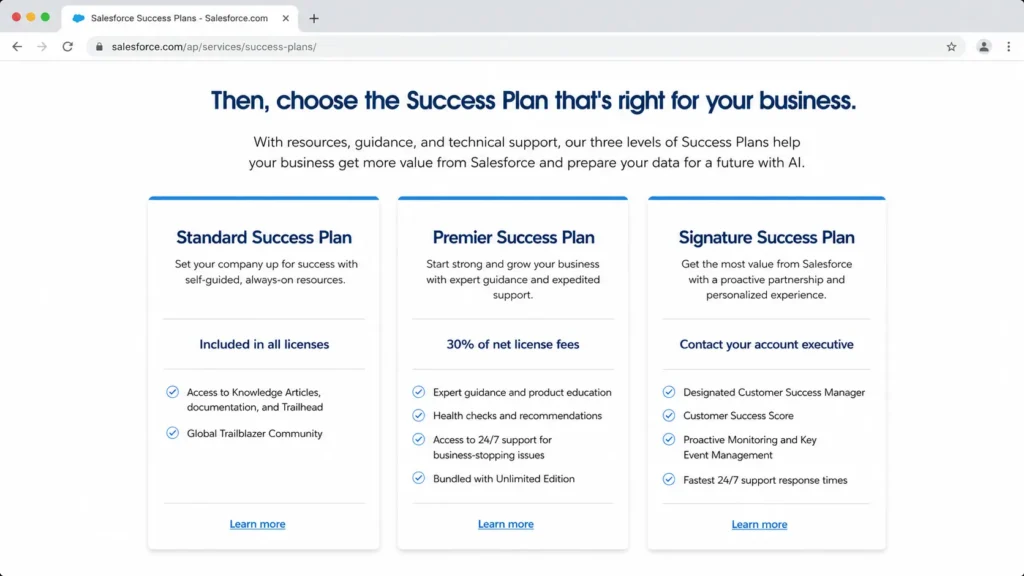
Every Salesforce license includes the Standard Success Plan, which is self-guided: knowledge articles, documentation, Trailhead, and the Trailblazer Community. Reviews that praise “Salesforce support” without naming a plan are describing an experience that Standard buyers do not get.
| Success Plan | Cost | What you get |
|---|---|---|
| Standard | Included in all licenses | Self-guided resources: knowledge articles, documentation, Trailhead, Trailblazer Community |
| Premier | 30% of net license fees; bundled with Unlimited and Agentforce 1 Editions | Expert guidance, product education, health checks, recommendations, 24/7 support for business-stopping issues |
| Signature | Custom quote via account executive | Designated Customer Success Manager, Customer Success Score, proactive monitoring, key event management, fastest 24/7 response |
Premier’s 30% structure, listed on Salesforce’s Success Plans page, means support cost scales with every seat you add, forever. A team that treats Premier as mandatory is effectively paying $227.50 per user per month for Enterprise, not $175.
What a 10-rep team pays in year one
Per-seat prices hide totals, so here is the math for a 10-user sales team on annual billing. Implementation is excluded because Salesforce does not publish a universal implementation fee, and partner quotes vary by scope.
| 10-user scenario | Licenses per year | Premier support | Realistic annual total before implementation |
|---|---|---|---|
| Pro Suite | $12,000 | +$3,600 if added (30%) | $12,000-$15,600 |
| Enterprise | $21,000 | +$6,300 (30%) | $21,000-$27,300 |
| Unlimited | $42,000 | Included | $42,000 |
| Agentforce 1 Sales | $66,000 | Included | $66,000 |
The Enterprise row is the one most 10-rep teams end up debating, and the honest range is $21,000 to $27,300 depending on the support decision. Budget separately for implementation, because that reserve, not the license line, is what breaks first-year budgets first.
When Unlimited beats Enterprise
Unlimited looks like a $175 premium over Enterprise, but the real comparison is against Enterprise plus Premier at $227.50 effective per user. The true gap is about $122.50/user/month, and it buys predictive AI, Sales Engagement, Conversation Intelligence depth, and a Full Sandbox.
Unlimited is rational for teams that already know they need Premier support and a Full Sandbox for safe change management. It is a default upgrade for nobody, and I would not move there just to feel covered.
What $550 buys in Agentforce 1 Sales
Agentforce 1 Sales is a bundle purchase, not a CRM tier. On top of everything in Unlimited, Salesforce lists a full AI suite, unmetered Agentforce usage for employees, Spiff, Sales Planning, Sales Programs, Salesforce Maps, Tableau Next, and Slack Enterprise+.
It also includes 1M Flex Credits and 2.5M Data Cloud Credits per org per year, the consumption currency behind Salesforce’s AI and data features. If Slack Enterprise+ is part of that calculus, price the standalone Slack contract you would otherwise sign, because bundle value only counts if you would have bought the pieces anyway.
The pricing page adds one more relevant note: AI can be added to Enterprise and above. So the AI question is not “$550 or nothing,” it is “add-on pricing on Enterprise versus the all-in bundle,” and that comparison requires a sales quote.
Feature Gates: What You Get on Each Plan
Feature marketing says Salesforce “has” everything. The plan table says when you get it, and the gap between those two statements is where upgrade pressure lives.
| Capability | Free | Starter | Pro | Enterprise | Unlimited | Agentforce 1 Sales |
|---|---|---|---|---|---|---|
| Lead, opportunity, and case management | Yes | Yes | Yes | Yes | Yes | Yes |
| Quoting and forecasting | No | No | Yes | Yes | Yes | Yes |
| Automation and deeper customization | No | Built-in sales flows | Yes | Advanced | Advanced | Advanced |
| Web API access | No | No | No | Yes | Yes | Yes |
| Conversation Intelligence | No | No | No | Yes | Yes | Yes |
| Sales Engagement | No | No | No | No | Yes | Yes |
| Predictive AI | No | No | No | Add-on | Yes | Yes |
| Premier Success Plan | No | No | Add-on | Add-on | Included | Included |
| Full Sandbox | No | No | No | No | Yes | Yes |
| Flex and Data Cloud credits | No | No | No | No | No | 1M Flex + 2.5M Data Cloud per org/ |
Two gates decide most upgrade paths: web API at Enterprise and Premier support bundling at Unlimited. If either sits on your requirements list, price that tier from the start instead of discovering the gate mid-contract.
Key Features with Plan Gates
Each feature below answers four questions: what it does, who it serves, which plan carries it, and where it stops.
Pipeline and opportunity management
Salesforce’s core pipeline covers accounts, contacts, leads, and opportunities from the Free Suite upward, and Capterra reviewers name pipeline visibility as a top payoff. It fits any team where deals pass through defined stages with owners and amounts.
The limitation is discipline, not capability. Reviewers who complain about duplicate records and confusing data are describing pipelines without duplicate rules and field governance, a setup task the platform will not do for you.
Forecasting and deal insights
Forecasting starts at Pro Suite, and deal insights with advanced pipeline management arrive at Enterprise. The combination serves RevOps teams that need to explain forecast movement, not just report a number.
The gate is the limitation. A Pro Suite buyer gets the forecast without the diagnostic layer, which is exactly the point where finance starts asking questions the CRM cannot answer.
Conversation Intelligence
Conversation Intelligence, Salesforce’s call-analysis capability, is listed from Enterprise upward. It suits sales managers coaching a team of 8 or more reps, where call review by sampling stops scaling.
Its value depends on call volume and coaching cadence. A 4-rep team with weekly one-on-ones gets little from it, and it should never be the reason a small team pays Enterprise prices.
Sales Engagement
Sales Engagement, the cadence and outreach layer, appears at Unlimited. It targets teams running structured outbound sequences inside the CRM rather than in a separate tool.
The plan placement is the tradeoff. Outbound-heavy teams that live in sequences all day often find a dedicated outbound CRM cheaper than an Unlimited upgrade, a point I return to in the alternatives section.
Agentforce and Employee Agent AI
AI shows up in layers: assistive AI with Employee Agent at Starter, Agentforce at Enterprise, predictive AI at Unlimited, and the full credit-funded suite at Agentforce 1 Sales. The design serves organizations that want to grow into AI rather than buy it all at once, and my best AI agents ranking compares other agent options by job and cost.
The limitation is maturity and fuel. G2 reviewers praise AI-driven productivity while noting the capabilities are still evolving, and heavier usage runs on credits, so AI-led upgrades deserve a use-case test before a contract line.
Ease of Use, Setup, and Implementation Risk
Setup difficulty is high, and the review data is unambiguous about why. Capterra scores ease of use at 4.0/5, below its 4.4 overall rating, and every major review platform surfaces learning-curve complaints.
The pattern across G2, Gartner, SoftwareAdvice, and Capterra is consistent: Salesforce rewards teams that invest in configuration and process design, and frustrates teams expecting plug-and-play software. Neither group is wrong, because they bought different projects.
Here is the 30/90-day test I would hold any Salesforce rollout to. By day 30, every rep logs deals in Salesforce without a parallel spreadsheet, and pipeline stages match how deals close in reality.
By day 90, duplicate rules are active, at least one automation runs a real handoff, and a manager runs pipeline reviews from a Salesforce dashboard alone. Miss those marks and the problem is ownership, not software.
Before signing, run this admin-readiness check:
- A named admin owner with weekly hours reserved, internal or contracted.
- A documented data model: stages, required fields, and object ownership.
- A rollout plan with training dates, not just a go-live date.
- Duplicate and data-governance rules agreed before import.
- A scoped integration list with an owner per integration.
- An implementation budget line separate from licenses, since Salesforce publishes no universal fee.
Data hygiene deserves its own warning, because a Capterra reviewer describes duplicate information causing real confusion in daily work. Salesforce centralizes whatever you feed it, and a full CRM implementation guide level of migration planning is the difference between a system of record and a very expensive duplicate generator.
Trailhead helps here, and it is free. It shortens individual learning curves, but it does not staff the admin role, and that distinction is where onboarding optimism goes to die.
Integrations, API, and Ecosystem
Salesforce’s marketplace carries a new name in 2026: AppExchange is now AgentExchange, described on the marketplace itself as the trusted marketplace of agents, apps, and experts across Salesforce and Slack. The catalog breadth remains a genuine advantage over every smaller CRM.
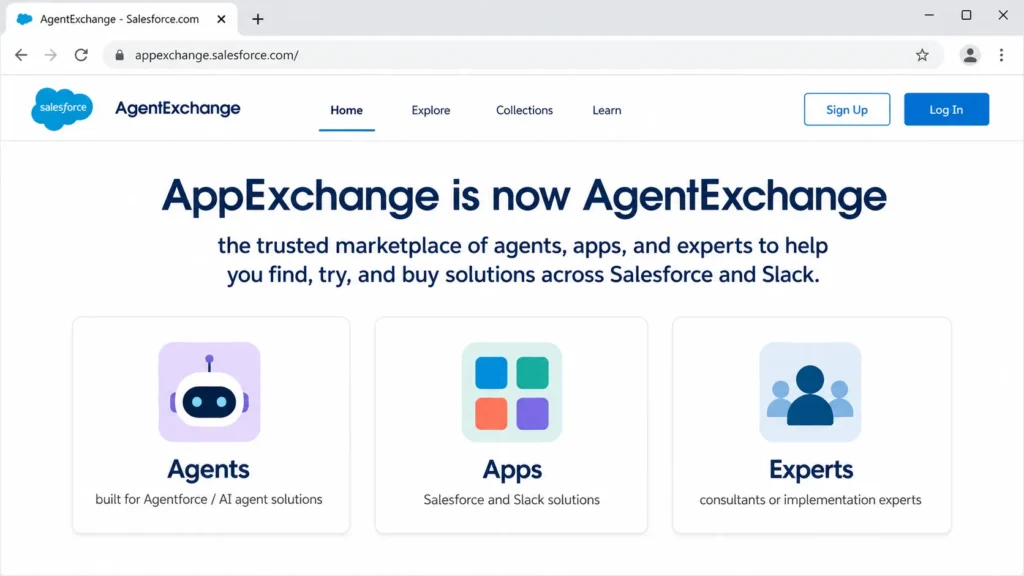
On the API side, Salesforce help documentation states API access applies to Enterprise and Unlimited editions, with API-related limits governed by the Developer Limits and Allocations reference. Salesforce Developers provides REST, Metadata, and other APIs for custom integration work.
Marketplace breadth and API access are entry tickets, not outcomes. Integration success still depends on your edition, your data model, API allocations, and whoever owns the integration when it breaks on a Tuesday.
My planning rule: list required integrations before choosing an edition, then check each one against plan gates and admin skill. Teams that pick the plan first and scope integrations second are the ones that discover the Enterprise gate at quarter-end.
Automation, AI, and Reporting
Automation scales cleanly with the plan ladder: built-in sales flows at Starter, real automation tooling at Pro, and advanced customization from Enterprise up. The design question is not whether Salesforce automates, it is who maintains the automations after the consultant leaves.
On AI, the honest 2026 read is promising with caveats. Salesforce’s pricing structure lets Enterprise buyers add AI rather than forcing the $550 bundle, and G2 sentiment pairs praise for AI productivity with notes that Agentforce capabilities are still evolving.
I would not upgrade any plan primarily for AI until the team can name the workflow, the data source, and the success metric. AI on top of messy CRM data automates the mess.
Reporting is a Salesforce strength with documented edges. Salesforce’s report limits documentation caps a custom report type at up to 60 object references, a ceiling most teams never see but analytics-heavy RevOps architectures can hit.
Formula fields carry official compiled-size limits as well, and Salesforce’s own documentation snippets show the exact byte ceiling in conflicting versions, so verify the current number in live developer docs before designing around it. A SoftwareAdvice reviewer independently flags formula and complex-calculation limits, which confirms the constraint is felt in practice, not just documented.
Storage rounds out the platform-limits picture. Salesforce’s help resources describe fixed storage allocations by edition, including a 10 GB data-storage baseline on Starter Edition orgs, so data-heavy teams migrating years of records and attachments need an archival plan before import, not after.
Security, Support, and Admin Controls
Salesforce maintains a dedicated compliance documentation site with certifications and attestations, including SOC 2 and ISO 27001 categories. Per that site, SOC 2 reports cover security, availability, and confidentiality of customer data.
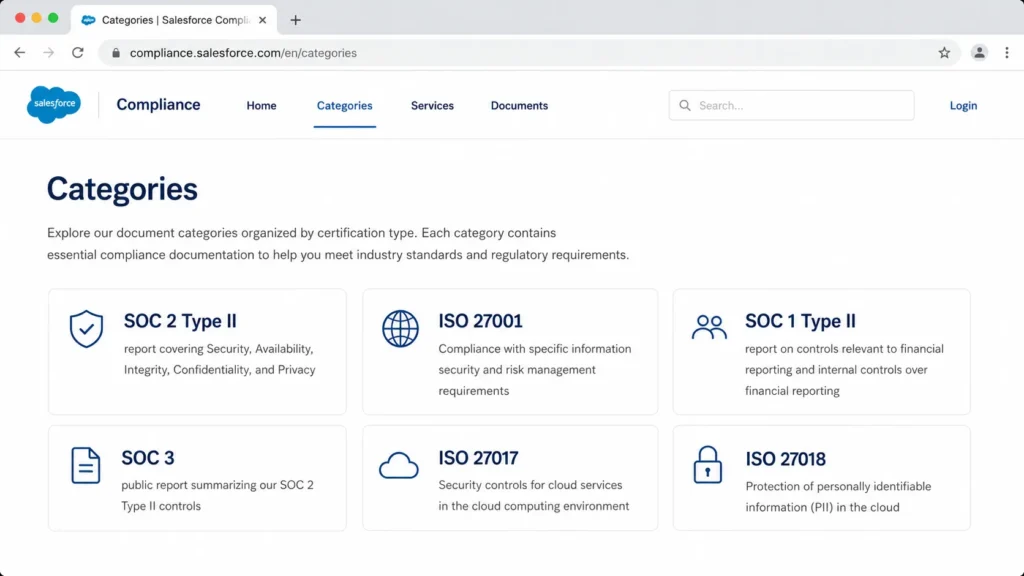
For regulated buyers, the verification path matters more than the logo wall. Compliance applicability varies by Salesforce service and environment, so pull the exact documents for the specific products in your contract rather than accepting a blanket “Salesforce is compliant” line.
Support quality is a plan decision, covered in the pricing section: Standard is self-guided, Premier costs 30% of net license fees with 24/7 coverage for business-stopping issues, and Signature adds a designated Customer Success Manager with proactive monitoring on a custom quote. Grade support expectations against the plan you will buy, not the plan in the sales deck.
On admin controls, the practical enterprise differentiator is the Full Sandbox at Unlimited, which enables safe testing of changes against production-scale data. Enterprise teams without it manage change risk through discipline instead of tooling, which works until the org gets complicated.
What 18,000+ Verified Reviews Agree On
Capterra lists Salesforce Sales Cloud at 4.4/5 across 18,748 reviews, with ease of use at 4.0 and customer service at 4.1, last updated January 16, 2026. G2, Gartner Peer Insights, and SoftwareAdvice show the same shape: high ratings, consistent praise themes, and consistent complaint themes.
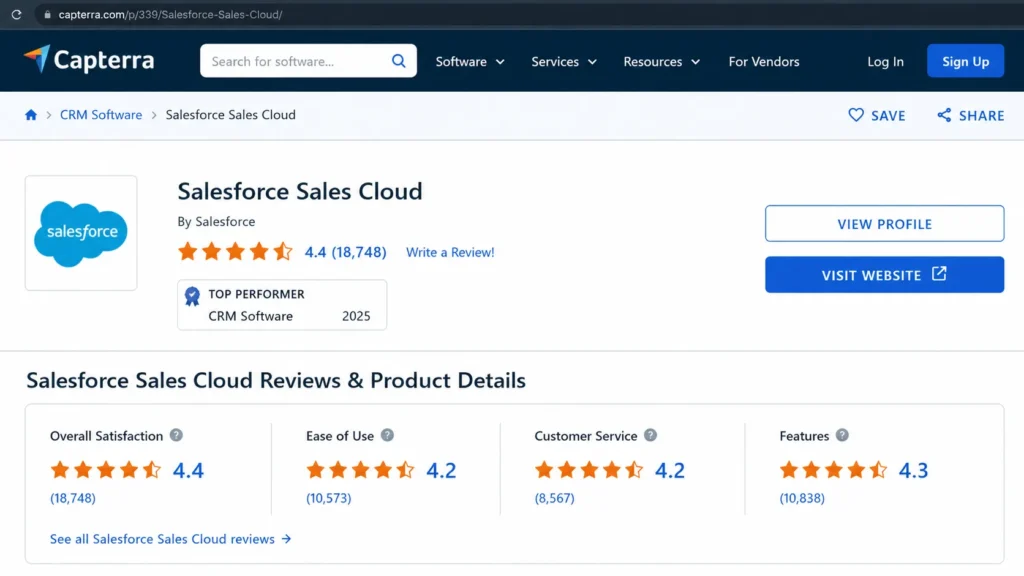
The praise and the complaints are not contradictory once you sort them by buyer. Here is the pattern across the four platforms:
| Buyer cohort | What reviews praise | What reviews warn about |
|---|---|---|
| 1-5 person teams | Centralized customer data in one system | Setup complexity, cost stacking as users and features are added |
| 10-25 rep mid-market teams | Pipeline visibility, reporting value | Learning curve, dedicated-admin dependency |
| Enterprise RevOps and IT | Complex-process fit, flexibility, ecosystem | Customization learning curve, formula and calculation limits |
| Teams with weak data governance | Automation once configured | Duplicate records, data confusion, occasional downtime frustration |
The reconciling insight: Salesforce wins where teams invest in configuration and process ownership, and frustrates teams that expected the software to supply the discipline. When a reviewer calls it overwhelming, the story behind the review is an under-resourced rollout, and when a reviewer calls it indispensable, the story is a staffed one.
Salesforce Limitations
These six limitations stand independent of the pros-and-cons summary, and each carries a buyer consequence.
1. Admin dependency is structural. The customization that wins enterprise reviews requires ongoing ownership, and SoftwareAdvice reviewers state plainly that a dedicated admin is likely needed.
Teams without that capacity inherit a decaying system.
2. Contracts lock in from $100/user/month. Pro Suite and every tier above it bill annually with contracts, so mis-sizing the purchase costs a year, not a month.
Monthly flexibility exists only at Starter.
3. Real support is a paid tier. Standard support is self-guided resources, and the 24/7 human layer costs 30% of net license fees via Premier unless bundled.
Budgeting sticker price alone understates cost by up to a third.
4. API access starts at Enterprise. Per Salesforce help documentation, API access applies to Enterprise and Unlimited editions, so integration-dependent teams cannot save money on lower suites.
The $175 tier is the practical floor for a connected stack.
5. The platform has documented ceilings. Formula compiled-size limits, the 60-object-reference cap on custom report types, and edition-based storage allocations all constrain advanced builds.
None blocks a normal sales org, but analytics-heavy architectures need design discipline.
6. AI value is conditional. Agentforce depends on plan tier, credits, and data readiness, and G2 sentiment flags the capabilities as still evolving.
AI is a reason to extend a working Salesforce org, not a reason to buy one.
Who Should Use Salesforce in 2026?
Salesforce is the right call for four buyer profiles, based on the plan gates and review evidence above.
Mid-market sales teams of 10-50 reps with a named admin. The Enterprise tier’s API, deal insights, and Conversation Intelligence match this team’s needs, and the $21,000-$27,300 annual cost for 10 users is defensible against the revenue at stake.
This cohort is exactly who Salesforce competes hardest for, and our best CRM for sales teams ranking shows where it lands against the field.
Enterprise RevOps organizations running complex processes. Gartner-tier reviewers confirm the fit: approval chains, multi-team handoffs, custom objects, and ecosystem depth are where Salesforce has no real mainstream ceiling.
Teams whose growth plan requires the platform, not just the CRM. If Sales Engagement, Full Sandbox change management, or credit-funded AI sit on an 18-month roadmap, buying into the ladder now beats a migration later.
Regulated buyers who need documented compliance. The published SOC 2 and ISO 27001 documentation categories give security teams a real verification path, provided they check documents by service.
Who Should Avoid Salesforce?
Do not buy Salesforce if any of the following describes your team, because each one predicts a failed rollout regardless of features.
Teams of 1-5 without admin capacity. The Free Suite caps at 2 licenses, the learning curve is documented across every review platform, and nobody is available to own configuration. A HubSpot CRM review is a better afternoon spent for this cohort.
Buyers who need monthly flexibility past the entry tier. Annual contracts start at Pro Suite, so a team unsure of its headcount or process is committing before it has answers.
Outbound teams that live in the phone. Sales Engagement sits at the $350 Unlimited tier, and calling-first teams get purpose-built tooling cheaper elsewhere, starting with the workflow covered in our Close CRM review.
Anyone buying primarily for AI promises. Between add-on pricing, credit consumption, data-readiness requirements, and evolving-capability sentiment on G2, AI-led purchases carry the weakest evidence base of any Salesforce buying rationale in 2026.
Better Alternatives for the Teams That Should Avoid It
Alternatives only help when matched to the reason Salesforce fails you. Match on workflow maturity, not on logo prestige.
| Alternative | Strongest fit | Pick it over Salesforce when |
|---|---|---|
| HubSpot | Inbound and marketing-led SMBs | Marketing and sales need one system with faster team adoption |
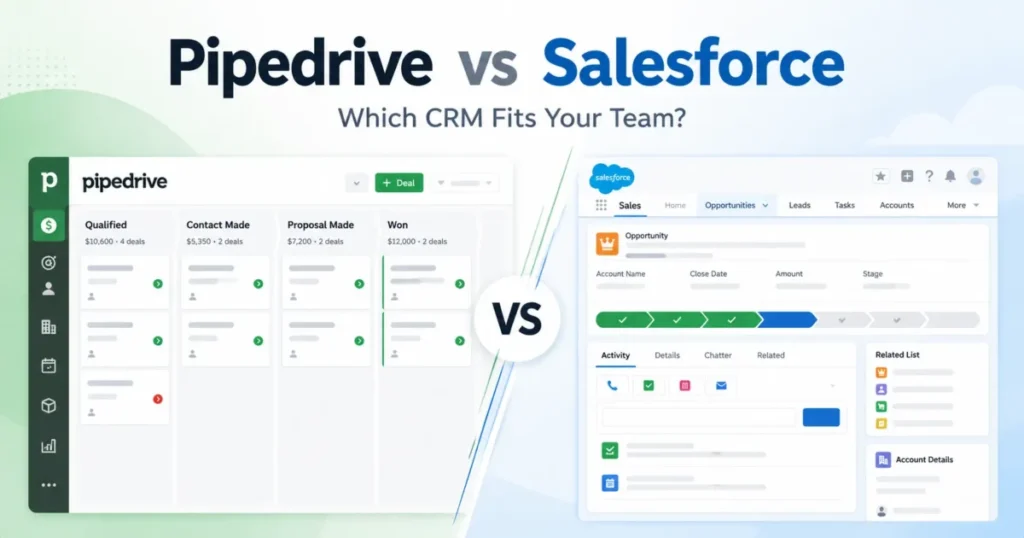
| Pipedrive | Pipeline-first small sales teams | Reps must be working deals in week one without an admin |
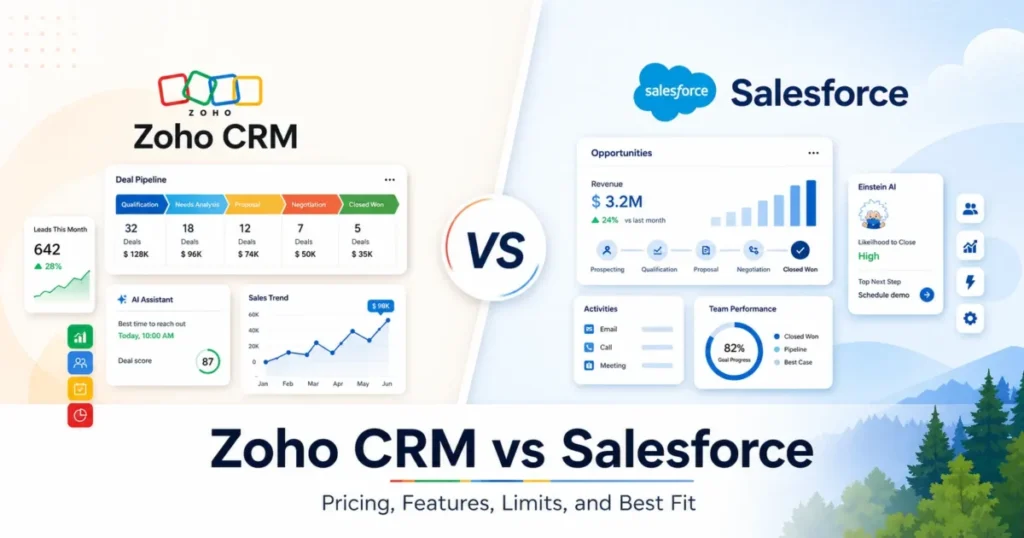
| Zoho CRM | Budget-conscious teams that still want customization | Customization matters but the Enterprise-tier budget does not exist |
| Microsoft Dynamics 365 Sales | Microsoft-first enterprises | Your stack already runs on Microsoft 365 and Azure |
| Close | Outbound, calling-heavy teams | Call volume matters more than platform depth |
Every tool in this table trades away some Salesforce depth to remove a Salesforce failure mode. That trade is the point, not a compromise.
HubSpot
HubSpot fits marketing-led SMBs where lead generation and sales share one funnel and adoption speed decides the project. Its case against Salesforce is strongest for teams that would have bought Salesforce Starter or Pro anyway, where Salesforce’s platform advantages are mostly locked behind higher tiers.
Choose Salesforce over HubSpot when process complexity and API-driven integrations are non-negotiable. Choose HubSpot when the team without an admin needs to be productive this month.
Pipedrive
Pipedrive is the pipeline-first answer for 2-15 rep teams that need visual deal management and almost nothing else. Setup is a rep-level task rather than an admin project, which removes Salesforce’s single biggest small-team failure mode.
The full picture, including its own ceilings, is in our Pipedrive CRM review. Its ceiling arrives when forecasting governance and multi-team processes appear, which is exactly where Salesforce Enterprise starts making sense.
Zoho CRM
Zoho CRM targets the buyer who likes Salesforce’s customization ambition but not Salesforce’s Enterprise-tier budget. It gives cost-conscious teams meaningful configuration room without the annual-contract cliff at $100/user/month.
The tradeoff is ecosystem depth and enterprise polish. Teams that outgrow it tend to graduate to Salesforce with cleaner data and a clearer spec than they had the first time.
Microsoft Dynamics 365 Sales
Dynamics 365 Sales is the credible enterprise counterweight for organizations already committed to Microsoft 365, Azure, and Teams. Stack gravity is a legitimate selection criterion, and our Microsoft Dynamics 365 Sales review covers where that gravity pays off.
Choose Salesforce over Dynamics when the AgentExchange ecosystem and CRM-native depth outweigh Microsoft-stack integration. Choose Dynamics when your IT organization already administers the Microsoft estate.
Close
Close serves outbound teams whose day is calls and follow-ups, with calling built into the core workflow rather than gated behind a $350 tier. For that cohort, it replaces the exact Salesforce capability that costs the most to reach.
It is not a platform play, and it does not pretend to be. Teams that later need platform depth can migrate a clean, high-velocity pipeline, which is the easiest kind of CRM migration there is.
Final Verdict: Is Salesforce CRM Worth It in 2026?
Yes, for the right buyer, and the right buyer is narrower than the market share suggests. Salesforce CRM is worth it for mid-market and enterprise sales teams that have admin ownership, integration requirements, and processes complex enough to use Enterprise-tier capability.
The practical plan for most qualifying teams is Enterprise at $175/user/month, with a real budget of $21,000-$27,300 per year for 10 users once the Premier support decision is made. Unlimited earns its $350 only when Premier, Full Sandbox, and Sales Engagement would have been bought separately anyway.
For teams under 5 people, teams without admin capacity, and teams buying on AI promises, the honest answer in this Salesforce CRM review is to walk away. The Salesforce alternatives field covers those situations with less money and less risk.
Before you sign, answer the renewal question now: twelve months from today, what evidence will prove this purchase worked? If the answer is not adoption, forecast trust, or a working integration you can name, delay the decision until it is.
FAQ
Is Salesforce CRM worth it in 2026?
Yes, if you run a 10+ rep sales team with a dedicated admin, integration needs, and a process complex enough to use Enterprise-tier features. Below that profile, the cost and admin burden outweigh the platform depth.
How much does Salesforce CRM cost per user?
Salesforce lists six plans as of July 5, 2026: Free Suite at $0, Starter at $25, Pro at $100, Enterprise at $175, Unlimited at $350, and Agentforce 1 Sales at $550 per user per month. Pro and above bill annually, and Salesforce notes pricing is subject to change.
Is Salesforce CRM the same as Sales Cloud and Agentforce Sales?
For buying purposes, yes: Sales Cloud is the sales product inside Salesforce CRM, and Agentforce Sales is the newer name appearing on G2 and in Salesforce’s AI-era positioning. Confirm the product name on any quote, since Salesforce also sells Service, Marketing, and other clouds.
Can I run Salesforce for free?
Yes, but only with 2 people. Free Suite costs $0 with no contract or credit card and includes lead, opportunity, and case management, but it is capped at 2 user licenses, so the third seat forces a paid plan.
Is Salesforce overkill for a small team?
For a 3-person team without an admin, yes. Review platforms consistently flag setup complexity and admin dependency, and small teams get to a working pipeline faster on lighter tools, then revisit Salesforce when process complexity earns it.
Which Salesforce plan includes API access?
Salesforce help documentation states API access applies to Enterprise and Unlimited editions. If integrations are on your requirements list, price the $175 Enterprise tier as your floor.
Do I need a Salesforce admin?
No, unless you go past basic Starter-level usage, and almost every serious deployment does. SoftwareAdvice and G2 reviewers repeatedly cite the need for dedicated admin ownership, so plan real weekly hours for it, internal or contracted.
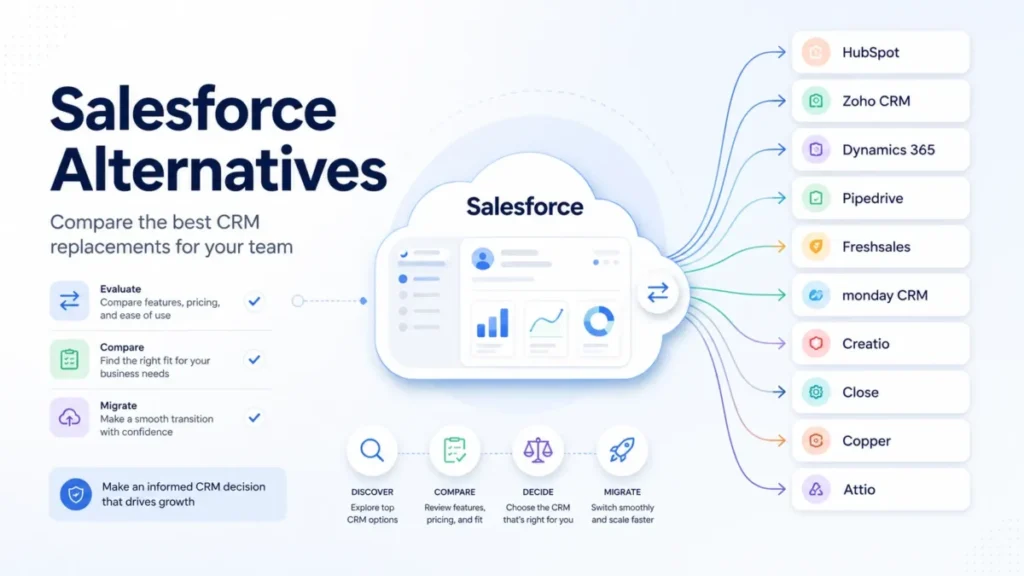
What are the best Salesforce alternatives?
HubSpot for marketing-led SMBs, Pipedrive for pipeline-first small teams, Microsoft Dynamics 365 for Microsoft-first enterprises, Close for outbound calling teams, and Zoho CRM for budget-conscious customization. Our Zoho CRM review covers that last trade in depth.
Salesforce vs HubSpot: which should I pick?
Pick Salesforce for complex processes, API-heavy stacks, and admin-staffed teams, and HubSpot for marketing-led teams that need fast adoption. The full breakdown is in our HubSpot vs Salesforce comparison.
Does Salesforce have a mobile app?
Yes. Salesforce’s Sales pricing feature comparison lists the Salesforce Mobile App, Sales Cloud Everywhere, and Full Offline Mobile Functionality, but exact edition availability for offline features is worth verifying with sales before buying for a field team.