The verdict of this Miro review: Miro is worth paying for when your team plans, runs workshops or sorts research on a shared canvas every week. For most small teams, that means Starter, the entry paid plan.
Business, the next plan up, earns its higher rate when clients join as guests, IT needs SSO, or your roadmap lives in Jira. Monthly whiteboarders should stay on Free.
In This Article (14 sections)
Miro Review 2026: Quick Verdict
| Question | Answer |
|---|---|
| Best for | Product, UX and agile teams, and consultants who run workshops on one shared canvas |
| Skip if | You need offline access, or you whiteboard only a few times a month |
| Entry plan | Free to evaluate; Starter is the entry paid plan, billed per member |
| Practical plan | Starter for internal teams; Business once clients need access |
| Main strength | Workshops, diagrams, docs, slides and AI on one canvas, with 7,000+ templates |
| Main limitation | Guests, SSO and AI workflows sit on Business; Free keeps 3 editable boards |
| Best alternative | Mural for facilitation, FigJam for Figma teams, Lucidspark for diagram-first work |
Sources: Miro pricing page, checked October 2026.
The choice for most buyers is Starter versus Business, and the deciding question is whether people outside your company need signed-in access to private boards.
Key Takeaways
- Free is an evaluation plan. It keeps 3 editable boards, shows every board to the whole team and has no two-factor login.
- Starter is the working plan for internal teams. It unlocks private boards, timer, voting and private mode.
- Business is the client plan. Starter has no guest role, so client work behind a sign-in moves every member from Starter to the higher-rate Business plan.
- AI is metered. Credits are pooled across the team, reset monthly and do not roll over.
- There is no offline mode; every board needs an internet connection.
How We Evaluated Miro
This is a documentation review: every price, limit and feature below comes from Miro’s own pages, read in October 2026. What we checked:
- Miro’s pricing page in both billing views, including the full feature comparison table
- Help center articles on AI credits, Enterprise credit tiers, board performance, system requirements, exports and user roles
- Miro’s trust center and security page
- The pricing pages of Mural, Figma and Lucidspark, and Microsoft’s Whiteboard page, for the alternatives
We judged each plan on two things: how well it holds up at a real team size, and which limit forces the next upgrade.
What Is Miro?
Miro is an online whiteboard that has grown into a canvas for diagrams, docs, tables, slides and AI agents. Its homepage tagline: “The Intelligent Canvas where your team and agents think, plan, and build together.”
Andrey Khusid started it in 2011 as RealtimeBoard, so his design agency could share ideas with remote clients. Miro’s About page puts its reach at more than 100 million users in 250,000 organizations.
That client-facing origin still shapes the plans: the features for working with outsiders, guests and per-client workspaces, are what Business charges for.
Core Capabilities
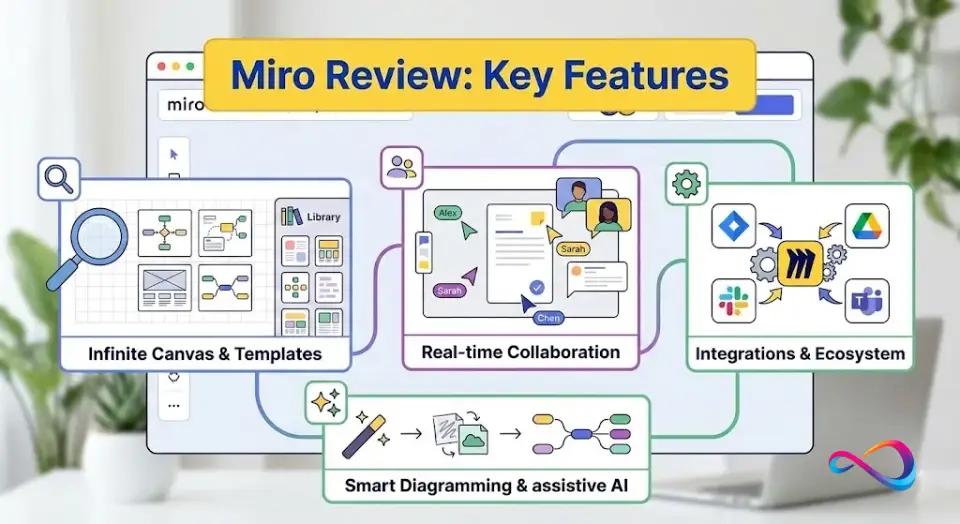
- Infinite canvas with frames and layers, up to 100,000 objects per board
- 7,000+ templates made by Miro and its community
- Formats on every plan: Docs, Tables, Timelines, Kanban and Slides on the canvas
- Facilitation: timer, voting and private mode from Starter; Engage polls and 2×2 matrix on Business
- 250+ integrations, with two-way sync for Jira, Asana, Linear, ClickUp and Azure on Business
- Miro AI for diagrams, tables, summaries, clustering, AI workflows and agents, metered by credits
- MCP server that connects Miro to Claude, Cursor or Copilot, from 100 calls a day on Free
The list matters less than the plan gates beside it: most of what separates Miro from a free whiteboard sits on Starter or Business.
Typical Teams and Workflows
- Product teams keep roadmaps in data tables with dependencies and Planner, synced two ways with Jira (Business).
- UX and research teams cluster interview notes with AI, map journeys and build interactive prototypes (prototypes on Business).
- Agile teams run retros and estimation sessions with private mode, voting and a timer (Starter and up).
- Consultants give each client a private workspace and invite them as signed-in guests (Business).
What Changed in 2026
Four things on Miro’s current plans change how you should read older reviews of it:
- AI runs on credits: 25 per member a month on Starter, 50 on Business, and Enterprise from 2,500 credits a month.
- AI workflows and agents (Sidekicks and Flows) are a limited trial on Free and Starter and fully included from Business.
- The MCP server is on every plan, from 100 calls a day on Free to 10,000 on Enterprise, so AI coding tools can read and write boards.
- Data residency options: the EU, US, Australia and Japan on Enterprise, while EU residency is on every plan.
AI is part of how Miro’s plans are tiered, and the AI parts that matter most to a team, workflows and agents, are fully included from Business.
Miro Plans at a Glance
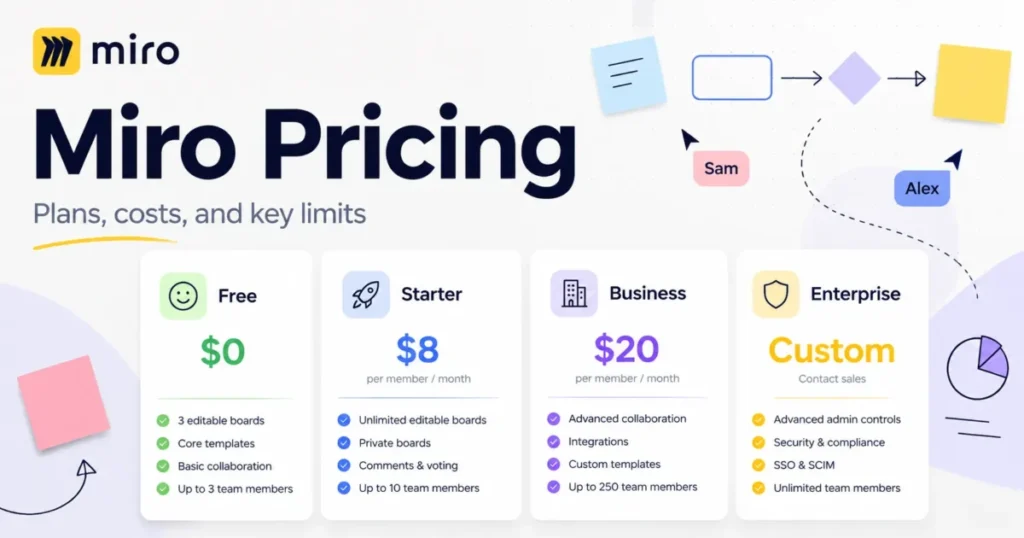
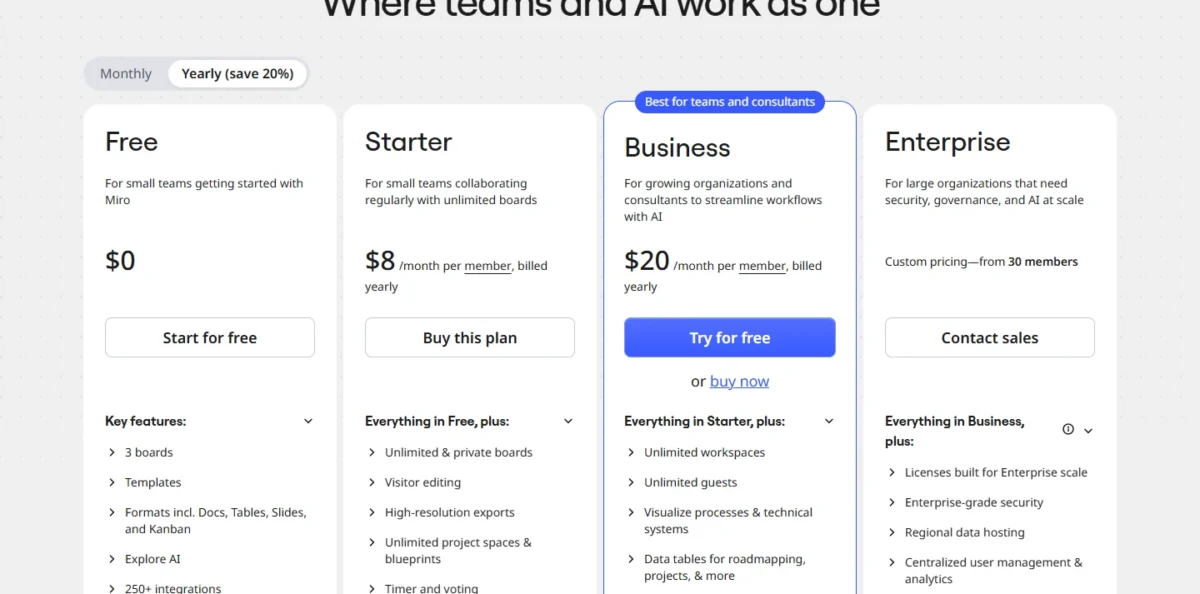
Miro charges per member on its paid plans: Starter is $8 and Business $20 per member per month billed yearly, Free costs nothing and Enterprise is quoted from 30 members.
The Miro pricing guide compares what each plan charges in the yearly and monthly views, with team-size scenarios and AI credit packs. This section sticks to which plan fits and what forces the next one.
Plan Snapshot
| Plan | Fits | Editable boards | AI credits per month | Limit that forces an upgrade |
|---|---|---|---|---|
| Free | Evaluating Miro, or whiteboarding a few times a month | 3 | Limited trial | A fourth editable board, private boards, or a facilitator who needs timer and voting |
| Starter | Internal teams that run workshops, retros and planning every week | Unlimited | 25 per member | Clients who need signed-in access, SSO, or two-way Jira sync |
| Business | Teams that work with clients as guests, behind SSO, or plan in Jira | Unlimited | 50 per member | SCIM, audit logs, or US, Australian or Japanese data hosting |
| Enterprise | Companies with strict IT and compliance rules | Unlimited | From 2,500, pooled | No higher plan; AI usage has a soft limit |
Sources: Miro pricing page, yearly and monthly views, checked November 2026.
Starter is the entry paid plan for a working team, because Free’s 3 editable boards suit an evaluation, not ongoing work.
Billing monthly costs more per member than billing yearly.
The catch is in the seat rules. Added members are prorated right away, but removing a member only takes effect at renewal, so an annual plan locks in your peak headcount for the year.
Team Size and the Business Premium
At 10 members billed yearly, Starter is $8 x 10 x 12 = $960 a year and Business is $20 x 10 x 12 = $2,400, a premium of $1,440.
Sources: Miro pricing page, checked November 2026.
That premium buys guests, SSO, AI workflows, data tables, 4,700+ diagram shapes and two-way Jira sync. If none of those is on your list, Starter is the plan.
Pay monthly while headcount is still moving, then switch to yearly once the team is stable. The annual saving only holds if you never need to shrink mid-term.
Enterprise starts at 30 members, so a team near that size should work out its own Business total first and bring it to an Enterprise sales call as the benchmark.
Discounts are worth checking before you pay list price; the terms sit in the FAQ of Miro’s pricing page:
- Accredited schools get the Education Plan free for students and staff.
- Nonprofits are eligible for a discount.
- Eligible startups can receive Miro credits through a partner accelerator or VC, or a smaller amount when applying independently.
- Venture-backed companies can apply for a discount on Enterprise.
Invoicing is annual only, with a minimum of 10 licenses on Starter or 5 on Business, and it is no longer offered in all countries. Most small teams will pay by card.
Miro Free Plan Limitations
Free is an evaluation plan, not a small-team plan. Its limits:
- 3 editable boards
- Every board is accessible to all team members by default; private boards start on Starter
- No guest role: anyone you invite becomes a member, which means a paid seat once you upgrade
- Visitors can only view
- Low-resolution exports only
- No timer, voting or private mode
- 5 Talktracks
- No two-factor authentication (2FA)
Free’s AI allowance is a limited trial. Miro’s pricing FAQ says 10 credits a month, while its help center’s credit table lists 25, and the balance is not shown on Free.
The 2FA gap is the one I would not ignore. A Free workspace holding client material has no second factor on its logins, which alone is a reason to upgrade before real work goes in.
If you are still weighing free options, our ranking of free collaboration tools is a better place to compare alternatives.
Miro Business vs Enterprise Differences
| Plan | SAML SSO | SCIM and audit logs | Guests | Data residency | MCP calls per day |
|---|---|---|---|---|---|
| Starter | No | No | No | EU | 500 |
| Business | Yes | No | Unlimited | EU | 2,000 |
| Enterprise | Yes | Yes | Yes | EU, US, Australia, Japan | 10,000 |
Sources: Miro pricing page, checked October 2026.
The jump from Business to Enterprise is a security-team decision, not a user decision. If IT requires SCIM deprovisioning, audit logs or US data hosting, Business is ruled out at any team size.
Enterprise also adds admin controls for AI, a sandbox environment and a customer success program. Premium 24/7 support with SLAs is a paid add-on even there.
The Limits That Force an Upgrade
- Free to Starter: the fourth board you need to keep editing, a board that must be private, or a facilitator who needs a timer and voting.
- Starter to Business: the first client who needs signed-in access to a private board. Starter’s workaround is a public link that visitors can edit without signing in, the wrong trade-off for confidential work.
- Business to Enterprise: SCIM, audit logs, or data hosted in the US, Australia or Japan.
- Starter and Business: the AI credit pool. When it runs out, AI actions pause until the reset, unless an admin buys an extra bundle (for example 100 or 200 credits).
Miro Key Features
Infinite Canvas and Board Limits
The canvas has a hard ceiling of 100,000 objects per board. The practical limit is far lower: performance can suffer from 1,000 objects, and the recommended maximum is 5,000 (Miro board performance guide).
Miro’s guide says board performance isn’t affected by your plan, so a higher plan will not speed up a crowded board. The fix is to delete heavy files, convert large PDFs and images to PNG or JPG, and split the board.
IT teams should note one more condition. Without GPU hardware acceleration, as on some virtual machines, Miro switches to a CPU-based renderer, with slower panning and zooming on large boards.
Templates + Miroverse
The Miro template library holds 7,000+ templates made by Miro and its community, from agile retros to research synthesis and strategy maps.
The template feature that matters for a team starts on Starter: custom templates and blueprints, which turn your own workshop format into something every facilitator reuses. The public library gets you started; blueprints keep a team’s sessions consistent.
Facilitation Tools
Miro’s facilitation features are split across plans, which matters if you run retros or workshops:
- Timer, voting and private mode: Starter and up
- Estimations and video calls: Starter and up
- Engage activities (polls, 2×2 matrix, scales): Business and Enterprise, up to 50 participants
- Visitors and guests can join video chat, screen sharing and voting sessions
A facilitator on Free has none of the core tools, so Starter is the minimum for running a proper retro. The 50-participant Engage cap matters for all-hands workshops, not for a team retro.
Diagramming + Artifacts
Diagramming is where the plan you buy changes the product most. Free has basic shapes; Starter adds Visio and Lucidchart import; Business adds 4,700+ shapes for Mermaid, UML, AWS and BPMN, plus AWS Cloud View & Cost Calculator.
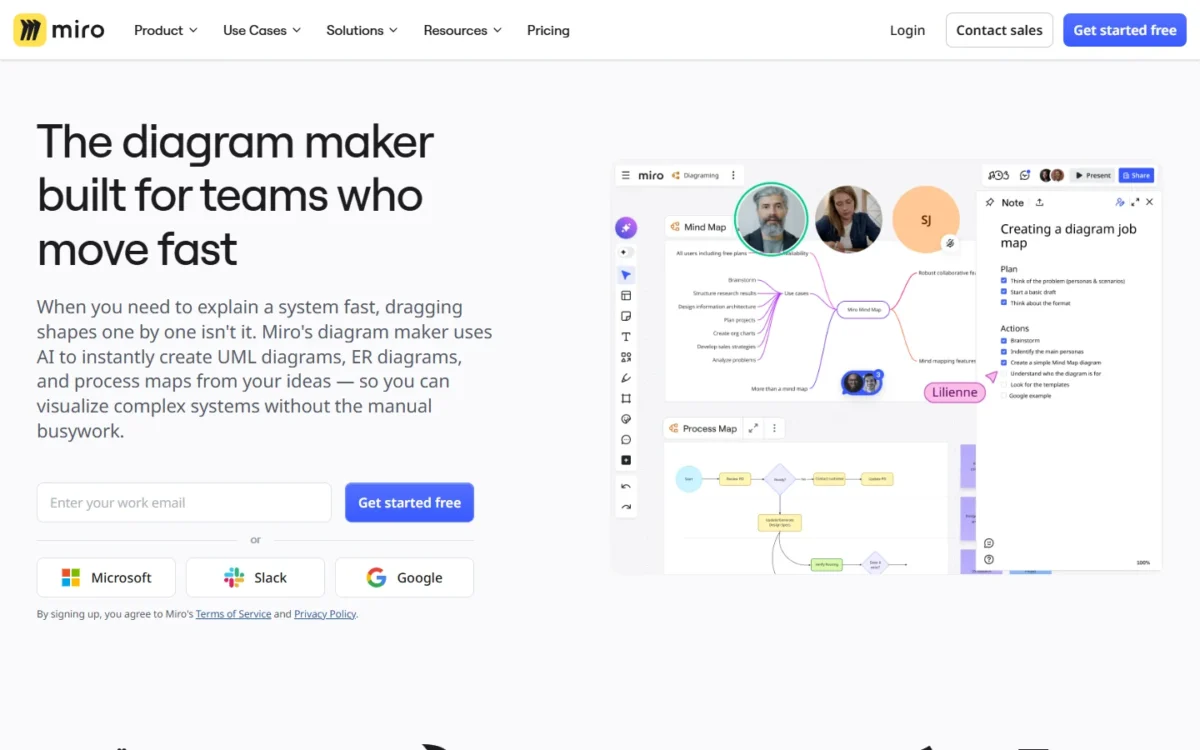
Miro AI can turn a text description, or an image of a diagram, into an editable flowchart, UML or entity-relationship diagram, at 5 credits per diagram.
The Starter import matters to teams leaving Visio or Lucidchart: existing diagrams come along without paying for Business. Engineering teams that draw cloud architecture will need Business for the specialized shape packs.
Docs, Tables, and Presentation Mode
Docs, Tables, Timelines, Kanban and Slides work on the canvas on every plan, Free included. Data tables with nesting and tree views, Planner and dependencies need Business.
Talktrack board recordings are capped at 5 on Free and unlimited on paid plans. For async board reviews, they cover a job that a separate async video tool like Loom would otherwise do.
The practical result: a team can run a workshop, write the summary doc and present the slides on one board, which removes a hand-off between tools.
Miro Integrations
Miro connects to 250+ apps and integrations, which its integrations page groups into enterprise ecosystems, AI-tool connections and custom builds.
The plan matters more than the count. Starter adds Jira and Asana, while two-way sync with Jira, Asana, Linear, ClickUp and Azure is a Business feature. If your sprint plan lives in Jira and on the board, start at Business.
The MCP server lets AI tools such as Claude, Cursor, GitHub Copilot and Gemini CLI use board content to generate code, and create diagrams and docs on the board.
Miro AI in 2026
What Miro AI Can Do
The core features in the Miro AI overview: content from prompts or selected objects, summaries of notes and comment threads, sticky-note clustering, diagram drafts, and translation into 17 languages.
Clustering is the feature research teams should weigh first. Miro aims it at sorting large sets of qualitative notes from user research and brainstorms, grouped by keywords and sentiment.
On top sit AI workflows: Sidekicks, AI agents that work from your board’s context, and Flows, repeatable workflows built on the canvas. Both are a limited trial below Business.
| AI action | Credits per use |
|---|---|
| AI search | 0 |
| Sticky note, text or catch-up | 1 |
| Doc | 2 |
| Image | 3 |
| Diagram, table or board layout | 5 |
| Slides or prototype screen | 5 per slide or screen |
Sources: Miro AI credits help article, checked October 2026.
A 10-member Business team gets 50 x 10 = 500 credits a month in one shared pool. At 5 credits each, that is 100 diagrams, or ten 10-slide decks at 5 x 10 = 50 credits each.
A 10-member Starter team gets 25 x 10 = 250 credits. One person generating a 6-screen prototype flow uses 5 x 6 = 30 of them, so budget credits like a usage cost, not a feature.
Limitations
- Guests and visitors cannot use Miro AI or run AI actions.
- Miro cannot show a prompt’s credit cost before it runs, and every regeneration consumes credits again.
- When the pool runs out, AI actions pause until it refreshes; extra bundles cannot be bought during a Business trial.
- Enterprise has a soft limit, so usage can go over the allocation.
- Miro AI works only with content visible on the canvas, including rendered Jira or Confluence embeds.
Customer data is not used to train Miro AI models. Enterprise adds granular AI controls, and blocking Miro AI or MCP entirely is a paid Enterprise add-on.
Miro Ease of Use: What Setup Really Involves
Learning Curve
What there is to learn grows with the plan. Free covers basic shapes, templates and formats; Business adds data tables, Planner, dependencies, 4,700+ shapes and AI workflows.
A team buying Business for one feature inherits all of them. Give one person ownership of spaces, blueprints and templates, or the features you pay for stay unused.
Onboarding
- Free: Help Center and Community
- Starter and Business: email support on top
- Enterprise: a customer success program with a dedicated account team and onboarding programs
Below Enterprise, setup help is self-serve plus email, so a 25-person rollout on Business is your own project. The 14-day Business trial is the cheapest way to see which Business features your team actually opens.
Mobile Experience
Miro runs in the browser and in desktop, tablet and mobile apps, and Miro AI works across browser, desktop and mobile. Tablets need 6 GB of RAM for comfortable use, per Miro’s system requirements.
On computers, Miro lists 8 GB of RAM as the minimum and 16 GB as recommended, with 8 Mb/s of bandwidth at minimum and 32 Mb/s recommended. Older laptops in a workshop room are where those numbers show up.
There is no offline mode. Miro’s system requirements page calls it “currently not on our radar” and points to export options instead.
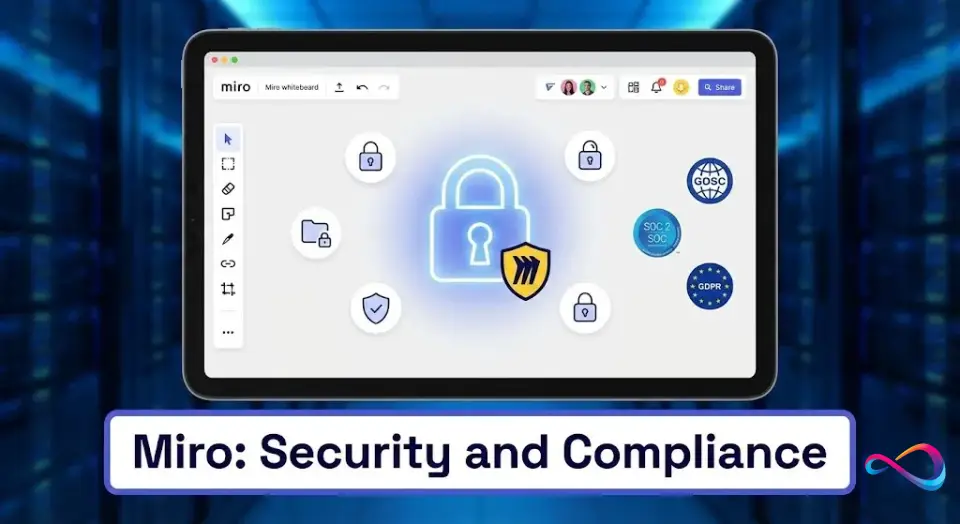
Security and Compliance
Miro Security Overview
- Encryption on every plan: TLS 1.2 or higher in transit and AES 256 at rest
- 2FA: Starter and up
- SAML SSO: Business and Enterprise
- SCIM, audit logs and SIEM integrations, domain control: Enterprise only
- Enterprise Guard: an add-on for sensitive-content classification; encryption key management and eDiscovery are paid Enterprise add-ons
Enterprise Guard controls, from sensitive-data classification to bring-your-own-key encryption, are set out on the Miro security page. For most teams, the plan lines that matter are 2FA on Starter and SSO on Business.
Miro’s trust center adds a 99.5% uptime service-level agreement, daily encrypted backups with four-hour snapshots, and a public bug bounty program.
Does Miro Support SOC 2 and ISO 27001?
Yes. Miro holds ISO/IEC 27001 and SOC 2 Type II, plus SOC 3, and cites NIST, TISAX and GDPR alongside them. ISO/IEC 42001 covers its AI management system, and an IRAP attestation letter is available.
The SOC 2 Type II report sits in the trust center’s documentation section, which is where a procurement team should start before sending a questionnaire.
HIPAA and BAA
HIPAA is not among the certifications on Miro’s pricing page or in its trust center’s featured documents. A healthcare team should get a written answer on a BAA from Miro sales before any patient data goes on a board.
Security questionnaires and MSAs go through Miro’s sales team, so that request belongs in the Enterprise conversation.
Data Residency
EU data residency is included on every plan, Free included. US, Australian and Japanese residency are Enterprise only, and existing customers moving from the EU to those regions pay migration fees.
A US company whose policy requires US data hosting cannot meet it below Enterprise, whatever its size.
Miro Pros and Cons
Pros
- One canvas for the whole session: Docs, Tables, Kanban and Slides are on every plan, so a workshop and its write-up live on one board.
- Starter fits small teams: the entry paid plan buys unlimited private boards, facilitation tools and 25 AI credits per member.
- Outsiders don’t inflate the seat count: visitors join public boards without an account, and Business guests do not take a paid seat.
- Diagram depth on Business: 4,700+ shapes for AWS, UML, BPMN and Mermaid, with Visio and Lucidchart import from Starter.
- Enterprise security is broad: SCIM, audit logs, four data residency regions and ISO/IEC 42001 for AI.
- AI tools can work on the board: the MCP server connects Claude, Cursor and Copilot on every plan.
What are the downsides of using Miro?
The main downsides are the Business price for client work, slow large boards, metered AI and no offline mode:
- Client work needs Business: a consultant who invites clients behind a sign-in moves the whole team up a plan.
- Large boards slow down: performance can suffer from 1,000 objects, and a board that collects a quarter of research can pass that.
- AI is metered and shared: one heavy user can drain the team’s pool, and a prompt’s cost is unknown until it runs.
- No offline mode: boards need a connection, and Miro points to its export options instead.
- Annual seats only shrink at renewal: removing a member takes effect at the end of the term.
- Free lacks 2FA and private boards, which rules it out for client material.
Who Miro Is Best For
Good Fit
| Buyer | Plan to buy | Why |
|---|---|---|
| Product team planning in Jira | Business | Two-way Jira sync, data tables, Planner and dependencies |
| UX research team | Starter, or Business for prototypes | AI clustering on Starter credits; interactive prototypes on Business |
| Agile team running retros | Starter | Timer, voting, private mode and estimations |
| Consultant running client workshops | Business | Private workspaces per client and unlimited guests |
| Company with strict IT rules | Enterprise | SCIM, audit logs and US, Australian or Japanese data residency |
The pattern: internal teams rarely need more than Starter, and Business becomes necessary once people outside the company or IT policy enter the picture.
Who Should Skip Miro
- Occasional whiteboarders: if you hold a workshop a month, Free’s 3 boards or a tool you already pay for will do.
- Figma-first design teams: a Figma Collab seat already includes full access to FigJam.
- Teams that need offline work: Miro has no offline mode.
- Microsoft 365 shops with simple meeting needs: Microsoft Whiteboard is enabled by default for most Microsoft 365 tenants.
- Virtual desktop setups without GPU: Miro falls back to a slower CPU renderer.
Best Miro Alternatives (2026)
Each rival fits a different job: facilitation, teams already in Figma, diagram-first work, or a whiteboard already enabled in most Microsoft 365 tenants. Our ranking of team collaboration tools covers the wider field.
Comparison Table
| Tool | Best for | Entry paid price | Free option | Where it beats Miro |
|---|---|---|---|---|
| Miro | Workshops, planning and diagrams on one canvas | $8 per member per month, billed yearly (Starter) | 3 editable boards | Breadth of formats and AI on one board |
| Mural | Facilitation-led workshops | $9.99 per member per month, billed annually (Team+) | 3 editable murals | Facilitation features on every plan |
| FigJam | Teams already paying for Figma | $3 per Collab seat per month (Figma Professional) | Figma Starter, limited access | Low seat price inside Figma |
| Lucidspark | Diagram-heavy teams | $9 per month billed annually (Individual); $10 per user (Team) | 3 editable boards | Enterprise includes Lucidchart |
| Microsoft Whiteboard | Microsoft 365 meetings | Part of Microsoft 365 | Enabled for most Microsoft 365 tenants | Already inside Teams meetings |
Sources: Miro pricing, Mural pricing, Figma pricing, Lucidspark pricing and Microsoft Whiteboard, checked October 2026.
Entry prices vary by seat type and billing, so the table is not a straight price ranking. The real difference is the workflow each tool was built around.
Miro vs Mural
Mural is the stronger pick when facilitation is the job. Its Facilitation Superpowers, including timer, voting, private mode and facilitator lock, are on every plan, while Miro starts timer, voting and private mode on Starter.
At 10 members, Mural Team+ costs $9.99 x 10 x 12 = $1,198.80 a year against $8 x 10 x 12 = $960 for Miro Starter, both billed annually.
For SSO and unlimited guests, both vendors move you to Business, where Mural’s per-member price is below Miro’s $20.
Miro wins on breadth: 7,000+ templates against Mural’s 250+, plus data tables, prototypes and the MCP server on the same canvas. Pick Mural for a facilitation practice; pick Miro when workshop output feeds planning and design work, with both listed in my design collaboration tools ranking.
Miro vs FigJam
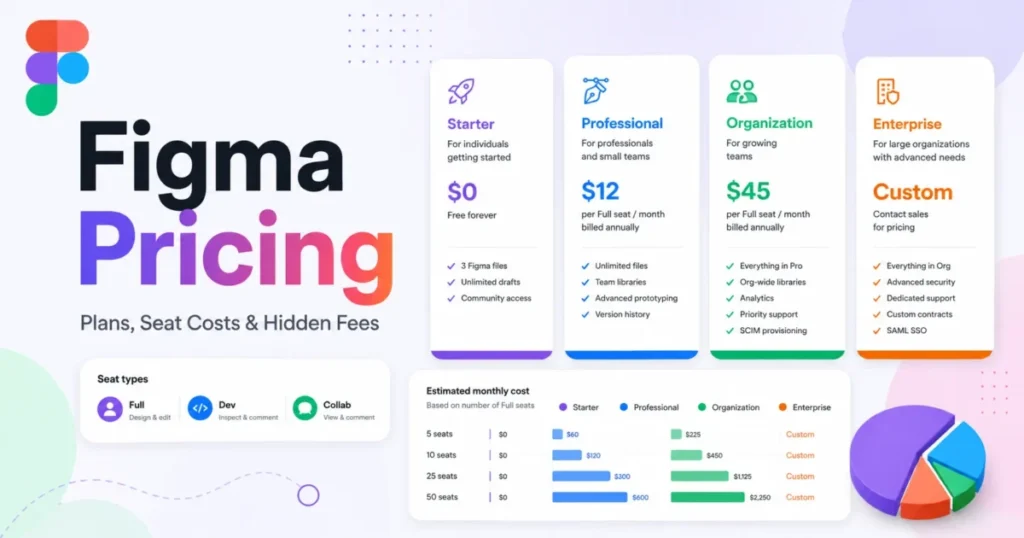
FigJam’s case is economics inside Figma. A Collab seat on Figma’s Professional plan is $3 a month and includes full access to FigJam, Figma Slides and Figma Buzz.
For a design team already paying for Figma, $3 a month per Collab seat on Professional is a small extra for adding product managers and stakeholders. Figma’s seat-based pricing explains how those seats add up.
Miro is the better buy when the board feeds planning, not design: two-way Jira sync, data tables and Planner live on Miro Business. Our Figma review covers the design side of that decision.
Miro vs Lucidspark
Lucidspark makes sense when diagrams are the deliverable. Its Enterprise plan includes Lucidchart, and its Team plan costs $10 per user per month billed annually, with voting, a timer and guest collaborators.
Its free plan matches Miro’s at 3 editable boards. Miro puts docs, slides and AI workflows on one canvas. Choose Lucidspark when most of your boards end as formal diagrams.
Decision Matrix
| If you need | Choose |
|---|---|
| Workshops, planning and diagrams in one tool | Miro Starter or Business |
| Facilitation tools on every plan, free included | Mural |
| Whiteboarding for a team already paying for Figma | FigJam |
| Formal diagrams as the main output | Lucidspark, with Lucidchart on Enterprise |
| Meeting whiteboards inside Microsoft 365 | Microsoft Whiteboard |
Microsoft Whiteboard runs inside Microsoft Teams meetings, which makes it the zero-procurement option for Microsoft 365 companies.
If the whiteboard is secondary to written documentation, our Notion vs Confluence comparison is the better starting point.
Miro FAQs
Which Miro plan should a small team start on?
Starter, once the team works on Miro every week. The Free plan has unlimited members and 3 editable boards, plus templates, Docs, Tables and Slides, so it suits an evaluation. Accredited schools get more through the Education Plan: Miro free for students and staff.
Which Miro plan is worth paying for?
Starter for internal teams, Business when clients need signed-in access, SSO or two-way Jira sync, and Enterprise for SCIM, audit logs or non-EU data hosting. Downgrades and cancellations take effect at the end of the term, and plans auto-renew, so cancel before the renewal date. The Miro pricing guide sets out what each plan charges.
Is Miro worth it?
For teams that run workshops or plan visually every week, yes: Starter, the entry paid plan, brings unlimited private boards. For occasional whiteboarding, Free or Microsoft Whiteboard is easier to justify.
Is Miro better than Mural?
For mixed work, yes; for pure facilitation, not necessarily. Mural includes its facilitation features on every plan. Miro puts more formats on one canvas, from data tables to interactive prototypes.
Is Miro better than FigJam?
For teams outside design, usually yes, because Miro Business adds two-way Jira sync, data tables and Engage activities. For a team already in Figma, a Collab seat on Figma Professional includes FigJam, so a second whiteboard seat is hard to justify.
Is there anything better than Miro?
For single jobs, yes: Mural for facilitation, FigJam for Figma teams, Lucidspark for diagram-first work and Microsoft Whiteboard inside Microsoft 365. Miro remains the safer default when one canvas has to serve product, design and engineering teams at once.
Is Miro a Russian company?
No. A Miro newsroom announcement names Amsterdam its second headquarters alongside San Francisco. In an update on its blog, Miro said it is a US-based corporation registered in Delaware and that it closed its office in Russia.
Does Miro work offline?
No. Miro needs an internet connection, and offline mode is not on its radar. The closest workaround is exporting boards as images, PDFs or CSV files, though Free exports in small size only.
Is Miro safe and trustworthy?
Miro holds SOC 2 Type II and ISO/IEC 27001 and encrypts data in transit and at rest on every plan. Customer data is not used to train Miro AI models, and daily encrypted backups are replicated to a secondary region.
What integrations does Miro support?
Miro lists 250+ integrations, and two-way sync for Jira, Asana, Linear, ClickUp and Azure is a Business feature. REST APIs and Web SDKs are included on every plan, so a developer can build a custom integration even on Free.
How does Miro AI work?
Miro AI reads what is visible on your board and generates, summarizes or restructures it, drawing credits from a pooled monthly balance. Credits are used when a result is generated, not when you keep it, and undoing a result does not refund them.
Can guests collaborate in Miro?
Yes, on Business and Enterprise. Signed-in guests join specific private boards without taking a paid seat; they can comment, upload files and see board history, but cannot create or share boards. On Starter, outsiders join only as visitors through a public link.
Is Miro good for agile teams?
Yes, from Starter up: estimations, timer, voting and private mode cover sprint planning and retros. Starter connects to Jira and Asana, while two-way sync, dependencies and Planner need Business, the plan for teams that plan sprints on the board rather than only discuss them.
Final Verdict: Should You Buy Miro?
Buy Miro Starter if your team runs workshops, retros or planning sessions on a canvas every week. At $8 per member per month billed yearly, it is a low price for unlimited private boards and facilitation tools.
Move to Business when clients need signed-in access, IT needs SSO, or your roadmap lives in Jira and you want two-way sync. Go to Enterprise only when SCIM, audit logs or US data hosting are requirements, not preferences.
Choose Mural if facilitation is the whole job, FigJam if your designers already pay for Figma, and Lucidspark if formal diagrams are the deliverable. Keep Miro Free for evaluation only: 3 editable boards and no 2FA are not a home for client work.
Next steps:
- Miro looks like a fit: start the 14-day Business trial and note whether anyone uses guests, data tables or AI workflows; if not, buy Starter.
- Cost matters more: compare Mural Team+ and Lucidspark Team against Miro Starter at your real team size.
- Compliance comes first: request the SOC 2 Type II report through Miro’s trust center, and get a written answer on a BAA from Miro sales before procurement.