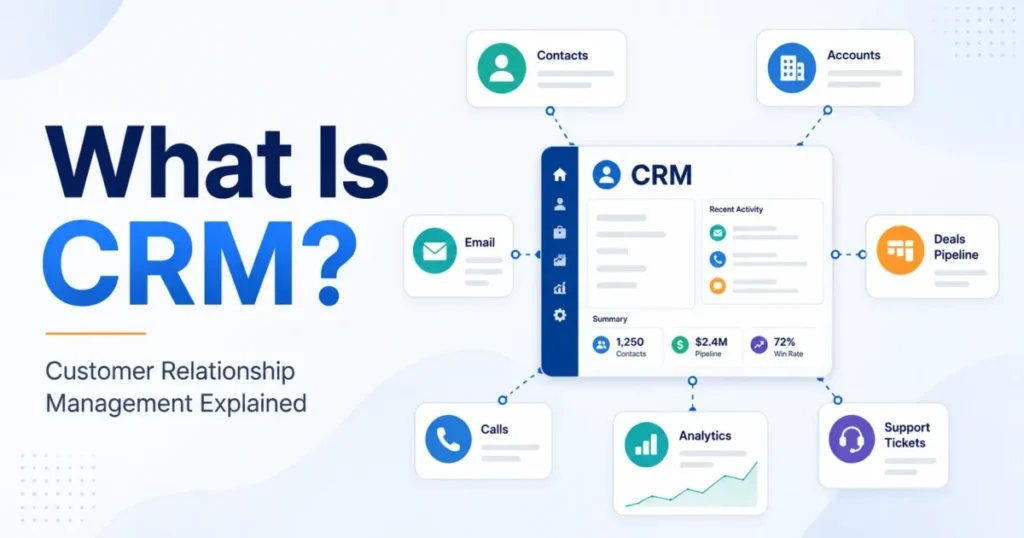
A CRM software example is a named product, such as Salesforce Sales Cloud, HubSpot Smart CRM, Zoho CRM, Pipedrive or Microsoft Dynamics 365 Sales, that keeps a team’s contacts, deals and customer conversations in one shared record.
Each example is built around one main job, shown by the features it leads with: pipeline management (sales), email marketing and lead intent scores (marketing), ticketing and call routing (service), Gmail or ERP records (embedded CRMs), or intake and patient records (industry CRMs).
Salesforce sorts CRMs into four types (operational, analytical, collaborative, strategic), and two examples have a free edition: HubSpot for up to two users and 1,000 contacts, Zoho CRM for up to 3 users. This page is for teams still building a shortlist; for ranked picks, see my list of the best CRM software.
Industry CRMs trade breadth for fit: Clio Grow’s intake data feeds Clio’s own matter record.
Key facts
15 examples in 5 job groups, from each vendor’s own pages, checked November 2026. This page assumes you know what CRM is and how it works.
In This Article (9 sections)
15 CRM Software Examples at a Glance
The 15 CRM system examples below fall into five job groups: sales, marketing-led, service and call center, embedded in another tool, and industry. The type column is my classification, and it applies one rule to every row: a type is listed when the example’s own section below states a fact that matches Salesforce’s definition of that type.
Operational CRM automates marketing, sales and service operations and includes lead tracking and pipeline management. Analytical CRM uses data mining, predictive modeling and business intelligence to identify trends and forecast sales; reporting alone does not count, because Salesforce lists reporting among the table stakes of every sales CRM.
Collaborative CRM gives all departments access to the same customer information, so it is listed only where a section names the departments that share one record.
| Example | Job group | CRM type | AI named on the vendor’s page | Free start |
|---|---|---|---|---|
| Salesforce Sales Cloud | Sales | Operational | Autonomous sales agents, Piper for Sales | 30-day free trial |
| Pipedrive | Sales | Operational and analytical | AI Sales Assistant, Nova | 14-day free trial |
| Zoho CRM | Sales | Operational and analytical | Zia, Zia Agents | Free edition, up to 3 users |
| Bigin by Zoho CRM | Sales (small business) | Operational | Zia | 15-day free trial |
| Microsoft Dynamics 365 Sales | Sales | Operational | Copilot, Sales Qualification Agent | Free trial |
| HubSpot Smart CRM | Marketing-led | Operational and collaborative | Breeze Assistant | Free CRM: 2 users, 1,000 contacts |
| Freshsales | Marketing-led | Operational and collaborative | Freddy AI | 21-day free trial |
| Zendesk | Service and call center | Operational | AI agents, Copilot | Free trial |
| Dynamics 365 Customer Service | Service and call center | Operational | Copilot, Case Management Agent | Free trial |
| NetSuite CRM | Embedded (ERP) | Operational, analytical and collaborative | Not listed on NetSuite’s CRM page | Not listed on NetSuite’s CRM page |
| Copper | Embedded (Google Workspace) | Operational | AI-powered pipeline flags and alerts | 14-day free trial |
| monday CRM | Embedded (work boards) | Operational and collaborative | Lead Sourcing Agent, AI Notetaker | Free trial |
| Salesforce Health Cloud | Industry (healthcare) | Operational and collaborative | Agentforce for Healthcare | 30-day free trial |
| Clio Grow | Industry (legal) | Operational | Grow AI | Not listed on the Clio Grow page |
| Follow Up Boss | Industry (real estate) | Operational | FUB AI | 14-day free trial |
Sources: Salesforce Sales Cloud, Salesforce’s four types of CRM, Pipedrive, Zoho CRM, Bigin, Dynamics 365 Sales, HubSpot free CRM, Freshsales, Zendesk, Zendesk voice, Dynamics 365 Customer Service, NetSuite CRM, Copper, monday CRM, Salesforce Health Cloud, Clio Grow, Follow Up Boss, checked November 2026.
Every row carries the operational label, since each example automates some sales, marketing or service work, so the second label is what tells them apart. Pipedrive, Zoho CRM and NetSuite CRM add analytical for a sales-forecasting fact in their sections. Dynamics 365 Customer Service’s omnichannel insights dashboard is reporting under the same rule, so its row stays operational, as do Clio Grow and Follow Up Boss with their reports. HubSpot, Freshsales, NetSuite CRM, monday CRM and Health Cloud add collaborative for a record that named departments share.
In this set, analytical CRM shows up as a feature inside a product, such as Zoho CRM’s forecasting and BI, not as a row of its own. No row says strategic, because Salesforce describes strategic CRM as “not just a software tool but a business philosophy”.
The groups below show what each of these CRM tools does all day, starting with the most common job: selling.
Sales CRM Examples: Pipelines, Deals and Forecasts
A sales CRM tracks each deal through the stages of a sales pipeline and supports sales forecasting from the deals in it. Salesforce’s table stakes for the category are contact management, deal tracking, automation, AI and reporting.
The five examples below differ in scope: Pipedrive and Bigin stay close to the pipeline, Salesforce Sales Cloud extends to partners and quote-to-cash, and Dynamics 365 Sales connects to Microsoft 365. Once you know which shape matches how your reps sell, my ranking of CRMs matched to how a sales team sells is the next step.
Salesforce Sales Cloud
Sales Cloud is Salesforce’s CRM platform for sales teams, and it reaches well past the pipeline. Autonomous agents research prospects, prep deals and monitor accounts. Partner Cloud gives partner sellers a shared view of the account and tracks co-sold deals from referral to close, and Revenue Cloud handles quotes, contracts and billing.
That scope suits a company whose deals pass through resellers or a deal desk. A five-person team that only needs deal tracking would be buying process it will not use. Sales Cloud has a 30-day free trial with no credit card.
Pipedrive
Pipedrive is a sales pipeline CRM designed for small businesses. Its center is a kanban-style dashboard: you adjust the pipelines to your own sales process, move deals along as they progress, and get a notification when a follow-up is due.
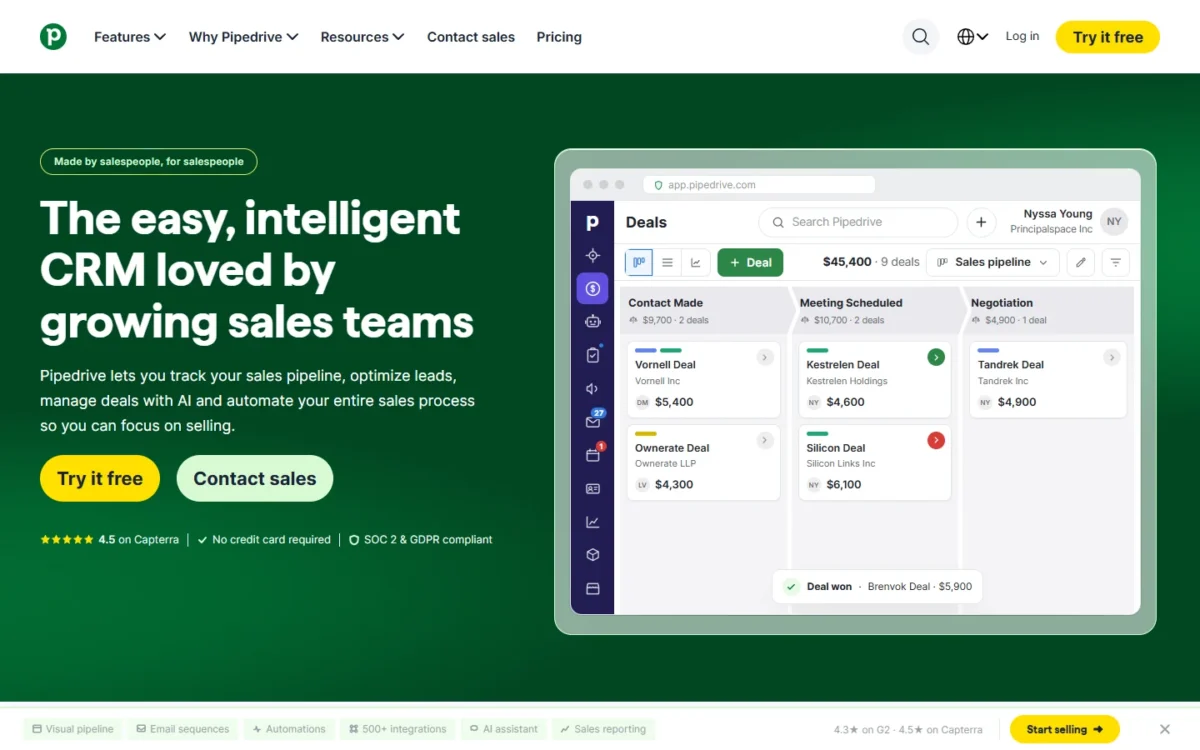
Forecasting, goal-setting and team monitoring tools sit on top of that board, and the AI Sales Assistant predicts which deals you are most likely to win or lose. This is the product to picture when someone says “visual pipeline”. If your reps work from one board of open deals, start here; the 14-day free trial needs no credit card.
Zoho CRM and Bigin
Zoho sells two CRMs for two sizes of sales process. Zoho CRM is the one for mid-market and enterprise teams whose sales run on multi-step workflows and heavy customization. Bigin is the simpler, cheaper product, and Zoho puts its setup at about 30 minutes.
Bigin targets small businesses with 1 to 20 employees and has a 15-day free trial with no credit card. Zoho CRM adds forecasting, BI, Zia AI and Zia Agents, and its free edition supports up to 3 users.
A small team whose pipeline fits on one board can start on Bigin and upgrade to Zoho CRM later if the business grows beyond Bigin’s scope. Teams that want more than one vendor’s answer can use my CRMs ranked for small businesses.
Microsoft Dynamics 365 Sales
Dynamics 365 Sales is Microsoft’s sales CRM, and its Professional edition is summed up on the product page as “Core sales force automation and Microsoft 365 integration”. Copilot writes email drafts and call summaries, and reps can ask it in natural language about open sales tasks and pipeline updates.
The same page carries a banner, seen in November 2026, that calls Copilot “the front door to Dynamics 365”. With AI at the center of the product, the edition matters: some AI capabilities on the page are marked as available in Dynamics 365 Sales Premium, so check the edition before you count on them. A team that already works in Microsoft 365 is the natural buyer.
Every deal in these pipelines starts as a lead someone had to attract, and that is where the next group of CRMs begins.
Marketing-Led CRM Examples
A marketing-led CRM keeps marketing campaigns, email and lead-scoring data on the same contact record the sales team works from. Two examples show the pattern: HubSpot starts free and spans marketing, sales and service, and Freshsales builds its selling around scored leads.
HubSpot Smart CRM
HubSpot’s free CRM is free for up to two users and 1,000 contacts, with no expiration date. Every free account also includes marketing, sales and service tools tied to the same customer data, among them a form builder, landing pages, email marketing, ad management, live chat and ticketing.
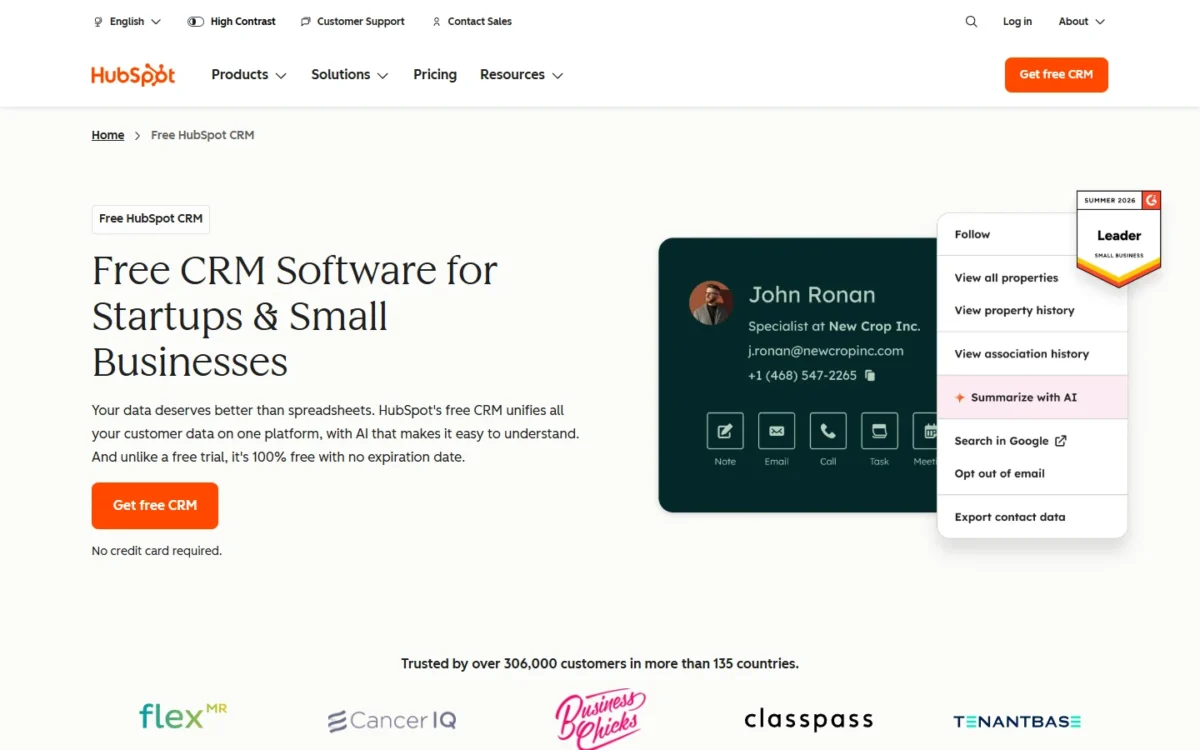
Breeze Assistant, HubSpot’s AI assistant, is included in the free CRM and can research companies, prep for sales calls and summarize CRM records. The HubSpot Marketplace connects more than 2,000 apps, and upgrading to a paid edition involves no data migration.
For a two-person team, that means a real CRM with no trial clock. The limits to watch are the user and contact caps, and the AI customer agent sits in paid editions. If free is your main filter, my comparison of free CRM plans widens the field.
Freshsales
Freshsales starts one step before the pipeline, with lead management: it runs sales campaigns to generate leads, then captures, qualifies, routes and tracks them with Freddy AI. Freddy AI gives intent scores so reps focus on valuable leads, adds deal recommendations and writes emails.
Reps plan the sales process in kanban views with drag-and-drop cards, and the Freshsales Suite puts sales and marketing on a single source of truth for each customer’s journey. Lead scoring is the center of this kind of CRM, so it earns a look when you have more inbound leads than your reps can call. The free trial runs 21 days with no credit card.
After the sale, the same customer calls with a problem, and that is a different job.
Customer Service and Call Center CRM Examples
A service CRM tracks each customer request as a ticket or case, routes it to the right representative and handles phone calls in the same workspace. Gartner’s name for the category has CRM in it: Zendesk and Microsoft each report on their product pages that Gartner placed them among the Leaders of its 2025 Magic Quadrant for the CRM Customer Engagement Center.
Whether a help desk counts as a CRM is a question of its own, and my guide to how customer service software differs from a CRM answers it.
Zendesk
Zendesk manages and resolves customer inquiries across all channels in one place. Ticketing tracks, organizes and resolves requests, and Zendesk voice routes calls in the same workspace as the other channels, with IVR, group, overflow and after-hours routing.
AI agents can answer calls and redirect a customer to a human agent if necessary. This is the ticket-first kind of service CRM: it fits service teams whose requests arrive by email, chat and messaging, with phone as one channel among several.
Dynamics 365 Customer Service and Contact Center
Microsoft pairs Dynamics 365 Customer Service with Dynamics 365 Contact Center for teams that live on the phone. AI-based routing classifies each issue and assigns it to the best-suited service representative, which Microsoft ties to first-call resolution. A conversational interactive voice response (IVR) answers callers, and the phone system runs on a platform built and operated by Microsoft.
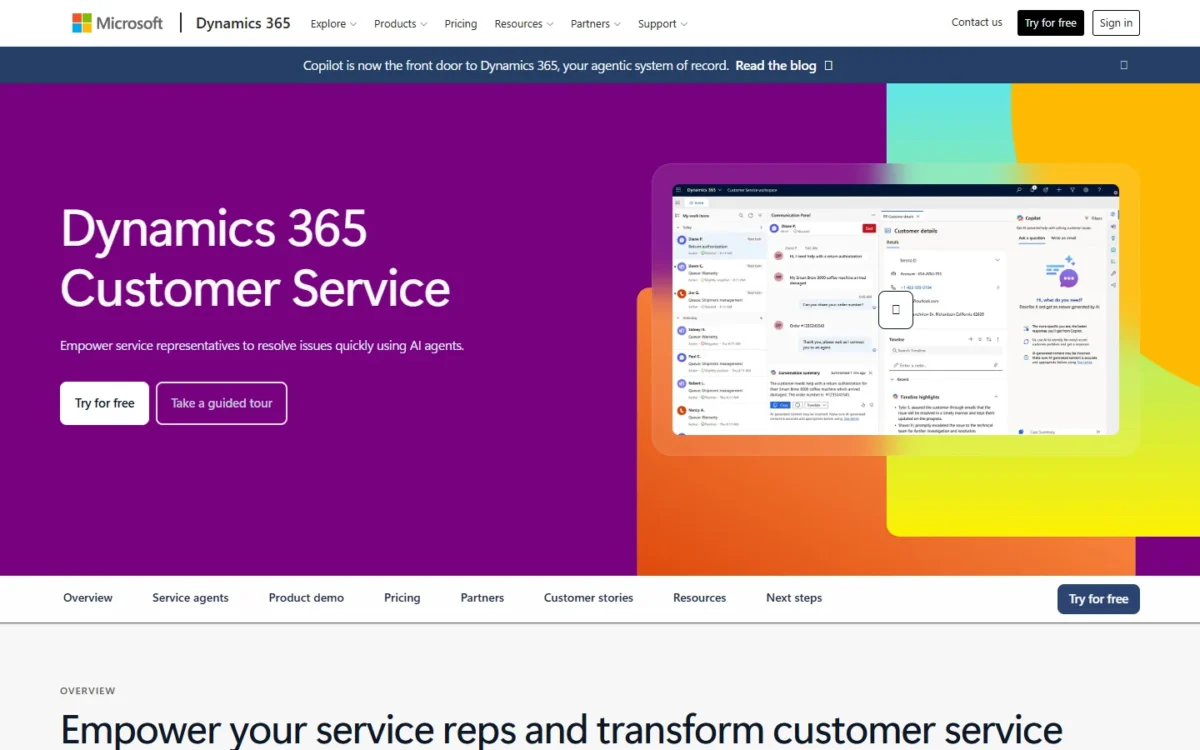
An omnichannel insights dashboard puts conversation and channel analytics and KPIs in one place. Routing, IVR, telephony and an insights dashboard are the marks of a call center CRM; if most of your support happens by phone, they matter more than a ticket inbox.
Microsoft describes its Customer Service Premium edition as “an integrated contact center and agentic CRM service solution”, so ask which edition a demo is showing.
Some teams do not want another app at all, so the next group lives inside tools they already run.
CRMs That Live Inside the Tools You Already Use
Three examples run inside a system the team already uses: an ERP suite, Gmail or a work board. NetSuite CRM and monday CRM also put several departments on one customer record, the idea Salesforce files under collaborative CRM; Copper keeps a team’s leads and conversations inside the inbox.
NetSuite CRM
NetSuite CRM is the CRM of the NetSuite platform, the suite whose ERP (enterprise resource planning) side manages accounting, orders, inventory and supply chain. It has the parts of a traditional CRM (sales force automation, customer service management and marketing automation) and adds quotes, commissions, sales forecasts and partner relationships.
Its record follows a customer from lead through opportunity, order, fulfillment, renewal and support. Sales teams see support cases and back-office information such as contracts and inventory, so the rep writing a quote works from the same information as the back office.
The trade-off: NetSuite CRM needs the NetSuite platform and additional CRM licenses. It is an example for companies that run NetSuite, not a standalone pick.
Copper
Copper is a CRM for relationship-focused service businesses that runs directly in Gmail and Google Calendar. A team adds leads, tracks conversations, finds files and manages tasks without leaving the inbox, and Copper logs emails and meetings as people work.
A won deal can become a project in the same tool, which suits agencies and consulting firms that deliver what they sell. Copper is built for long-term client relationships rather than high-volume transactions, so a high-volume sales floor belongs in the sales group above. The free trial runs 14 days on every plan and asks for no credit card.
monday CRM
monday CRM is the CRM on the monday.com platform, built from boards, fields, views, automations and dashboards that a team changes without a developer or IT specialist. Every call, email and meeting auto-populates to the right CRM data fields, and the product covers marketing, sales and delivery on one platform.
monday CRM now has a dedicated home at mondaycrm.ai, where monday.com calls it an AI-first CRM. It remains part of the monday.com platform, so the account, security standards and support work the same way. A team that already plans projects on monday.com gets a CRM in a workspace it knows.
Some industries need records a general CRM does not have, so industry examples follow.
Industry CRM Examples: Healthcare, Legal and Real Estate
Three examples keep records that follow one industry’s process: patients and care plans, legal intake and matters, and property leads.
Salesforce Health Cloud
Health Cloud is Salesforce’s healthcare CRM. It builds one real-time patient profile from medical, demographic, claims, social and behavioral factors, and adds care plans, referral management and appointment management. Contact center teams get real-time EHR data access, and Salesforce calls Health Cloud the collaboration layer that extends the value of the EHR, so care teams across the care journey work from one patient view.
Salesforce states that its healthcare AI agents are compliant with industry standards and regulations including HIPAA and GDPR. Its comparison with Service Cloud makes the case for an industry CRM: patient views, care plans and referral management come out of the box in Health Cloud and require significant customization in Service Cloud. My comparison of CRMs for healthcare covers the wider field.
Clio Grow
Clio Grow runs law-firm intake: it responds to inquiries, screens each one for fit and conflicts, books consultations and tracks every lead through the pipeline to a signed fee agreement. Its legal CRM capabilities are contact records, lead sources, pipeline stages, communications, assignments and reporting.
Conflict checks search across all of Clio, and AI client acquisition responds to inquiries after hours. When a lead becomes a client, approved contact and intake information carries into Clio’s client and matter record, which gives the team a more complete starting point for documents, deadlines and billing.
Follow Up Boss
Follow Up Boss is a real estate CRM that puts a team’s leads and contacts in one place and automates personalized emails, texts and calls to prospects. It serves team leads and admins, agents on teams, ISAs and solo agents.
Reporting shows performance details for agents, teams and lead sources, and the platform integrates with more than 250 lead sources, website providers and other tools. The lead-source view is what tells a team lead where the marketing budget pays. The free trial lasts 14 days.
My take
An industry CRM earns its place when the record itself is different: a patient profile, a conflict check, a lead-source report for agents. If your process is a standard pipeline with a few custom fields, I would stay with a general sales CRM, because an industry product can tie your data to its vendor’s wider system, as Clio Grow does with Clio.
Feature lists are vendor claims; customer results show what using a CRM looks like.
Real-Life CRM Examples From Companies
Seven companies’ results, as their CRM vendors publish them, show sales, marketing, service and analytics CRMs in use.
| Company | CRM used | What the company did | Result the vendor reports | Published by |
|---|---|---|---|---|
| Exigent Mechanical | Salesforce Sales Cloud | Replaced spreadsheets and united 8 companies | Deals 35% faster; acquisitions onboarded in 30 days | Salesforce |
| Bombardier | Salesforce Service Cloud and Field Service | Coordinates aircraft-on-ground cases and dispatch | Technicians get customers flying faster (no figure given) | Salesforce |
| Riley Children’s Foundation | Salesforce CRM Analytics and Einstein Discovery | Prioritizes 700,000 donor prospects | A shorter cultivation lifecycle (no figure given) | Salesforce |
| City of Hope | Salesforce Agentforce | Runs an intake agent for cancer-care appointments | 43% of the appointments booked through Agentforce fall outside business hours | Salesforce |
| Limelight Software | HubSpot Prospecting Agent | Researched and personalized outreach to 48,000 leads | Almost 3% became sales-qualified demos; lead generation moved to 80% inbound | HubSpot |
| Lenovo | Dynamics 365 Customer Service and Contact Center, with Copilot | Uses Copilot in customer service and the contact center | Handling time reduced by 20% | Microsoft |
| ACF Events | Bigin by Zoho CRM | Simplified its sales and admin operations | Doubled in size and revenue | Zoho (Bigin) |
Sources: Salesforce customer stories, HubSpot case studies, Microsoft Dynamics 365 Customer Service and Bigin, checked November 2026.
Each figure is the vendor’s own account from its customer-story page, so read it as an example of use, not as a typical result. Three of the seven results come from an AI agent or assistant: City of Hope, Limelight Software and Lenovo. The other pattern is older and closer to a small team’s first win: Exigent Mechanical replaced spreadsheets, and ACF Events simplified sales and admin work.
Riley Children’s Foundation is the analytical CRM example: analytical CRM analyzes customer data to identify trends, forecast sales and segment customers, and the foundation uses it to rank 700,000 donor prospects. On a small team the everyday form of that analysis is a report, and my guide explains what a CRM dashboard shows.
The seven stories come from sales, marketing, service and analytics uses and one cancer-care provider; none comes from the embedded group or from a legal or real estate firm. The last step is matching your own job to a group.
Which CRM Example Fits Your Team?
Start from the job that costs your team the most time today, then look at the group built for it.
| Your situation | Examples to look at | Why they fit | Trade-off |
|---|---|---|---|
| A small team with one simple sales pipeline | Pipedrive, Bigin | A kanban-style pipeline at Pipedrive; Bigin is built for 1 to 20 employees | Outgrowing Bigin means upgrading to Zoho CRM |
| Deals with partners, quotes and contracts | Salesforce Sales Cloud, NetSuite CRM | Partner Cloud and Revenue Cloud at Salesforce; quotes, commissions and partner relationships at NetSuite | NetSuite CRM needs the NetSuite platform and additional CRM licenses |
| Leads come from campaigns, forms and email | HubSpot Smart CRM, Freshsales | Marketing tools on the CRM record at HubSpot; Freddy AI intent scores at Freshsales | HubSpot keeps its AI customer agent for paid editions |
| The company runs on Microsoft 365 | Dynamics 365 Sales | Microsoft 365 integration and Copilot email drafts | Some AI capabilities are marked for Sales Premium |
| The company runs on Google Workspace | Copper | Runs inside Gmail and Google Calendar | Built for service businesses, not high-volume transactions |
| The team already plans work on monday.com | monday CRM | Boards, fields, views, automations and dashboards the team changes without a developer | It stays part of the monday.com platform |
| Support requests arrive by email, chat and messaging | Zendesk | Ticketing, with voice routing in the same workspace as the other channels | Ticket-first: phone is one channel among several |
| Most support happens by phone | Dynamics 365 Customer Service with Contact Center | AI-based routing, conversational IVR and a Microsoft-operated phone system | At Microsoft, the sales CRM is a separate Dynamics 365 product |
| Healthcare, legal or real estate | Salesforce Health Cloud, Clio Grow, Follow Up Boss | The record follows the industry’s own process | Clio Grow’s intake data feeds Clio’s matter record |
| A very small team that wants to start free | HubSpot Smart CRM, Zoho CRM | Free editions, not trials | User caps: two at HubSpot, 3 at Zoho CRM |
Sources: HubSpot free CRM, Zoho CRM, NetSuite CRM, Copper and the other vendor pages listed under the first table, checked November 2026.
Once a group is chosen, the next question is budget, and my guide to what CRMs cost per user answers that one.
My take
If I ran a small team with no CRM yet, I would open HubSpot’s free CRM or Zoho CRM’s free edition first, so two or three people can build the habit of logging deals before any money is spent. I would go straight to an embedded or industry example only when its record, a Gmail thread, a matter or a patient profile, is the reason I am buying.
FAQ
What are the four types of CRM?
The four types of customer relationship management (CRM) software are operational, analytical, collaborative and strategic, in Salesforce’s classification. Operational CRM automates business processes, analytical CRM analyzes data for insight, collaborative CRM shares information across departments, and strategic CRM places the customer at the center of the business strategy. Many businesses use a combination of all four.
Is Microsoft Office a CRM?
No. Microsoft sells its CRM as a separate product, Dynamics 365 Sales, and lists Microsoft 365 integration as part of that product’s Professional edition. Microsoft 365 is something the CRM connects to, not the CRM itself.
Where can a small team start for free?
Two of the 15 examples state a free edition instead of a trial: HubSpot’s free CRM and Zoho CRM’s free edition. Seven others state a trial of 14 to 30 days. Use a free edition to build the habit, and save a trial for the one product you have shortlisted, with real deals in it before the clock runs out.