
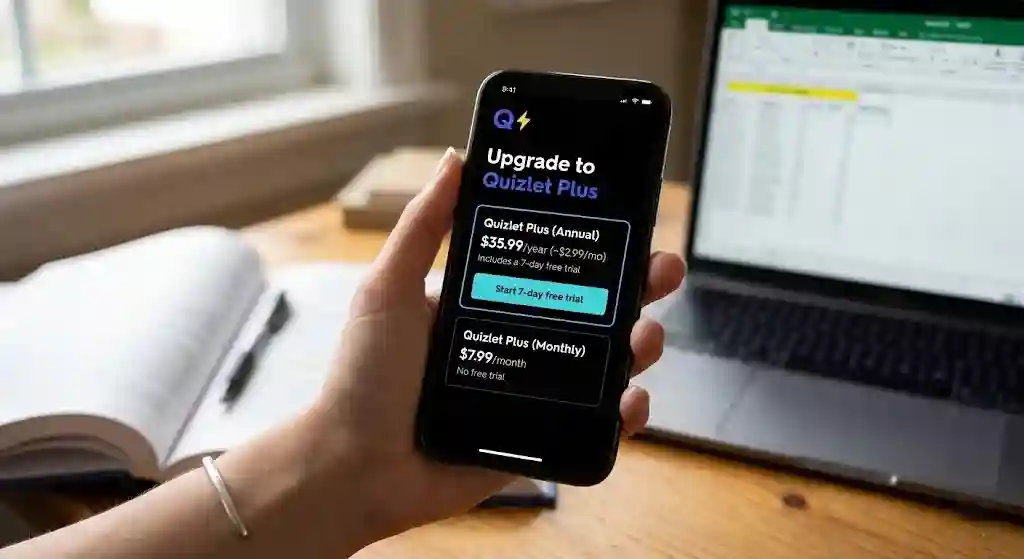
Quizlet Plus costs $7.99 per month or $35.99 per year (about $2.99/month) as of early 2026. A higher tier, Quizlet Plus Unlimited, runs $44.99 per year. The annual plan includes a 7-day free trial; the monthly plan does not. In this Quizlet review for 2026, I break down what each plan includes, what the free version still covers, and whether upgrading is worth the money for different types of students.
Pricing last checked: March 2026 — based on Quizlet’s official US pricing page.
TL;DR
Quizlet remains one of the most widely used digital flashcard and study apps in 2026. The free plan is more limited than it used to be, but it still works for light users. Quizlet Plus unlocks ad-free studying, offline access, AI-powered study modes, and practice tests — features that matter most to students who study regularly. The annual plan is the better deal for anyone planning to use Quizlet for a full semester or longer. The monthly plan makes sense only for short bursts of exam prep.
The quick decision: If you study multiple subjects weekly, get the annual plan. If you study once a month, stay free. If you have one finals season ahead, consider one month of Plus.
Quick Answer: How Much Is Quizlet Plus in 2026?
Here is exactly what Quizlet pricing looks like for US users right now, based on Quizlet’s official upgrade page.
Pricing Table
| Plan | Price | Billing | Free Trial |
|---|---|---|---|
| Quizlet Free | $0 | — | — |
| Quizlet Plus (Monthly) | $7.99/month | Billed monthly | ❌ No free trial |
| Quizlet Plus (Annual) | $35.99/year (~$2.99/mo) | Billed annually | ✅ 7-day free trial |
| Quizlet Plus Unlimited | $44.99/year | Billed annually | ✅ 7-day free trial |
| Quizlet Family Plan | Annual billing (see Quizlet site for current family rate) | Billed annually | ❌ No free trial |
Bottom line: If you know you will use Quizlet for at least four to five months, the annual plan saves you roughly 63% compared to paying monthly. The Quizlet Plus Unlimited tier adds expanded access to Expert Solutions and textbook solutions for about $9 more per year.
Monthly vs Annual Pricing
The math is simple. Monthly at $7.99 for 12 months adds up to $95.88/year. Annual is $35.99/year. That is a $59.89 difference — over 60% savings. For most students, spending on the monthly plan only makes sense during a single finals season or for a short certification cram period.
If you are a semester-long or year-round learner, the Quizlet annual plan is clearly the better value.
Quizlet Plus vs Quizlet Plus Unlimited
Both paid plans remove ads, unlock offline access, and open up AI study tools like Q-Chat, Magic Notes, and enhanced Learn mode. The difference is that Plus Unlimited gives you broader access to Expert Solutions, textbook solutions, and additional practice tests — essentially a layer of homework help bolted onto the study platform.
If you are mostly using Quizlet for flashcards and self-made study sets, regular Plus covers you. If you want course-specific answer explanations and step-by-step textbook walkthroughs, Unlimited starts to pay for itself.
Free Trial, Auto-Renewal, and Refund Basics
- Free trial: Only available on the annual plan. It lasts 7 days. The monthly plan and Family Plan have no free trial. (See Quizlet’s subscription help page for current terms.)
- Auto-renewal: All Quizlet subscriptions auto-renew unless you cancel before the renewal date. This is a detail many users miss and it leads to unexpected charges. (Official auto-renewal policy)
- Refund policy: Subscriptions purchased directly through Quizlet are generally non-refundable. If you purchased through the App Store or Google Play, Apple’s or Google’s refund policies apply — which are sometimes more flexible. (Quizlet refund and cancellation info)
- What happens when your plan ends: You keep your study sets, folders, and classes. You lose access to premium features like offline mode, ad-free studying, AI tools, and Expert Solutions. Nothing gets deleted.
This is an area where Quizlet could be more transparent upfront. The no-refund policy on direct purchases, combined with auto-renewal, means you should set a calendar reminder before your trial or subscription renews if you are not sure you want to continue.
How We Evaluated Quizlet
This review is based on structured, hands-on testing rather than a surface-level feature walkthrough. Here is how we approached it:
- Platforms tested: Quizlet web app, iOS (iPhone), and Android.
- Plans compared: We evaluated the Free, Plus, and Plus Unlimited tiers side by side to identify what the upgrade actually changes in daily study workflows.
- Features tested: Flashcard creation and import, Learn mode (basic and enhanced), Q-Chat (AI tutor), Magic Notes (auto-generated flashcards from notes), Practice Tests, Study Guides, Expert Solutions, and offline access on mobile.
- Use-case assessment: We evaluated Quizlet from the perspective of different student types — high school students, college students, language learners, med/law exam prep users, certification candidates, and teachers — to determine who benefits most and who is better served by alternatives.
- Pricing analysis: We verified all pricing, trial rules, auto-renewal behavior, and refund policies against Quizlet’s official pricing and Quizlet Help Center.
Where a claim in this article is based on our reviewer’s experience (e.g., “Q-Chat occasionally oversimplifies explanations”), we say so explicitly. Where a claim is based on official Quizlet documentation (e.g., pricing, refund rules), we link to the source.
What Is Quizlet and Who Is It Best For?
Quizlet is a flashcard app and study platform built around active recall, repetition, and — more recently — AI-assisted learning. It has been around since 2005 and has grown into one of the most recognized SaaS study tools globally. In 2026, the product is significantly more AI-driven than it was even two years ago, with tools like Q-Chat (an AI tutor) and Magic Notes (which turn your notes into flashcards and study guides automatically).
But Quizlet is not equally useful for everyone. Here is how it breaks down by user type.
Students (High School and College)
This is Quizlet’s core audience. If you are taking AP classes, intro college courses, or anything definition-heavy (biology, psychology, history, business), Quizlet’s massive library of community-created study sets and its AI-enhanced Learn mode can significantly reduce your prep time. The practice tests feature is especially useful for students who want to simulate exam conditions.
Language Learners
Quizlet works well for vocabulary learning, and many language teachers create or share sets on the platform. The spaced repetition built into Learn mode aligns with how retention works for new words. However, Quizlet is not a full language course — it does not teach grammar, listening, or speaking the way Duolingo or Babbel would. It is best used as a memorization tool alongside a structured course.
Test Prep and Certification Users
Medical students, law students, and anyone studying for professional certifications (nursing, real estate, IT) often build or find detailed study sets on Quizlet. For these users, features like Expert Solutions, AI study tools, and timed practice tests can be genuinely valuable. The sheer density of material available on Quizlet for standardized exams gives it an edge over smaller platforms.
Teachers and Classroom Use
Teachers can create class sets, share them with students, and track progress. Quizlet Live — the classroom game mode — adds interaction. However, for gamified classroom engagement, tools like Quizizz and Kahoot offer more robust game mechanics. Quizlet is better as a study-at-home tool than a live-class platform.
Quizlet Free vs Quizlet Plus vs Quizlet Plus Unlimited
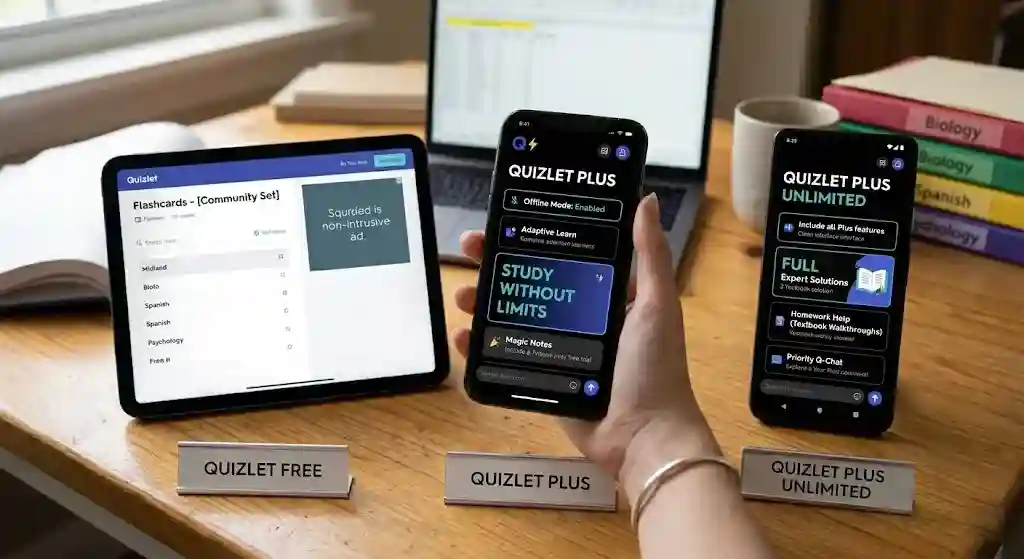
This is the comparison that matters most when deciding whether to pay. Here is what each tier actually includes.
Feature Comparison Table
| Feature | Free | Plus ($35.99/yr) | Plus Unlimited ($44.99/yr) |
|---|---|---|---|
| Create & share flashcards | ✅ | ✅ | ✅ |
| Access community study sets | ✅ | ✅ | ✅ |
| Basic Learn mode | ✅ | ✅ | ✅ |
| Ads | Yes | No | No |
| Offline access (mobile) | ❌ | ✅ | ✅ |
| Enhanced Learn mode | ❌ | ✅ | ✅ |
| Q-Chat (AI tutor) | Limited | ✅ Full | ✅ Full |
| Magic Notes | Limited | ✅ Full | ✅ Full |
| Practice Tests | Limited | ✅ | ✅ |
| Study Guides (AI-generated) | ❌ | ✅ | ✅ |
| Custom study paths | ❌ | ✅ | ✅ |
| Expert Solutions | ❌ | Limited | ✅ Full |
| Textbook Solutions | ❌ | ❌ | ✅ |
| Night-mode / themes | Limited | ✅ | ✅ |
What Free Users Still Get
The free plan still lets you create unlimited flashcard sets, browse and study from community-created sets, and use a basic version of Learn mode. For someone who just wants to make a few flashcard decks per semester and does not mind ads, free Quizlet still works.
What Paid Users Unlock
The real upgrades with Quizlet Plus are: ad-free studying, offline access on mobile, full AI features (Q-Chat, Magic Notes, Study Guides), enhanced Learn mode that adapts to your weak areas, and access to practice tests. For heavy users, these features make a noticeable difference in daily study flow.
Quizlet Plus Unlimited adds full Expert Solutions and textbook solutions, which essentially turns Quizlet into a partial homework help platform. If you are struggling with specific textbook problems, this tier can save you from buying a separate solutions service like Course Hero or Chegg.
Best Plan by Use Case
This decision table cuts through the noise. Find your situation and see which plan makes sense.
| Your situation | Best plan | Why |
|---|---|---|
| Casual user — flashcards once or twice a month | Free | Basic flashcard creation and community sets cover light use |
| One-month exam cram (finals, certification test) | Monthly Plus ($7.99) | Full features for a short burst; cancel before renewal |
| Semester-long or year-round student | Annual Plus ($35.99/yr) | Best value; works out to ~$3/mo with 7-day free trial |
| Heavy homework and textbook help needed | Plus Unlimited ($44.99/yr) | Full Expert Solutions + textbook answers included |
| Family with multiple students | Family Plan | Shared annual billing for multiple accounts |
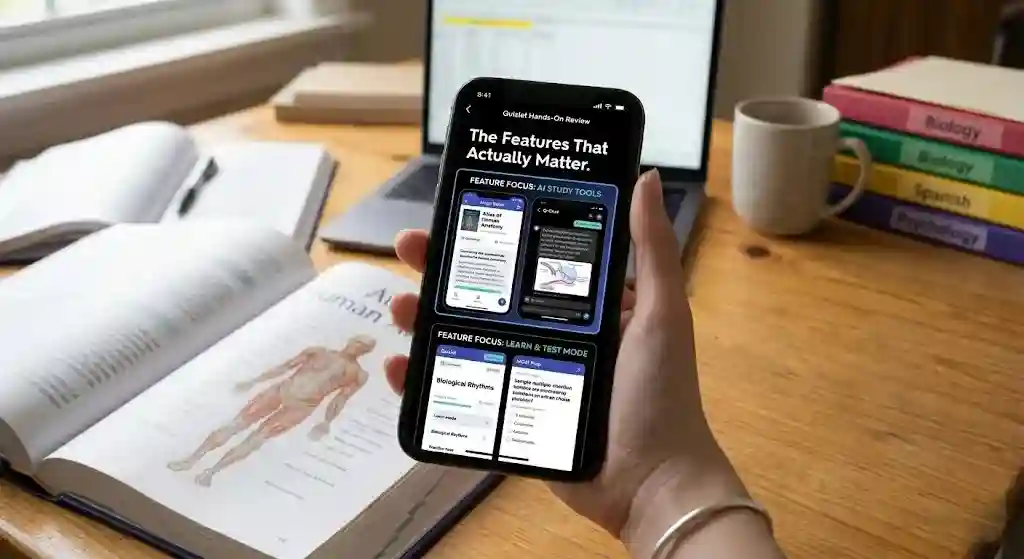
Hands-On Review: The Features That Actually Matter
Flashcards and Set Creation
Creating flashcards on Quizlet is fast and intuitive. The editor supports text, images, and audio. You can also import terms from spreadsheets or documents, which saves time when digitizing notes. The community library is enormous — for most mainstream courses, someone has already built a set.
Where it shines: Getting started takes under a minute. The import tools are surprisingly robust for a consumer product. If you are comparing this to Anki’s card editor, Quizlet feels like a modern app versus a legacy desktop tool.
Where it falls short: Quality of community sets varies widely. We found sets with outdated facts, misspellings, and poorly structured terms — especially for niche subjects. Always cross-check community sets against your course material before relying on them for exams. (More on this in the community set reliability section.)
Learn Mode and Practice Tests
The enhanced Learn mode in the paid plan uses adaptive learning to focus on terms you are getting wrong. It cycles back to weak areas more often, which is essentially a lightweight spaced repetition system. Practice tests let you simulate multiple-choice and written-answer exams.
Where it shines: For students studying for AP exams, midterms, or professional certifications, the combination of Learn mode and practice tests creates a study loop that is hard to replicate on the free plan. The adaptive cycling genuinely helped surface weak spots during our testing.
Where it falls short: The spaced repetition algorithm is less sophisticated than Anki’s. You cannot manually adjust review intervals, and the system does not offer the same long-term retention scheduling that makes Anki the gold standard for med students.
AI Tools: Q-Chat, Magic Notes, and Expert Solutions
Q-Chat is an AI tutor that can quiz you conversationally, explain concepts, and generate practice questions on the fly. Magic Notes transforms your uploaded notes or text into flashcards, summaries, and outlines automatically. Both tools feel more polished than earlier iterations and are noticeably more reliable now.
Where Q-Chat is most useful: When you need a conversational study partner — quick concept checks, rephrased explanations, or on-the-spot quiz questions. It is particularly effective for subjects where understanding connections matters (history, biology, economics).
Where Q-Chat is weak: It occasionally oversimplifies nuanced topics and sometimes generates surface-level explanations that would not hold up in a graduate-level discussion. For high-stakes exams, treat Q-Chat as a starting point, not a definitive source. Similar to how generative AI tools work broadly, the output quality depends heavily on the input quality and prompt specificity.
Where Magic Notes is most useful: When you have raw lecture notes or textbook passages and need to quickly convert them into study-ready flashcards. It saves genuine time versus manual card creation.
Where Magic Notes is weak: It sometimes splits concepts awkwardly across cards or misses key relationships between terms. Always review and edit the generated cards before studying them.
Expert Solutions (full access on Unlimited) provides step-by-step answers to textbook problems. This is helpful, but it overlaps with what you can get from Course Hero and Chegg. The integration into Quizlet’s study flow is the main advantage.
Offline Access, Mobile App, and Sync
Offline studying is a Plus-only feature that lets you download sets to the mobile study app for use without an internet connection. This matters for commuters, travelers, and anyone studying in spots with unreliable Wi-Fi.
The Quizlet app on iOS and Android is well-designed, fast, and syncs seamlessly with the web app. During our cross-device testing — switching between web sessions, iPhone, and an Android tablet — we observed no meaningful sync delays or data conflicts. The mobile experience genuinely feels like a native app, not a wrapped website.
UX, Speed, and Accessibility
Quizlet’s interface is clean and distraction-free, especially on the paid plan without ads. Navigation is straightforward. The platform loads quickly and is generally responsive.
Where Quizlet lags: Deep customization. Power users who want granular control over review intervals, card layouts, or study algorithms will find Anki more flexible. Quizlet trades that depth for ease of use, and for most students, that trade-off works.
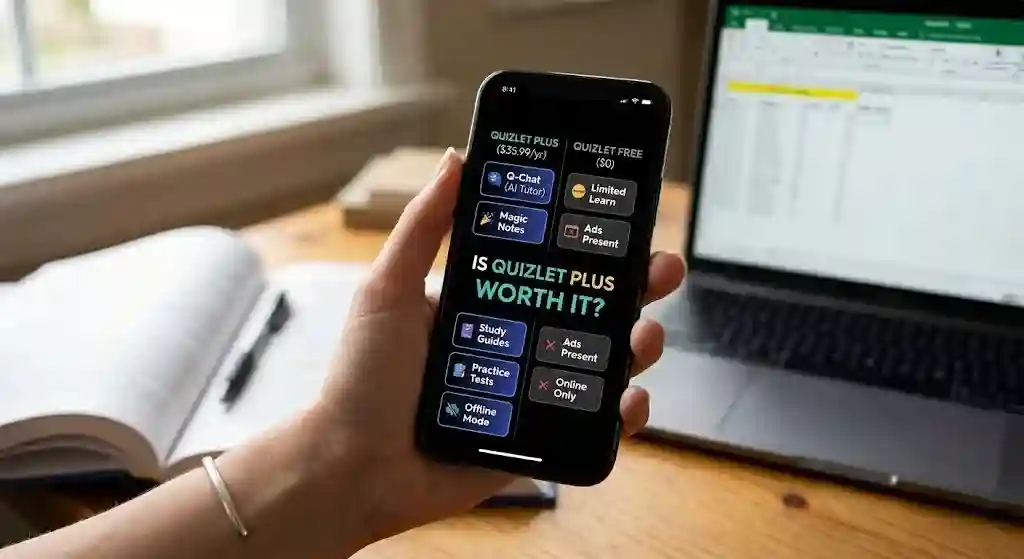
Is Quizlet Plus Worth It?
This is the question that drives most searches around Quizlet pricing, and the honest answer depends on how you study.
Best for Heavy Study Users
If you study multiple subjects, use flashcards daily, and want AI-powered practice tests, Quizlet Plus is worth it — especially on the annual plan. At about $3/month, the combination of ad-free studying, offline access, adaptive learning, and AI tools delivers genuine value. Students preparing for AP exams, medical boards, bar exams, or language certifications will get the most out of it.
When the Free Plan Is Enough
If you only use Quizlet occasionally — maybe once or twice a week for a single class — the free plan covers the basics. You can still create flashcards, browse sets, and use a limited version of Learn mode. The ads are annoying but not disruptive enough to justify paying if your usage is light.
When the Monthly Plan Makes More Sense
If you have a single month of intensive studying ahead (finals week, a certification exam, a language test), the monthly plan at $7.99 is reasonable. Pay for one month, study hard, cancel before it renews. Just remember: there is no free trial on the monthly plan and auto-renewal is on by default.
When the Annual Plan Is the Better Deal
If you will use Quizlet for two or more months in a year, the annual plan is the smarter choice. You break even at about month five compared to monthly billing, and you get the 7-day free trial to test everything before committing.
What Quizlet Does Well
- Ease of use. Quizlet is one of the simplest study apps to pick up. No learning curve, no complex setup.
- Massive library. Millions of community-created study sets across every subject. For mainstream courses and standardized tests, you can often start studying without creating a single card.
- AI-assisted studying. Q-Chat and Magic Notes genuinely speed up the process of turning raw material into study-ready content — a practical application of generative AI in education.
- Cross-device convenience. Seamless sync between web, iOS, and Android. The mobile study app is fast, offline-capable (on Plus), and well-designed.
- Academic productivity. Between flashcards, Learn mode, practice tests, and Study Guides, Quizlet consolidates several study workflows into one platform.
Where Quizlet Falls Short
- Paywall limitations. Features that used to be free (like certain Learn mode capabilities) are now behind the paywall. This frustrates long-time users who remember a more generous free tier.
- Billing surprises. Auto-renewal plus a non-refundable policy on direct purchases can catch users off guard. The Quizlet refund policy is stricter than many competitors. Always cancel before your renewal date. (See official refund policy)
- AI accuracy caveats. Q-Chat and Magic Notes are good but not flawless. You should always review AI-generated content for errors, especially for high-stakes exams. This is a common limitation across AI-powered tools in general.
- Customization limits vs Anki. Power users who want fine-grained control over spaced repetition intervals, card templates, or plugin ecosystems will find Quizlet limiting. Anki is free on desktop and far more customizable — at the cost of a steep learning curve.
- Regional / App Store pricing differences. Prices may differ slightly if you subscribe through the App Store or Google Play versus directly through Quizlet’s website. Always check the platform you are purchasing on. (See the web vs app store pricing section below.)
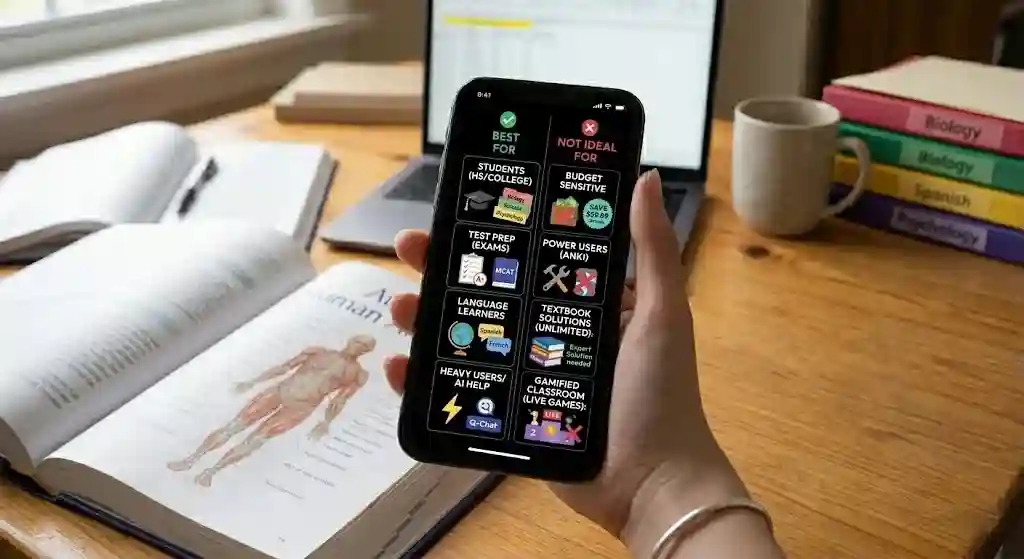
Best For / Not Ideal For
| ✅ Best for | ❌ Skip if… |
|---|---|
| AP and college students who study frequently | You only need flashcards once or twice a month |
| Med, law, and certification exam prep | You want deep spaced-repetition customization (use Anki) |
| Language learners supplementing a course | You want a full language-learning platform (use Duolingo/Babbel) |
| Students who study on mobile / commute | You are budget-sensitive and the free plan covers your needs |
| Anyone who wants AI-assisted study tools | You prefer gamified live-class engagement (use Quizizz/Kahoot) |
| Teachers creating shared class sets | You primarily need textbook answers (compare Course Hero or Chegg) |
Buy / Skip / Consider
| Decision | Who | Why |
|---|---|---|
| 🟢 Buy (Annual Plus) | Students who study 3+ times/week across multiple subjects | Best value at ~$3/mo; AI tools, offline mode, and practice tests create a meaningful upgrade over free |
| 🟢 Buy (Unlimited) | Students who need textbook solutions and homework help | Expert Solutions + textbook walkthroughs justify the $9/yr premium over regular Plus |
| 🟡 Consider (Monthly) | Users with a single high-intensity study month ahead | $7.99 for one month of full features is reasonable — just cancel before auto-renewal |
| 🔴 Skip | Casual users who study once a month or less | Free plan covers basic flashcards; paying for features you will not use regularly is wasted money |
| 🔴 Skip | Power users who need deep SRS customization | Anki offers superior spaced repetition control for free (desktop); Quizlet will feel limiting |
How to Cancel Quizlet Plus
Cancellation is straightforward, but the exact steps depend on where you subscribed:
If you subscribed on Quizlet.com (web):
- Log in to your Quizlet account.
- Go to Settings → Subscription.
- Click “Cancel subscription” and confirm.
- Your access continues until the end of the current billing period.
If you subscribed through the App Store (iPhone/iPad):
- Open Settings on your device → tap your Apple ID → Subscriptions.
- Find Quizlet and tap “Cancel Subscription.”
- Apple manages the billing; Quizlet cannot cancel App Store subscriptions for you.
If you subscribed through Google Play (Android):
- Open the Google Play Store → tap your profile → Payments & subscriptions → Subscriptions.
- Find Quizlet and tap “Cancel.”
- Google manages the billing directly.
Important: Canceling stops renewal — it does not immediately remove your access. You keep Plus features until the end of the period you already paid for. After that, your account reverts to the free plan. Your study sets, folders, and classes are not deleted.
For the most current cancellation steps, check Quizlet’s Help Center.
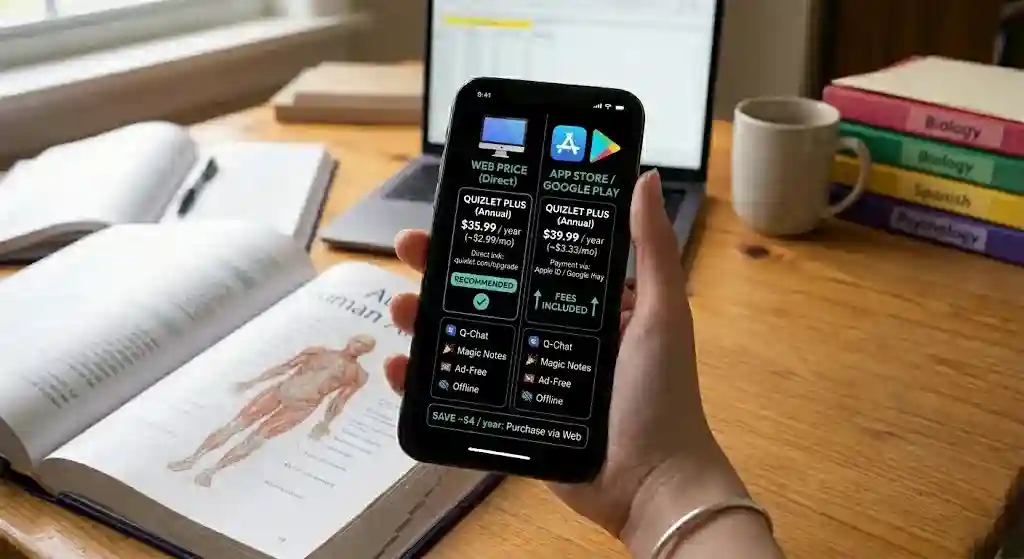
Web Price vs App Store / Google Play Price Differences
This is a detail most review articles skip, but it affects what you actually pay.
Apple charges a 30% commission on in-app purchases, and Google takes a similar cut. Some SaaS companies absorb that cost; others pass it on to the user through higher app-store pricing. As of our last check, Quizlet’s app-store pricing was comparable to its web pricing, but this can change at any time.
Our recommendation: Always compare the price on Quizlet’s website versus the App Store or Google Play price before subscribing. If there is a difference, subscribing through the website is usually the same or cheaper. Also note that refund policies differ by platform: Apple and Google’s refund processes are typically more flexible than Quizlet’s direct non-refundable policy.
Are Community Study Sets Reliable?
Quizlet’s library of community-created study sets is one of its biggest strengths — and one of its biggest risks.
The upside: For popular courses (AP Biology, introductory psychology, nursing fundamentals, MCAT prep, common language vocabulary), there are often excellent, detailed sets created by top students or teachers. These can save you hours of card creation.
The risk: Community sets are user-generated. There is no official review or fact-checking process. During our testing, we found sets with:
- Outdated facts (e.g., pre-2024 science data still circulating)
- Typos and misspellings that could cause confusion
- Incomplete coverage — a set labeled “Chapter 5” might not cover all key terms
- Incorrect answers on some cards, particularly for medical and legal topics
How to use community sets safely:
- Cross-reference against your textbook or course slides before studying.
- Edit or flag any cards that look wrong.
- Prefer sets created by verified teachers or sets with high “studied by” counts.
- For high-stakes exams (medical boards, bar, AP), treat community sets as supplementary, not primary.
Community sets are a starting point, not a substitute for your own notes. Used carefully, they are a massive time saver. Used blindly, they can reinforce errors.
Privacy and AI Data Concerns
When you use AI-powered features like Q-Chat and Magic Notes, you are uploading your notes and study content to Quizlet’s servers. For most students, this is a non-issue. But it is worth understanding what happens with your data:
- Note uploads: When you use Magic Notes, your text is processed by Quizlet’s AI systems. If you are uploading proprietary or sensitive material (e.g., unpublished research notes), consider whether you are comfortable with that.
- Q-Chat conversations: Your interactions are processed to generate responses. Quizlet’s privacy policy covers how this data is handled, but as with any AI-powered service, being mindful of what you share is good practice.
- Student data: For educators using Quizlet in classrooms, check whether Quizlet’s data practices align with your institution’s FERPA or privacy requirements.
This is not a Quizlet-specific concern — it applies to any AI study tool. But it is worth noting since many students upload personal study content without thinking about it.
Buyer Warnings and Trust Caveats
Before you subscribe, keep these practical warnings in mind:
⚠️ Auto-renewal is on by default. If you start a free trial or subscribe, Quizlet will automatically charge you at the next billing date unless you cancel first. Set a phone reminder for day 5 of your trial.
⚠️ Direct purchases are generally non-refundable. If you buy through Quizlet.com and change your mind, you likely cannot get a refund. Apple and Google may be more flexible for in-app purchases. (Official refund info)
⚠️ Always verify community sets before exam use. User-generated content has no quality control. A wrong answer on a flashcard could mean a wrong answer on your exam.
⚠️ AI outputs need human review. Q-Chat and Magic Notes are assistants, not authorities. Double-check AI-generated explanations, flashcards, and summaries against authoritative sources — especially for medical, legal, and technical subjects.
Quizlet Alternatives Compared
No single tool is best for everyone. Here is how Quizlet stacks up against the most common alternatives — compared by actual use case, not just feature lists.
Quizlet vs Anki — For Med Students and Power Users
Anki is free (desktop), open-source, and offers the most powerful spaced repetition algorithm available. It is the gold standard for medical students, language learners doing long-term vocabulary retention, and anyone who needs precise interval scheduling.
Why med students often prefer Anki: The AnKing deck and other community decks are specifically built for USMLE/COMLEX prep. Anki’s customizable scheduling means you can fine-tune review intervals for thousands of cards over months or years — something Quizlet’s Learn mode cannot replicate.
Why some students still choose Quizlet: Anki has a steep learning curve, an outdated interface, and its mobile app (AnkiMobile on iOS) costs $24.99. If you want to be productive on day one without configuring anything, Quizlet is faster to start with.
Bottom line: If long-term retention and SRS precision are critical (med school, language mastery), choose Anki. If ease of use, AI tools, and a polished mobile experience matter more, choose Quizlet.
Quizlet vs Knowt — For Budget-Conscious Students
Knowt is a newer, free alternative that offers AI-generated flashcards and spaced repetition without a paid plan. It has been gaining traction with students who feel priced out of Quizlet Plus.
Why budget users prefer Knowt: Free spaced repetition and free AI features that Quizlet locks behind a paywall. For students who cannot (or do not want to) pay $36–$45/year, Knowt covers the core study workflow.
Why Quizlet still wins for many: Knowt’s content library is much smaller than Quizlet’s, and its AI features are less mature. If you rely on pre-made study sets for common courses, Quizlet’s community library is unmatched.
Bottom line: If budget is the primary constraint and you are willing to create your own sets, Knowt is a strong free alternative. If you want the largest community library and more polished AI, Quizlet is worth the investment.
Quizlet vs StudySmarter — For Free-Plan Seekers
StudySmarter offers flashcards, document annotation, and study planning in a single free app. Its AI features are competitive and its free tier is more generous than Quizlet’s.
Why free-plan seekers prefer StudySmarter: More features available without paying. Built-in document annotation and study planning tools that Quizlet does not offer on any plan.
Why Quizlet still has the edge: StudySmarter’s US-focused content library is smaller. If you are searching for “AP US History Chapter 12” study sets, Quizlet will have 50 options and StudySmarter might have 5.
Bottom line: If you want a generous free plan with integrated study tools, try StudySmarter. If community content is your priority, Quizlet is still the leader.
Quizlet vs Quizizz and Kahoot — For Classroom Engagement
Quizizz and Kahoot are designed for live, gamified classroom experiences — real-time quizzes, leaderboards, and interactive lessons. They are fundamentally different tools from Quizlet.
For teachers: Quizizz and Kahoot are better for in-class engagement and formative assessment. Quizlet is better for assigning self-study homework and flashcard review.
For students: If your teacher uses Kahoot for class games, great — but you would still use Quizlet (or Anki, or Knowt) for studying at home.
Bottom line: These are not true competitors. Use Quizlet for independent study, and Quizizz/Kahoot for live classroom interaction.
Quizlet Review – FAQs
Is Quizlet free?
Yes. Quizlet offers a free plan that lets you create and study flashcards, browse community sets, and use a basic version of Learn mode. However, features like offline access, ad-free studying, full AI tools, and Expert Solutions require a paid plan.
How much is Quizlet Plus per month?
Quizlet Plus costs $7.99 per month if billed monthly. On the annual plan, it works out to approximately $2.99 per month (billed as $35.99/year). (Source: Quizlet pricing page)
How much is Quizlet Plus per year?
The Quizlet Plus annual plan is $35.99/year. Quizlet Plus Unlimited is $44.99/year. Both are billed as a single annual payment.
Is Quizlet Plus worth it?
For students who study regularly — especially across multiple subjects or for high-stakes exams — Quizlet Plus is worth it on the annual plan. The combination of ad-free studying, offline access, AI tools, and practice tests delivers solid value at roughly $3/month. Casual users can stick with the free plan.
Does Quizlet Plus have a free trial?
Yes, but only on the annual plan. You get a 7-day free trial to test all premium features. The monthly plan and Family Plan do not include a free trial.
Does Quizlet auto-renew?
Yes. All Quizlet subscriptions auto-renew unless you cancel before the renewal date. Set a reminder if you are unsure about continuing. (Official policy)
Can you cancel Quizlet Plus anytime?
Yes, you can cancel anytime. Your premium access continues until the end of your current billing period. After that, your account reverts to the free plan. (See cancellation steps above)
Does Quizlet refund subscriptions?
Subscriptions purchased directly through Quizlet are generally non-refundable. Purchases through the App Store or Google Play follow Apple’s or Google’s refund policies, which may offer more flexibility. (Quizlet Help Center)
What happens when Quizlet Plus ends?
You keep all your study sets, folders, and classes. You lose access to premium features like offline mode, enhanced Learn mode, AI tools, and ad-free studying. No content is deleted.
Can you use Quizlet offline with Plus?
Yes. Quizlet Plus and Plus Unlimited let you download study sets for offline studying on the mobile app. This feature is not available on the free plan.
Which is better, Quizlet or Anki?
It depends on your priorities. Quizlet is easier to use, has a larger content library, and offers AI tools. Anki offers deeper spaced-repetition customization and is free on desktop. Medical students and power users often prefer Anki; most other students find Quizlet more practical. (See detailed comparison above)
Is Quizlet good for language learning?
Quizlet is excellent for vocabulary learning and memorization. It is not a full language course — it does not teach grammar, listening, or conversation. Use it alongside a structured course like Duolingo, Babbel, or a classroom program for best results.
Final Verdict: Should You Pay for Quizlet Plus in 2026?
Yes, if you study regularly. At $35.99/year, the annual plan offers strong value for money for students who use flashcards, practice tests, and AI study tools multiple times a week. The ad-free experience, offline access, and adaptive learning make daily studying noticeably smoother than the free tier.
No, if you are a light user. If you pull up Quizlet once a month or only need basic flashcards for a single class, the free plan is good enough. Do not pay for features you will not use consistently.
Maybe, on the monthly plan. If you have one intense study period ahead — a certification exam, finals week, a language test — the $7.99 monthly plan is a reasonable short-term investment. Just remember that the monthly plan has no free trial and auto-renews, so cancel before the next billing cycle if you do not plan to continue.
This Quizlet review for 2026 comes down to a simple test: if you would miss the premium features after trying them, upgrading is worth it. If the free plan already covers what you need, save your money for other study resources.
About the author

I’m Macedona, an independent reviewer covering SaaS platforms, CRM systems, and AI tools. My work focuses on hands-on testing, structured feature analysis, pricing evaluation, and real-world business use cases.
All reviews are created using transparent comparison criteria and are updated regularly to reflect changes in features, pricing, and performance.





