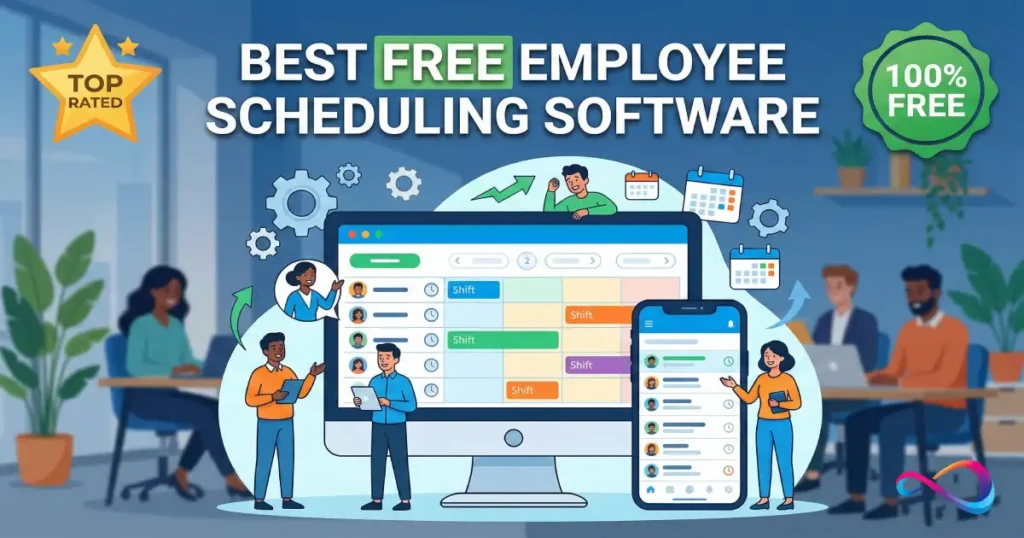
Employee scheduling software helps managers build, publish, and adjust shift schedules for hourly teams—without spreadsheets, group texts, or last-minute chaos. The right tool cuts no-shows, reduces coverage gaps, and keeps time records cleaner for payroll and audits.
This guide reviews 29 employee scheduling software options for 2026, grouped into free-forever, freemium, and trial/demo—so you don’t confuse a 14-day trial with a plan you can actually run on long-term. The Top 10 include a Free Plan Reality Check that shows what’s truly free, what’s capped (users/locations/shifts), and what triggers an upgrade.
Quick Answer – Free Employee Scheduling Software
Best overall free employee scheduling software for 2026: Homebase — a strong free plan for single-location hourly teams, with scheduling + basic time tracking in one workflow (always verify current free-tier limits).
Best for restaurants: 7shifts — restaurant-first scheduling with solid shift trade workflows; most POS/payroll integrations are typically paid.
Best for multi-location or field teams: Connecteam — mobile-first ops hub with scheduling plus team comms; free tier is usually capped by user count.
Best for shift swapping: Sling — scheduling-first with open shifts/shift swap workflows; you’ll usually upgrade if you need deeper time tracking, exports, or integrations.
Bottom line: If you need “free forever,” prioritize tools with a true ongoing free plan. If you need integrations, advanced reporting, multi-location governance, or compliance controls, expect an upgrade.
Best Picks TL;DR
| Use Case | Top Pick | Why |
|---|---|---|
| Best Overall (Small Business) | Homebase | Unlimited employees, 1 location, time clock included free |
| Best for Restaurants | 7shifts | Restaurant-specific features, POS integrations, tip pooling |
| Best for Retail | Deputy | Shift templates, strong mobile app, POS/payroll tie-in |
| Best for Multi-Location | Connecteam | Up to 50 users free, multi-site scheduling, robust communication |
| Best for Shift Swapping | Sling | Shift marketplace, open shifts, free for unlimited users |
| Best for Volunteers/Nonprofits | Findmyshift | Free for up to 5 users, simple interface, no credit card |
What Is Employee Scheduling Software (And Why “Free” Matters)?
Employee scheduling software is a digital tool that lets managers create, publish, and adjust work schedules—then share them instantly with staff via web or mobile. Core features typically include shift templates, availability tracking, time-off requests, shift swaps, and notifications.
For small businesses and hourly teams, free scheduling tools can be game-changers. Instead of juggling spreadsheets, texts, and sticky notes, you get a single source of truth for who works when. That means fewer no-shows, less overtime, and better compliance with labor laws.
What Does “Free” Really Mean?
Not all “free” is created equal. Here’s the breakdown:
- Free forever: The vendor offers a permanently free tier with no expiration. Usually limited by users, locations, or feature set.
- Freemium: Core features are free, but advanced capabilities (like integrations or reporting) require a paid upgrade.
- Free trial: Full access for a limited time (typically 14–30 days), then you must pay to continue.
Throughout this guide, I specify which type of “free” each tool offers—and the key limits you’ll hit.
Decision Checklist Before You Choose
Before diving into the reviews, answer these questions:
- How many employees? Some free plans cap at 10–50 users.
- How many locations? Most free tiers allow only 1 location.
- What industry? Restaurants, retail, healthcare, and nonprofits have different needs.
- Do you need a time clock? Not all free plans include time and attendance.
- Is shift swapping critical? Look for open-shift marketplaces.
- What integrations matter? Payroll (Gusto, ADP, QuickBooks), POS (Square, Toast, Clover), HRIS?
- Mobile-first or desktop? Frontline teams need strong iOS/Android apps.
- Compliance requirements? Overtime alerts, break rules, audit trails?
- Export and reporting? Can you export schedules and timesheets on the free plan?
- What support is available? Free tiers often limit you to email or community forums.
How We Evaluated: Methodology + Scoring Rubric
Evaluation Criteria (Weighted)
| Category | Weight | What We Looked For |
|---|---|---|
| Free Plan Generosity | 25% | User/location limits, feature access, no credit card required |
| Core Scheduling Features | 20% | Shift templates, recurring shifts, availability, open shifts, approvals |
| Time & Attendance | 15% | Time clock, timesheets, PTO, overtime alerts |
| Integrations | 10% | Payroll, POS, HRIS, API access on free tier |
| Mobile Experience | 10% | iOS/Android apps, push notifications, offline access |
| Ease of Use | 10% | Setup time, UI clarity, onboarding resources |
| Reporting & Compliance | 5% | Labor cost reports, audit trails, export options |
| Support (Free Tier) | 5% | Help docs, chat, email, community |
“Free Plan Reality Check” Framework
For each top-10 tool, I provide an 8-point free-tier snapshot:
- User limits — How many employees can you schedule?
- Location limits — How many sites/departments?
- Scheduling limits — Any caps on shifts or schedule history?
- Time clock included? — Can employees clock in/out for free?
- Swap/marketplace? — Are shift swaps and open-shift claims available?
- Export/audit access — Can you export schedules and timesheets?
- Integration access — Payroll/POS integrations on the free plan?
- Support access — What support channels are available for free users?
Sources + Update Policy
Scoring methodology inspired by G2 Research Scoring Methodologies. Pricing and feature data verified as of January 2026. I recommend confirming current limits on each vendor’s website before committing. This guide will be updated quarterly.
Why trust this guide
I evaluate scheduling tools like an ops rollout—not a feature checklist. Each score is based on a weighted rubric that reflects what actually breaks in the real world: free-tier caps (users/locations/shifts), mobile adoption, schedule change workflows (callouts/swaps), and the ability to export clean time data for payroll.
For the Top 10, I include a Free Plan Reality Check that surfaces the practical limits (what’s truly free vs. paywalled) and the upgrade triggers that usually force a paid plan (integrations, multi-location, reporting depth, compliance controls).
Where ratings are shown, I list the source + review count + access date so you can validate credibility quickly. Features and pricing change often, so treat this as a shortlist + pilot guide—then confirm the current plan limits on the vendor site before committing.
Comparison Table — Top 10 Free Employee Scheduling Software
| Tool | Best For | Free User Limit | Free Location Limit | Time Clock (Free)? | Shift Swap (Free)? | Payroll Integration (Free)? | Mobile App? | Score |
|---|---|---|---|---|---|---|---|---|
| Homebase | Small business (single location) | Unlimited | 1 | ✓ | ✓ | Limited (export) | ✓ | 9.2 |
| When I Work | Multi-role teams | 75 | 1 | ✓ (limited) | ✓ | ✗ | ✓ | 8.8 |
| 7shifts | Restaurants | 30 | 1 | ✓ | ✓ | ✗ | ✓ | 8.7 |
| Deputy | Retail, multi-role | 100 | 1 | ✓ (100 shifts/mo) | ✓ | ✗ | ✓ | 8.5 |
| Sling | Shift swapping | Unlimited | Unlimited | ✓ | ✓ | ✗ | ✓ | 8.4 |
| Connecteam | Multi-location, field teams | 50 | Unlimited | ✓ | ✓ | ✗ | ✓ | 8.3 |
| Findmyshift | Small teams, nonprofits | 5 | 1 | ✓ | ✓ | ✗ | ✓ | 8.0 |
| ZoomShift | Small retail/hospitality | 2 | 1 | ✓ | ✓ | ✗ | ✓ | 7.8 |
| Humanity | Healthcare, 24/7 ops | Free trial (30 days) | 1 | ✓ | ✓ | ✗ | ✓ | 7.7 |
| OpenSimSim | Restaurants, retail | Unlimited | 1 | ✗ | ✓ | ✗ | ✓ | 7.5 |
Free-Forever Employee Scheduling Software (Verified Free Plans)
What “free” means here: These tools have a free plan you can keep using indefinitely (usually with caps on users, locations, or features). Always verify current limits on the vendor site.
1. Homebase — Best all-in-one scheduling + time tracking for single-location small businesses
Free availability: Free plan (typically single location) (verify current limits; plans change).
Starting price after free: From $24.95/location/month (verify billing terms).
Rating: 4.6/5 — Capterra (1,124 reviews; Last checked: Jan 17, 2026)

Fit (who it’s for / not for):
Best for single-location hourly teams that want employee scheduling software plus basic time tracking in one place. Not ideal if you’re multi-location now or need advanced labor forecasting, compliance controls, or payroll/POS integrations on the free tier.
Why I picked it (workflow-based):
Homebase fits the weekly workflow: collect availability → build schedule → publish → manage changes. Managers get a clean builder; employees get mobile access for shift visibility and requests. The practical win is reducing schedule churn and timecard rework—as long as your free plan includes the time clock and exports you need (verify).
Key features:
- Drag-and-drop scheduling + templates
- Availability + time-off requests
- Open shifts / shift trades (verify by plan)
- Time clock (web/mobile/kiosk) + timesheets (verify by plan)
- Team messaging (verify by plan)
Integrations: Manual export on free; payroll/POS integrations often paid (e.g., Gusto/QuickBooks/ADP/Square/Toast) (verify).
Free Plan Reality Check
| Check | Reality on Free |
|---|---|
| User limits | Unlimited (per your notes) |
| Location limits | 1 location (per your notes) |
| Scheduling limits | Verify (schedule history/advanced rules) |
| Time clock included? | Likely yes (verify) |
| Swap/marketplace? | Likely yes (verify) |
| Export/audit access | Basic export likely; audit trail verify |
| Integration access | Mostly paid (verify) |
| Support access | Verify (email/chat/knowledge base) |
| Pros | Cons |
|---|---|
| Strong “scheduling + time basics” combo | Free tier commonly limited to 1 location |
| Easy mobile adoption for hourly teams | Integrations/reporting often plan-gated |
| Fast onboarding, low training burden | Advanced compliance/forecasting requires upgrade |
Hidden cost / upgrade trigger: The “gotcha” is usually multi-location and integrations—adding a second site or needing payroll/POS sync is the most common paid jump.
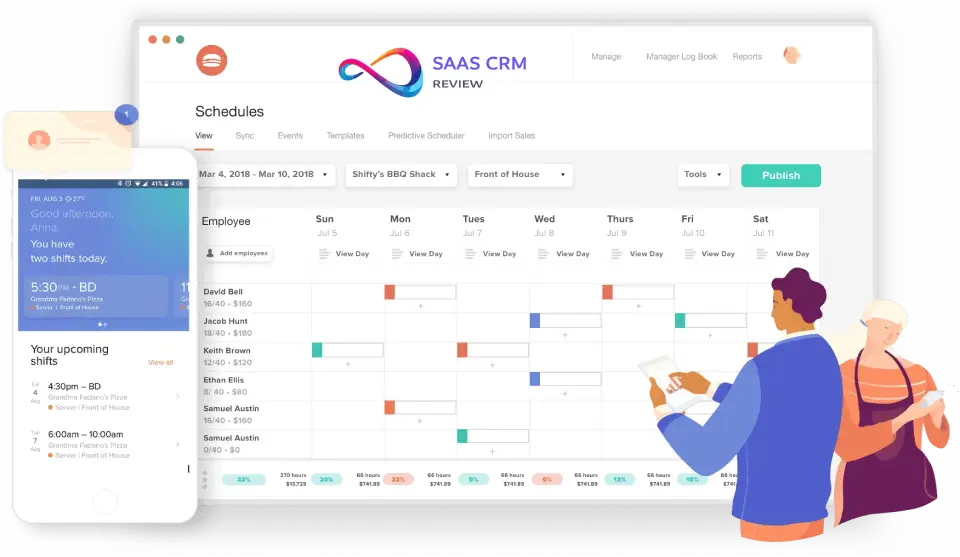
2. 7shifts — Best free starting point for restaurants and food service teams
Free availability: Free plan (restaurant-focused; capped) (verify user/location limits).
Starting price after free: From $29.99/location/month (verify billing terms).
Rating: 4.7/5 — Capterra (1,208 reviews; Last checked: Jan 17, 2026)
Fit (who it’s for / not for):
Best for restaurants managing constant shift trades, callouts, and FOH/BOH coordination. Not ideal outside food service, or if you need POS/payroll integrations included on the free plan.
Why I picked it (workflow-based):
Restaurant scheduling is daily operations, not just a weekly calendar. 7shifts supports the loop: availability → schedule build → publish → trade/fill open shifts. The real value is speed: fewer manager texts, fewer coverage gaps, and smoother shift-change handling. The tradeoff is predictable: POS/payroll integrations and advanced labor controls typically sit behind paid tiers—verify your required workflow before rollout.
Key features:
- Templates + recurring schedules
- Shift trades + open shifts (verify by plan)
- Availability + time-off requests
- Team communication tools
- Labor/compliance alerts (verify by plan)
Integrations: Toast, Square, Lightspeed, Gusto, ADP often paid-tier (verify).
Free Plan Reality Check
| Check | Reality on Free |
|---|---|
| User limits | Capped (per your notes: 30) |
| Location limits | Capped (per your notes: 1) |
| Scheduling limits | Verify (schedule history/auto tools) |
| Time clock included? | Basic time clock may exist (verify) |
| Swap/marketplace? | Likely yes (verify) |
| Export/audit access | Verify |
| Integration access | Mostly paid |
| Support access | Verify |
| Pros | Cons |
|---|---|
| Restaurant-native workflows and language | Free plan caps users/locations |
| Strong shift trade/open shift flow | Integrations usually paid |
| High adoption for FOH/BOH staff | Advanced labor tools gated |
Hidden cost / upgrade trigger: You typically upgrade when you need POS integration, exceed user caps, or require tip/labor controls beyond basics.
3. Sling (by Toast) — Best schedule-only free option for swaps + open shifts
Free availability: Free plan (scheduling-first) (verify details; plans change).
Starting price after free: From $2/user/month (verify billing terms).
Rating: 4.6/5 — Capterra (202 reviews; Last checked: Jan 17, 2026)
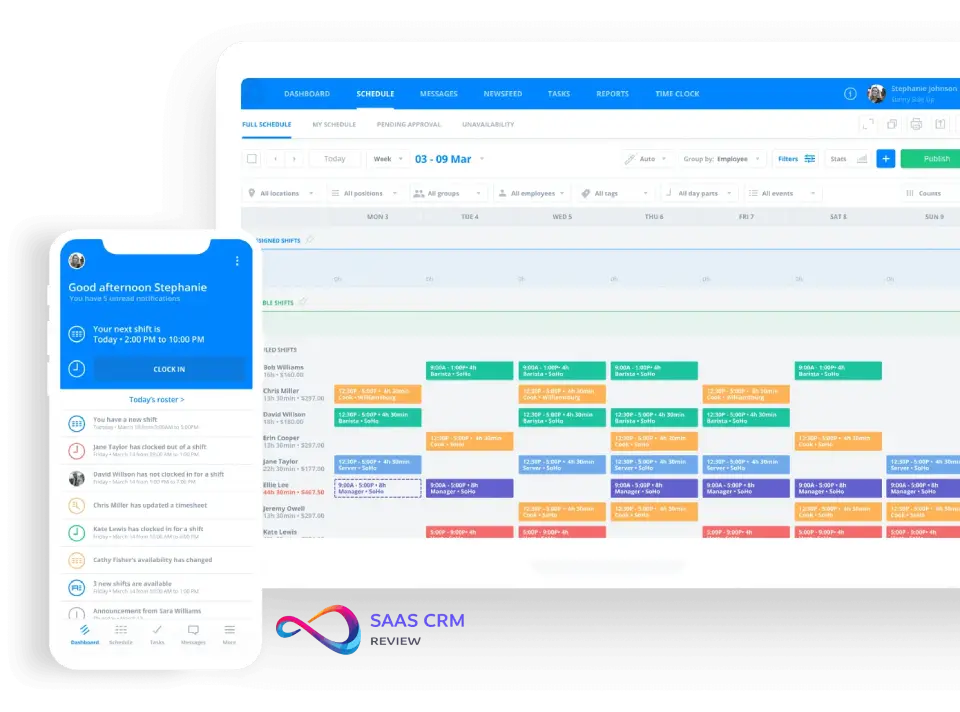
Fit (who it’s for / not for):
Best for teams that need shift scheduling software with swap/open shift workflows and messaging, especially if you already have a separate time clock. Not ideal if time tracking, overtime controls, or payroll integrations must be free.
Why I picked it (workflow-based):
Sling is strongest when the problem is schedule churn: publish → notify → fill gaps → keep everyone aligned. If your team swaps shifts often, a scheduling-first tool can reduce manager workload and prevent “I didn’t see the update” issues. The tradeoff is that time clock and deeper labor controls often drive upgrades—so confirm whether Sling covers your payroll workflow or you’ll need an add-on.
Key features:
- Open shifts + swap/offer workflows
- Templates + availability requests
- Messaging + basic task management
- Conflict detection (verify depth)
- Basic labor cost visibility (verify)
Integrations: Toast ecosystem benefit for Toast users; broader payroll/POS integrations often paid (verify).
Free Plan Reality Check
| Check | Reality on Free |
|---|---|
| User limits | Verify (often generous) |
| Location limits | Verify (often generous) |
| Scheduling limits | Verify |
| Time clock included? | Often no / paid (verify) |
| Swap/marketplace? | Likely yes |
| Export/audit access | Verify |
| Integration access | Limited on free |
| Support access | Verify |
| Pros | Cons |
|---|---|
| Excellent for swaps/open shifts | Time clock commonly not included free |
| Fast setup; low training overhead | Payroll integrations often paid |
| Good if you already have time tracking elsewhere | Reporting/compliance can be basic |
Hidden cost / upgrade trigger: You’ll pay once you need time tracking, payroll integration, or stronger compliance/overtime controls.
4. Connecteam — Best for multi-location and field teams needing scheduling + communication + time clock
Free availability: Free plan + trial/demo options (verify current user cap; plans change).
Starting price after free: From $29/month (verify billing cycle).
Rating: 4.6/5 — Capterra (4,463 reviews; Last checked: Jan 17, 2026)

Fit (who it’s for / not for):
Best for deskless teams (field services, multi-site operations) that want scheduling plus communication and basic workforce tools in one mobile-first app. Not ideal for teams that only need a simple schedule builder and nothing else.
Why I picked it (workflow-based):
Connecteam works when scheduling is part of a broader ops system: publish schedules, push updates, collect availability, and handle swaps without text-message chaos. It’s also useful when attendance matters (GPS/geofencing features may apply—verify). The real question in a pilot: can it replace multiple tools (chat + scheduling + time clock) or will you still run parallel systems?
Key features:
- Templates + recurring scheduling
- Availability + time-off requests
- Shift swaps / open shifts (verify)
- Team chat/announcements
- Time clock options (GPS/geofencing) (verify plan)
Integrations: QuickBooks/Gusto/Xero/API commonly tier-gated (verify).
Free Plan Reality Check
| Check | Reality on Free |
|---|---|
| User limits | Capped (per your notes: 50) |
| Location limits | Often generous (per your notes: unlimited) |
| Scheduling limits | Verify |
| Time clock included? | Likely yes (verify) |
| Swap/marketplace? | Likely yes (verify) |
| Export/audit access | Verify |
| Integration access | Often paid |
| Support access | Verify |
| Pros | Cons |
|---|---|
| Strong for multi-site/field scheduling | Integrations/reporting often paid |
| Mobile-first UX for deskless teams | More setup than schedule-only tools |
| Combines scheduling + comms + time basics | Free limits vary; must verify |
Hidden cost / upgrade trigger: Most teams upgrade when they exceed the free user cap or need payroll integrations and richer reporting.
5. Findmyshift — Best truly simple free scheduling for tiny teams and volunteers
Free availability: Free plan (very small team cap) (verify exact cap; plans change).
Starting price after free: From $25/team/month (verify).
Rating: 4.6/5 — Capterra (1,169 reviews; Last checked: Jan 17, 2026)
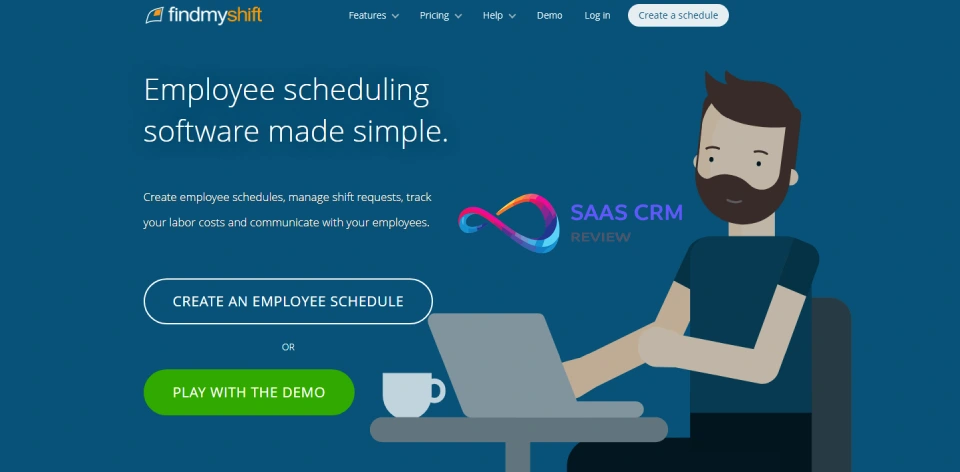
Fit (who it’s for / not for):
Best for very small businesses and volunteer coordinators who need a clean staff roster tool without a heavy learning curve. Not ideal for multi-location orgs or teams needing deep integrations and advanced compliance tracking.
Why I picked it (workflow-based):
When your “system” is a spreadsheet plus texts, the fastest upgrade is a tool that simply publishes schedules and reduces back-and-forth. Findmyshift typically delivers that: templates, recurring shifts, availability, and basic notifications. The limit is scale—once staffing grows or payroll integration becomes necessary, you’ll hit the ceiling quickly.
Key features:
- Drag-and-drop schedules + templates
- Recurring shifts + availability tracking
- Open shifts / swaps (verify)
- PTO tracking basics (verify)
- Timesheets/time clock options (verify)
Integrations: API/custom integrations generally paid-tier (verify).
Free Plan Reality Check
| Check | Reality on Free |
|---|---|
| User limits | Very small (per your notes: 5) |
| Location limits | Often 1 (verify) |
| Scheduling limits | Verify |
| Time clock included? | Verify |
| Swap/marketplace? | Verify |
| Export/audit access | Verify |
| Integration access | Usually paid |
| Support access | Verify |
| Pros | Cons |
|---|---|
| Very easy to adopt | Free plan caps users heavily |
| Great for nonprofits/volunteers | Limited integrations |
| Covers core scheduling basics | Not built for complex compliance |
Hidden cost / upgrade trigger: The upgrade trigger is almost always team size (you outgrow the free cap) and needing exports/integrations.
6. ZoomShift — Best for micro-teams piloting scheduling workflows (free tier is very limited)
Free availability: Free plan (very limited users) (verify current cap).
Starting price after free: From $2/user/month (verify).
Rating: 4.5/5 — Capterra (111 reviews; Last checked: Jan 17, 2026)
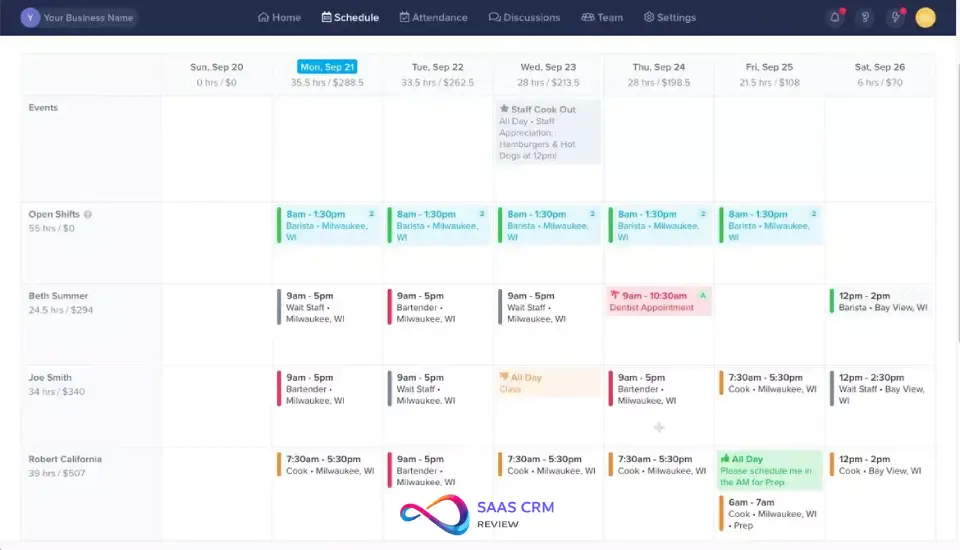
Fit (who it’s for / not for):
Best for very small teams that want to test a scheduling app quickly. Not ideal for most businesses because the free tier limit is commonly too small for real operations.
Why I picked it (workflow-based):
ZoomShift can be a good “trial-like” free plan to validate your process: templates, recurring shifts, swaps, and basic time tracking. Use it to confirm whether your team will adopt a mobile schedule workflow at all. If adoption is the goal, this can work; if “free forever for a real team” is the goal, you’ll likely upgrade immediately.
Key features:
- Templates + recurring schedules
- Availability + PTO requests (verify)
- Shift swapping (verify)
- Basic time clock/timesheets (verify)
- Mobile access (verify)
Integrations: QuickBooks/Gusto commonly paid (verify).
Free Plan Reality Check
| Check | Reality on Free |
|---|---|
| User limits | Very limited (per your notes: 2) |
| Location limits | Often 1 (verify) |
| Scheduling limits | Verify |
| Time clock included? | Verify |
| Swap/marketplace? | Verify |
| Export/audit access | Verify |
| Integration access | Usually paid |
| Support access | Verify |
| Pros | Cons |
|---|---|
| Easy to learn; clean UI | Free tier too small for most teams |
| Good for quick pilots | Integrations/reporting often paid |
| Covers basic scheduling loop | You’ll outgrow it fast |
Hidden cost / upgrade trigger: You upgrade as soon as you schedule more than a micro-team or need payroll exports/integrations.
7. Coast — Best for small teams needing scheduling + team communication (freemium)
Free availability: Free plan (limited users/features) (verify caps).
Starting price after free: From $4/user/month (verify).
Rating: 4.7/5 — Capterra (96 reviews; Last checked: Jan 17, 2026)

Fit (who it’s for / not for):
Best for small frontline teams that want “one place” for schedules, messaging, and basic coordination. Not ideal if you need advanced time tracking, complex compliance rules, or payroll integrations on free.
Why I picked it (workflow-based):
Coast is useful when the real problem isn’t building schedules—it’s getting people aligned once the schedule is published. A good pilot: publish a schedule, run a swap, send an announcement, and track whether managers spend less time chasing acknowledgements. Freemium tradeoff is typical: limits on users, reporting depth, and integrations tend to push upgrades.
Key features:
- Scheduling + basic swaps (verify)
- Messaging/announcements
- Checklists/tasks (verify)
- Limited time tracking (verify)
- Mobile-first experience (verify)
Integrations: Often limited compared to payroll-first tools (verify).
Free Plan Reality Check
| Check | Reality on Free |
|---|---|
| User limits | Verify (free is capped) |
| Location limits | Verify |
| Scheduling limits | Verify |
| Time clock included? | Verify |
| Swap/marketplace? | Verify |
| Export/audit access | Verify |
| Integration access | Often limited |
| Support access | Verify |
| Pros | Cons |
|---|---|
| Great for schedule + comms in one place | Free limits can be restrictive |
| Easy adoption for frontline users | Not a deep payroll/time system |
| Helpful for reducing message chaos | Integrations often minimal |
Hidden cost / upgrade trigger: Paying happens when you need more users, better reporting, or integrations—especially if scheduling must connect to payroll.
Freemium Employee Scheduling Software (Free Tier With Paywalls)
What “free” means here: You can start free, but key capabilities are paywalled (common paywalls: payroll/POS integrations, advanced reporting, multi-location, compliance controls, or higher user limits). Expect to upgrade as needs grow.
8. Teamup Calendar — Best for volunteer groups & simple shared schedules (calendar coordination, not shift governance)
Free availability: Free plan + paid upgrades (verify current limits; plans change).
Starting price after free: From $10/month
Rating: 4.7/5 — Capterra (46 reviews; Last checked: Jan 17, 2026)

Fit (who it’s for / not for):
Great if you need a shared, permissioned calendar for volunteers, clubs, rooms, or simple coverage visibility. Not a fit if you need true employee scheduling software features like shift swaps, approvals, time clock, overtime alerts, or audit-ready exports.
Why I picked it (workflow-based):
Teamup works when the “workflow” is basically publish → view → coordinate. It reduces back-and-forth by giving everyone one place to check what’s happening. But it won’t enforce scheduling rules, prevent overtime, or manage availability at a workforce-ops level. Treat it as a visibility tool, not a workforce management system.
Key features:
- Shared calendars with permissions (verify)
- Multiple sub-calendars/categories (verify)
- Share links/embeds for easy access (verify)
- Basic reminders/notifications (verify)
- Calendar-style UX (fast adoption)
Integrations: Calendar subscriptions/sync options may exist (verify); not designed for payroll/POS/HRIS.
Free Plan Reality Check
| Check | Reality (DIY/Calendar) |
|---|---|
| User limits | Typically not “employees”; access/permissions vary (verify) |
| Location limits | N/A (calendar-based) |
| Scheduling limits | No shift rules; event-based |
| Time clock included? | No |
| Swap/marketplace? | No (manual coordination) |
| Export/audit access | Basic export/share options (verify) |
| Integration access | Calendar sync style (not payroll/POS/HRIS) |
| Support access | Verify |
| Pros | Cons |
|---|---|
| Extremely easy for volunteers/groups | Not true shift scheduling governance |
| Clear visibility + permissions | No time clock, swaps, approvals, compliance |
| Low setup overhead | Doesn’t scale for hourly ops workflows |
Hidden cost / upgrade trigger: You “pay” when coordination becomes operations: once you need availability rules, swaps, approvals, time tracking, or compliance, you’ll need real scheduling software.
9. Google Sheets + add-ons (DIY) — Best for zero-cost custom templates (manual controls)
Free availability: Free (consumer Google account) / included with Google Workspace plans.
Starting price after free: $0 for basic use (Workspace plans optional; add-ons may cost).
Rating: 4.7/5 — Capterra (13,148 reviews; Last checked: Jan 17, 2026)
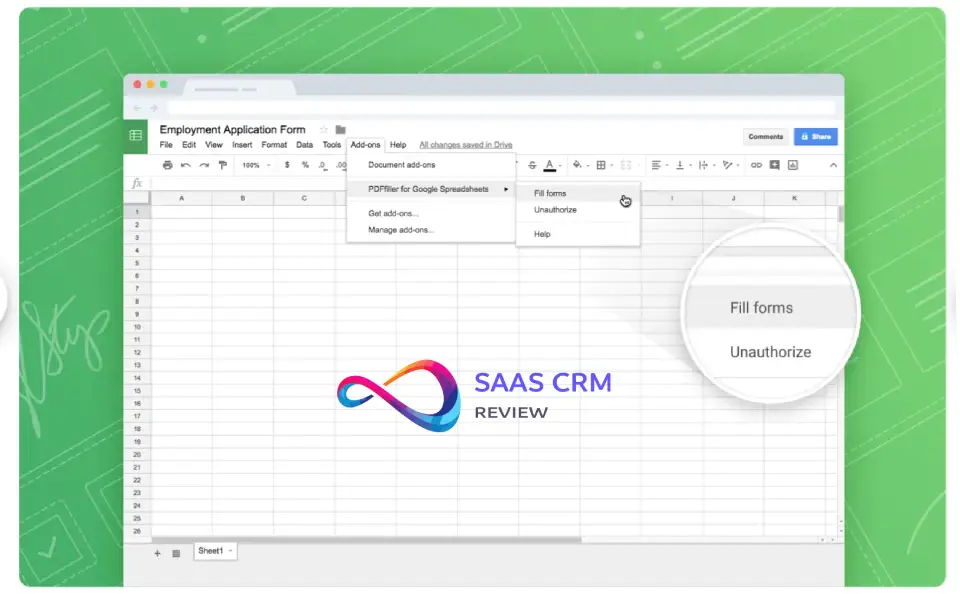
Fit (who it’s for / not for):
Good for teams of ~3–5 with stable schedules and one owner maintaining the sheet. Not for swap-heavy, multi-location, or compliance-sensitive environments.
Why I picked it (workflow-based):
Sheets is the fastest way to go from “nothing” to a schedule: copy a template, assign shifts, share the link. Collaboration is its strength—everyone sees the same file. The downside is governance: approvals, audit trail, overtime prevention, and notifications are manual or require scripts/add-ons. As soon as schedule changes are frequent, spreadsheets become a bottleneck.
Key features:
- Custom schedule templates
- Real-time collaboration + permissions
- Conditional formatting for basic rules (DIY)
- Optional add-ons / Apps Script automation (DIY)
- Easy export/share
Integrations: DIY via add-ons, Apps Script, or manual exports (not native payroll/POS/HRIS).
Free Plan Reality Check
| Check | Reality (DIY Spreadsheet) |
|---|---|
| User limits | Practical limit = your process discipline |
| Location limits | Unlimited (manual) |
| Scheduling limits | No built-in constraint engine |
| Time clock included? | No |
| Swap/marketplace? | No (manual) |
| Export/audit access | Export exists; audit trail is not WFM-grade |
| Integration access | Manual or custom scripting |
| Support access | Docs/community; no vendor ops support |
| Pros | Cons |
|---|---|
| Truly free + infinitely customizable | High error risk (versions, manual edits) |
| Everyone can access one “source of truth” | No swaps/approvals/time clock/compliance |
| Great for very small stable teams | Doesn’t scale when changes are frequent |
Hidden cost / upgrade trigger: The hidden cost is manager time (manual updates + chasing confirmations). Upgrade when schedules change often, you need mobile push, or payroll/time tracking becomes painful.
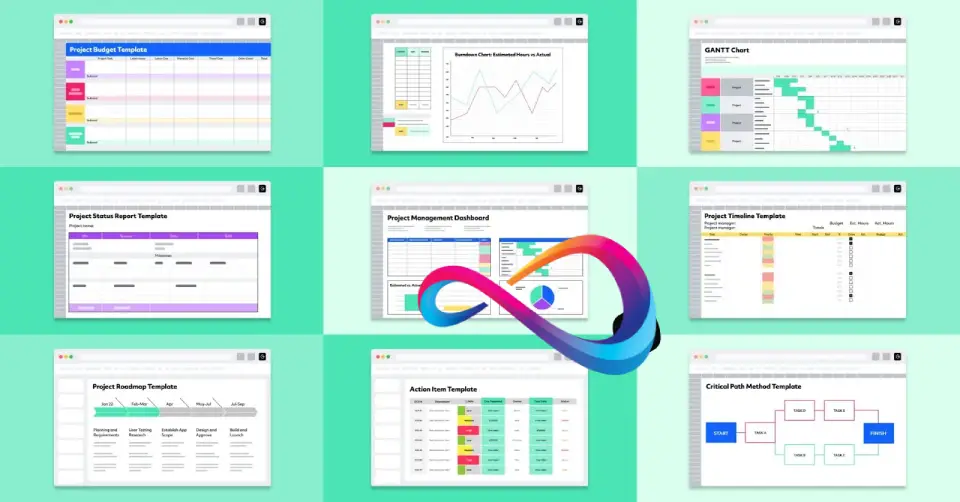
10. Excel templates (DIY) — Best if you already pay for Microsoft 365 (powerful, but manual)
Free availability: Excel is typically bundled with Microsoft 365 (not “free scheduling software,” but often already paid for).
Starting price after free: Depends on your Microsoft 365 plan; templates are free.
Rating: 4.8/5 — Capterra (19,326 reviews; Last checked: Jan 17, 2026)
Fit (who it’s for / not for):
Good for small teams that already live in Microsoft and don’t need real-time shift operations. Not for frontline teams needing mobile-first workflows, shift swaps, or time tracking.
Why I picked it (workflow-based):
Excel is strong for structured templates and “manager-owned” scheduling. If one person builds schedules and distributes PDFs/emails, it works. But it fails the moment you need self-serve swaps, real-time updates, or compliance controls. Most teams don’t outgrow Excel because of features—they outgrow it because of the operational overhead.
Key features:
- Mature template and formula support
- Strong formatting for shift grids
- Offline-friendly editing
- Data analysis for hours/labor (DIY)
- Share/export workflows (manual)
Integrations: None natively for scheduling; exports and connectors depend on your Microsoft stack (DIY).
Free Plan Reality Check
| Check | Reality (DIY Spreadsheet) |
|---|---|
| User limits | Practical/process-based |
| Location limits | Unlimited (manual) |
| Scheduling limits | No built-in WFM constraints |
| Time clock included? | No |
| Swap/marketplace? | No (manual) |
| Export/audit access | Export yes; audit trail not WFM-grade |
| Integration access | Manual; scripting/connectors depend on org stack |
| Support access | Microsoft support/docs; not scheduling support |
| Pros | Cons |
|---|---|
| Powerful templates and calculations | Manual distribution + version control headaches |
| Familiar for managers | No swaps, approvals, mobile push, time clock |
| Works offline and scales as a spreadsheet | High operational overhead for shift work |
Hidden cost / upgrade trigger: The upgrade trigger is employee self-service. When staff need to swap shifts, request PTO, or get real-time updates on phones, Excel becomes a manual bottleneck.
Trial/Demo Employee Scheduling Software (Not Free-Forever)
What “free” means here: These tools offer a time-limited free trial or a product demo. After the trial ends, you’ll need a paid plan to keep using the software—so treat this bucket as “pilot before budgeting,” not free-forever.
11. Humanity (by TCP)
Best for: Healthcare, manufacturing, and 24/7 operations testing compliance-heavy workforce scheduling.
Free availability: 30-day free trial (not free-forever).
Starting price after free: Custom quote (verify).
Rating: 4.3/5 — Capterra (328 reviews); last updated Oct 28, 2025 (last checked Jan 17, 2026).
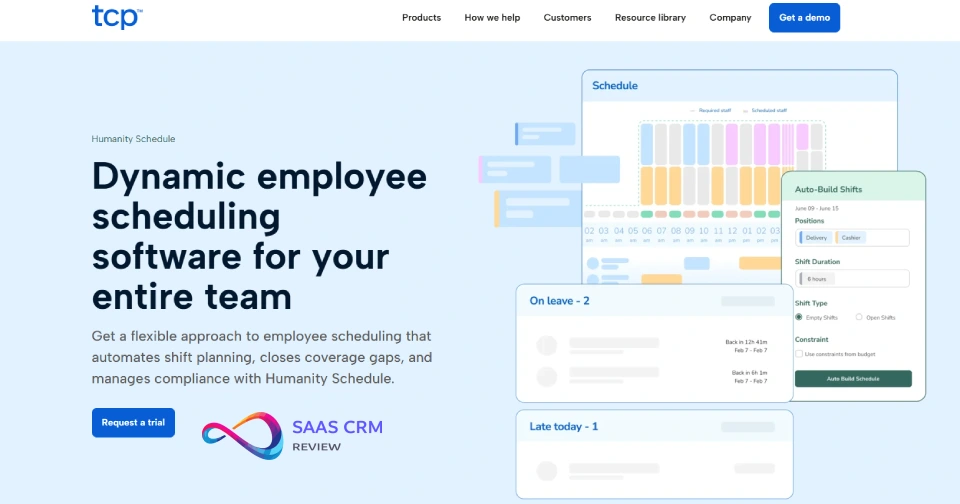
Fit (who it’s for / not for): Great if you need skills/credentials, approvals, auditability, and overtime/break rule support. Overkill if you’re a small single-site team that just needs a simple schedule maker.
Why we picked it: Humanity is built to handle constraint-based scheduling (roles, certifications, coverage rules) and validate a full schedule → time → approval flow during the trial. Use it to test whether automation and governance actually reduce manager workload—not just “make a calendar.”
Free Plan Reality Check (trial lens):
- User limits: Varies (verify)
- Location limits: Varies (verify)
- Scheduling limits: Trial scope (verify)
- Time clock included?: Usually yes (verify)
- Swap/marketplace?: Often yes (verify)
- Export/audit access: Trial-dependent (verify)
- Integration access: Trial-dependent (verify)
- Support access: Trial onboarding/support varies (verify)
Key features (typical): Auto-scheduling, demand-based tools, compliance rules, approvals/audit trail, skills/cert tracking (verify in your package).
Integrations: Often supports major payroll/HRIS ecosystems (verify).
| Pros | Cons |
|---|---|
| Strong for compliance-heavy, 24/7 scheduling | Trial only (no free-forever tier) |
| Good governance: approvals + auditability | Implementation can be heavier than SMB tools |
| Useful to validate advanced rules/constraints | Pricing is usually enterprise/mid-market |
Hidden cost / upgrade trigger: Trial ends; paid plan required—especially if you need integrations, audit exports, and ongoing rule enforcement.
12. Shiftboard
Best for: Complex scheduling (healthcare, industrial, event staffing) where shift trading and coverage workflows matter.
Free availability: Free trial (verify length/terms).
Starting price after free: Custom quote (verify).
Rating: 4.6/5 — G2 (60 reviews) (last checked Jan 17, 2026).

Fit: Best for teams with multiple departments/roles and frequent callouts. Not a “free scheduling app” long-term.
Why we picked it: Shiftboard is positioned for scale and complexity—coverage gaps, shift trading, multi-team scheduling—so the trial should focus on real scenarios (callouts, swaps, compliance constraints) rather than a clean “demo schedule.”
Trial Reality Check:
- Users/locations: Trial-defined (verify)
- Time clock: Trial-defined (verify)
- Swaps/open shifts: Typically supported (verify)
- Export/audit + integrations: Trial-defined (verify)
- Support: Trial onboarding varies (verify)
Key features: Multi-team scheduling, shift trade controls, coverage tools, mobile access, governance controls (verify).
Integrations: Often HRIS/payroll ecosystem connections (verify scope).
| Pros | Cons |
|---|---|
| Strong for complex scheduling environments | Trial only; paid contract expected |
| Good shift trade/coverage workflows | Learning curve vs SMB apps |
| Built for multi-team operations | Pricing not SMB-friendly |
Upgrade trigger: Trial ends; paid deployment required (usually sales-led).
13. Planday
Best for: Hospitality/retail teams wanting polished scheduling + time tracking (trial-first).
Free availability: 30-day free trial.
Starting price after free: From ~$2.99/user/month (verify plan/billing).
Rating: 4.3/5 — Capterra (56 reviews); last updated Nov 13, 2025 (last checked Jan 17, 2026).
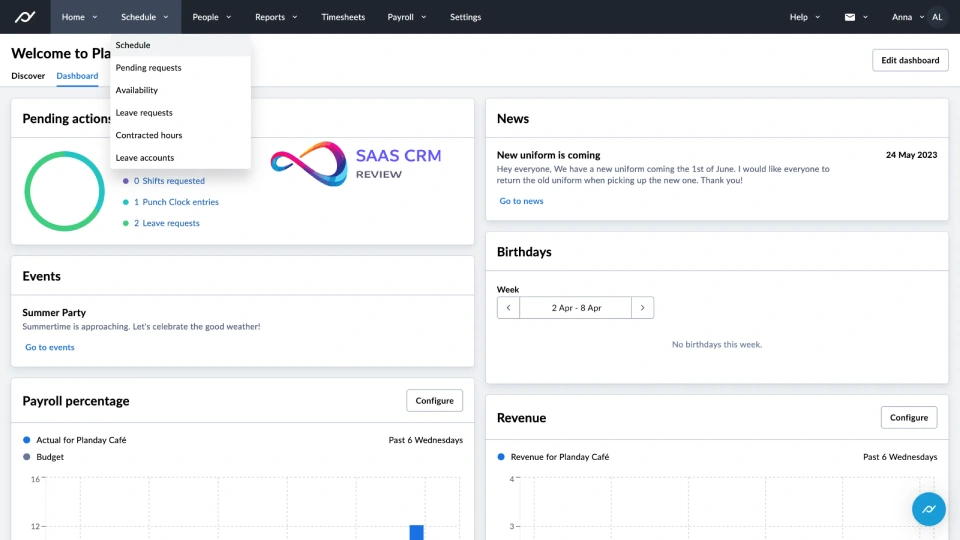
Fit: Good if you’ll likely pay and want scheduling tied to timesheets/approvals. Not for “free forever” seekers.
Why we picked it: Planday is best evaluated by running a real scheduling cycle: templates → publish → changes/swaps → timesheet approvals → payroll export. If those handoffs are clean, you save real admin time.
Trial Reality Check: Trial-defined limits on users/features/integrations (verify).
Key features: Templates, recurring shifts, swaps/open shifts, time clock/timesheets, overtime/break calculations (verify).
Integrations: QuickBooks/Xero + payroll connectors (often tiered—verify).
| Pros | Cons |
|---|---|
| Clean UX; good manager/employee flow | Trial only for “free” access |
| Scheduling + time in one workflow | Integrations often tier-gated |
| Solid approval/reporting patterns | Must pilot with your payroll process |
Upgrade trigger: Trial ends; paid plan required for ongoing time tracking + exports.
14. Buddy Punch
Best for: Teams prioritizing time clock accuracy with basic scheduling (trial).
Free availability: 14-day free trial.
Starting price after free: From ~$4.49/user/month (verify).
Rating: 4.8/5 — Capterra (1,116 reviews); last updated Dec 14, 2025 (last checked Jan 17, 2026).
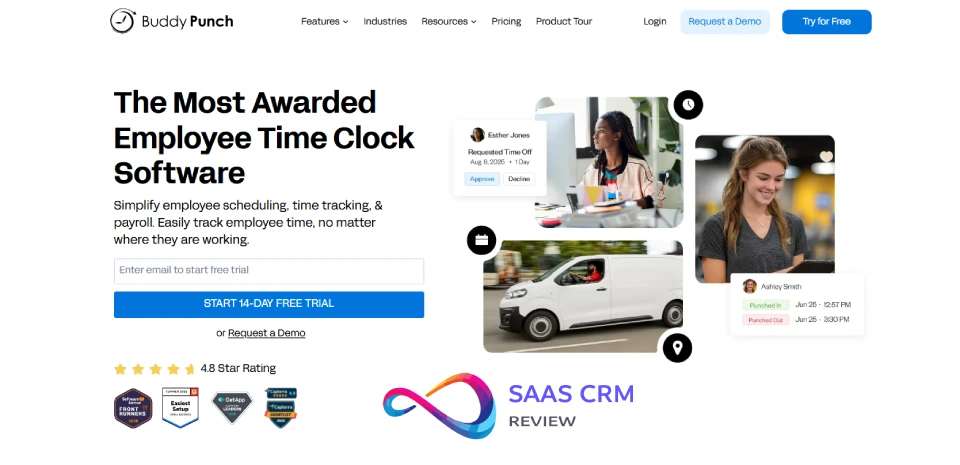
Fit: Great if payroll/time disputes are your main pain. Less ideal if you need sophisticated shift marketplaces and scheduling depth.
Why we picked it: The ROI comes from time capture + approvals → cleaner payroll exports. Scheduling is a supporting layer, not the core.
Trial Reality Check: Trial-defined time clock features (GPS/kiosk), exports, and integrations (verify).
Key features: GPS/kiosk punches, approvals, PTO tracking, overtime rules, exports (verify).
Integrations: QuickBooks/ADP/Paychex/Gusto often supported (verify by tier).
| Pros | Cons |
|---|---|
| Excellent time tracking controls | Trial only; no free-forever |
| Strong for payroll accuracy | Scheduling is not the primary strength |
| Good approval/export workflow | Per-user costs add up at scale |
Upgrade trigger: Trial ends; paid plan needed for ongoing time + integrations.
15. Factorial
Best for: SMBs wanting HR + PTO + scheduling in one platform (trial).
Free availability: Free trial (commonly 14 days—verify).
Starting price after free: Module-based pricing (verify).
Rating: 4.5/5 — Capterra (306 reviews) (last checked Jan 17, 2026).
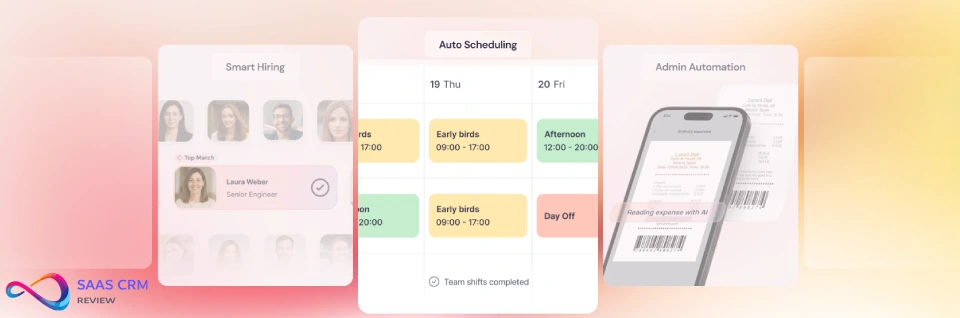
Fit: Best if you want to consolidate HR + time-off + scheduling. Not ideal if you only want a lightweight scheduler.
Why we picked it: The value is in connected workflows—PTO approvals should automatically affect scheduling and time records. The trial should prove that chain works for your team.
Trial Reality Check: Trial-defined access to modules, exports, and integrations (verify).
Key features: Scheduling, PTO/leave, HR records, time tracking, reporting (verify).
Integrations: Payroll/HR connectors vary by module (verify).
| Pros | Cons |
|---|---|
| Consolidates HR + scheduling | Trial only; not free-forever |
| PTO + scheduling can stay aligned | Module pricing can climb |
| Good for admin centralization | Overkill for “just scheduling” |
Upgrade trigger: Trial ends; paid modules required for long-term use.
16. Jolt
Best for: Restaurants needing scheduling plus checklists/ops compliance (demo/trial).
Free availability: Demo/trial (not free-forever).
Starting price after free: Custom quote (verify).
Rating: 4.7/5 — Capterra (305 reviews) (last checked Jan 17, 2026).
Fit: Best where execution matters (opening/closing checklists, food safety routines). Not for “free scheduling software” shoppers.
Why we picked it: Jolt wins when scheduling is tied to shift execution—what must be done, by whom, with accountability. Evaluate it by running real checklist-driven shifts.
Trial Reality Check: Demo/trial scope varies for scheduling + checklists + reporting (verify).
Key features: Task/checklist workflows, shift accountability, alerts, reporting, scheduling/time features (verify).
Integrations: Often POS/payroll adjacent in restaurant stacks (verify).
| Pros | Cons |
|---|---|
| Strong ops + checklist accountability | Demo/trial only; not free-forever |
| Great for restaurant execution | More setup than schedule-only tools |
| Reduces “missed tasks” risk | Pricing is sales-led/custom |
Upgrade trigger: If you adopt ops workflows, you’re committing to paid tiers.
17. Workforce.com
Best for: Mid-size to enterprise teams doing demand-based labor optimization (trial varies).
Free availability: Trial (length varies; verify).
Starting price after free: Custom quote (verify).
Rating: 4.7/5 — Capterra (477 reviews); last updated Feb 12, 2025 (last checked Jan 17, 2026).
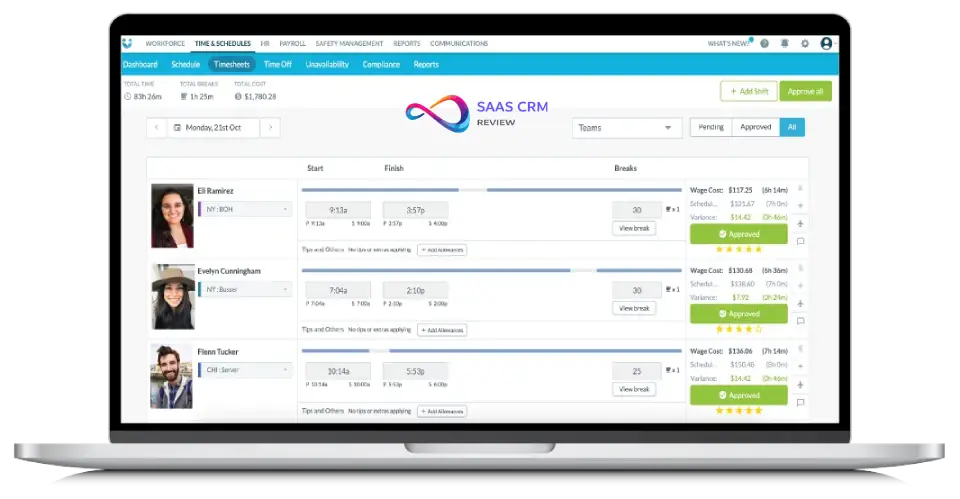
Fit: Best when labor cost control and compliance rules are core. Not for SMBs seeking free-forever.
Why we picked it: Test whether forecasting + scheduling automation reduces overtime and improves coverage. If it can’t connect cleanly to payroll/time approvals, it won’t deliver ROI.
Trial Reality Check: Trial-defined forecasting, compliance rules, exports/integrations (verify).
Key features: Auto-scheduling, demand tools, overtime controls, compliance rules, reporting (verify).
Integrations: Payroll/HRIS/POS options vary (verify).
| Pros | Cons |
|---|---|
| Strong labor optimization for larger ops | Trial only; enterprise pricing |
| Good compliance + governance potential | Implementation/change management required |
| Built for multi-site complexity | Overkill for small teams |
Upgrade trigger: Trial ends; paid contract required.
18. Snap Schedule
Best for: Complex rotating/24/7 scheduling environments (trial).
Free availability: Free trial (verify terms).
Starting price after free: Starts around $450 (plan model varies—verify).
Rating: 4.4/5 — Capterra (15 reviews) (last checked Jan 17, 2026).

Fit: Good for advanced schedule patterns/rotations. Less ideal if you want a modern mobile-first “employee scheduling app” with deep integrations.
Why we picked it: Use the trial to model one real rotation cycle end-to-end and see if rules/templates reduce manual work versus spreadsheets. The decision hinges on operational fit and exportability to payroll.
Trial Reality Check: Trial-defined access to rotation features, exports, mobile, and support (verify).
Key features: Rotating schedules, complex templates, coverage rules, reporting (verify).
Integrations: Often limited (verify).
| Pros | Cons |
|---|---|
| Handles complex rotations well | Small review sample vs mainstream tools |
| Better than spreadsheets for pattern logic | Integrations may be limited |
| Useful for 24/7 coverage design | UX may feel less modern |
Upgrade trigger: Trial ends or you need ongoing rotation scheduling—paid plan/license required.
19. Papershift (Trial)
Best for: EU-leaning teams that want scheduling + time tracking + PTO in one system (trial-first)
Free availability: Free trial (verify trial length on vendor site)
Starting price after free: From €3.50/user/month (verify)
Rating: 4.4/5 — Software Advice — 86 reviews — Last checked Jan 2026
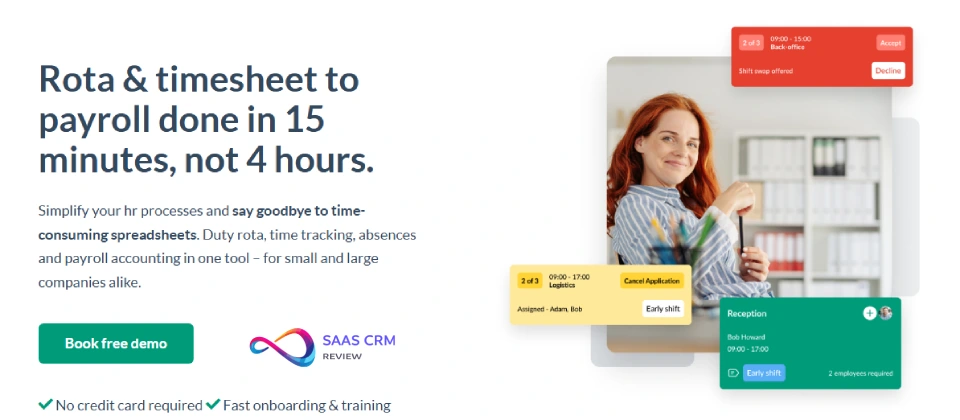
Fit (who it’s for / not for):
Good for teams prioritizing PTO workflows and schedule approvals. Less ideal if you need deep US payroll/POS integrations or a free-forever plan.
Why we picked it (workflow-based):
Papershift is strongest when you run a weekly loop of availability → schedule → publish → time approvals → payroll-ready exports. During the trial, validate whether timesheet approval, overtime handling, and exports match your payroll process—this is where tools either save hours or create rework.
Key features (high-level):
- Schedule templates + recurring shifts
- Availability, PTO requests, approvals
- Time tracking/time clock (tier-dependent)
- Overtime alerts (tier-dependent)
Integrations: EU-centric (verify; may vary by region).
Pros/Cons
| Pros | Cons |
|---|---|
| Clean scheduling + leave workflow | Trial-only (not free-forever) |
| Good approval-driven process | US-first integrations may be limited |
| Solid for EU-oriented ops | Region/support fit must be confirmed |
Hidden cost / upgrade trigger: Trial ends; ongoing use requires paid tier. Payroll export depth is commonly gated.
Free Plan Reality Check (mini-row):
- User limits: Trial-based (verify)
- Location limits: Trial-based (verify)
- Scheduling limits: Trial-based (verify)
- Time clock included?: Often yes in trial (verify)
- Swap/marketplace?: Tier-dependent (verify)
- Export/audit access: Verify in trial
- Integration access: Verify (region-dependent)
- Support access: Verify (trial support varies)
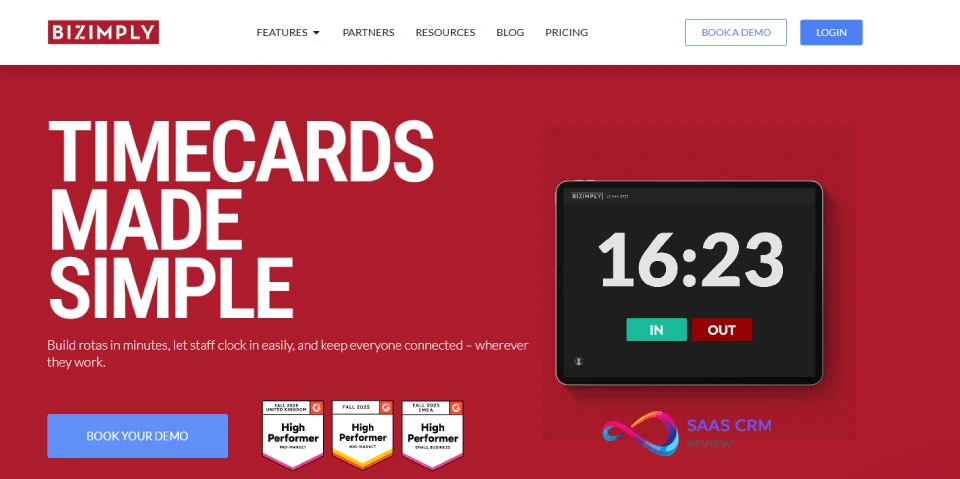
20. Bizimply (Trial)
Best for: Hospitality/retail teams (UK/Ireland strong) that want scheduling + time & attendance + HR basics (trial-first)
Free availability: Free trial (often ~14 days; verify)
Starting price after free: From £1.50/user/month (verify)
Rating: 4.6/5 — Capterra — 137 reviews — Last checked Jan 2026
Fit (who it’s for / not for):
Good if you want roster + HR-lite in one place. Less ideal for US-first stacks where payroll/POS integrations must be native and fully supported.
Why we picked it (workflow-based):
Bizimply can work well when you want one place for employee records + schedules + clock-ins. The pilot should prove: managers can build templates quickly, employees adopt mobile self-service, and admins can export clean time data for payroll.
Key features:
- Shift planning + templates
- Time & attendance (clock-in/out)
- Basic HR records + reporting
- Approvals/permissions (tier-dependent)
Integrations: Often regional (e.g., Xero/Sage)—verify fit for your market.
Pros/Cons
| Pros | Cons |
|---|---|
| Combines scheduling + HR basics | Trial-only (not free-forever) |
| Strong hospitality fit in core markets | US presence/support may be limited |
| Clean rostering workflow | Integrations can be region-specific |
Hidden cost / upgrade trigger: Trial ends; you’ll pay if you want time clock + reporting long-term.
Free Plan Reality Check (mini-row):
- User limits: Trial-based (verify)
- Location limits: Trial-based (verify)
- Scheduling limits: Trial-based (verify)
- Time clock included?: Often yes in trial (verify)
- Swap/marketplace?: Tier-dependent (verify)
- Export/audit access: Verify in trial
- Integration access: Region/tier-dependent (verify)
- Support access: Verify (trial support varies)
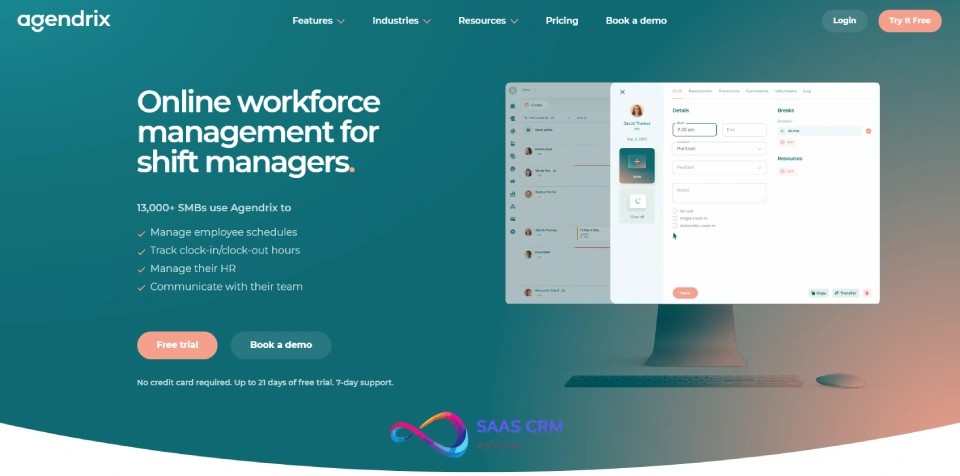
21. Agendrix (Trial)
Best for: SMBs that want scheduling + time clock + strong support (trial-first)
Free availability: Free trial (up to 21 days; no credit card noted on signup page—verify)
Starting price after free: From CA$3.25/user/month (varies by region/billing; verify)
Rating: 4.8/5 — Capterra — 211 reviews — Last checked Jan 2026
Fit (who it’s for / not for):
Good for teams that need an intuitive scheduling flow plus time tracking. Less ideal if you need a free-forever plan.
Why we picked it (workflow-based):
Agendrix is built for the weekly scheduling cadence and tends to win on day-to-day usability. Your pilot should validate manager speed (templates/recurring shifts), employee adoption (mobile notifications), and payroll readiness (timesheet approvals + exports).
Key features:
- Templates + recurring schedules
- Time clock/time tracking (tier-dependent)
- PTO requests/approvals
- Notifications + employee self-service
Integrations: QuickBooks and others are often referenced in-market; confirm exact availability by tier/region.
Pros/Cons
| Pros | Cons |
|---|---|
| Very strong user-rated satisfaction | Trial-only (not free-forever) |
| Good scheduling + time workflow | Integrations may be tier/region gated |
| Support is frequently praised | You must budget after trial if it sticks |
Hidden cost / upgrade trigger: Trial ends; you’ll upgrade if you keep time clock + exports in production.
Free Plan Reality Check (mini-row):
- User limits: Trial-based (verify)
- Location limits: Trial-based (verify)
- Scheduling limits: Trial-based (verify)
- Time clock included?: Often yes in trial (verify)
- Swap/marketplace?: Tier-dependent (verify)
- Export/audit access: Verify in trial
- Integration access: Tier/region-dependent (verify)
- Support access: Verify (trial support varies)
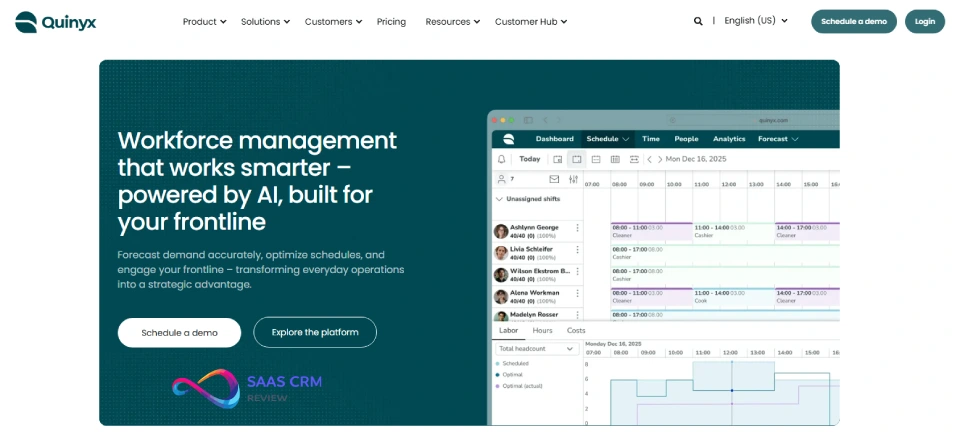
22. Quinyx (Demo — Enterprise)
Best for: Large retail/logistics/hospitality organizations needing demand-based WFM scheduling
Free availability: Demo only
Starting price after free: Enterprise quote
Rating: 4.3/5 — G2 — 495 reviews — Last checked Jan 2026
Fit (who it’s for / not for):
Great for enterprise scheduling optimization. Not relevant for “free employee scheduling software” intent—this is paid enterprise WFM.
Why we picked it (workflow-based):
Use the demo to validate: demand inputs, constraint logic (skills/roles), schedule quality, manager override controls, and integration path into HRIS/payroll. Enterprise success depends on governance and rollout, not UI alone.
Key features (verify in demo):
- Demand forecasting + optimization
- Multi-site rules/permissions
- Employee self-service + mobile
- Compliance and reporting
Integrations: Enterprise HRIS/payroll ecosystems (verify).
Pros/Cons
| Pros | Cons |
|---|---|
| Enterprise-grade optimization | Demo only; paid contract required |
| Strong review volume on G2 | Implementation is a project |
| Good for multi-site governance | Not a fit for SMB budgets |
Hidden cost / upgrade trigger: You’re paying once you proceed—budget for implementation/change management.
Free Plan Reality Check (mini-row):
- User limits: N/A (demo)
- Location limits: N/A (demo)
- Scheduling limits: N/A (demo)
- Time clock included?: Demo-dependent
- Swap/marketplace?: Demo-dependent
- Export/audit access: Demo-dependent
- Integration access: Enterprise tier
- Support access: Sales-led
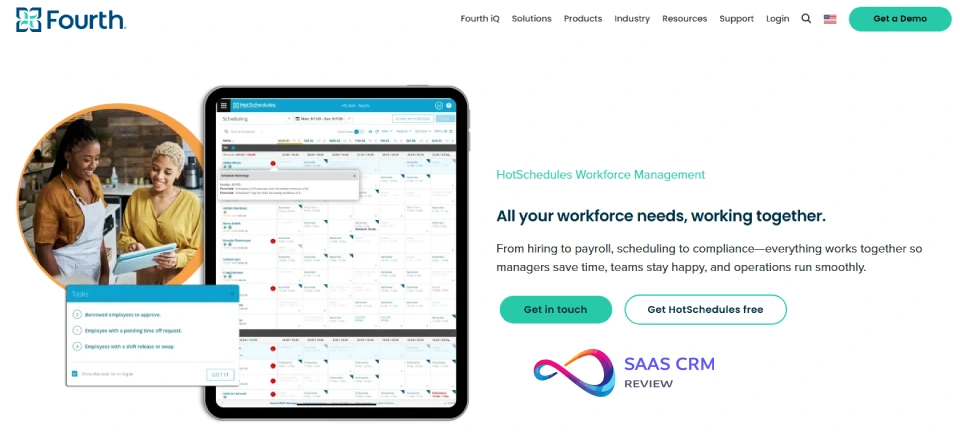
23. HotSchedules (by Fourth) (Demo — Enterprise restaurants)
Best for: Restaurant groups needing mature scheduling + labor workflows at scale
Free availability: Demo only
Starting price after free: Custom quote
Rating: 4.8/5 — Capterra — 3,822 reviews — Last checked Jan 2026
Fit (who it’s for / not for):
Good for multi-location restaurant operations. Not a free tool; only consider if you’re ready for a paid rollout.
Why we picked it (workflow-based):
HotSchedules is built around restaurant realities: frequent changes, coverage gaps, and manager-to-team communication. In the demo, test multi-location governance, manager workflows, and labor controls that impact payroll.
Key features (verify in demo):
- Scheduling templates + communication
- Coverage tools and change workflows
- Labor management controls
- Reporting and admin governance
Integrations: Restaurant/POS ecosystems vary—confirm with your stack.
Pros/Cons
| Pros | Cons |
|---|---|
| Massive review base (strong social proof) | Demo only; not free-forever |
| Built for restaurant ops at scale | Custom pricing + rollout effort |
| Strong scheduling + comms workflows | Overkill for small single-location teams |
Hidden cost / upgrade trigger: Not an “upgrade”—it’s a contract decision; implementation effort is the hidden cost.
Free Plan Reality Check (mini-row):
- User limits: N/A (demo)
- Location limits: N/A (demo)
- Scheduling limits: N/A (demo)
- Time clock included?: Demo-dependent
- Swap/marketplace?: Demo-dependent
- Export/audit access: Demo-dependent
- Integration access: Enterprise tier
- Support access: Sales-led
24. Rotageek (Demo — Enterprise)
Best for: Large service/retail teams needing advanced scheduling + strong support (enterprise motion)
Free availability: Demo only (some markets show trial references—verify)
Starting price after free: Often enterprise-style (varies; verify)
Rating: 4.6/5 — Capterra — 217 reviews — Last checked Jan 2026

Fit (who it’s for / not for):
Good for larger teams with complex shift needs. Not positioned as “free scheduling software.”
Why we picked it (workflow-based):
Rotageek tends to shine where scheduling needs structure and change control. In a demo, validate schedule building, change workflows, and whether managers can operate quickly at scale without spreadsheet backsliding.
Key features (verify in demo):
- Shift scheduling and change workflows
- Notifications + employee access
- Admin controls/permissions
- Reporting/visibility (tier-dependent)
Integrations: Verify with your payroll/POS stack (not consistent across tiers/markets).
Pros/Cons
| Pros | Cons |
|---|---|
| Strong Capterra rating and support sentiment | Not free-forever; enterprise buying motion |
| Good for structured scheduling operations | Pricing/packaging varies by market |
| Works better than DIY for change-heavy teams | Requires rollout discipline |
Hidden cost / upgrade trigger: Cost is driven by scale + governance; confirm minimums and admin features early.
Free Plan Reality Check (mini-row):
- User limits: N/A (demo)
- Location limits: N/A (demo)
- Scheduling limits: N/A (demo)
- Time clock included?: Demo-dependent
- Swap/marketplace?: Demo-dependent
- Export/audit access: Demo-dependent
- Integration access: Tier-dependent
- Support access: Sales-led
25. Push Operations (Demo — Restaurants; sometimes shows “free trial” in listings)
Best for: Restaurants wanting scheduling + time + payroll/HR workflows (paid platform)
Free availability: Demo (and sometimes a trial is listed—verify)
Starting price after free: From $4.00/user/month shown in some Capterra locales (verify actual packaging)
Rating: 4.6/5 — Capterra — 48 reviews — Last checked Jan 2026
(Alt source: 4.4/5 — G2 — 183 reviews — Last checked Jan 2026 )
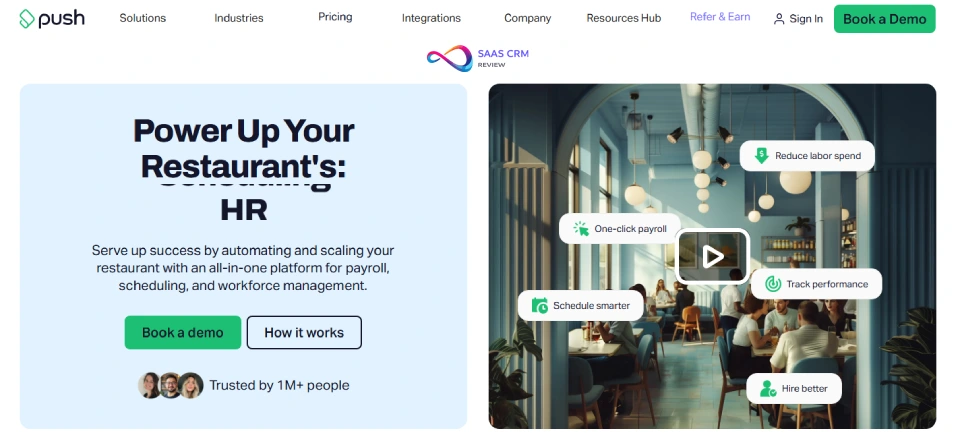
Fit (who it’s for / not for):
Best for restaurant operators who want to reduce payroll reconciliation and manage time + scheduling in one system. Not for “free-forever scheduling” seekers.
Why we picked it (workflow-based):
The right evaluation is payroll-cycle driven: schedule → clock-in rules → approvals → payroll output. If Push reduces manual adjustments and improves visibility, it can earn its cost quickly. If your POS/payroll stack doesn’t integrate cleanly, ROI falls apart—verify those connectors first.
Key features (verify in demo):
- Scheduling + time tracking
- Payroll/HR workflow focus
- Approvals and change management
- Reporting (tier-dependent)
Integrations: Verify (restaurant ecosystems vary by plan/region).
Pros/Cons
| Pros | Cons |
|---|---|
| Strong Capterra rating; restaurant fit | Demo/trial only; paid ongoing |
| Can reduce payroll admin work | Pricing/packaging can vary by locale |
| Unified scheduling + time + HR | Implementation and data cleanup required |
Hidden cost / upgrade trigger: The “hidden cost” is rollout + change management; the “upgrade trigger” is usually integrations and payroll automation scope.
Free Plan Reality Check (mini-row):
- User limits: N/A (demo/trial)
- Location limits: Demo/trial-dependent
- Scheduling limits: Demo/trial-dependent
- Time clock included?: Often yes (verify)
- Swap/marketplace?: Verify
- Export/audit access: Verify
- Integration access: Tier-dependent
- Support access: Sales-led + tier-dependent
26. Special case (don’t label as “free scheduling”): Clockify (Scheduling add-on)
Best for: Teams that already use Clockify for time tracking and want a scheduling view (paid add-on)
Free availability: Free time tracking; scheduling is a paid add-on (verify)
Starting price after free: Scheduling add-on pricing varies (verify)
Rating: 4.7/5 — Capterra — 4,600+ reviews (time tracking product) — Last checked Jan 2026

Fit (who it’s for / not for):
Good for project/time-based teams; not a frontline hourly shift-swap + approvals + time clock kiosk replacement.
Why we picked it (workflow-based):
Clockify wins for timesheets and reporting. If your “scheduling” need is more about capacity planning than shift governance, the add-on can help. If you run hourly operations with swaps, open shifts, and compliance needs, you’ll usually need a dedicated employee scheduling platform.
Key features:
- Free time tracking + reports
- Scheduling view (paid add-on)
- Approvals/reporting (plan-dependent)
Pros/Cons
| Pros | Cons |
|---|---|
| Excellent time tracking value | Scheduling is not free |
| Strong review volume | Not shift-governance first |
| Great for project-style teams | Limited swap/rota workflows vs schedulers |
Hidden cost / upgrade trigger: You pay the moment scheduling becomes necessary; the “cost” is also mismatch risk if you try to force it into shift-based ops.
Reality Check (mini-row):
- User limits: Time tracking free (verify), scheduling add-on paid
- Location limits: Not location-centric
- Scheduling limits: Add-on dependent
- Time clock included?: Not kiosk-first
- Swap/marketplace?: Typically limited
- Export/audit access: Reporting strong
- Integration access: Varies
- Support access: Tier-dependent
Free Staff Scheduling Software by Industry
Best Free Scheduling Software for Restaurants
- 7shifts: Purpose-built for restaurants. Free for up to 30 users. Includes tip management on paid plans, POS integrations (Toast, Square).
- Sling by Toast: Unlimited free scheduling. No time clock on free, but ideal if already using Toast for time tracking.
- Homebase: Strong all-rounder with free time clock and team messaging.
Why these? Restaurants need shift swaps, open-shift marketplaces, and POS integration. These three deliver on free tiers.
Best Free Scheduling Software for Retail
- Homebase: Unlimited employees, 1 location, free time clock. Links with Square and Toast.
- Deputy: Up to 100 shifts/month free. Excellent drag-and-drop scheduling and mobile experience.
- ZoomShift: Simple, visual scheduler (best for very small retail teams).
Why these? Retail needs shift templates, break management, and payroll export. Homebase and Deputy deliver strong free options.
Best Free Scheduling Software for Healthcare Shift Work
- Humanity (by TCP): 30-day trial with compliance tools, credential tracking, and fatigue/rest rules.
- Shiftboard: 14-day trial. Designed for 24/7 operations and regulated industries.
- Connecteam: Free for up to 50 users with multi-site support and GPS clock-in.
Why these? Healthcare requires compliance (overtime, rest rules), credential tracking, and multi-shift management. These tools offer robust trial access.
Best Free Scheduling Tools for Nonprofits and Volunteers
- Connecteam: Free for up to 50 users. Ideal for field volunteers and community organizations.
- Findmyshift: Free for up to 5 users. Simple, no-credit-card onboarding.
- Teamup Calendar: Free shared calendars for volunteer coordination.
Why these? Nonprofits need free, easy-to-adopt tools with minimal admin overhead. These are genuinely free and simple.
Read more: 30 Best Knowledge Base Software (2026): Reviews & Pricing
Free Employee Scheduling App vs. Spreadsheets: Pros and Cons
| Factor | Spreadsheet (Google Sheets/Excel) | Dedicated Scheduling App |
|---|---|---|
| Cost | Free (with existing license) | Free tier or freemium |
| Setup Time | Immediate | 15–60 minutes |
| Automation | Manual (or scripted) | Built-in (templates, swaps, notifications) |
| Mobile Access | Limited (view only) | Full app experience |
| Time Clock | None | Often included |
| Shift Swaps | Manual | One-click in-app |
| Compliance | Manual tracking | Automated alerts |
| Error Risk | High (human error, version control) | Lower (conflict detection) |
| Reporting | Manual | Built-in dashboards |
When a Spreadsheet Is “Good Enough”
- Very small team (3–5 people) with simple, static schedules.
- No shift swaps or last-minute changes.
- No compliance or audit requirements.
- You already have a separate time clock.
When to Upgrade to Scheduling Software
- More than 5 employees or frequent shift changes.
- Multiple roles, locations, or compliance requirements.
- Need mobile access, notifications, or shift swapping.
- You want to reduce manager time spent on scheduling.
Free vs. Paid: What Do You Give Up?
| Feature | Commonly Free | Typically Paid |
|---|---|---|
| Basic scheduling | ✓ | ✓ |
| Shift swapping | ✓ (sometimes) | ✓ |
| Time clock (basic) | ✓ (sometimes) | ✓ (advanced) |
| PTO tracking | ✓ (basic) | ✓ |
| Multi-location | ✗ (usually 1 location) | ✓ |
| Labor forecasting | ✗ | ✓ |
| Payroll/POS integration | ✗ (export only) | ✓ |
| Advanced compliance | ✗ | ✓ |
| SSO, SCIM, API | ✗ | ✓ |
| Priority support | ✗ | ✓ |
| Audit trail/export | ✗ (sometimes) | ✓ |
When to Upgrade from Free
- You add a second location.
- Your team exceeds free user limits.
- You need payroll, POS, or HRIS integrations.
- You require advanced compliance, audit, or labor forecasting.
- Support response times become a bottleneck.
How to Choose Employee Scheduling Software (Checklist)
- Define your must-haves: Time clock? Shift swaps? Multi-location? Mobile?
- Count your employees and locations: Match to free tier limits.
- Identify industry-specific needs: Restaurants, retail, healthcare, nonprofit?
- List your integrations: Payroll (Gusto, ADP, QuickBooks), POS (Square, Toast)?
- Check compliance requirements: Overtime alerts, break rules, audit trails?
- Evaluate mobile experience: Do employees need iOS/Android app with notifications?
- Test with a trial or free plan: Run a 2-week pilot with real schedules.
- Review export and reporting: Can you pull data for payroll/compliance?
- Assess support options: What’s available on the free tier?
- Plan for growth: What’s the upgrade path and pricing?
Implementation Checklist: Rolling Out Your New Scheduling Tool
Phase 1: Data Prep
- Compile employee list (names, roles, contact info)
- Gather availability and time-off preferences
- Define job roles and permissions
Phase 2: Schedule Setup
- Import employees into the platform
- Create schedule templates for recurring shifts
- Set up shift types, locations, and departments
Phase 3: Mobile Rollout
- Download mobile apps (iOS/Android) for managers and employees
- Enable push notifications and reminders
- Train employees on shift swaps and open-shift claims
Phase 4: Integrations
- Connect payroll system (if available on free tier; otherwise, set up manual export)
- Connect POS or HRIS if applicable
- Test data flow and timesheet accuracy
Phase 5: Feedback and Optimization
- Run for 2 weeks, collect feedback from managers and staff
- Adjust templates, availability rules, and notifications
- Review labor cost reports; identify scheduling improvements
FAQ — Common Questions About Free Employee Scheduling Software
What is employee scheduling software?
Employee scheduling software is a digital tool that helps managers create, distribute, and manage work schedules for hourly and shift-based teams. It typically includes shift planning, availability tracking, time-off requests, and notifications. Most modern tools offer mobile apps for staff to view schedules, swap shifts, and clock in.
What is the best free employee scheduling software?
The best free employee scheduling software depends on your needs. Homebase is the top choice for single-location small businesses (unlimited employees, free time clock). 7shifts is best for restaurants. Sling offers unlimited free scheduling with no time clock. Compare free tier limits carefully.
Is there truly free scheduling software (no credit card)?
Yes. Several tools offer genuinely free plans with no credit card required. Homebase, Sling, Findmyshift, and Connecteam all allow sign-up and ongoing use without payment. Always verify current policies on the vendor’s website.
What features matter most for hourly teams?
Key features for hourly teams include: shift templates, availability and time-off tracking, shift swapping, open-shift claims, mobile notifications, a built-in time clock, overtime alerts, and easy schedule distribution. Integration with payroll is a major time-saver.
How do free plans differ from paid plans?
Free plans typically limit the number of users, locations, or shifts. Advanced features—such as payroll/POS integrations, labor forecasting, overtime controls, and priority support—are usually reserved for paid tiers. Always check what’s included before committing.
Can scheduling software help with overtime and compliance?
Yes. Many scheduling apps include overtime alerts, break management, and compliance tracking to help you follow labor laws like FLSA recordkeeping requirements. Advanced compliance (fatigue rules, audit trails) is usually a paid feature.
What’s the best scheduling app for restaurants?
7shifts is the top pick for restaurants—purpose-built for food service with tip pooling, POS integrations (Toast, Square), and restaurant-specific compliance. Sling by Toast and Homebase are also strong free options.
What’s a good alternative to Deputy or When I Work?
Good free alternatives include Homebase (unlimited employees, 1 location), Sling (unlimited free scheduling), and Connecteam (up to 50 users, multi-location). Compare free tier limits and features to find your best fit.
Can I schedule employees using Google Calendar or Sheets?
Yes, but these are manual solutions. Google Calendar and Sheets lack shift swapping, time tracking, compliance, and mobile notifications. They work for tiny teams with simple needs but don’t scale for dynamic, shift-based operations.
What is the best free scheduling app with shift swapping?
Sling offers the best free shift swapping—unlimited employees, shift marketplace, and open-shift claims at no cost. Homebase and 7shifts also include shift trades on their free tiers (with user/location limits).
Structured Summary — Best Picks by Use Case
| Use Case | Best Pick | Notes |
|---|---|---|
| Best overall free | Homebase | Unlimited employees, 1 location, time clock included |
| Best for restaurants | 7shifts | Restaurant-native, POS integrations, compliance |
| Best for retail | Deputy | Shift templates, mobile UX, 100 shifts/month free |
| Best for teams needing time clock | Homebase | Built-in time clock on free plan |
| Best for multi-location | Connecteam | Up to 50 users, unlimited locations |
| Best for volunteers/nonprofits | Findmyshift | Free for 5 users, simple, no credit card |
| Best if you’ll upgrade soon | When I Work | Generous free, smooth path to paid; great UI |
Editorial Note + Next Steps
This article was researched and written by an experienced HR tech and workforce-ops consultant. All data was verified against vendor websites as of January 2026. For the most accurate pricing and feature limits, always confirm directly with the vendor.
Update policy: This guide will be updated quarterly.
Next steps:
- Review the Decision Checklist above.
- Pick 2–3 tools that match your needs.
- Sign up for free plans and run a 2-week pilot.
- Evaluate against your checklist and choose your winner.
Start with a free plan today and test against your checklist. The best scheduling software is the one your team will actually use.
External Citations
- FLSA Recordkeeping Requirements — U.S. Department of Labor
- Research Scoring Methodologies — G2
- Employee Scheduling Software — Capterra
Disclaimer: Features, pricing, and free tier limits change frequently. Always verify the latest details on each vendor’s website before making a commitment.
About the author

I’m Macedona, an independent reviewer covering SaaS platforms, CRM systems, and AI tools. My work focuses on hands-on testing, structured feature analysis, pricing evaluation, and real-world business use cases.
All reviews are created using transparent comparison criteria and are updated regularly to reflect changes in features, pricing, and performance.