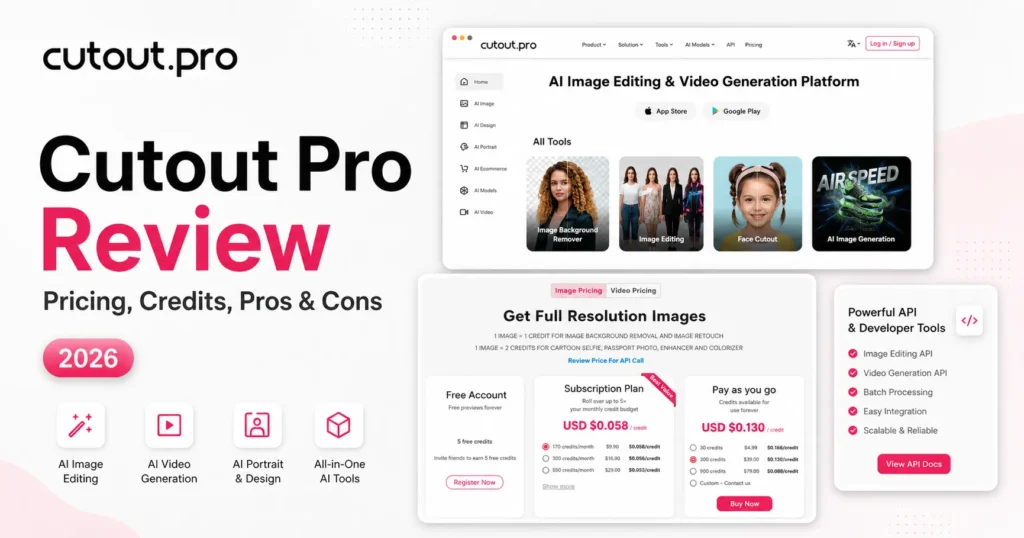
Cutout.Pro, the AI photo and video editor at cutout.pro, is worth paying for if you cut out product photos in steady volume and the images are not sensitive. A background removal costs 1 credit, and the 300-credit plan at $16.90 a month works out to $0.056 a credit.
It is a poor fit for client, passport or identity photos: Have I Been Pwned lists a February 2024 breach of 20M accounts. This Cutout Pro review covers what a finished image costs, the billing rules that burn credits and the API limits. It also covers the alternatives, now that remove.bg’s standalone site closes on 1 December 2026.

Quick verdict
Cutout Pro is worth it for marketplace sellers and developers who need repeat product cutouts at 1 credit each.
Skip it if you upload client, passport or identity photos, or need to budget Sora, Veo or Seedance jobs before you buy: no per-model rate is published.
Main strength: the same credits pay for the web tools and the API. Biggest limit: the 2024 breach Have I Been Pwned lists, plus terms that charge a credit when a result is offered, downloaded or not.
Price basis: $5.00 a month for 80 credits, or $4.99 once for 30 credits that stay available forever. Checked October 2026.
In This Article (15 sections)
Cutout.Pro at a Glance
Cutout.Pro bills everything in credits: image credits for photos and API calls, and video minutes for video jobs.
- Category: AI image editing and video generation platform, on the web and as an API
- Best for: repeat product cutouts and background-removal API calls
- Starting price: $5.00 a month for 80 credits, or $4.99 one-time for 30 credits
- Free plan: free previews forever, low-resolution free downloads, and 5 free credits for HD downloads
- Video: from $9 for 1 minute of video credits
- API: 1 credit per image, 0.25 credits for a 500×500 preview, 5 simultaneous requests per second
- Main limitation: a February 2024 breach of 20M accounts, listed by Have I Been Pwned
Those facts describe the platform at cutout.pro. Apple’s App Store also lists an iPhone app with “Cutout Pro” in its name from a different developer.
What Is Cutout.Pro?
Cutout.Pro (also written Cutout Pro) is an AI image and video editing platform at cutout.pro that removes backgrounds, enhances photos, edits video and resells generation models. Every job is paid in credits, and the company dates itself to 2018.
Yes, Cutout Pro uses AI. Its background remover is a computer vision model that separates the foreground and returns a transparent image with an alpha matte.
The company uses several names. WINROAD HOLDINGS LIMITED is the data controller in the privacy policy, the footer reads “by Team LibAI”, and the enhancer page calls Cutout.pro “powered by PicUP.Ai”.
Which “Cutout Pro” Is This?
The Android app called “Cutout Pro” on Google Play is Cutout.Pro’s own, while Apple’s App Store lists the iPhone app “Cutout Pro – Passport ID Photo” under another developer. An earlier version of this review called the Play Store app unrelated, which was wrong.
The Google Play listing shows PicUP.Ai as the publisher, Winroad Holdings Limited and tech@cutout.pro as the developer, and 100K+ downloads.
Apple’s App Store listing names Ion Danilov as the passport app’s developer, with its own weekly and annual in-app subscriptions. Its ratings and charges say nothing about cutout.pro: a review that never mentions credits or the cutout.pro domain is probably about that app.
Cutout.Pro Pros and Cons
The pros are cheap per-image cutouts and one credit balance for many tools; the cons are the breach Have I Been Pwned lists and billing rules that can charge you twice.
Pros
- 1 credit per cutout keeps a steady catalog cheap, at $16.90 a month for 300 credits
- One-time credits that stay available forever suit seasonal sellers who skip months
- One account covers cutouts, retouching, enhancement, video background removal and generation models
- The REST API runs on the same credits, which suits developers automating matting
- A 0.25-credit API preview lets a pipeline check a result before paying the full credit
Cons
- Have I Been Pwned lists a February 2024 breach of 20M accounts, and TechRadar Pro reported API access keys in the samples, which rules out sensitive uploads
- A result is charged once it is offered for download, and files deleted after 1 hour cost a second charge on re-upload
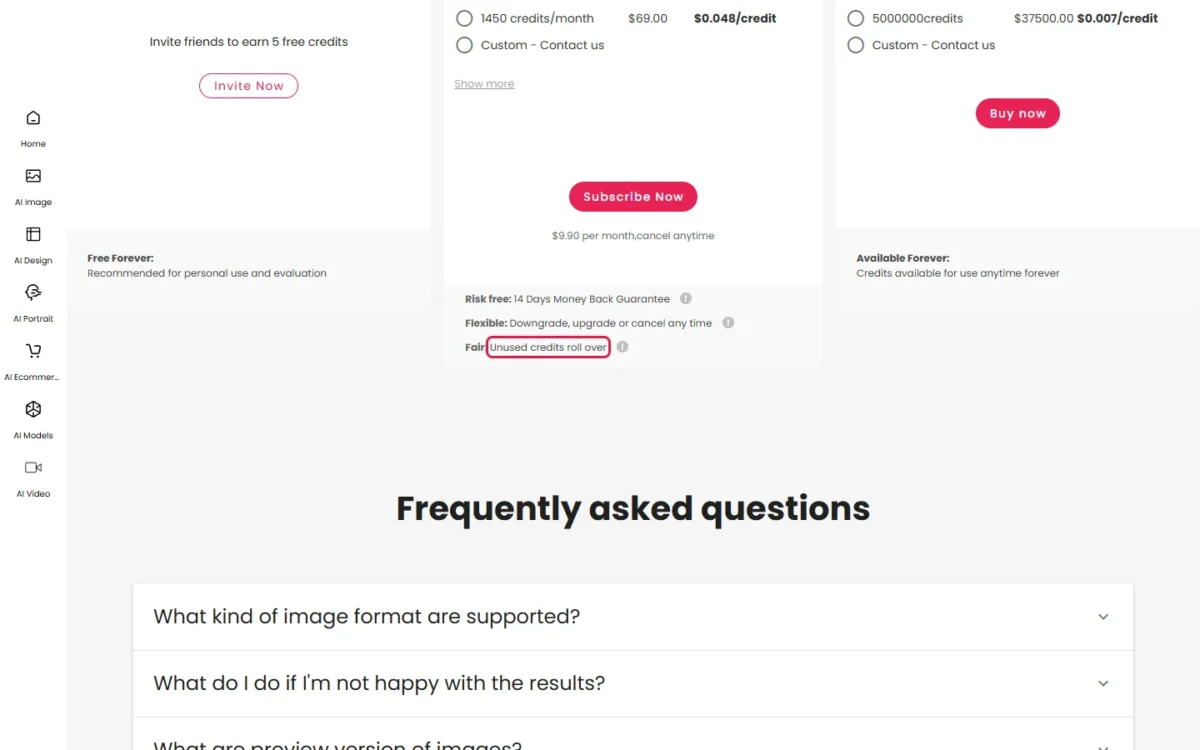
- The pricing page promises 5x rollover while the terms say monthly credits expire, a risk for heavy subscribers
- No per-model credit rate is published for Sora, Veo or Seedance jobs, so a generation buyer has to measure spend on a small pack first
- Blurry edges, flames, text and colours close to the subject may not cut out well, which hurts precision retouchers
Cutout.Pro Tools and Features
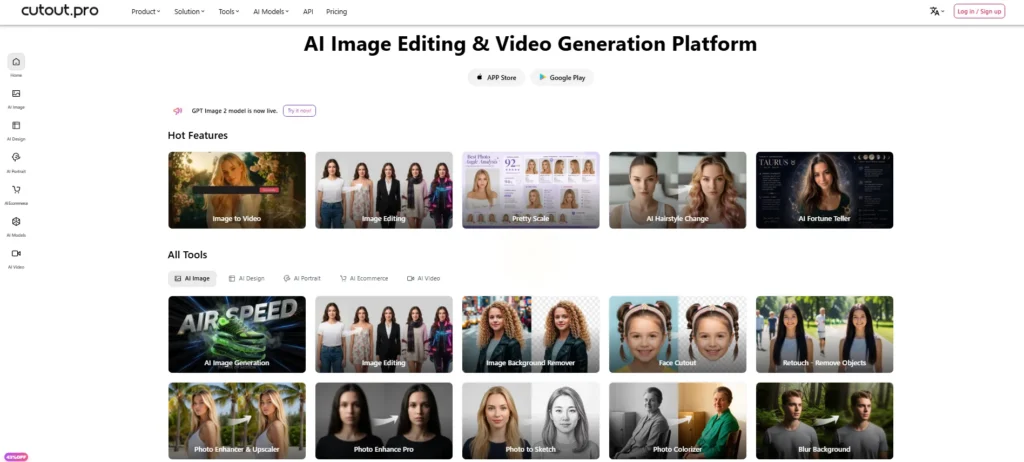
Four tool families decide a Cutout.Pro purchase: the background remover at 1 credit, the enhancer at 2 credits, the video tools on video minutes, and the generation models, which have no per-model credit rate.
Background Remover, Erase & Restore and Face Cutout
Cutout.Pro warns in its background remover FAQ that out-of-focus pictures, lightning, flames, waterfalls, text, signatures and subjects close in colour to the background may not cut out well. I would keep it for products with a clearly defined subject.
Erase & Restore fixes the rest by hand, and the Editor adds shadows, background colours, resizing and cropping. Each cutout costs 1 credit, with no guarantee of the same or better resolution than the original.
Photos beyond 4000 x 4000 pixels need technical support. For a catalog, the desktop app or the API is the bulk route, and the vendor claims over 10,000 images in a single batch on the Mac and Windows app.
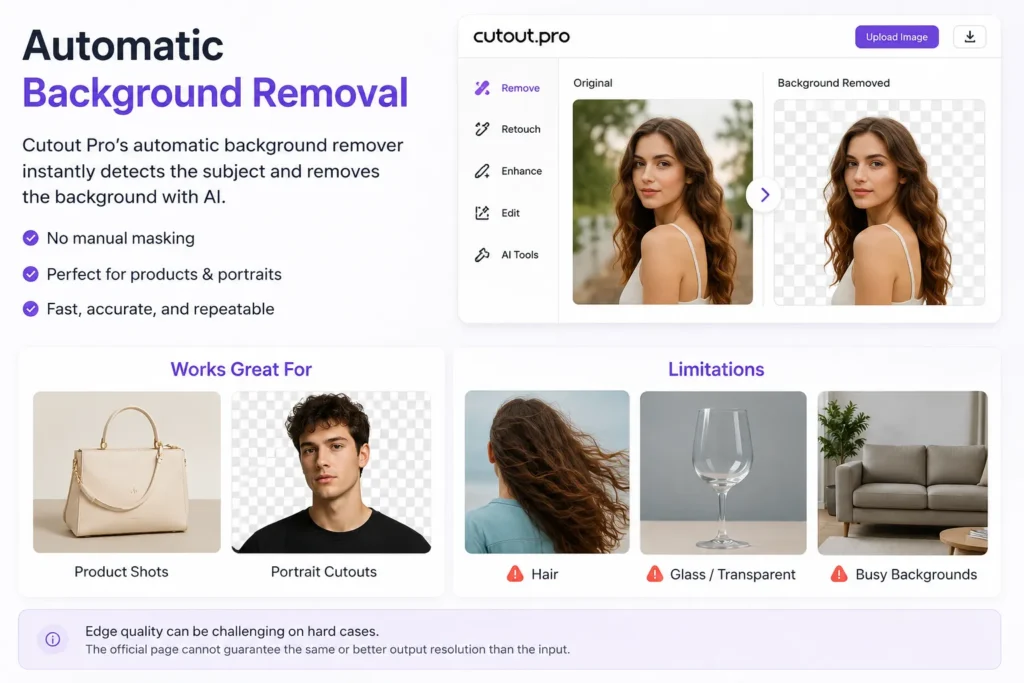
A solid background that contrasts with the product is the cheapest habit, because colour close to the subject is the FAQ’s named failure case. Face Cutout handles people and pets for portrait work.
Photo Enhancer and Upscaler
The enhancer upscales by 200%, enhances images up to 4K and denoises old photos for 2 credits each. A cutout plus an enhance therefore costs 3 credits per finished image, triple a plain cutout.
It sharpens resolution but “does not enhance color, light, contrast, saturation”, and it works best on portraits of humans rather than text or scenery. A dull product shot stays dull.
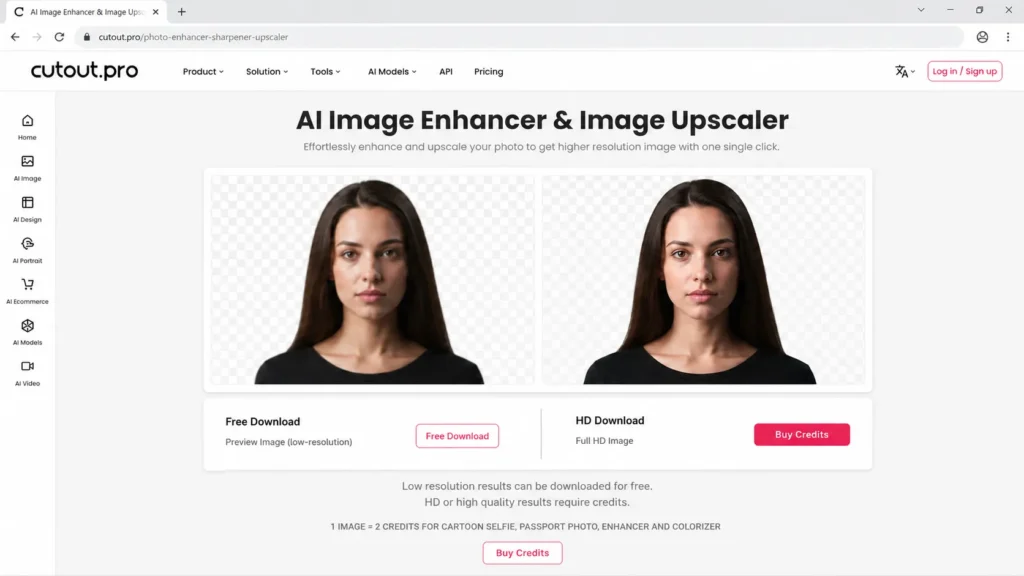
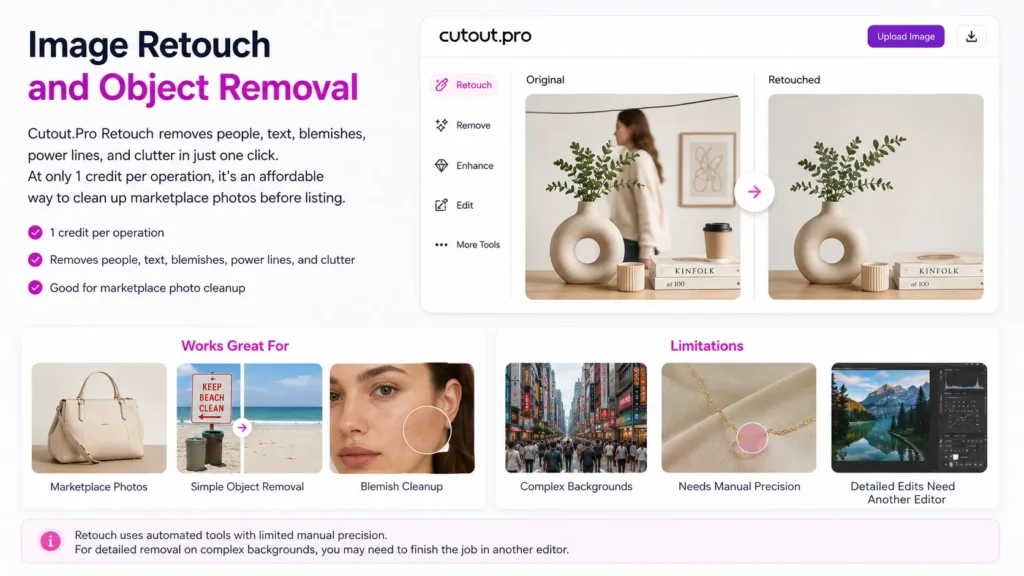
Image retouch also costs 1 credit per image, the same as a background removal, so a listing photo that gets both takes 1 + 1 = 2 credits.
Video Background Remover and Video Tools
The video background remover replaces a green screen for recorded MP4, MOV, WebM or GIF uploads up to 2GB and 4K. It runs on video minutes, with a free 5-second preview at 360P.
Transparent output downloads as MOV, and a changed background as MP4. GIF and WebM output are “only available now for business clients” (video background remover), so a creator who needs a WebM loop must ask sales.
A transparent MOV can look black in a player without alpha support. QuickTime, Premiere Pro, After Effects, DaVinci Resolve, Final Cut Pro and iMovie show it, so check your editor before buying minutes.
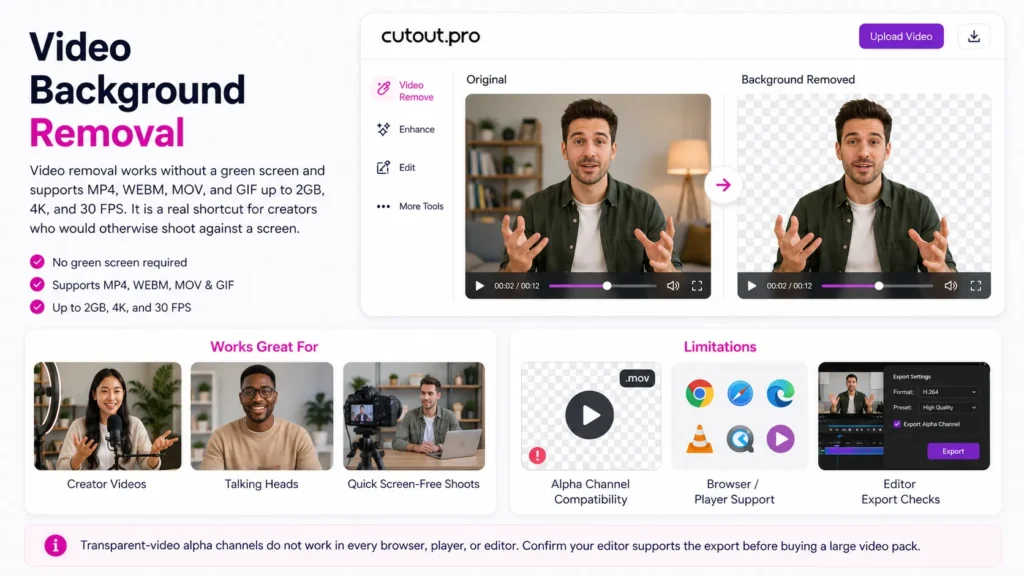
The same minutes pay for AI Video Generation, the AI Video Enhancer and Photo Animer, so a generation job and a cutout job draw on one balance. Every video job stays within the video pricing page’s limits of 2G per file, 4K resolution and 30FPS.
AI Generation Models
Cutout.Pro resells image and video models, and neither pricing page publishes a per-model credit rate for them.
The menus list Nano Banana Pro, Imagen 4.0, Seedream 4.5, Gpt Image 1.5, Sora 2.0, Veo 3.1 and Seedance 2.0, and Seedance 2.5 can “generate up to 30 seconds in one pass”.
Cutout.Pro’s model comparison page only promises that each model consumes “corresponding credits” under unified billing. I would treat a first generation purchase as a measurement: buy the smallest pack and watch the balance.
For the model’s own published rates, my Seedance pricing guide is the better reference.
The menu also holds an AI Headshot Generator; a dedicated AI headshot generator gives more control.
If you mainly generate rather than edit, the best AI image generators publish their prices more plainly.
Cutout.Pro Pricing and Credits
Cutout.Pro subscriptions run from $5.00 for 80 credits to $69.00 for 1450 credits a month, and one-time packs from $4.99 for 30 credits to $37,500.00 for 5,000,000. Video is sold separately from $9 for 1 minute.
The image pricing page lists no annual billing: every subscription is monthly and can be cancelled, upgraded or downgraded any time.
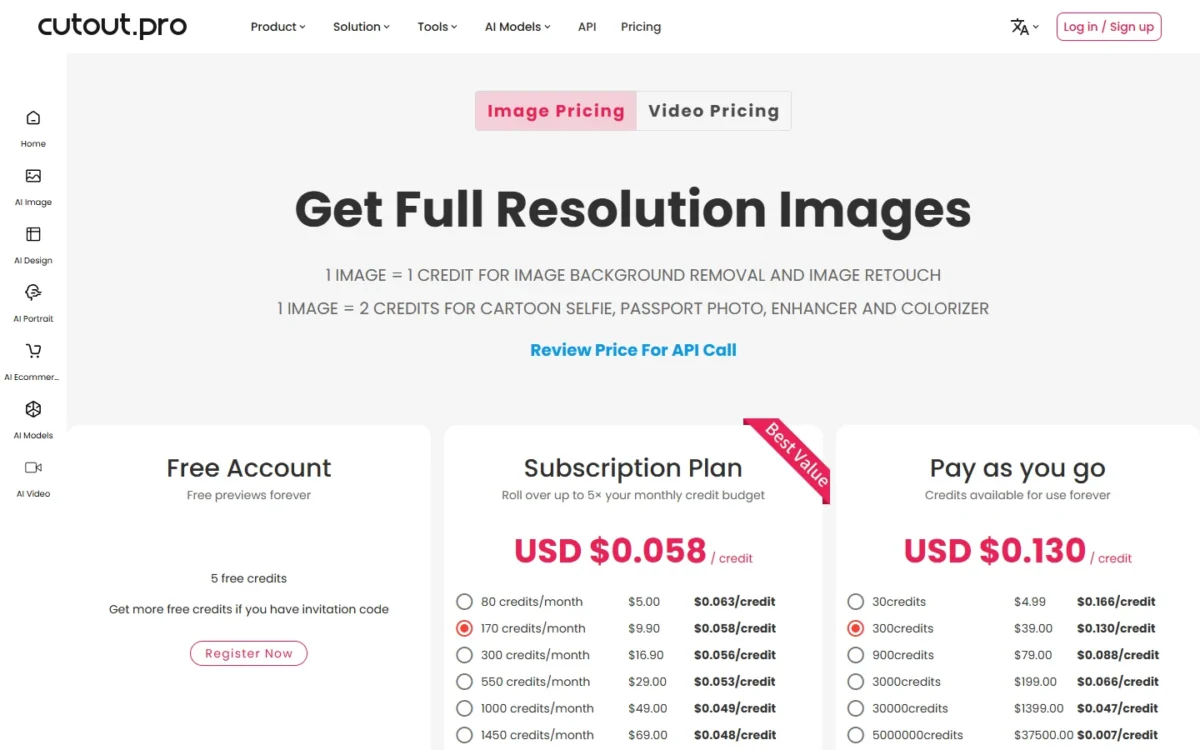
| Subscription | Price per month | Billing | Per credit |
|---|---|---|---|
| 80 credits a month | $5.00 | Monthly | $0.063 |
| 170 credits a month | $9.90 | Monthly | $0.058 |
| 300 credits a month | $16.90 | Monthly | $0.056 |
| 550 credits a month | $29.00 | Monthly | $0.053 |
| 1000 credits a month | $49.00 | Monthly | $0.049 |
| 1450 credits a month | $69.00 | Monthly | $0.048 |
| Custom | Custom quote | Not published | Not published |
Sources: Cutout.Pro image pricing page, checked October 2026, US dollars.
I would start a steady catalog of plain cutouts on the 300-credit plan. The upgrade trigger is enhancement: add the 2-credit enhancer to every photo and the same 300 credits finish only 100 images.
What One Credit Buys
One credit buys one background removal or one retouch; the enhancer, colorizer, passport photo and cartoon selfie take 2 credits, and an API preview takes 0.25.
| Job | Credits per image | Finished images from 300 credits |
|---|---|---|
| Background removal | 1 | 300 / 1 = 300 |
| Image retouch | 1 | 300 / 1 = 300 |
| Enhancer, colorizer, passport photo or cartoon selfie | 2 | 300 / 2 = 150 |
| Cutout plus enhance | 1 + 2 = 3 | 300 / 3 = 100 |
| API preview, up to 500×500 | 0.25 | 300 / 0.25 = 1,200 |
Sources: Cutout.Pro image pricing page and background remover API documentation, checked October 2026.
At real monthly volumes, with one attempt per image, no re-uploads and no rollover, the bill looks like this:
| Monthly workload | Credits needed | Cheapest fit | Cost |
|---|---|---|---|
| 80 product cutouts | 80 x 1 = 80 | 80-credit plan | $5.00 a month |
| 300 product cutouts | 300 x 1 = 300 | 300-credit plan | $16.90 a month |
| 100 portraits, cutout plus enhance | 100 x 3 = 300 | 300-credit plan | $16.90 a month |
| 300 product photos, cutout plus enhance | 300 x 3 = 900 | 1000-credit plan or 900-credit pack | $49.00 a month or $79.00 once |
| 15 minutes of video background removal | 15 video minutes | 15-minute video pack | $108 once |
Sources: Cutout.Pro image pricing page and video pricing page, checked October 2026.
The enhance rows show the trap: on the 300-credit plan a finished cutout plus enhance costs 3 x $0.056 = $0.168. Fifteen minutes of video at $108 costs more than six months of that plan (6 x $16.90 = $101.40).
Subscription or Pay-As-You-Go?
The 30- to 3000-credit packs ($0.166 to $0.066 a credit) all cost more per credit than the 80-credit subscription ($0.063), and at 300 credits the plan’s $0.056 beats the pack’s $0.130. Only the 30000 and 5000000 one-time packs undercut the best subscription rate of $0.048.
| Pay-as-you-go pack | One-time price | Per credit |
|---|---|---|
| 30 credits | $4.99 | $0.166 |
| 300 credits | $39.00 | $0.130 |
| 900 credits | $79.00 | $0.088 |
| 3000 credits | $199.00 | $0.066 |
| 30000 credits | $1,399.00 | $0.047 |
| 5000000 credits | $37,500.00 | $0.007 |
Sources: Cutout.Pro image pricing page, checked October 2026.
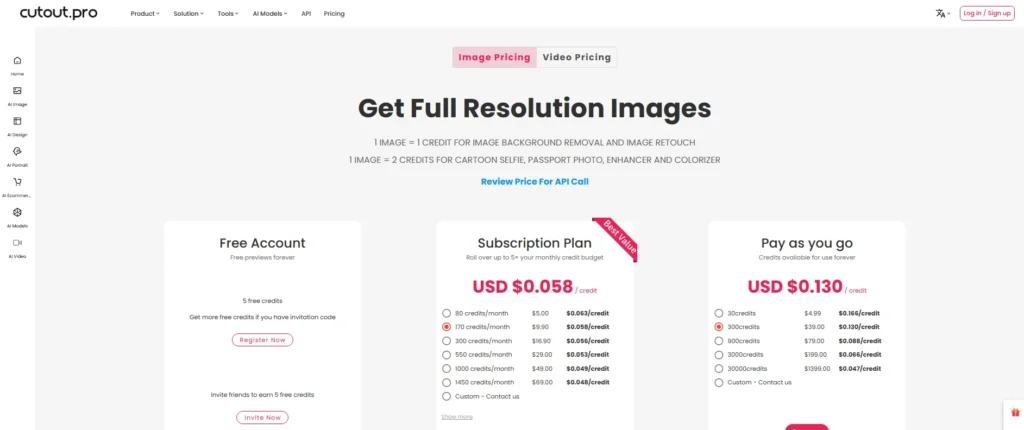
Subscribe when you use most of the plan every month. Buy packs when sales are seasonal: pack credits stay “available for use anytime forever”, while subscription credits depend on an active plan.
Video Minutes
Video minutes come in nine packs from $9 for 1 minute to $19,999 for 5800 minutes. A second, higher price is listed beside the four smallest packs ($19, $29, $45 and $129), with no explanation on the page.
| Video pack | Price | Second price shown | Per second |
|---|---|---|---|
| 1 minute | $9 | $19 | $0.150 |
| 3 minutes | $24 | $29 | $0.133 |
| 5 minutes | $39 | $45 | $0.130 |
| 15 minutes | $108 | $129 | $0.120 |
| 45 minutes | $299 | None | $0.111 |
| 120 minutes | $599 | None | $0.083 |
| 330 minutes | $1,299 | None | $0.066 |
| 1390 minutes | $4,999 | None | $0.060 |
| 5800 minutes | $19,999 | None | $0.057 |
Sources: Cutout.Pro video pricing page, checked October 2026.
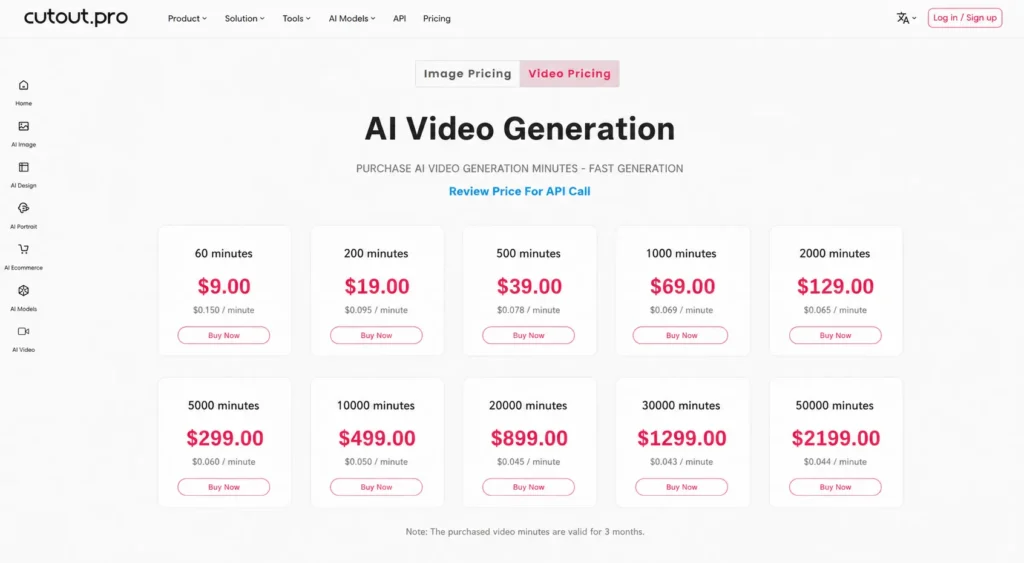
Buy the 1-minute pack first: $9 is the smallest outlay for checking alpha output in your own editor.
Billing Rules That Cost Credits
Three rules burn credits without a single extra edit: a result is charged when offered, files vanish after an hour, and the rollover promise conflicts with the terms.
First, a photo counts as processed once the result is offered for download, “regardless of whether the Customer downloads the photo” (terms, section 3.5). A failed-looking cutout still costs its credit.
Second, uploads are deleted within 1 hour: “Please download within 1 hour, otherwise, you have to upload and will get charged again.” A late download turns one credit into two.
Rollover conflict
The pricing page promises that unused credits roll over up to 5x the monthly budget while the subscription is active. Section 3.5 of the terms says “Monthly credits shall expire at the end of a billing cycle.” Cutout.Pro does not publish which rule an account follows, so do not bank credits on a large plan.
The refund window is narrow too. The 14 Days Money Back Guarantee is “Restricted to 50 downloads”, and the 14-day withdrawal right ends once the service has been used, even in part.
Commercial rights follow the tariff you buy, and Shopify plugin purchases cannot be refunded. The cheapest way to pay, though, is not to pay at all.
Is Cutout.Pro Free?
Cutout.Pro is partly free: previews are free forever, a new account gets 5 free credits, and each invited friend earns 5 more. Free downloads are low resolution, though, and every Cutout Pro HD download costs credits.
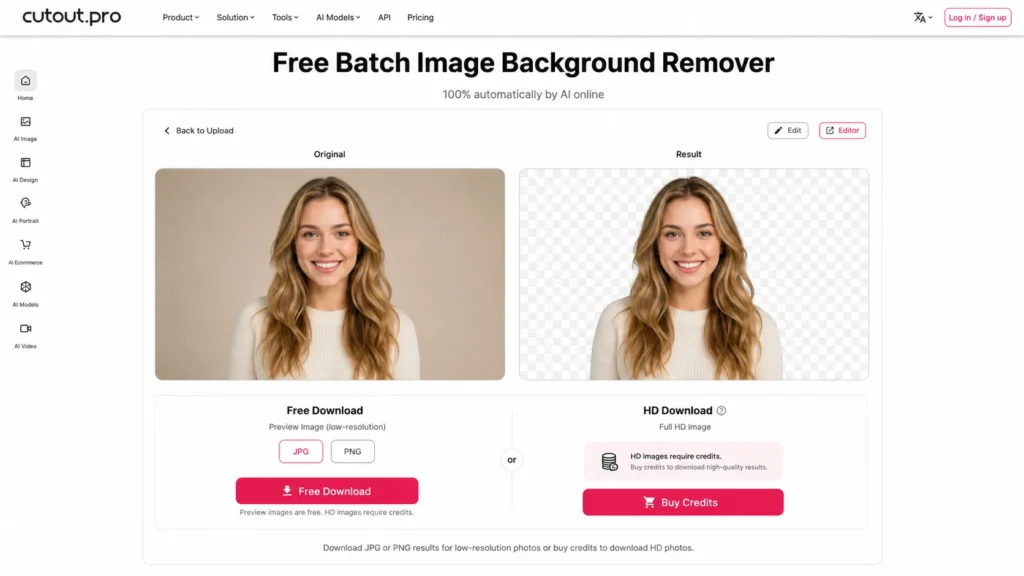
The upgrade trigger is resolution, not a trial clock. Five free credits cover five full-resolution cutouts, enough to check your hardest product photos before buying a plan.
Video gets a 5-second free preview at 360P, too short to judge a full clip. Non-profit organizations can get discounts or free credits.
For more free full-resolution output, my list of free AI photo editors compared by quota shows which tools give more. Developers skip the web editor altogether, so the API comes next.
Cutout.Pro API for Developers
Yes, you can build Cutout.Pro into your own app: a REST API on the same credits charges 1 credit per background removal and 0.25 for a 500×500 preview. It takes PNG, JPG, JPEG, BMP or WEBP files up to 4096×4096 and under 15MB, at 5 simultaneous requests per second.
If the term is new to you, my explainer on what an API is covers the basics. Calls authenticate with an APIKEY header and draw on purchased credits.
| API limit | Value |
|---|---|
| Input formats | PNG, JPG, JPEG, BMP, WEBP |
| Maximum image | 4096×4096 pixels, under 15MB |
| Rate | 5 simultaneous requests per second |
| Cost per image | 1 credit, or 0.25 credits in preview mode up to 500×500 |
| Output | PNG by default, or webp or jpg |
| Empty balance | error code 1001, “Insufficient balance” |
Sources: background remover API documentation, checked October 2026.
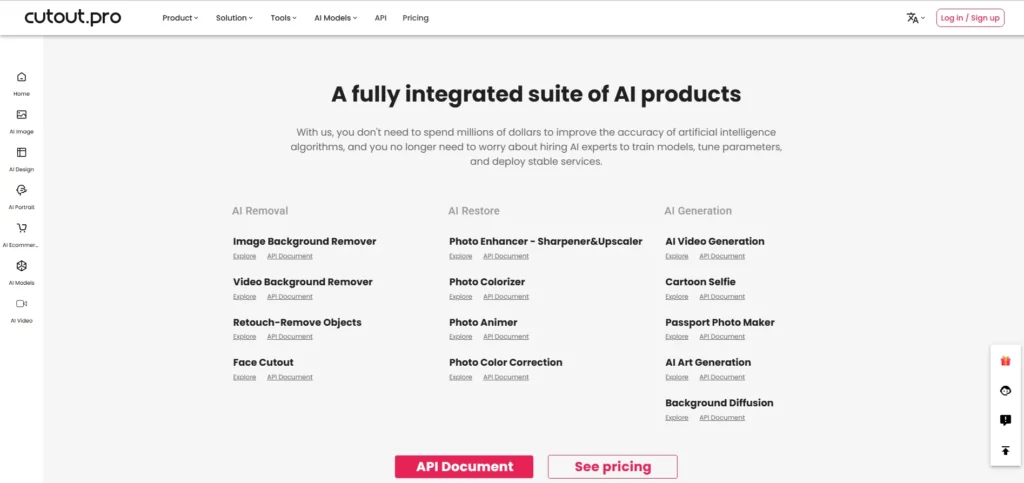
The terms matter more than the code samples. You may integrate the API into an unlimited number of your own sites and apps, but not provide it to third parties, so a reseller platform is out.
More than 15% unsuccessful requests can get your access blocked (terms, section 3.5). Validate format, size and resolution before every call, and run the 0.25-credit preview on a sample first.
Free API use requires a link to the vendor for recipients of the edited photos, and AI research or training-data use is banned.
Paid versions carry 98% availability over a year (terms, section 4.1), which allows up to 365 x 0.02 = 7.3 days of downtime.
Rotate any API key created before March 2024: TechRadar Pro reported API access keys in the leaked samples, as the safety section below explains.
Is Cutout.Pro Safe and Legit?
Cutout.Pro is a legitimate paid service run under Hong Kong law, but Have I Been Pwned lists a February 2024 breach of 20M accounts. That record makes it fine for disposable product photos and wrong for client, passport or identity images.
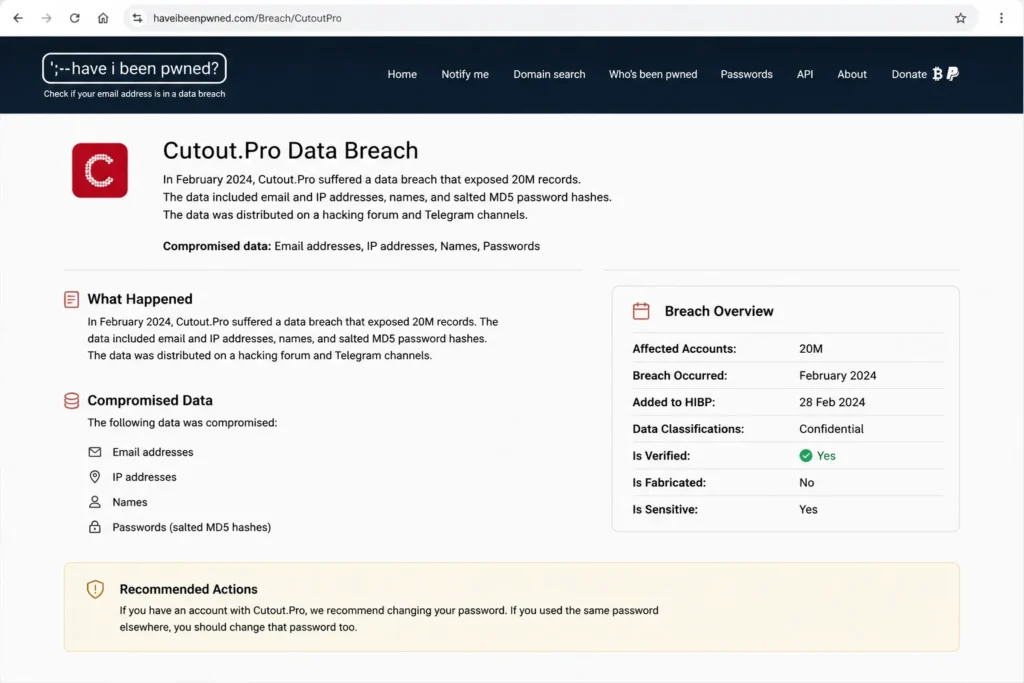
Have I Been Pwned says the breach exposed email and IP addresses, names and salted MD5 password hashes, which spread on a hacking forum and Telegram channels. Have I Been Pwned added the breach on 28 Feb 2024.
TechRadar Pro reported 41.4 million records with 20 million unique emails, with samples including user IDs, API access keys and mobile phone numbers. TechRadar Pro also reported that the company had issued no official statement.
Because TechRadar Pro reported API access keys in the samples BleepingComputer obtained, a key on a metered account is a spending risk as well as a data risk.
The written policy is more reassuring than the record. Uploads travel over SSL/TLS, and the retention rules are short:
| Data | Stated handling |
|---|---|
| Uploaded images and videos | Deleted automatically, processed or not; within 1 hour on the background remover |
| Face photos for portrait editing | Processed on Amazon Web Services, kept 24-48 hours after the last edit |
| Usage statistics | Kept without images |
| Server logs | Kept no longer than 3 months |
| Account and data | Self-deletion under My Dashboard, then Account Settings |
Sources: Cutout.Pro privacy policy and background remover FAQ, checked October 2026.
The homepage, privacy policy and terms name no security certification. Companies that submit personal data fall under a data processing agreement at cutout.pro/dpa.
On Trustpilot, read October 21, 2026, cutout.pro has a TrustScore of 1.6 from 37 reviews. Trustpilot adds that “This company hasn’t invited their customers, so reviews may not be representative”.
Before a business account goes live, I would run four checks:
- Look up your team’s email addresses on Have I Been Pwned and change any reused password.
- Rotate API keys created before March 2024.
- Keep passport photos, model releases and client-owned images off the platform unless your risk owner signs off.
- If you need certified controls, choose a vendor that publishes them.
If the risk is acceptable for your images, the next question is how much effort daily use takes.
Cutout.Pro Ease of Use
A one-off cutout takes three steps on the web: upload, check the free preview, then pay credits for the HD download. A catalog takes more discipline: the desktop app or the API, a credit balance to watch, and every download inside the 1-hour window.
Two rules save rework. Edits are saved only when you click “Done” each time, and Canva shows a transparent background as black.
Background removal does not run on a phone yet; the mobile app has other tools. Its Google Play notes list AI HD Upscale, AI Hair Style, Smart Background and Cartoon & Sketch.
A video job that looks stuck is queued: close the window and come back later, without uploading again or paying twice.
Who Should Use Cutout.Pro?
Cutout.Pro fits sellers and developers with steady, low-sensitivity cutout volume. It does not fit teams handling client or identity images, precision retouchers, or anyone who must budget generation in advance.
Best for
- Marketplace and Shopify sellers with steady product cutouts, at $16.90 a month for 300 credits
- Developers who need background-removal matting behind their own app at up to 5 simultaneous requests per second
- Seasonal sellers who want one-time credits that stay available forever
- Creators who need occasional video cutouts without a green screen, from $9 a minute
Not ideal for
- Teams uploading client, passport or identity photos, given the February 2024 breach of 20M accounts that Have I Been Pwned lists
- Buyers whose compliance review needs a published security certification, which the vendor does not state
- Precision retouching of blurry edges or colours close to the subject
- Anyone who must price Sora, Veo or Seedance jobs before buying
- Phone-only sellers, because background removal does not run on a phone
If you land on the not-ideal side, the rivals below fix different parts of that list.
Cutout.Pro vs Competitors
remove.bg is the closest rival but closes its standalone site on 1 December 2026; Photoroom sells listing-ready product visuals and adds a Shopify integration on its Max and Ultra plans.
| Software | Best for | Starting price | Key difference | Main trade-off |
|---|---|---|---|---|
| Cutout.Pro | Background removal and retouch at 1 credit per image, with video cutouts in minute packs | $5.00 a month for 80 credits | Video cutouts from $9 for 1 minute | 2024 breach listed by Have I Been Pwned |
| remove.bg | Background removal | 40 credits for $9 a month | Moving to Canva; API pricing sent to Leonardo.ai | Credits expire on 1 December 2026 |
| Photoroom | Listing-ready product visuals on web and mobile apps | Pro at $12.99 a month | Background Remover, Retouch and Image Enhancer at no credit cost on paid plans | A subscription even for light use |
Sources: remove.bg pricing, Photoroom pricing and Cutout.Pro image pricing, checked October 2026.
remove.bg users face a deadline: the standalone website will no longer be available from 1 December 2026, when its credits expire. My remove.bg review covers what moves to Canva.
Photoroom suits a seller who edits on a phone and dislikes counting credits. Its enterprise offer includes a SOC 2 Type 2 certified API, which answers Cutout.Pro’s compliance gap.
Best Cutout.Pro Alternatives
The right alternative depends on which not-ideal reason applies. Sellers who work from a phone should start with Photoroom, whose paid plans run on web and mobile apps. Compliance-bound teams should look at Photoroom’s enterprise offer and its SOC 2 Type 2 certified API.
Buyers who must budget generation before they pay are better served by the image generator list linked in the features section. remove.bg users moving before 1 December 2026 should weigh Cutout.Pro’s 1 credit per cutout against Photoroom’s core tools at no credit cost on paid plans.
Design-led teams that need layouts more than processing will get more from Canva’s AI editor.
For the full field, my ranking of the best AI photo editors sorts them by job and cost per edit.
How I Evaluated Cutout.Pro
I read Cutout.Pro’s image and video pricing pages, API documentation, background remover, enhancer and video tool pages, privacy policy and terms in October 2026. I also read Have I Been Pwned, TechRadar Pro, Trustpilot, both app-store listings and the rivals’ pricing pages.
Prices, limits and rules come from the vendor’s pages, the cost tables and fit calls are my analysis, and third-party facts are attributed to their publishers. Screenshots were captured in October 2026.
Cutout.Pro does not publish a credit rate per generation model, which rollover rule an account follows, any security certification, or an explanation of the second video price. Cutout quality on your own hard images is best settled with the free previews and 5 free credits.
FAQ
Is Cutout Pro good for passport photos?
Cutout Pro’s Passport Photo Maker costs 2 credits per image, and face photos are processed on Amazon Web Services and kept 24-48 hours after the last edit. Given the 2024 breach that Have I Been Pwned lists, I would not upload a passport or ID photo here.
Can I use Cutout Pro images commercially?
Only if your tariff allows it: commercial or non-commercial use follows the tariff you choose, and a non-commercial tariff forbids commercial use of the results. Free API use also requires a link to the vendor for recipients of the edited photos.
Can I cancel a Cutout.Pro subscription?
Yes, any time, from the “My Account” area. Rolled-over credits are kept only “as long as your subscription is active”, so use them before you cancel.
Cutout Pro Review: Final Verdict
Cutout.Pro is worth it for steady, low-sensitivity cutout volume: start on the 300-credit plan at $16.90 a month, or buy the 900-credit pack at $79.00 if your sales are seasonal.
- Skip it if:
- you handle client, passport or identity images, or must budget generation work before you buy.
Before you commit, run your hardest product photos through the free previews and the 5 free credits. The money-back guarantee is restricted to 50 downloads, and the withdrawal right ends on first use.
Download every result within the hour. Replace any API key made before March 2024, since TechRadar Pro reported keys in the leaked samples.
If a background remover is only one part of your creative stack, my guide to AI content creation tools widens the field.