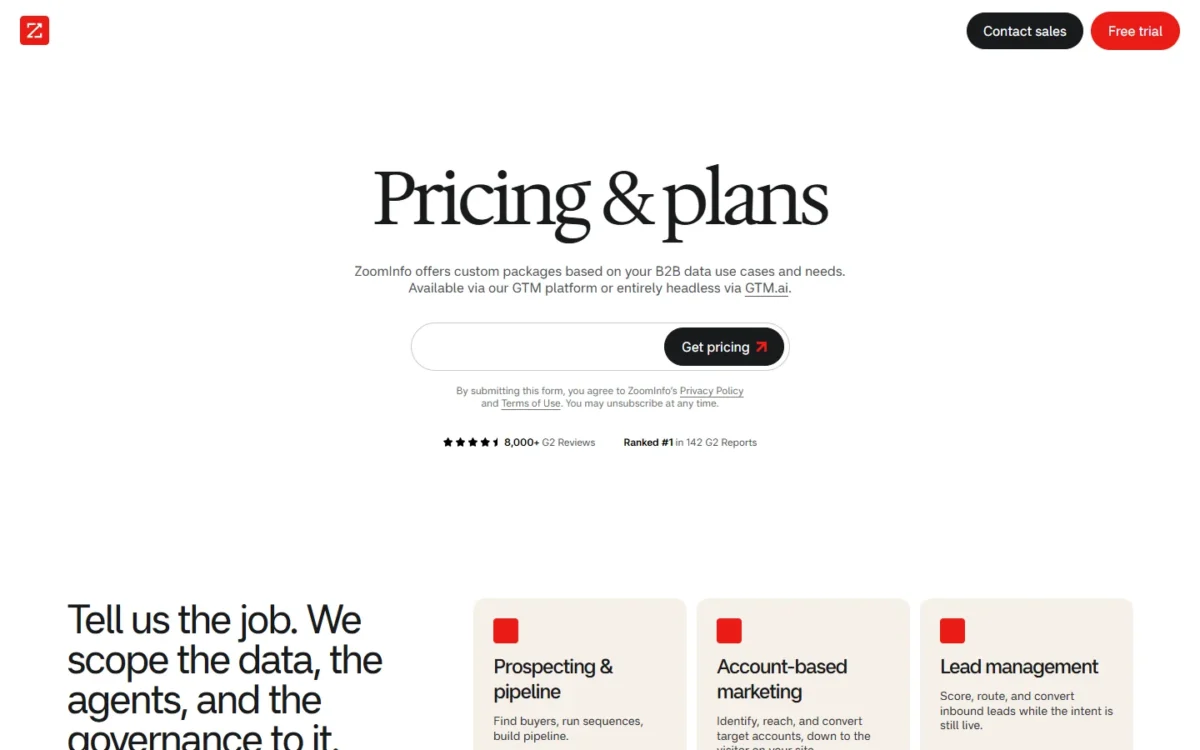
ZoomInfo pricing starts at $0: ZoomInfo Lite includes 10 credits a month, and each of the six paid plans on the pricing page is a custom-quoted annual contract with no price printed. The quote is built from licenses, credit usage and features, so your monthly export count is the main lever.
Quick pricing answer
- Plans: ZoomInfo Lite (free); Professional, Copilot Advanced and Copilot Enterprise for sales; Demand, ABM Lite and ABM Enterprise for marketing.
- Starting price: $0 on Lite; every paid plan is a custom quote, billed annually upfront as the standard.
- Credits: one credit per exported profile; 5 reps exporting 50 contacts a workday need 5 x 50 x 21 = 5,250 credits a month, against Lite’s 10.
- Fit: Lite covers a seller exporting under 10 contacts a month, or 25 after joining the community; a team prospecting daily asks for a Professional or Copilot Advanced quote.
- Caveat: a CRM integration adds a base cost and a bulk-credit minimum, and paid plans auto-renew.
- Checked: November 2026, US pages, USD.
In This Article (9 sections)
ZoomInfo Plans and Prices Compared
ZoomInfo sells seven plans: free ZoomInfo Lite and six paid plans, none with a listed price.
| Plan | Price | Billing | Best for | Main limitation |
|---|---|---|---|---|
| ZoomInfo Lite | $0 | No contract, no credit card | An individual seller testing the data | 10 credits a month (25 after joining the community) |
| Professional | Custom quote | Annual contract | A small sales team that needs contacts and CRM sync | No Buyer Intent signals or Website visitors |
| Copilot Advanced | Custom quote | Annual contract | SDR teams that prioritize accounts on intent | Real-time and Custom Intent signals sit on Copilot Enterprise |
| Copilot Enterprise | Custom quote | Annual contract | Large teams that need custom integrations and a dedicated CSM | Every item is scoped into the quote, so the add-on list decides the cost |
| Demand | Custom quote | Annual contract | Marketing teams building and enriching audiences | 25 intent topics; Facebook and LinkedIn advertising listed only from ABM Lite |
| ABM Lite | Custom quote | Annual contract | ABM programs running display and social campaigns | Display Network capped at 10 active campaigns and 10K accounts |
| ABM Enterprise | Custom quote | Annual contract | Enterprise ABM with unlimited intent topics | 150K included credits, with no period stated |
Sources: ZoomInfo pricing page, ZoomInfo’s own pricing article and the ZoomInfo Lite page, checked November 2026.
Checked in November 2026 on ZoomInfo’s US pages, in USD, on an annual billing basis: ZoomInfo prints no amount for any paid plan.
Two names confuse buyers. The pricing page checked in November 2026 lists Professional, Copilot Advanced and Copilot Enterprise, and no plan called Elite is listed on it. And ABM Lite is a paid marketing plan, not the free ZoomInfo Lite.
If no plan has a price, the decision rests on what each one adds over the plan below it.
What Each ZoomInfo Plan Actually Gets You
Professional covers contact data and CRM sync, Copilot Advanced is the first sales plan with Buyer Intent signals and Website visitors, and Copilot Enterprise adds real-time intent and custom integrations. On the marketing line, Demand starts at 25 intent topics, ABM Lite adds paid channels, and ABM Enterprise removes the caps.
| Capability | Professional | Copilot Advanced | Copilot Enterprise |
|---|---|---|---|
| CRM integrations (HubSpot, Salesforce) | Included | Included | Included |
| Mobile numbers and business email | Included | Included | Included |
| Buyer Intent signals | Higher plan: Copilot Advanced | Included | Included |
| Website visitors | Higher plan: Copilot Advanced | Included | Included |
| Workflows for automated outreach | Higher plan: Copilot Advanced | Included | Included |
| Real-time buyer intent signals | Higher plan: Copilot Enterprise | Higher plan: Copilot Enterprise | Included |
| Custom integrations | Higher plan: Copilot Enterprise | Higher plan: Copilot Enterprise | Included |
| Dedicated customer service manager | Higher plan: Copilot Enterprise | Higher plan: Copilot Enterprise | Included |
Sources: ZoomInfo pricing page, checked November 2026.
My take
Intent data is the line between Professional and Copilot Advanced, and real-time intent the line between Copilot Advanced and Copilot Enterprise. I would ask for a Professional quote only when the team already knows which accounts to call; an SDR team that wants ZoomInfo to rank accounts should open at Copilot Advanced.
ZoomInfo Lite
Lite costs nothing: 10 credits a month, or 25 after you join the community, plus search, exports, the ReachOut Chrome extension, the mobile app and WebSights Lite with up to 10 visitor reveals a day.
The Lite page describes the trade: connect a business email and contribute your contacts, and ZoomInfo returns more free credits. Email sending and a HubSpot integration are listed too, so one seller can run a small outbound motion at no cost.
Professional
Professional is the entry paid sales plan. Its pricing card lists company and contact profiles, search with export, business email and mobile numbers, HubSpot and Salesforce CRM integrations, AI email generation, intelligent dialing and standard support.
What it lacks decides the upgrade: Buyer Intent signals and Website visitors are listed under Copilot Advanced, not here. A Salesforce team budgets its own licenses on top of the quote; my guide to Salesforce pricing per plan covers that side.
Copilot Advanced
Copilot Advanced includes every Professional feature. The additions that change prospecting are Buyer Intent signals and clusters, Website visitors, Account Fit Score, workflows that automate outreach, Champion Tracking, email export to Outreach or Salesloft, and AI-generated talking points.
Copilot Enterprise
Copilot Enterprise is the top sales plan and includes every Copilot Advanced feature. The decisive additions are real-time buyer intent and Custom Intent signals, custom integrations, advanced reporting, Copilot chat, a dedicated customer service manager and white-glove onboarding; alerts on earnings calls and competitors round it out.
Ask for this tier when a custom integration, real-time intent or a dedicated customer service manager is a requirement; the lower sales plans lack all three.
Demand
Demand is the entry marketing plan. Its pricing card lists 75K included credits, 25 intent topics (Custom and Streaming), audiences from AirCover, WebSights and FormComplete, campaign reporting, a dedicated onboarding manager, and CRM and MAP integrations that include Salesforce, HubSpot, Marketo and Zoho.
The Demand card prints 75K included credits with no period, while the pricing page’s FAQ says a package includes “a predetermined number of monthly credits”. Read as monthly, that is 75K records exported or enriched each month; read as the whole year, it is about 75K / 12 = 6.25K a month. The two readings differ twelvefold for a team sizing audiences, so ask on the quote call which period applies. For a Zoho CRM team, my Zoho CRM pricing guide covers the CRM side of the budget.
ABM Lite
ABM Lite is a paid plan, not the free tier, and it includes every Demand feature. Its additions include 100 intent topics, 4x Demand’s 25; the ZoomInfo Display Network at 10 active campaigns and 10K accounts; advertising on Facebook and LinkedIn; Google Retargeting; and a dedicated delivery and campaign manager.
The Display Network cap is the limit to plan around: a program running more than 10 campaigns at once, or targeting more than 10K accounts, has outgrown it.
ABM Enterprise
ABM Enterprise includes every ABM Lite feature and adds 150K included credits, 2x Demand’s 75K, again printed with no period: 150K records a month under the FAQ’s monthly wording, or 150K / 12 = 12.5K a month if they cover the year. Its other additions are unlimited intent topics; a Display Network with unlimited campaigns and accounts; AI lookalikes and account summaries; audience-expansion recommendations; and predictive account scoring. It is the ceiling of the marketing line, for a program that no longer fits ABM Lite’s caps.
The plans differ in features, but what makes the quote grow is credits.
How ZoomInfo Credits Work
A ZoomInfo credit is one export of a contact or company profile, consumed whether the export comes from the platform, the ReachOut Chrome extension or an API call made by an integration such as a CRM. The pricing page’s FAQ says a package includes a predetermined number of monthly credits, and credits can be added to any package as needs change.
Credit usage occurs only when a user exports a profile to a CSV file or to an application such as Excel or the CRM, so a rep who searches and reads records all day without exporting spends nothing.
Credits are not equal in depth. Basic credits cover demographic and firmographic details; deeper ones cover technographics, department budgets, org charts and real-time alerts about events such as funding rounds, so two teams with the same export count can get very different quotes.
The pricing page’s FAQ bases pricing on features, number of licenses and credit usage. The pricing article adds integrations, API access and contract length, calls credit volume the primary cost lever for a high-volume team, and says to set CRM enrichment to update existing records instead of re-exporting them.
That is also the honest answer to “why is ZoomInfo so expensive”: every export is metered, deeper data costs more per credit, the plan carries a seat minimum, and a CRM integration requires a bulk-credit purchase on installation. API and agent access runs on a separate meter, listed on ZoomInfo’s GTM.AI pricing page.
If credits are the lever, how many does a team of 1, 5 or 20 reps actually burn?
Real ZoomInfo Cost for 1, 5 and 20 Users
One user on ZoomInfo Lite pays $0 for 10 x 12 = 120 credits a year, or 25 x 12 = 300 after joining the community. A rep who exports 50 contacts a workday needs 50 x 21 = 1,050 credits a month and 1,050 x 12 = 12,600 a year, and that volume plus the seats is what a paid quote prices.
The 50-a-day rate is ZoomInfo’s illustrative per-rep figure from its pricing article and 21 workdays a month is this page’s assumption, which gives 21 x 12 = 252 workdays a year; with no paid price printed, the table sizes the quote in credits instead of dollars.
| Team size | Plan | Billing | Monthly equivalent | Annual total | Assumptions |
|---|---|---|---|---|---|
| 1 user, light use | ZoomInfo Lite | Free, no contract | $0 for 10 credits a month (25 after joining the community) | $0 x 12 months = $0 for 10 x 12 = 120 credits a year | Under 10-25 exports a month; WebSights Lite up to 10 reveals a day (10 x 21 = 210 a month, 10 x 252 = 2,520 a year) |
| 1 rep, daily prospecting | Professional | Annual, billed upfront | Custom quote for 50 x 21 = 1,050 credits a month | Custom quote for 1,050 x 12 = 12,600 credits a year | 50 exports a workday (ZoomInfo’s illustrative rate), 21 workdays; seat minimum may exceed one seat |
| 5 reps | Professional or Copilot Advanced | Annual, billed upfront | Custom quote for 5 x 50 x 21 = 5,250 credits a month | Custom quote for 5,250 x 12 = 63,000 credits a year | Same rate per rep; Copilot Advanced if intent drives the outreach |
| 20 reps | Copilot Advanced or Copilot Enterprise | Annual, billed upfront | Custom quote for 20 x 50 x 21 = 21,000 credits a month | Custom quote for 21,000 x 12 = 252,000 credits a year | Same rate per rep; Copilot Enterprise if custom integrations are required |
Sources: ZoomInfo pricing page and ZoomInfo’s pricing article, checked November 2026. Every row leaves out add-ons, the integration base cost, the bulk-credit minimum and tax.
To compare two quotes, divide each annual quote by its row’s annual credits (12,600, 63,000 or 252,000): the result is the effective cost per export, the one figure that puts different packages side by side.
One rep’s single workday of 50 exports is 5 times Lite’s monthly 10, and a month of them (1,050) is 105 times Lite’s 10 or 42 times its 25. Turned around, Lite’s 10 credits equal 10 / 50 = 0.2 of one paid rep’s workday and its 25 equal 25 / 50 = 0.5.
Lite is free per user, so a team’s Lite allowance grows with its seats. Five reps export 5 x 50 = 250 profiles a workday, so 250 x 21 = 5,250 credits a month, against 5 x 10 = 50 on five Lite seats (50 x 12 = 600 a year), or 5 x 25 = 125 after joining the community.
Twenty reps export 20 x 50 = 1,000 profiles a workday, so over 20 x 21 = 420 rep-workdays they use 420 x 50 = 21,000 credits a month, against 20 x 10 = 200 on twenty Lite seats, or 20 x 25 = 500 with community credits. Enriched records with technographics or org charts cost more per export, so treat these rows as a floor.
Pricing note
Paid plans include a minimum number of seats and ZoomInfo states no number for it, so a solo rep or a two-person team may be priced for more seats than it has.
Does a buyer have to sign that annual contract to start, or is free enough?
ZoomInfo Free Plan, Trial and Monthly vs Annual Billing
Yes, you can use ZoomInfo free: Lite is a permanent free tier with no credit card and no expiration. The pricing page also carries a Free Trial link, with no trial length or terms stated. There is no standard monthly billing for paid plans, because most are billed annually upfront, though the pricing page’s FAQ says the sales team will discuss payment frequency and the options it offers.
For a finance lead the consequence is cash timing: a paid plan is one annual invoice, where Lite has no billing at all. The pricing page’s FAQ lists the ways to pay it: automatic payments by credit or debit card and ACH Debit, or manual payments by wire or bank transfer, EFT, ACH and check.
ZoomInfo prints no monthly price, so no monthly-versus-annual saving can be computed; the saving a buyer can get is in the term, since the pricing article says a longer commitment and a larger team usually get better rates than a one-year, one-seat contract.
Contract, renewal and cancellation terms to check
ZoomInfo’s pricing article calls a paid plan an annual subscription and names 4 clauses to settle before signing: the notice period for cancelling or renegotiating before auto-renewal, a cap on renewal price increases, what happens to exported contact data if you do not renew, and whether unused credits roll over or expire.
ZoomInfo’s pages give none of these as a number of days or a percentage, so read each clause in your order form and confirm the cancellation terms with ZoomInfo before an annual commitment. Lite, the same article says, has no contract, no auto-renewal and no cancellation process.
Beyond the plan itself, several costs land on the invoice.
Extra ZoomInfo Costs to Consider
Seven cost lines sit outside the plan price.
| Cost type | When it applies | Pricing basis | Notes |
|---|---|---|---|
| Pre-packaged integration (CRM, marketing or sales automation) | On install | Base cost; no amount is stated | Requires a minimum purchase of bulk credits on installation |
| Additional credits | When consumption exceeds the package | Per credit; no amount is stated | Credits can be added to any package |
| Streaming Intent | Real-time view of companies searching your category | Expected usage: keyword volume and account universe | Add-on to base plans |
| Engage (sales engagement) | Outreach sequences and dialer | Add-on; no amount is stated | Named in ZoomInfo’s pricing article |
| Additional seats | Users beyond the included count | Per seat; no amount is stated | Paid plans carry a seat minimum |
| API and MCP access (GTM.AI) | Programmatic and AI-agent access | Data credits and AI credits; discovery and search free | Rates on ZoomInfo’s GTM.AI pricing page |
| Tax | Per invoice | Added where it applies | Exemption documents go to ar@zoominfo.com |
Sources: ZoomInfo pricing page, ZoomInfo’s pricing article and ZoomInfo billing and payment page, checked November 2026.
The pricing page does not state whether a quote includes tax; the billing page says an invoice can include it.
For the CRM side of the budget, see my guide to CRM pricing.
With the cost lines known, the next step is to budget the quote and push it down.
How to Budget and Negotiate ZoomInfo Pricing
Size the quote with the numbered steps below, then check it against the quote checklist.
- Measure on Lite first. ZoomInfo’s pricing article recommends starting on Lite to calibrate usage before committing to a credit volume. Its 10 credits a month, or 25 after joining the community, show whether the data fits your own accounts and whether the team outgrows the free tier, not whether a rep exports 50 a workday.
- Count credits and seats. Multiply reps by daily exports by workdays, as the cost table does, and ask for the seat minimum first.
- List the add-ons. Ask which of Streaming Intent, Engage, extra seats and API or MCP access sit inside the package.
- Compare terms. Model a one-year against a two-year total, because the article says multi-year agreements usually carry better rates.
- Negotiate the right lever. Compare quotes on effective cost per export, the annual quote divided by its annual credits. If credit volume is the constraint, negotiate it rather than the per-seat cost, time the conversation near ZoomInfo’s fiscal quarter-end, and ask for a renewal price cap and a longer notice window.
| Item to ask | Why it matters |
|---|---|
| Seat minimum | A minimum above your headcount raises the cost per real user |
| Credits included and their period | The marketing plan cards print a credit count without a period, while the FAQ speaks of monthly credits |
| Credit depth | Basic and deeper credits cost differently |
| Credit rollover | Unused credits may expire at period end |
| Integration base cost and bulk-credit minimum | Due on installation, before the first sync |
| Add-ons in or out of the package | Streaming Intent, Engage, extra seats, API and MCP access |
| Renewal cap and notice window | Renewal pricing can rise; the window decides when you can cancel |
| Data access on expiry | What happens to exported contacts if you do not renew |
Once the quote is in hand, which plan should the team accept, and is it worth it?
Which ZoomInfo Plan Should You Buy, and Is It Worth It?
Stay on ZoomInfo Lite under 10 exports a month, or 25 after joining the community, ask for Professional when reps need contacts and CRM sync for a list they already own, and move to Copilot Advanced once intent signals and website visitors drive the outreach. Skip paid ZoomInfo when export volume stays near Lite’s allowance or finance requires a month-to-month contract.
| Your needs | Plan to consider | Why | Main limitation |
|---|---|---|---|
| A solo seller exporting under 10 contacts a month, or 25 after joining the community | ZoomInfo Lite, no upgrade | Free, permanent, 10 to 25 credits a month, HubSpot integration included | 10 visitor reveals a day; credits run out once outreach becomes daily |
| A small sales team that needs contacts and CRM sync only | Professional | Mobile numbers, business email, CRM integrations and AI email generation | No Buyer Intent signals or Website visitors; the seat minimum may exceed a very small team |
| An SDR team that works intent signals | Copilot Advanced | First plan with Buyer Intent signals, Website visitors and workflows | Real-time and Custom Intent signals are on Copilot Enterprise only |
| A large team that needs custom integrations and a dedicated CSM | Copilot Enterprise | Custom integrations, real-time intent, advanced reporting, Copilot chat | Every item is scoped into the quote, so the add-on list matters most here |
| A marketing team building audiences | Demand | 75K included credits, 25 intent topics, CRM and MAP integrations | Paid social channels and more intent topics start at ABM Lite |
| An ABM program running ads | ABM Lite, or ABM Enterprise above its caps | 100 intent topics, Display Network, Facebook, LinkedIn and Google retargeting | ABM Lite caps the Display Network at 10 campaigns and 10K accounts |
Sources: ZoomInfo pricing page and ZoomInfo’s pricing article, checked November 2026.
Is ZoomInfo worth the money? Paid ZoomInfo earns its quote when daily exports and intent data feed an active outbound team: at 5 reps and 5,250 x 12 = 63,000 credits a year, Copilot Advanced adds account prioritization and Buyer Intent signals that a contact list alone does not give.
Skip paid ZoomInfo if: your exports stay near Lite’s allowance, the team only needs occasional lookups, or the buyer cannot sign an annual upfront contract, because ZoomInfo offers no standard monthly billing to fall back on. A cheaper or rival data tool is a separate decision that this page does not price.
Data accuracy and coverage for your accounts cannot be judged from a pricing page, so run your own target accounts through Lite’s monthly credits before you accept a credit volume.
My take
Pick Copilot Advanced if intent signals and website visitors drive your sales team’s outreach: size the quote at the credit volume from the cost table, and settle the seat minimum and the renewal cap before the term.
How I Verified ZoomInfo Pricing
Every plan, limit and term here comes from ZoomInfo’s own pages read in November 2026: the pricing page, ZoomInfo’s pricing article, the ZoomInfo Lite page and the billing and payment page, all served for the United States region in USD. ZoomInfo prints no price for any paid plan, no seat-minimum number, no trial length and no integration fee amount, so every paid figure is “Custom quote”.
The credit totals were calculated as reps x 50 exports per workday x 21 workdays x 12 months; they are estimates, not quotes.
FAQ
How much does ZoomInfo cost?
ZoomInfo Lite is free with 10 credits a month, and every paid plan (Professional, Copilot Advanced, Copilot Enterprise, Demand, ABM Lite and ABM Enterprise) is a custom quote on an annual contract with no price printed. Licenses, credit usage and features set it, so two teams of the same size can pay different amounts.
How much does ZoomInfo cost per user?
ZoomInfo prints no per-user price. Lite costs $0 for each user and has no seat minimum, while every paid plan carries one, so ask for per-seat pricing and the credit allotment together.
Can you pay for ZoomInfo monthly?
Not as a standard option: the pricing article says paid plans are billed annually, and the pricing page’s FAQ adds that the sales team will discuss payment frequency. Confirm the payment schedule and cancellation terms with ZoomInfo in writing before an annual commitment.
Is ZoomInfo Lite the same as ABM Lite?
No. ZoomInfo Lite is the free tier, formerly Community Edition, with 10 to 25 credits a month and no annual commitment. ABM Lite is a paid marketing plan above Demand, quoted on an annual contract.