Google Flow free is the no-cost tier of Google’s AI creative studio for video and images, open to anyone 18 or older in a supported country with a Google Account.
That tier gives 50 Flow credits a day: enough for five Veo 3.1 Lite clips, never one Veo 3.1 Quality clip. A paid Google AI plan adds 1080p upscaling, monthly credits and video access at peak hours. I checked every term below on Google’s own pages on October 17, 2026.
In This Article (8 sections)
Is Google Flow Really Free? What You Get Without a Plan
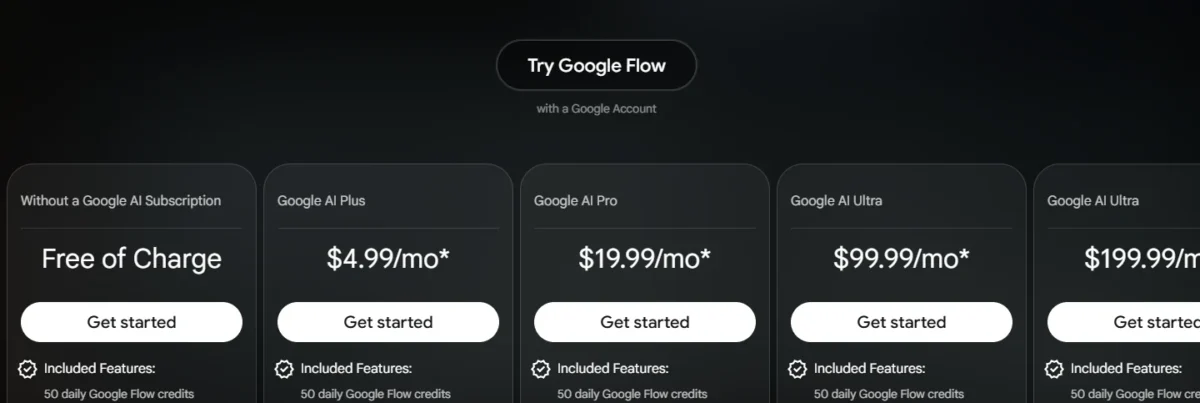
Yes, Google Flow is really free to use: without a paid plan you get 50 Google Flow credits a day and nearly the whole creation toolkit. The free column of Flow’s pricing panel, labeled “Free of Charge”, covers:
- Video: clips from a text prompt, from start frames or from ingredient images, plus clip extension, video-to-video edits and Scenebuilder
- Models: Gemini Omni Flash, Veo 3.1 and Nano Banana Pro
- Images and people: 2K image upscaling, Characters and Avatars
- Help: the Agent, and Google Flow Tools for usage only (building tools starts on Plus)
Google’s models and features page adds that all users can access Gemini Omni models, including 10-second clips and video editing. Nano Banana 2 Lite is the default image model at no charge.
So the free tier rations volume and resolution, not creative features: a free account can try almost every workflow a paid one runs.
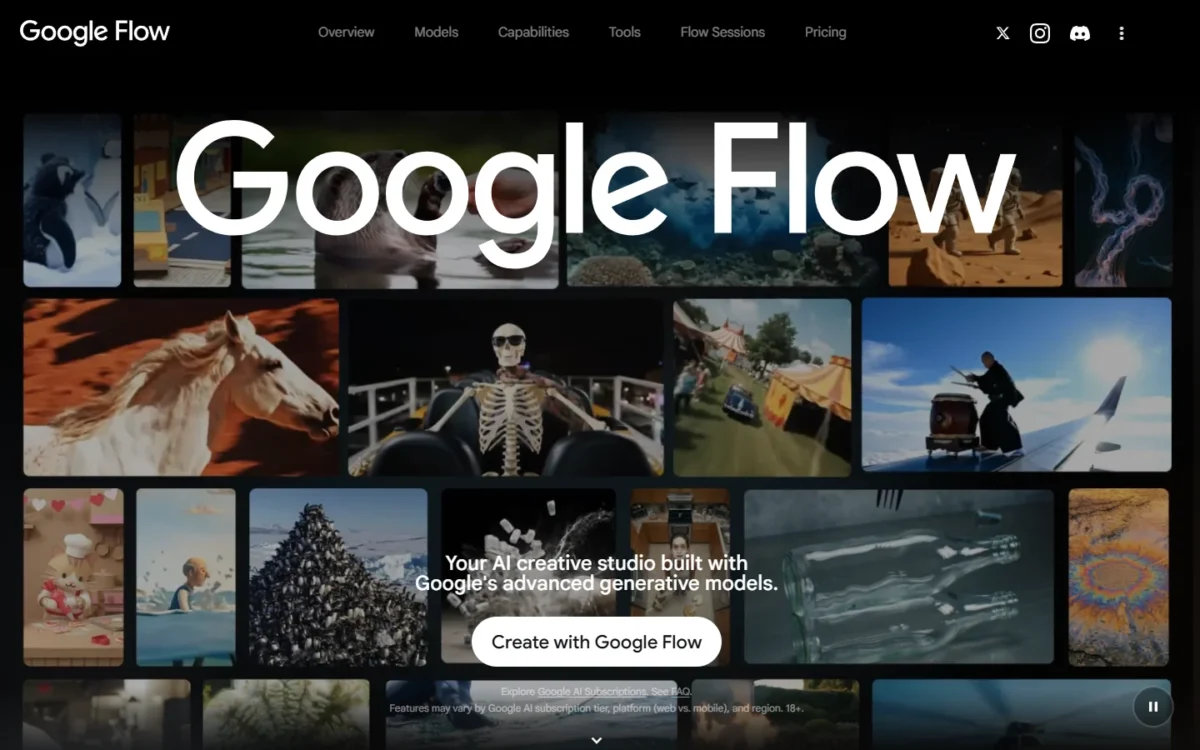
The beginner tutorial on how to use Google Flow step by step shows where each tool sits in a project. Volume is where 50 credits run out, so that is the next question.
What 50 Daily Credits Buy Each Day
Fifty credits buy five Veo 3.1 Lite clips, two Veo 3.1 Fast clips, four 8-second Omni Flash clips at 720p, or one Omni video edit a day. The table uses the rates Google lists for everyone not on Ultra.
| Model and clip | Clips x credits each = credits used | Seconds of video |
|---|---|---|
| Veo 3.1 Lite, 8s | 5 x 10 = 50 | 5 x 8 = 40 |
| Veo 3.1 Fast, 8s | 2 x 20 = 40 | 2 x 8 = 16 |
| Veo 3.1 Quality, 8s | 100 per clip, above the daily 50 | 0 |
| Omni Flash 720p, 4s | 7 x 7 = 49 | 7 x 4 = 28 |
| Omni Flash 720p, 8s | 4 x 12 = 48 | 4 x 8 = 32 |
| Omni Flash 720p, 10s | 3 x 15 = 45 | 3 x 10 = 30 |
| Omni Flash 360p, 4s | 12 x 4 = 48 | 12 x 4 = 48 |
| Omni Flash 360p, 8s | 8 x 6 = 48 | 8 x 8 = 64 |
| Omni Flash 360p, 10s | 7 x 7 = 49 | 7 x 10 = 70 |
| Omni Flash video edit | 1 x 40 = 40 | Any length |
Sources: Google Flow credits help page, checked October 2026; clip counts and seconds are my arithmetic from its per-generation costs.
Omni Flash at 360p yields the most footage: 70 seconds a day, against 40 from Veo 3.1 Lite. At half the 720p cost, 360p suits drafts.
Two rules shrink these numbers. Costs are per generation, so a request that returns 2 videos costs twice. Daily credits refresh the day after your first generation, and unused credits do not roll over.
Take an illustrative 32-second social ad built from four 8-second Omni Flash clips at 720p. They cost 4 x 12 = 48 credits, leaving 2 and no room for a retake.
Drafting the four shots at 360p first costs 4 x 6 = 24 credits, which leaves 26 for two 720p finals (2 x 12 = 24).
With that little margin, starting from Google Flow prompts to copy beats spending credits on trial and error.
Why Veo 3.1 Quality Is Out of Reach Without a Plan
A free account cannot make a Veo 3.1 Quality clip: one 8-second generation costs 100 credits, twice the daily 50.
Unused daily credits never build up to 100, and AI credit top-ups are sold to Plus, Pro and Ultra subscribers. The cheapest route is Google AI Plus, whose 200 monthly credits cover two Quality clips (2 x 100 = 200).
Free-Tier Limits: Peak Hours, Upscaling and Watermarks
Yes, a free account faces limits beyond credits: video can be blocked at peak hours, generations can be rate-limited, video cannot be upscaled, and every output carries a SynthID watermark.
- Peak hours: during roughly 2 PM to 5 PM UTC, non-subscribers may not be able to generate videos. That is about 10 AM to 1 PM Eastern in daylight saving time, 9 AM to noon in winter. Images and the Agent keep working.
- Rate limits: Google may slow generations, particularly on zero-credit models, and cuts the per-minute allowance after many generations in a day.
- Upscaling: 1080p upscaling is not available to non-subscribers; 4K is for Ultra subscribers at 50 credits. 2K image upscaling is free.
- Image volume: Google publishes no free image count; the pricing panel only lists “Higher image generation limits” for Plus.
Google’s page states the peak-hour window in UTC only and lists 1080p upscaling as not available without a subscription.
Watermarks on Free Output
Every Google Flow output made with Veo, Omni or Nano Banana carries an invisible SynthID watermark, on free and paid accounts alike. A visible watermark is optional, set with the “Visible watermarking” toggle under your profile picture.
In India, South Korea and Vietnam, Google applies the visible mark automatically unless the account is on the Google One AI Ultra 20x Plan. A US account controls the visible mark itself; SynthID stays in every file.
Who Can Use Google Flow for Free
You qualify for free Google Flow with three things: a Google Account, an age verified as 18 or older, and a location in a supported country. The United States is on Google’s list of supported countries, as are Puerto Rico, Guam and the U.S. Virgin Islands.
- VPNs: Google says VPNs will not enable access in unsupported regions.
- Regional gaps: editing uploaded videos and Avatars are unavailable in the EEA, Switzerland and the United Kingdom.
- Google Workspace: qualifying plans, including Business Starter, Standard and Plus, get Flow at no extra charge with 50 daily credits.
Google’s Workspace admin page says Flow is on by default, and admins can manage access by user, group or organizational unit.
The same page warns that interactions with Flow might be used to train models, a point for teams handling client material. If Flow will not open on a work account, the admin setting is the first thing to check.
Why Some Google Pages Still Say You Need a Plan
On October 17, 2026, Google’s “Get started” help pages for computer and Android still listed “Be subscribed to Google AI Plus, Google AI Pro, or Google AI Ultra” as a requirement. Flow’s pricing panel and credits page both describe a Free of Charge tier with 50 daily credits. I follow those two pages, because they spell out the terms.
After signing in without a plan, click your profile picture at the top right to see your remaining credits.
Free vs Paid Plans: What Google AI Plus, Pro and Ultra Add
Every paid Google AI plan keeps the 50 daily credits and adds a monthly pool, from 200 credits on Google AI Plus to 25,000 on the $199.99 Ultra tier. Google AI Plus, the cheapest plan, lists at $4.99 per month on Flow’s pricing panel, which notes that prices may vary by market.
| Feature in Flow | Free | Google AI Plus | Google AI Pro | Google AI Ultra |
|---|---|---|---|---|
| Monthly credits | None | 200 | 1,000 | 10,000 or 25,000 |
| Video at peak hours | May be blocked | Immediate | Immediate | Immediate |
| 1080p video upscaling | Not available | 0 credits | 0 credits | 0 credits |
| 4K upscaling | Not available | Not available | Not available | 50 credits |
| Omni 360p to 720p upscale | Not listed | Not listed | 0 credits | 0 credits |
| Google Flow Tools | Usage only | Creation | Creation | Creation |
| AI credit top-ups | Not offered | Available | Available | Available |
| Veo 3.1 Lite (Lower Priority) | Not available | Not available | Not available | 0 credits |
Sources: Google Flow pricing panel, Google Flow credits help page and models and features page, checked October 2026.
Plus changes the most for a solo creator: it ends the peak-hour block, adds 1080p upscaling at 0 credits, and adds 200 credits a month. Those buy 20 more Veo 3.1 Lite clips (20 x 10 = 200) and do not roll over.
For each plan’s price and a monthly cost estimate, my Google Flow pricing guide with its credit calculator runs the numbers.
Where the Google Flow App Runs: Web, Android and iPhone
Google Flow runs both in a browser and as a phone app. On a computer, open flow.google.com in a Chromium-based browser such as Chrome or Edge. On a phone, install the Google Flow app for Android 12 or above (2GB RAM minimum) or for iPhone and iPad.
You sign in with your Google Account, and credits are shared across the account on every device. A clip made on the phone spends the same 50 daily credits as one made on the web.
The devices differ in editing power. Google recommends a desktop computer for the most powerful editing and the native app over a mobile browser on Android. Omni’s start-and-end frames work only on the web.
Google’s Flow lives at flow.google.com and in the Google Flow app; a “Flow AI video” site on another domain in search results is not a Google domain.
Is Google Flow the Same as the Gemini App?
No, Google Flow and the Gemini app are separate products. Google’s AI Pro benefits page lists the Gemini app with Veo and Google Flow as two separate benefits.
The link between them is the agent, which Google says is built with Gemini’s intelligence. Google Flow Music, at flowmusic.app, is a third product whose credits are separate from Google AI credits.
Is the Free Tier Enough for You?
The free tier is enough to learn Flow, test prompts, build storyboards and make images. It does not cover more than four 8-second Omni 720p clips a day, or a retake on a daily clip.
It also leaves out any Veo 3.1 Quality clip and 1080p upscaling, and video may be blocked roughly 2 PM to 5 PM UTC.
| Your situation | Stay free or upgrade | Reason |
|---|---|---|
| Learning Flow and testing prompts | Stay free | Twelve 4-second Omni 360p drafts fit in a day |
| One 32-second social clip a day | Stay free, no retakes | Four 8-second Omni 720p clips use 48 of 50 credits |
| Client work that needs 1080p upscaling | Google AI Plus | No 1080p upscaling without a subscription |
| Veo 3.1 Quality footage | Google AI Plus at minimum | One Quality clip costs 100 credits |
| Video generation around 2 PM to 5 PM UTC | Any paid plan | Free accounts may be blocked roughly 2 PM to 5 PM UTC |
| Team on a qualifying Workspace plan | Use the Workspace access | No extra charge, if the admin leaves Flow on |
Sources: Google Flow credits help page, checked October 2026.
My pick: start free, and move to Plus the week you deliver video to a client or hit the morning block twice. Before paying more than Plus, my Google Flow review weighs whether the larger plans earn their price.
Creators pricing Runway at the same time can set the two side by side in Google Flow vs Runway.
FAQ
Can I use free Google Flow videos commercially?
Google’s Terms of Service govern how Flow output may be used, and per those terms, “Google won’t claim ownership over that content.” Read the Terms before using free clips in client work.
Do failed generations use credits?
No. Google charges no credits for failed generations, and an “Audio Generation Failed” error refunds the credits.
Are there free alternatives to Google Flow?
If 50 credits a day is too tight, my ranking of free AI video generators by what the free plan allows compares other free tiers.
For a paid tool that replaces Flow, my Google Flow alternatives list matches each option to a job.