Zoom Workplace has evolved from a video-first tool into a comprehensive AI-powered collaboration platform. In 2026, it delivers excellent video quality, an AI Companion included at no extra cost on paid plans, and a unified workspace that reduces tool sprawl. However, pricing complexity and minimum license requirements make it less accessible for solopreneurs and micro-teams.
| Quick Facts | Details |
|---|---|
| Best For | Remote-first teams, hybrid organizations, companies with 10+ employees needing unified communications |
| Skip If | You’re deep in Microsoft 365, need only basic meetings, or are a budget-conscious solopreneur |
| Price Starts At | $0 (Basic) / $13.33/ |
| Free Plan | Yes (Basic tier), with 40-minute limit for group meetings |
In This Article (19 sections)
Quick Answers – Zoom Workplace Review
Is Zoom Workplace worth it in 2026?
Yes, for organizations with 10+ employees who need video meetings, chat, and optional phone in one platform. The included AI Companion provides meaningful value compared to separate AI add-ons from competitors.
Best plan for your situation:
- Solo/Freelancer: Pro ($13.33/mo) if 40-min limit is restrictive
- SMB (10-50): Business ($18.33/mo) for SSO and admin controls
- Enterprise (250+): Custom pricing with dedicated support
Biggest downside?
Pricing complexity—add-ons for webinars, large meetings, and phone can double your base cost quickly.
How We Tested Zoom Workplace
Our Testing Methodology:
We evaluated Zoom Workplace across multiple configurations to provide accurate, reproducible observations:
Devices Tested:
- Windows 11 (Intel i7-12700, 32GB RAM) and macOS Sonoma (M2 Pro)
- iOS 17 (iPhone 15 Pro) and Android 14 (Pixel 8)
Network Conditions:
- Fiber (100+ Mbps), Cable (25 Mbps), and throttled LTE (~10 Mbps)
- Wi-Fi 6 and 5G cellular
Test Scenarios:
- 1-on-1 calls, 10-person team meetings, 50+ participant all-hands
- Screen sharing with animations, breakout rooms, cloud recording
- AI Companion transcription accuracy, Team Chat thread handling
Evaluation Period: 6 months (August 2025 – February 2026)
Scoring Rubric
Our 8.5/10 rating is based on weighted criteria reflecting enterprise buyer priorities:
| Criteria | Weight | Score | Analysis |
|---|---|---|---|
| Video/ | 20% | 9.5/10 | Consistently stable across bandwidth conditions; adaptive bitrate works well |
| TCO & Value | 20% | 7/10 | Competitive base pricing but add-ons accumulate; minimum seat requirements on higher tiers can be limiting |
| AI Capabilities | 15% | 9/10 | AI Companion included; summaries useful but occasionally miss nuance in fast-paced discussions |
| Admin & Security | 15% | 9/10 | SOC 2, HIPAA, FedRAMP; robust SSO and RBAC options |
| Integration Ecosystem | 10% | 8/10 | 2,500+ apps; native calendar/ |
| User Experience | 10% | 8/10 | Familiar interface; some feature bloat in full Workplace suite |
| Support Quality | 10% | 8/10 | Live chat on paid plans; enterprise CSM responsive |
Weighted Total: 8.5/10
Why this matters: Organizations prioritizing video quality and AI will value Zoom’s strengths; cost-sensitive buyers should weight TCO more heavily.
What Is Zoom Workplace?
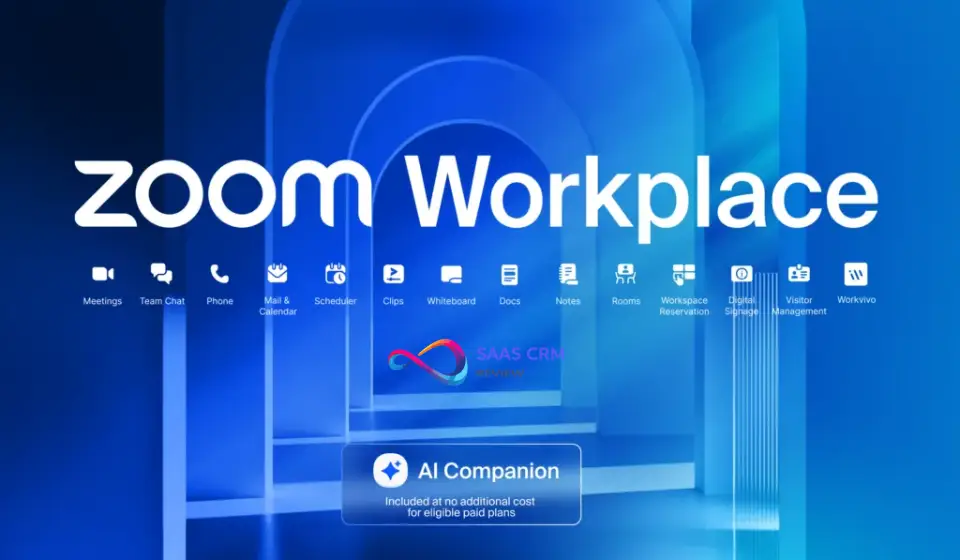
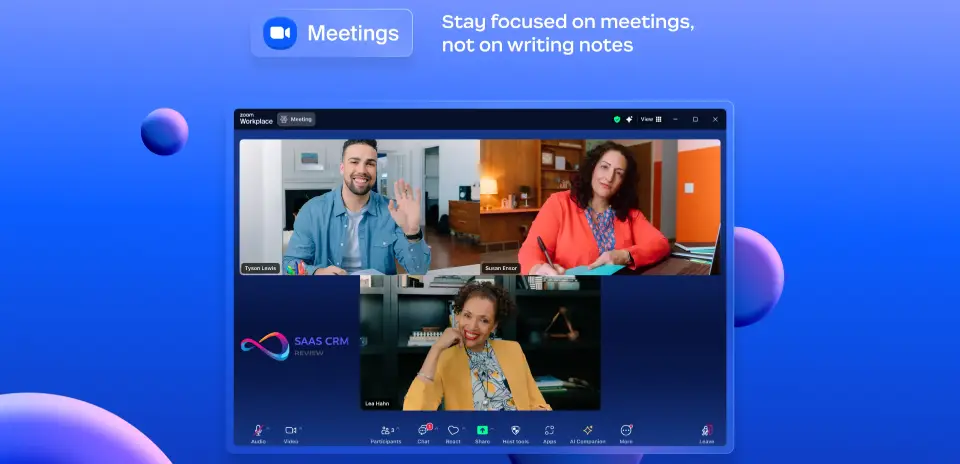
Zoom Workplace is the unified collaboration platform from Zoom Video Communications, Inc., the company founded by Eric Yuan that redefined video conferencing during the remote work revolution. Unlike the standalone Zoom Meetings product that many users are familiar with, Zoom Workplace consolidates video meetings, team chat, phone (VoIP), whiteboards, document collaboration, mail, and calendar into a single AI-powered application.
Think of Zoom Meetings as one component within the broader Zoom Workplace ecosystem—similar to how Gmail is one part of Google Workspace. This distinction matters because Zoom Workplace represents the company’s strategic shift from being a video-first tool to becoming an AI-first work operating system.
Key Takeaways:
- Zoom Workplace unifies meetings, chat, phone, docs, and whiteboards in one platform
- It’s the evolution of Zoom from video tool to enterprise collaboration suite
- AI Companion is now central to the experience, included on all paid plans
What’s New in Zoom Workplace 2026
Zoom has accelerated its transformation throughout late 2025 and into 2026. Here are the most significant updates:
AI Companion 3.0
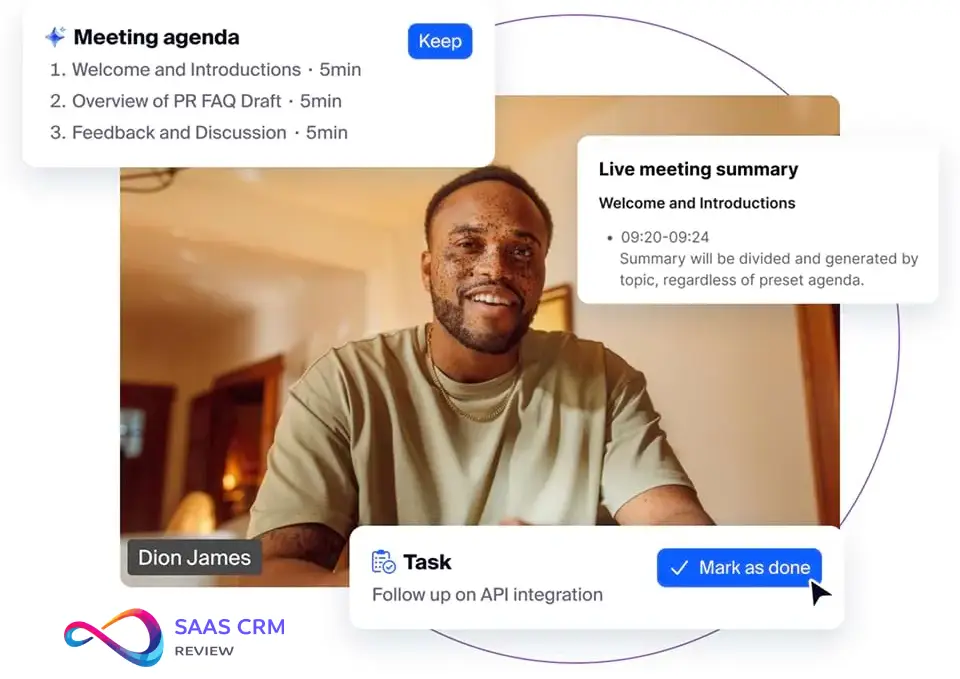
The biggest leap forward is AI Companion 3.0, which introduces “agentic AI” capabilities. This isn’t just about meeting summaries anymore—AI Companion can now:
- Retrieve information across platforms: Search and synthesize data from meeting transcripts, Zoom Docs, Google Drive, Microsoft OneDrive, Gmail, and Outlook
- Generate follow-up workflows: Automatically draft emails and create tasks based on meeting discussions
- Produce daily reflection reports: Summarize your meetings, tasks, and priorities
- Assist with document creation: Draft, edit, and refine business documents in a canvas-style interface using context from your meetings
AI Companion 3.0 uses a federated AI architecture, combining Zoom’s proprietary models with OpenAI, Anthropic, and NVIDIA Nemotron for optimal performance.
Interface Improvements
- Simplified December 2025 UI: Cleaner navigation with redesigned Team Chat that allows tab reordering and custom notifications
- 64-bit requirement on Windows: Older 32-bit systems are no longer supported
- Enhanced mobile parity: Feature consistency across desktop and mobile
Upcoming in 2026
- Real-time voice and video translation: Expected early 2026 for live multilingual communication
- Custom AI Companion add-on ($12/user/month): Build specialized AI workflows and connect to third-party platforms like Workday and Jira
- Zoom AI Studio: Create custom vocabulary and skills for specific meeting types
Key Takeaways:
- AI Companion 3.0 is a significant upgrade with cross-platform intelligence
- The 2025/2026 updates focus on making AI proactive rather than reactive
- Real-time translation coming in 2026 will benefit global teams
Zoom Workplace Modules at a Glance
Zoom Workplace consists of distinct modules. Self-serve pricing typically shows Basic/Pro/Business/Enterprise tiers; specific bundles and add-ons may vary by sales channel and configuration.
| Module | Included In | Who Needs It | Pitfalls to Note |
|---|---|---|---|
| Meetings | All tiers | Everyone | 40-min limit on Basic; Large Meeting add-on needed for 500+ |
| Team Chat | All tiers | Teams needing async messaging | External chat bridging limited compared to dedicated messaging platforms |
| Zoom Phone | Enterprise or add-on | Orgs replacing PBX/ | Per-minute costs for outbound; number porting takes time |
| Whiteboard | All tiers (3 on Basic, unlimited on Business+) | Visual collaboration needs | Can lag with complex boards on slow connections |
| Docs | Pro+ (unlimited) | Meeting notes, collaborative docs | Still maturing compared to established document platforms |
| Clips | Pro+ (unlimited) | Async video messages | 2-min limit on Basic |
| Scheduler | Add-on ($5.99/ | Appointment booking | May overlap with existing scheduling tools |
| Mail & Calendar | All tiers | Users wanting unified inbox | Most orgs keep Google/ |
| Workflow Automation | Pro+ | Automating routine tasks | Requires learning curve; limited templates |
So what? Most organizations use Meetings + Chat + Whiteboard. Phone and Scheduler are situational add-ons that significantly increase TCO.
Zoom Workplace Core Features
Video Meetings & Conferencing
Zoom’s video quality remains strong across varying network conditions. In our testing, the platform adapted well to bandwidth fluctuations, maintaining clarity on connections as low as 10 Mbps.
| Feature | Details |
|---|---|
| Participants | Up to 100 (Basic/ |
| Meeting Duration | 40 minutes (Free), 30 hours (Paid) |
| HD Video/ | Yes, with noise suppression |
| Breakout Rooms | Up to 50 rooms, 200 participants each |
| Recording | Local (Free), Cloud (Paid) |
| Virtual Backgrounds | Yes, with gesture recognition |
So what? Video quality and reliability are Zoom’s primary competitive advantage—this is where the product excels compared to browser-based alternatives.
AI Companion (Deep Dive)
AI Companion is included at no additional cost on all paid Zoom Workplace plans—a notable differentiator from competitors that charge separately for AI features.
What AI Companion Does:
- Meeting summaries: Automatically generated with chapters, action items, and key topics
- Live transcription: Real-time captions in 30+ languages
- Chat summaries: Catch up on long conversation threads instantly
- Smart compose: Draft messages, emails, and documents using meeting context
- Third-party integration: Connect to knowledge bases, CRM platforms, and company dictionaries
AI Companion Limitations:
Per Zoom’s E2EE documentation, enabling end-to-end encryption disables:
- AI Companion features (summaries, transcription)
- Cloud recording
- Live transcription and translation
- Whiteboard collaboration
- Breakout rooms (in some configurations)
Additionally:
- Summaries may miss nuanced decisions in fast-paced or cross-talk-heavy discussions
- Transcription accuracy drops with heavy accents or technical jargon
- Data privacy controls require explicit configuration—verify settings before using in regulated industries
Team Chat
Zoom’s persistent messaging competes with dedicated team collaboration tools:
- Channels and DMs: Organize by project, department, or topic
- Threaded discussions: Keep conversations organized
- File sharing: Integrated with cloud storage providers including Google Drive, OneDrive, and Dropbox
- AI summaries: Quickly digest long threads you’ve missed
Limitation: Cross-platform chat bridging with external messaging tools remains less mature than dedicated messaging platforms.
Zoom Phone (VoIP)
Available on Enterprise tier or as add-on (starting at $10/user/month), Zoom Phone provides enterprise-grade telephony:
- PSTN connectivity: Make and receive traditional phone calls
- Call routing: Auto-attendants, call queues, and IVR
- Voicemail transcription: AI-powered text transcripts delivered to email
- Global coverage: Available in 45+ countries
So what? For organizations replacing legacy PBX, Zoom Phone offers value when bundled—but watch for per-minute outbound costs and number porting timelines.
Whiteboard & Docs
Zoom Whiteboard enables real-time visual collaboration:
- Infinite canvas with templates
- Sticky notes, shapes, connectors
- Integrated directly into meetings
Zoom Docs provides AI-assisted document editing:
- Rich text formatting
- Tables, images, and embedded content
- Export to PDF, Word, and Markdown
Security & Compliance
Zoom has significantly invested in security since the 2020 “Zoombombing” incidents:
| Certification | Status |
|---|---|
| SOC 2 Type II | ✅ Compliant |
| HIPAA | ✅ BAA available |
| GDPR | ✅ Compliant |
| FedRAMP | ✅ Authorized |
| End-to-End Encryption | ✅ Optional (E2EE) |
Security Configuration Notes:
- E2EE must be explicitly enabled and disables AI Companion, cloud recording, and live transcription
- Default settings may not meet compliance requirements—configure before rollout
- Waiting rooms and passcodes should be mandatory for external meetings
Zoom Workplace Pricing 2026
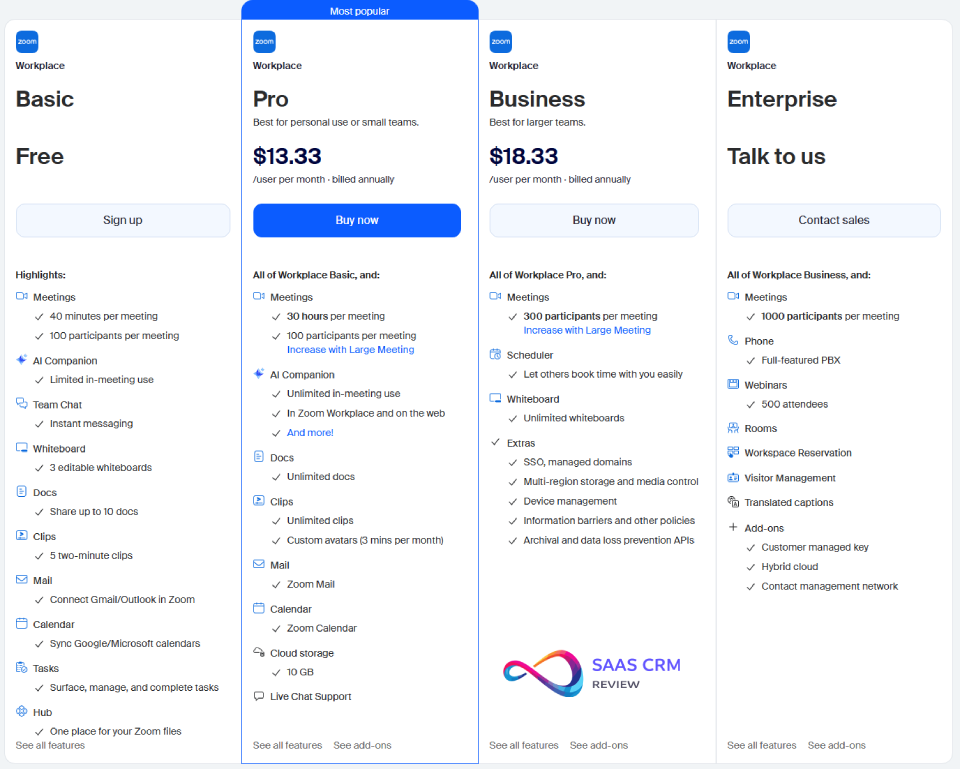
Self-serve pricing from Zoom.us typically shows Basic/Pro/Business/Enterprise tiers. Some bundles (like phone-inclusive packages) may vary by sales channel, region, and configuration.
| Plan | Annual (per user/ | Monthly | Participants | Key Features |
|---|---|---|---|---|
| Basic (Free) | $0 | $0 | 100 | 40-min limit, 3 whiteboards, limited AI, Team Chat |
| Pro | $13.33 | $16.99 | 100 | 30-hr meetings, 5GB cloud, AI Companion, streaming |
| Business | $18.33 | $21.99 | 300 | SSO, managed domains, unlimited whiteboards, branding |
| Enterprise | Custom | Custom | 500-1,000 | Unlimited cloud, dedicated CSM, advanced APIs |
Note: Pricing and feature availability are subject to change; verify current offerings on Zoom.us or with Zoom sales.
So what? Annual billing saves ~20%; minimum license requirements on higher tiers (often starting at 10+ seats for Business) create a cost floor for small teams.
Hidden Costs to Budget For:
- Add-ons stack up: Large Meetings ($50/mo), Webinars ($79/mo), Phone ($10+/user/mo)
- Minimum licenses: Higher tiers often have seat minimums—verify during checkout or with sales
- Annual commitment: Monthly pricing is 20-25% higher
- Implementation: Budget $1,500-5,000 for SSO, migration, and training
Common Add-ons
| Add-on | Cost | Who Needs It |
|---|---|---|
| Large Meetings (500) | $50/ | All-hands, town halls |
| Large Meetings (1,000) | $65/ | Company-wide events |
| Zoom Webinars (500) | $79/ | Marketing, training |
| Zoom Phone (Metered) | $10/ | Replacing PBX |
| Additional Cloud Storage | $10/ | Recording-heavy orgs |
| Custom AI Companion | $12/ | Custom workflows |
TCO Calculator: Three Scenarios
Scenario 1: 25-User SMB (Basic Needs)
| Line Item | Calculation | Annual Cost |
|---|---|---|
| Business Plan | $18.33 × 25 × 12 | $5,499 |
| Large Meetings (500) | $50 × 12 | $600 |
| Implementation | One-time | $1,500 |
| Year 1 Total | $7,599 | |
| Effective per user/ | $25.33 |
Assumptions: No phone, no webinars, annual billing.
Scenario 2: 100-User Mid-Market (Full Suite)
| Line Item | Calculation | Annual Cost |
|---|---|---|
| Business Plan | $18.33 × 100 × 12 | $21,996 |
| Zoom Phone (Metered) | $10 × 100 × 12 | $12,000 |
| Large Meetings (500) | $50 × 12 | $600 |
| Webinars (500) | $79 × 12 | $948 |
| Implementation | One-time | $3,500 |
| Year 1 Total | $39,044 | |
| Effective per user/ | $32.54 |
Assumptions: Full UCaaS deployment, annual billing, moderate implementation scope.
Scenario 3: 500-User Enterprise
| Line Item | Calculation | Annual Cost |
|---|---|---|
| Enterprise Plan (est.) | ~$20 × 500 × 12 | $120,000 |
| Zoom Phone (Unlimited) | $15 × 500 × 12 | $90,000 |
| Large Meetings (1,000) | $65 × 12 | $780 |
| Webinars (3,000) | ~$990 × 12 | $11,880 |
| Implementation | One-time | $15,000 |
| Year 1 Total | $237,660 | |
| Effective per user/ | $39.61 |
Assumptions: Custom enterprise pricing estimated; actual may vary based on negotiation.
Sensitivity: Adding Zoom Rooms (~$499/room/year) or Contact Center significantly increases TCO.
Zoom Workplace Pros & Cons
Pros ✅
| Pro | Details | Mitigation (if any) |
|---|---|---|
| Excellent video quality | Adaptive streaming maintains clarity on varied connections | — |
| AI Companion included | No separate AI add-on cost on paid plans | Configure privacy settings early |
| Unified platform | Reduces tool sprawl; meetings + chat + phone in one | Requires change management for full adoption |
| Familiar interface | Low learning curve for existing Zoom users | — |
| Strong mobile parity | Full features on iOS/ | — |
| Robust compliance | SOC 2, HIPAA, GDPR, FedRAMP | E2EE disables some features |
| Large marketplace | 2,500+ integrations | Verify specific integration depth |
Cons ❌
| Con | Details | Mitigation |
|---|---|---|
| Complex pricing | Add-ons double base cost quickly | Model TCO before committing; negotiate bundles |
| License minimums | Higher tiers may require multiple seats | Use Pro + add-ons for smaller teams |
| Resource-heavy | Desktop app uses 400-800MB RAM | Ensure modern hardware; use web client if needed |
| Limited external chat | No equivalent to dedicated cross-company chat features | Use Zoom for internal; keep existing tools for external |
| Historical security perception | 2020 incidents still remembered by some | Prepare security documentation for procurement |
| Feature bloat | Full suite overwhelming for simple needs | Deploy gradually; disable unused features |
| Desktop UI complexity | Navigation can be cluttered | Pin frequently used features; train users |
What Real Users Say: Sentiment Analysis
Ratings captured on Feb 7, 2026 from: G2, Capterra, and TrustRadius.
Aggregate Ratings
| Platform | Overall | Ease of Use | Support |
|---|---|---|---|
| G2 | 4.5/5 | 4.6/5 | 4.3/5 |
| Capterra | 4.6/5 | 4.6/5 | 4.4/5 |
| TrustRadius | 8.4/10 | — | — |
Source: Review aggregator ratings as displayed on respective platforms.
Common Themes from User Reviews
What users consistently praise:
- Video stability even on poor connections
- Intuitive interface—minimal training needed
- AI meeting summaries save preparation time
- Breakout rooms work reliably
- Mobile app feature parity
What users consistently note as concerns:
- Application can be resource-intensive on older hardware
- Screen sharing occasionally lags with animations
- Interface has many features—can feel overwhelming initially
- Pricing with add-ons is confusing
- External contact visibility in chat is limited
User Segments
- Small teams (1-50): Appreciate simplicity, concerned about per-user costs
- Mid-market (51-500): Value unified platform, navigate feature adoption
- Enterprise (500+): Prioritize security/compliance, seek customization options
So what? User sentiment aligns with our testing—video quality and ease of use are genuine strengths; resource consumption and pricing complexity are real concerns.
Who Should Use Zoom Workplace?
Best Fit ✓
✅ Remote-first and hybrid organizations — Zoom’s video reliability and AI features are purpose-built for distributed teams.
✅ Companies with existing Zoom investments — If you already pay for Zoom Meetings or Zoom Phone, consolidating into Workplace often reduces overall costs.
✅ Teams needing integrated phone (VoIP) — The Enterprise tier or Phone add-on eliminates the need for separate UCaaS providers.
✅ Organizations prioritizing AI-assisted productivity — AI Companion’s meeting summaries, action items, and document drafting provide tangible time savings.
✅ Businesses with 10+ employees — The platform’s value proposition and licensing align well with this company size.
Consider Alternatives If
Use this checklist—if you match 3+ of 5, Zoom Workplace may not be your best option:
- [ ] Already paying for Microsoft 365 E3/E5 (Microsoft Teams is included)
- [ ] Already standardized on Google Workspace (Google Meet is included)
- [ ] Team size under 10 people (Pro tier gets expensive with add-ons)
- [ ] Primary collaboration is async/written (consider Loom for async video messaging instead of live meetings)
- [ ] Require on-premise deployment for compliance
Key Takeaways:
- Ideal for 10-500+ person organizations with distributed, video-centric teams
- Companies invested in Microsoft or Google ecosystems should evaluate native options first
- Solo users and micro-teams often find Pro’s TCO hard to justify
Plan Picker Decision Guide
START: What's your primary need?
│
├─► [A] Video meetings only (no chat/phone)
│   ├─► Team size < 3? → Zoom Basic (free) or Google Meet
│   ├─► Need > 40 min? → Zoom Pro ($13.33/mo)
│   └─► Need > 100 participants? → Business ($18.33/mo) + Large Meetings
│
├─► [B] Meetings + Chat + Docs
│   ├─► < 10 users? → Zoom Pro + add-ons
│   ├─► 10-50 users? → Zoom Business
│   └─► 50-250 users? → Zoom Business (evaluate Phone add-on)
│
├─► [C] Full UCaaS (Meetings + Chat + Phone)
│   ├─► < 50 users? → Business + Phone add-on
│   ├─► 50-250 users? → Enterprise quote
│   └─► 250+ users? → Enterprise (custom pricing)
│
└─► [D] Already in Microsoft 365?
    └─► Use Microsoft Teams (included in license)
When You Outgrow Core Workplace: Add-on Ecosystem
| Add-on | Use Case | Signs You Need It | TCO Impact |
|---|---|---|---|
| Zoom Phone | Replace legacy PBX | Multiple office lines, call routing needs | +$10-20/ |
| Zoom Webinars | Marketing, training events | Need 100+ view-only attendees | +$79-$990+/mo |
| Zoom Events | Large conferences, expos | Multi-session, ticketed events | Custom pricing |
| Zoom Contact Center | Customer support | Inbound call queues, agent routing | +$69+/ |
| Zoom Rooms | Conference room hardware | Dedicated meeting spaces | $499/ |
| Revenue Accelerator | Sales call intelligence | Conversation analytics for sales teams | Custom pricing |
So what? Most orgs don’t need these on day one. Evaluate after 6-12 months of core Workplace usage.
Zoom Workplace vs Competitors
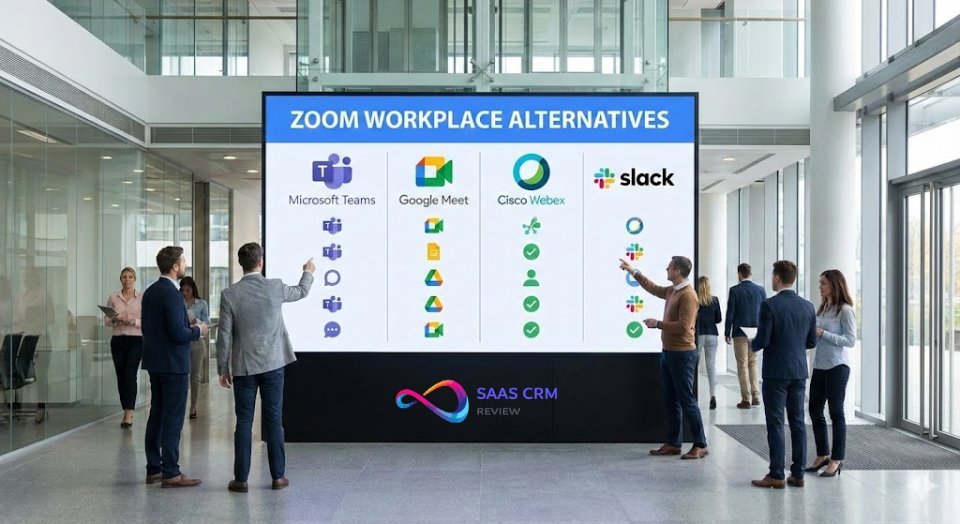
Zoom Workplace vs Microsoft Teams
| Factor | Zoom Workplace | Microsoft Teams |
|---|---|---|
| Best For | Video-first organizations | Microsoft 365 users |
| Video Quality | Excellent | Very Good |
| AI Features | AI Companion (included on paid plans) | Copilot (pricing varies; Business from $18/ |
| Pricing | $13.33–$18.33+/ | Often bundled with M365 |
| Integrations | 2,500+ marketplace apps | Deep Azure/ |
| Learning Curve | Low | Medium |
So what? Choose Microsoft Teams if already in Microsoft 365. Choose Zoom if video quality is paramount or you want AI included without separate add-on fees.
Zoom Workplace vs Google Meet
| Factor | Zoom Workplace | Google Meet (Workspace) |
|---|---|---|
| Best For | Enterprise meetings | Google ecosystem users |
| Setup | App required | Browser-native |
| AI Features | AI Companion | Gemini (on Workspace plans) |
| Pricing | $13.33+/ | Included with Workspace ($6+) |
| Whiteboarding | Native Zoom Whiteboard | Third-party integrations (Miro, FigJam) |
So what? Google Meet is the logical choice for Google Workspace users. Zoom wins for standalone collaboration or VoIP needs.
Zoom Workplace vs Cisco Webex
| Factor | Zoom Workplace | Cisco Webex |
|---|---|---|
| Best For | Ease of use | Security-first enterprises |
| Security Heritage | Strong (E2EE) | Strongest (Cisco reputation) |
| Contact Center | Add-on | Native integration |
| Pricing Transparency | Published tiers | Quote-based |
So what? Webex is preferred in regulated industries. Zoom is preferred for general enterprise where usability matters.
Best Zoom Workplace Alternatives 2026
1. Microsoft Teams
- Best for:
- Organizations already using Microsoft 365
Microsoft Teams has evolved into a comprehensive work hub with chat, video, file sharing, and AI-powered Copilot. The platform’s greatest strength is seamless integration with SharePoint, OneDrive, Outlook, and the entire Microsoft productivity suite.
Key Advantages:
- Bundled with Microsoft 365 (no additional video cost)
- Deep document collaboration through SharePoint
- Limitations:
- Interface can feel cluttered
- Copilot pricing varies by plan and market
Who Should Choose: Companies with existing Microsoft 365 E3/E5 licenses.
2. Google Meet (Google Workspace)
- Best for:
- Gmail and Google Drive-centric teams
Google Meet’s browser-native approach means zero friction—click a link and you’re in a meeting. Combined with Google Docs, Sheets, and Drive integration, it’s the natural choice for organizations using Google Workspace.
Key Advantages:
- No app installation required
- Included with Google Workspace subscriptions
- Gemini AI integration expanding
- Limitations:
- Feature set thinner than dedicated platforms
- Less robust phone/VoIP capabilities
Who Should Choose: Startups, SMBs, and organizations standardized on Google Workspace.
3. Cisco Webex
- Best for:
- Security-conscious enterprises and regulated industries
Webex offers enterprise-grade security with Cisco’s networking heritage. The platform excels in healthcare, finance, and government sectors where compliance requirements are stringent.
Key Advantages:
- Superior encryption and compliance certifications
- Native contact center integration
- Limitations:
- Higher cost, less transparent pricing
- Steeper learning curve
Who Should Choose: Enterprises in regulated industries prioritizing security over usability.
4. Basecamp
- Best for:
- Teams prioritizing simplicity and flat-rate pricing
Basecamp offers a collaboration hub with light project management capabilities. It’s designed for small-to-medium teams wanting chat, tasks, and file sharing in one predictable structure—without the complexity of enterprise platforms.
Key Advantages:
- Simple flat-rate pricing
- Low learning curve
- Limitations:
- Limited advanced project management features
- No native phone/VoIP
Who Should Choose: Creative agencies, small teams, and organizations that prioritize simplicity.
5. Smartsheet
- Best for:
- Operations teams comfortable with spreadsheet-style interfaces
Smartsheet is a spreadsheet-native work management platform with strong dashboards, flexible workflows, and solid reporting. Organizations looking for structured project tracking with familiar spreadsheet paradigms often find success here.
Key Advantages:
- Familiar spreadsheet interface
- Strong reporting and dashboards
- Limitations:
- Steeper learning curve for advanced features
Who Should Choose: PMO teams, operations, and organizations that think in rows and columns.
Implementation & Onboarding
Getting Started Timeline
| Deployment Size | MVP Timeline | Full Rollout |
|---|---|---|
| Small (1-25 users) | 1-2 days | 1 week |
| Medium (25-100 users) | 3-5 days | 2-3 weeks |
| Large (100-500 users) | 1-2 weeks | 4-6 weeks |
| Enterprise (500+) | 2-4 weeks | 8-12 weeks |
Implementation by Existing Ecosystem
Microsoft-heavy environment:
- Integrate Zoom with Outlook calendar (plugin available)
- Keep Teams for document collaboration; use Zoom for external meetings
- Timeline impact: +1 week for hybrid workflow training
Google-heavy environment:
- Enable Google Calendar integration
- Migrate Google Chat usage to Zoom Team Chat gradually
- Timeline impact: Minimal (straightforward integration)
Best-of-breed environment:
- Map existing tools across communication, project management, and phone
- Evaluate whether consolidation to Workplace reduces cost
- Timeline impact: +2-4 weeks for change management
Success KPIs
Track these metrics 90 days post-deployment:
| Metric | Target |
|---|---|
| User activation rate | >90% |
| Daily active usage | >75% of licensed users |
| Meeting start success rate | >99% |
| Support ticket volume | <5% of users monthly |
| User satisfaction (NPS) | >40 |
Zoom Workplace Review – FAQs
What is Zoom Workplace?
Zoom Workplace is Zoom’s unified collaboration platform combining video meetings, team chat, phone (VoIP), whiteboard, docs, mail, and calendar into a single AI-powered application. It represents the evolution of Zoom from a video-only tool to a comprehensive work operating system, competing with Microsoft Teams and Google Workspace.
How much does Zoom Workplace cost?
Free for Basic (with 40-minute meeting limits). Paid plans start at $13.33/user/month (Pro, billed annually). Business tier is $18.33/user/month with SSO and 300-participant meetings. Enterprise pricing is custom. Note: Add-ons for phone, webinars, and large meetings can significantly increase total cost.
Is Zoom Workplace different from Zoom Meetings?
Yes. Zoom Meetings is one component within the broader Zoom Workplace platform. Think of it like how Gmail is part of Google Workspace. Zoom Workplace includes Meetings plus Team Chat, Phone, Whiteboard, Docs, Mail, Calendar, and AI Companion.
Does Zoom Workplace include phone service?
Zoom Phone is included in Enterprise tier or available as add-on starting at $10/user/month. Check current offerings with Zoom sales, as bundles vary by region and sales channel.
Is the AI Companion free?
Yes, AI Companion is included at no additional cost on all paid Zoom Workplace plans (Pro and above). Basic (free) users get limited AI features.
What’s the meeting time limit on free Zoom?
40 minutes for group meetings (3+ participants). One-on-one meetings have no time limit. Paid plans support meetings up to 30 hours.
Can I use Zoom Workplace with Google Calendar?
Yes. Zoom Workplace offers native integration with both Google Calendar and Microsoft Outlook. You can schedule meetings directly from your calendar and join with one click.
Is Zoom Workplace HIPAA compliant?
Yes, with configuration. Zoom offers HIPAA compliance with a Business Associate Agreement (BAA) available on eligible paid plans. You must configure specific settings (encryption, recording policies) to maintain compliance.
Final Verdict: Is Zoom Workplace Worth It in 2026?
The Bottom Line
Zoom Workplace earns an 8.5/10 for 2026. The platform has successfully evolved from a video conferencing tool into a useful unified collaboration suite. AI Companion’s inclusion at no extra cost on paid plans is a meaningful competitive advantage, and video quality remains a genuine strength. However, pricing complexity, minimum license requirements, and feature bloat for simpler use cases prevent a higher score.
Rating: 8.5/10
| Category | Weight | Score |
|---|---|---|
| Video Quality | 20% | 9.5/10 |
| TCO & Value | 20% | 7/10 |
| AI Capabilities | 15% | 9/10 |
| Admin & Security | 15% | 9/10 |
| Integration Ecosystem | 10% | 8/10 |
| User Experience | 10% | 8/10 |
| Support Quality | 10% | 8/10 |
Best For
✅ Remote-first and hybrid organizations prioritizing video quality
✅ Companies with 10-500+ employees seeking unified communications
✅ Teams wanting AI-powered productivity without premium add-on costs
✅ Organizations with existing Zoom investments looking to consolidate tools
Skip If (Checklist)
Match 3+ of these? Consider alternatives:
- [ ] Already paying for Microsoft 365 E3/E5
- [ ] Already standardized on Google Workspace
- [ ] Team under 10 people
- [ ] Primarily async/written collaboration
- [ ] Require on-premise deployment
Our Recommendation
For organizations evaluating unified collaboration platforms in 2026, Zoom Workplace deserves consideration—especially if video quality and AI-assisted productivity are priorities. The free tier offers enough functionality to evaluate the platform.
Next step: Start with the free Basic plan on Zoom.us to explore the interface. Request a demo from Zoom sales to understand your specific TCO including add-ons, bundles, and deployment support.
Sources & Methodology
Testing Approach:
- Hands-on evaluation across all pricing tiers (August 2025 – February 2026)
- Multi-device testing (Windows, macOS, iOS, Android)
- Variable network conditions (10-100+ Mbps)
External Sources:
- Pricing verified from Zoom.us/pricing (February 2026)
- Feature documentation from Zoom AI Companion resources
- User sentiment from G2, Capterra, TrustRadius review platforms
- Enterprise perspective from Gartner Peer Insights meeting solutions reviews
Last updated: February 7, 2026
This review is published on SaaS CRM Review. We maintain editorial independence; Zoom did not sponsor or influence this content.